Video Micro-Courses Without a Camera: Zendeck Digital Presenter
Let me be honest: you don't have a film studio. You probably don't even have a decent desk lamp aimed at your face. Yet your job — trainer, educator, L&D manager, or content lead — keeps demanding more video content. Onboarding modules. Product walkthroughs. Compliance refreshers. Course updates every time the product changes.
The traditional answer was "get on camera." The 2026 answer is smarter: create video micro-courses without a camera, using a digital presenter that narrates your slides for you. Zendeck's digital presenter is built exactly for this — it turns a static PowerPoint deck into a professionally narrated micro-course in under an hour, no filming, no studio, no bloopers.
01 Why Camera-Free Video Production Took Over Course Creation
Let's start with a scene. You've built a 12-slide deck for a new employee training module. It's polished. Your team loves it. Then someone says, "Great — now record it as a video for remote staff."
That sentence is where most course projects die... because "record it as a video" triggers a cascade of problems:
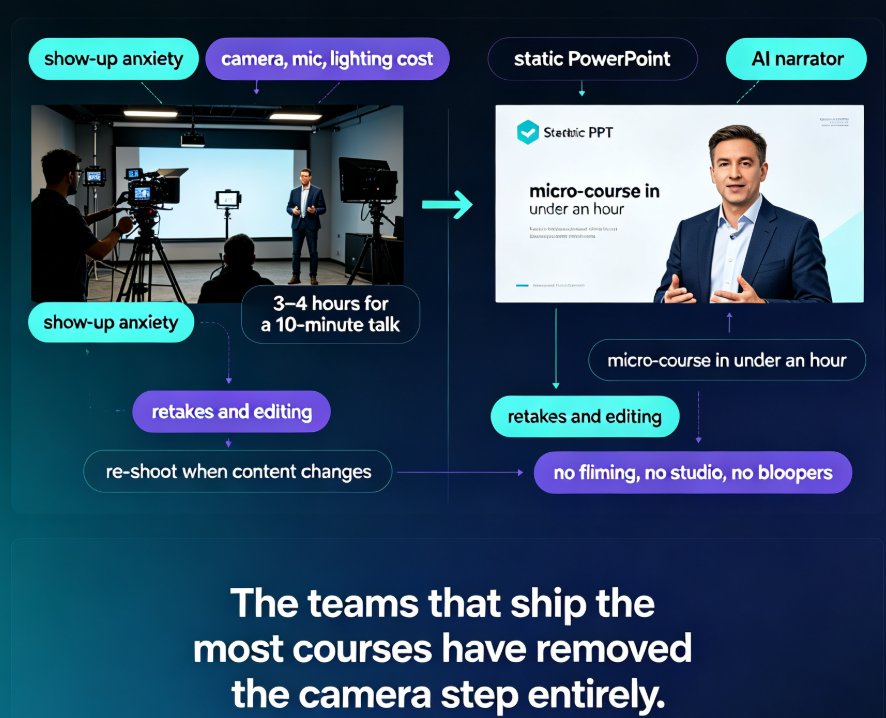
- Show-up anxiety. Not everyone is comfortable — or genuinely good — at delivering to a camera. Even seasoned trainers hit the "record button freeze" their first few times.
- Equipment reality. A decent camera, microphone and lighting setup runs several hundred dollars. Most training teams buy one kit and become its gatekeeper — which becomes a bottleneck.
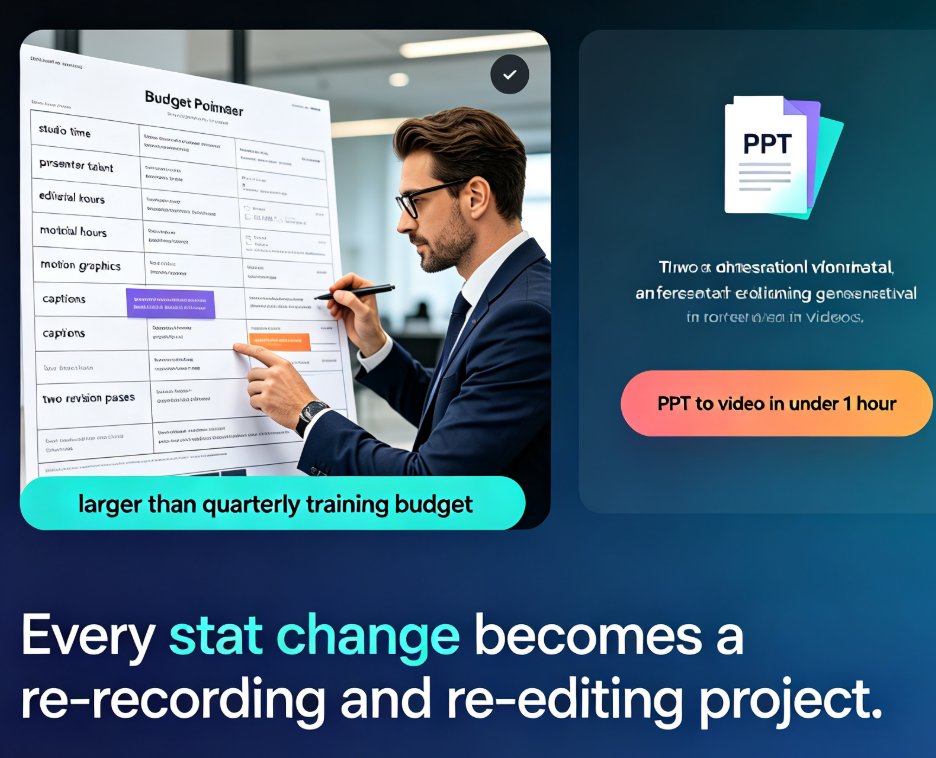
- Time drain. Filming a 10-minute talk can burn 3–4 hours with retakes, plus double that in editing. That's the real cost nobody budgets for.
- Update penalty. The moment your content changes (new product feature, new policy), you're back in front of the camera re-shooting.
Digital presenter tools have been quietly solving this. HeyGen's AI presenter tech, for example, renders realistic talking avatars from plain text — no camera, crew, or studio. LeadDe.ai tells the same story from the training side: teams produce presenter-led tutorial videos with AI avatars and cloned voices, "without ever turning on a camera."
The takeaway: in 2026, producing video content isn't an equipment problem anymore — it's a workflow problem. The teams that ship the most courses aren't the ones with the best cameras. They're the ones who removed the camera step entirely.
02 What Is a Digital Presenter? (And How Zendeck's Version Works)
A digital presenter is AI narration that carries your presentation — rather than a human on stage.
Zendeck's take on the digital presenter is intentionally different from avatar-based tools. Instead of inserting a fake video human into a corner of the slide, Zendeck makes your slide deck itself the presenter: the AI narrator reads your script in sync with slide transitions, keeping the focus on your content, not a talking head.
Here's what that means in practice:
- AI narration on slides. Paste or generate a script, and Zendeck layers a natural voiceover onto your deck. You can dig into the details of how this works in the PPT-to-Video workflow.
- Auto-generated subtitles. Subtitles are generated automatically from the narration, which also makes your micro-courses accessible — Zendeck even auto-generates subtitles for accessibility (see Auto-subtitles for accessible micro-courses).
- Slide-flow pacing. The "presenting" happens through the visual flow — text, charts, icons — with the voice guiding the viewer.
The result mirrors what avatar-tool users get (a professional, watchable video without a camera), but with one critical difference: the content stays in the deck. That means you can edit, re-skin, or update any slide — and regenerate the video in minutes. No re-filming.
03 The Camera-Free Workflow: From Outline to Micro-Course in About an Hour
Now the part you actually care about: the step-by-step workflow to producing a camera-free micro-course.
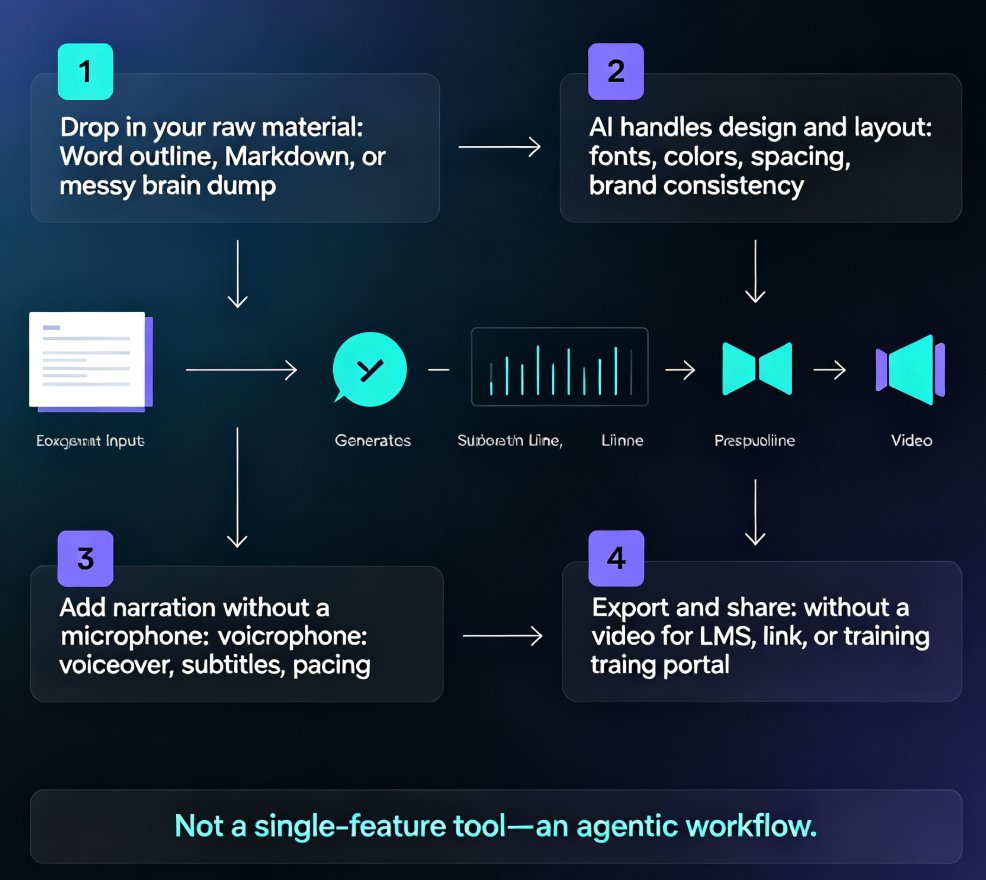
Step 1 — Start with an outline (Word or Markdown)
You don't need slides to start. Zendeck accepts a Word outline or Markdown/TXT file and converts it into a structured slide deck. This follows the same principle as AI presentation tools integrating with Word and Google Docs — but here, the outline gives you both the deck and the course structure.
Step 2 — Let Zendeck build and design the deck
Upload your outline, choose a template from the library, and Zendeck generates visually consistent slides. This is where you tap into context-aware template selection — Zendeck picks layouts based on your content type rather than forcing everything into a generic theme.
Step 3 — Write (or auto-generate) the narration script
Use your original notes as the script. Paste the narration text for each slide — or have Zendeck suggest a draft. Good scripts for camera-free courses are shorter and conversational (I'll share tips in Section 06).
Step 4 — Generate the narrated video
Head to the PPT-to-Video module, set the voice and pacing, and generate. The AI narrator reads the script as slides advance, producing a publish-ready video file. Zendeck also supports adding voiceover and subtitles to slides in one pass.
Step 5 — Review, update, re-export
The superpower of camera-free production is iteration. Change a slide, tweak a sentence, fix a typo — regenerate in minutes. No on-camera rework.
The entire flow — from outline to rendered video — typically takes under an hour for a 10-minute micro-course. Compare that to the half-day (or full-day) commitment of filming and editing.
04 Traditional Filming vs. Zendeck Digital Presenter: The Real Time Numbers
Let's put real numbers on the table. These figures reflect typical production workflows for a 10-minute training video (not including pre-writing the subject-matter content):
| Production stage | Traditional on-camera filming | Zendeck digital presenter |
|---|---|---|
| Script writing | 2 hours | 1.5 hours (outline + script draft) |
| Filming / recording | 3 hours (setup + light + several takes) | 0 hours |
| Editing & post-production | 4 hours (cuts, subtitles, sync, retakes) | ~0.5 hours |
| Rendering and export | ~1 hour (manual timeline exports) | Auto-rendered, ~instant |
| Content updates | Re-film or re-edit (again) | Edit slide → regenerate in minutes |
| Total production time | ~10 hours per video | ~2 hours per video |
The chart below breaks down where the time goes:
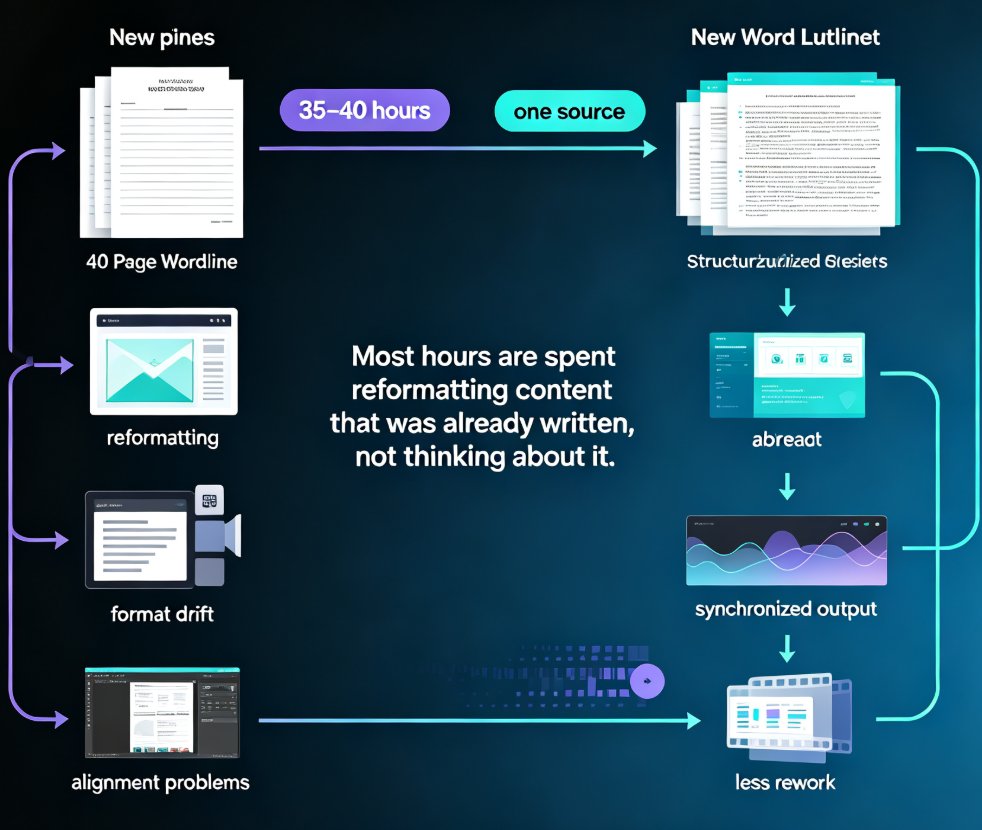
Now, those ~10 hours don't even include the invisible cost: scheduling time with a presenter, the anxiety tax, and the fact that most people avoid re-recording content entirely because it's painful. That's why camera-free production isn't just faster — it's what makes micro-courses financially viable for teams that would otherwise keep avoiding updates.
This is the metric that matters most: content freshness. When re-producing a video costs ~2 hours instead of ~10, teams actually keep their training content current.
05 Camera-Free Workflows: When You Should (and Shouldn't) Go This Route
Camera-free digital presenter production isn't a silver bullet. Let's be real about where it fits.
Great fits:
- Onboarding and compliance training. Standardized content that needs frequent updates due to policy changes.
- Product and feature walkthroughs. Slides plus narration beat a talking head when demonstrating screens and flows.
- Subject-matter explainers. Domain experts with great knowledge and no desire to be on camera.
- Internal knowledge-base mini-courses. Fast turnaround is the requirement.
Not-so-great fits:
- Personal-brand storytelling where your face and persona are the product (keynotes, vlogs, personal coaching).
- Executive addresses meant to model emotional leadership — though hybrid approaches (short intro on camera, then slides) work well.
If you're in the first group, Zendeck's PPT-to-Video workflow is designed for exactly this. Teams adopting this approach often reuse the same narrated-deck pipeline for everything from sales enablement to client-facing pitch videos.
06 Five Tips for Camera-Free Courses That Don't Sound Like a Robot Read Them
The biggest objection to AI narration is "it sounds robotic." Fair. But the real tell isn't the AI — it's the script.
Tip 1: Write the way you'd talk (short sentences). A 600-word slide presentation becomes a 400-word narration. Cut every subordinate clause. "Here's why this matters" beats "Let's take a moment to understand the significance."
Tip 2: Use your slides to carry the detail, not your voice. In camera-free video, the role of narration is to guide; the visual carries the data. Keep bullet points tight so the voice isn't reading the slide word-for-word.
Tip 3: Build in pauses between sections. Zendeck's pacing controls let you insert natural breaks. A two-second pause before a key definition does more for comprehension than any voice tweak.
Tip 4: Turn on auto-subtitles — always. Accessible micro-courses with auto-subtitles aren't just a compliance checkbox; they double as a comprehension aid. A large share of corporate learners watch videos muted at their desks, so subtitles are the difference between watched and understood.
Tip 5: Regenerate for freshness, not perfection. Because regeneration is cheap (minutes), don't obsess over a single perfect take. Produce a solid version, ship it, then update next quarter when the content changes. Your audience will thank you.
07 The Bottom Line: Your Next Micro-Course Doesn't Need a Camera
Here's the honest summary:
If your bottleneck has been the camera — the setup, the anxiety, the retakes — then the digital presenter model removes that bottleneck entirely. Zendeck lets you produce narrated micro-courses from your existing deck or even a bare outline, giving you a professional, update-friendly video in under an hour.
The tools are no longer the constraint. AI-generated video decks are already replacing traditional corporate training at teams that adopt them, and by 2026, camera-free will be the default for most knowledge-video categories. The people winning at content creation right now aren't the ones with the best lighting rigs — they're the ones who stopped letting the camera be the gatekeeper.
Your expertise was always the product. Now the production can be, too.
FAQ
1. What exactly is a digital presenter in Zendeck?
A digital presenter in Zendeck is the AI narration layer that reads your slide content aloud, synchronized with slide transitions. It turns a static deck into a narrated micro-course video — effectively "presenting" your material without needing a human on camera. This is different from avatar-based tools that place a digital human on screen; Zendeck keeps the deck itself front and center.
2. How long does it take to create a camera-free micro-course with Zendeck?
For a typical 10-minute micro-course, you can go from outline (Word or Markdown) to a published, narrated video in under an hour. The heavy lifting is automated: outline → deck generation → script → narration. Compare that to roughly 10 hours for an equivalent on-camera production.
3. Can I edit the narration after the video has been rendered?
Yes. Because the narration is tied to your slides (not baked into a filming session), you can edit your script or slide text and regenerate the video in minutes. That update loop is the main advantage of camera-free production — no re-filming, no expensive studio time.
4. Do I need design skills or video-editing experience to use Zendeck's digital presenter?
No. Zendeck automates the design (layout, fonts, colors) from your outline and handles the narration and subtitle generation. You focus on the content — the tool takes care of visual consistency and video production.
5. Is camera-free video good enough for corporate training and client-facing content?
In most cases, yes — especially for onboarding, compliance, product walkthroughs, and explainer content. These formats prioritize clarity, consistency, and easy updating over the presenter's on-camera charisma. If your brand requires a personal presence (executive keynotes, personal storytelling), a hybrid approach — a short on-camera intro followed by narrated slides — works well.