AI Deck Template Selection: How Zendeck Picks the Right Look for You
Let's be real: the hardest part of making a deck isn't writing the content—it's staring at a blank slide and wondering which template won't make your boss yawn. You've been there. You open PowerPoint, scroll through 50 templates, pick one, then spend another hour tweaking colors and fonts because nothing feels right. Sound familiar?
That's the template selection trap. And it's exactly where AI tools like Zendeck are changing the game. Instead of you guessing, the AI reads your content, understands your audience, and picks a layout that actually works. No more trial and error. No more design anxiety.
In this guide, I'll walk you through how Zendeck's AI template selection works, why it matters for your workflow, and how to get the most out of it. You'll also see a side-by-side comparison of manual vs. AI-driven selection—and a few tips I've picked up from years of making decks.
01 Why Template Selection Is the Real Bottleneck
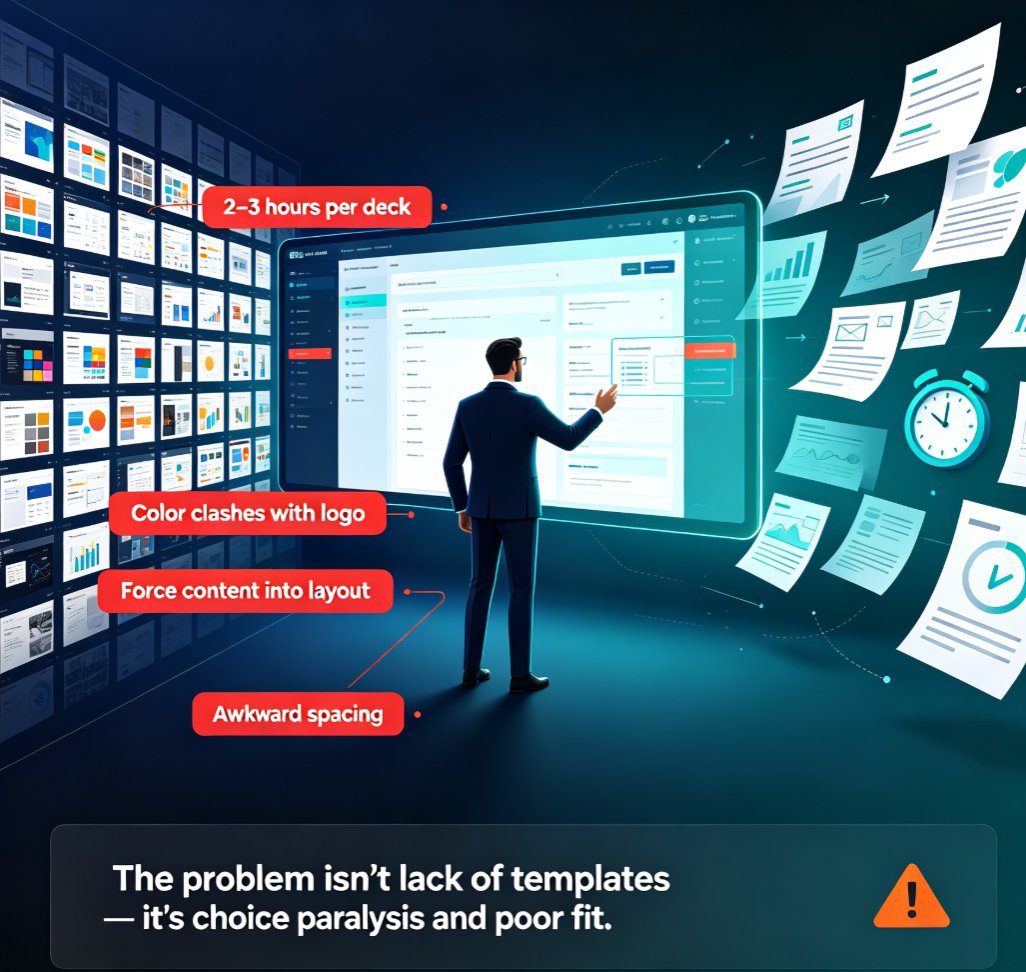
Here's a scenario: you're a marketing manager with a product launch deck due tomorrow. You've got the copy ready, the data in hand, but the design? It's a mess. You spend two hours scrolling through template galleries, trying to find something that doesn't look like every other corporate deck. Then you settle on one, only to realize the color scheme clashes with your logo.
The average professional spends 2–3 hours per deck just on template selection and formatting. That's time you could spend refining your message or rehearsing your delivery.
The problem isn't that there aren't enough templates—it's that there are too many. Choice paralysis is real. And when you finally pick one, it's rarely a perfect fit for your content. You end up forcing your text into a layout that wasn't designed for it, which leads to awkward spacing, cluttered slides, and a deck that looks amateur.
That's where AI steps in. Instead of you manually evaluating hundreds of options, the AI evaluates your content and instantly matches it to the most appropriate template. It's like having a design assistant who knows exactly what you need before you even ask.
02 How Zendeck's AI Reads Your Content and Picks a Template
So how does Zendeck actually do it? It's not magic—it's a combination of content analysis and design intelligence.
When you upload a Word outline or paste Markdown text, Zendeck's AI parses the structure: headings, bullet points, data mentions, and the overall narrative arc. It identifies whether you're building a pitch deck, a training module, a quarterly review, or a product demo. Each of these has different visual needs—a pitch deck needs bold statements and clear calls-to-action, while a training module needs step-by-step layouts and room for visuals.
The AI then cross-references your brand kit (if you've set one up) to ensure the template's colors, fonts, and style align with your brand. If you haven't set up a brand kit, it uses default professional styles that are clean and modern.
The result: a deck that looks like it was designed by a professional—because the AI has already done the heavy lifting of matching content to design.
Let me give you a concrete example. Say you're creating a sales training deck. Your content includes role-play scenarios, product specs, and quiz questions. Zendeck's AI will pick a template with clear section dividers, interactive-looking layouts, and plenty of space for images. It won't give you a minimalist pitch deck template with huge text and no room for visuals—that would be a mismatch.
This isn't just about aesthetics. It's about communication effectiveness. A well-matched template makes your content easier to digest, which means your audience retains more. That's the whole point of a presentation, right?
03 The Role of Brand Kits: Consistency Without the Grunt Work
One of the biggest pain points for teams is maintaining brand consistency across decks. You've got five people creating presentations for different clients, and somehow every deck looks like it came from a different company. That's a branding nightmare.
Zendeck's AI template selection works hand-in-hand with brand kits. When you set up a brand kit—your logo, primary colors, fonts, and even tone—the AI ensures every template it selects adheres to those guidelines. This means you can generate a deck in minutes, and it'll still look like it belongs to your brand.
Consistency isn't just about looking professional; it builds trust with your audience. If your deck looks like a random collection of slides, people question your credibility. But when every slide feels cohesive, you come across as organized and reliable.
If you're new to brand kits, I'd recommend checking out our guide on setting up and using brand kits in Zendeck. It walks you through the process step by step, and once it's set up, the AI does the rest.
04 Smart Layout and One-Click Reskin: Flexibility After Generation
Now, you might be thinking: "What if I don't like the template the AI picks?" That's a fair question. The good news is, Zendeck isn't a one-shot deal. After the AI generates your initial deck, you have full control to tweak everything.
You can switch individual slides to different layouts, change colors, swap images, and even apply a completely different template from the library. There's a feature called smart layout that lets you pick from pre-made blocks—like data charts, timelines, or comparison tables—and drop them into your slides. This is perfect when you want to add a specific visual element without redesigning the whole slide.
And if you ever want to completely change the look of your deck, the one-click reskin feature lets you apply a new template across all slides at once. It automatically adjusts fonts, colors, and spacing to match the new style, so you don't have to manually reformat anything.
This flexibility is crucial. AI isn't here to replace your creativity—it's here to give you a head start. You can take the AI-generated deck and make it truly yours.
05 Real-World Scenarios: Where Template Selection Shines
Let's look at a few real-world situations where Zendeck's AI template selection makes a noticeable difference.
Pitch Decks: You're a startup founder preparing to pitch investors. You've got 10 slides to tell your story, and every slide needs to be compelling. Zendeck's AI picks a template that emphasizes your problem statement, solution, and traction—with bold visuals and clear data callouts. You can focus on refining your pitch instead of fiddling with layout. (Check out our AI pitch deck generator guide for more tips.)
Quarterly Business Reviews: QBRs are data-heavy. You need charts, graphs, and KPI dashboards. Zendeck's AI recognizes the data points in your content and selects a template with built-in chart placeholders and clean data visualization layouts. This saves you from manually creating charts from scratch. (See how to create a quarterly business review deck for a step-by-step.)
Training Modules: If you're building a micro-course or onboarding deck, the AI picks templates with section breaks, interactive elements, and space for images or videos. This is especially useful when you're converting a manual into a video course later. (Learn more about creating interactive training modules.)
In each case, the AI isn't just picking a pretty template—it's picking the right structure for your content and audience. That's the difference between a generic AI tool and one that understands presentation strategy.
06 Manual vs. AI Template Selection: A Side-by-Side Comparison
To give you a clearer picture, here's a comparison of the old way vs. the Zendeck way:
| Aspect | Manual Template Selection | Zendeck AI Template Selection |
|---|---|---|
| Time to choose a template | 1–2 hours of scrolling and testing | Under 1 minute (automatic) |
| Content-template fit | Often mismatched, requires heavy edits | AI matches structure and purpose |
| Brand consistency | Depends on individual discipline | Enforced via brand kit |
| Design expertise required | High (or you settle for mediocre) | None—AI handles it |
| Flexibility after selection | Full control, but time-consuming | Full control with smart layout and reskin |
| Risk of choice paralysis | High | Eliminated |
As you can see, the AI doesn't just save time—it improves the quality of your deck from the start. You're not compromising; you're getting a better foundation.
07 Tips for Getting the Best Template from AI
Now that you're convinced, here are a few practical tips to get the most out of Zendeck's template selection:
1. Structure your content clearly. The AI works best when your outline has clear headings and logical flow. If you dump a wall of text, it'll still generate something, but the template match won't be as precise. Use bullet points and subheadings.
2. Set up your brand kit first. This is a no-brainer. If you want your decks to look on-brand, take 10 minutes to configure your brand kit. It'll pay off in every future deck. (Here's a guide on creating a custom brand kit.)
3. Don't be afraid to edit. The AI gives you a starting point, not a final product. Use the smart layout blocks to add specific elements, and always review the deck before presenting. Your audience will thank you.
4. Use the reskin feature for quick style changes. If you're preparing multiple versions of the same deck for different clients, the one-click reskin is a lifesaver. You can switch from a corporate blue to a startup purple in seconds.
5. Experiment with different content types. Try uploading a blog post, a compliance manual, or even a brain dump. You'll be surprised how well the AI adapts to different formats. (For example, here's how to turn a blog post into a slide deck.)
08 The Bottom Line: Let AI Handle the Boring Stuff
Let's be honest—nobody got into their career to spend hours aligning text boxes. Template selection is a necessary evil, but it doesn't have to be a time sink. With Zendeck's AI, you get a professionally matched template in seconds, leaving you more time to focus on what actually matters: your message.
The best presentations aren't the ones with the fanciest templates—they're the ones where the design supports the story. Zendeck's AI ensures that support is always there, whether you're a seasoned presenter or a first-time deck creator.
If you're tired of the template shuffle, give Zendeck a try. Upload your outline, let the AI work its magic, and see how much faster you can create a deck that looks like it took days to design. You might just wonder how you ever worked without it.
FAQ
Q: How does Zendeck's AI decide which template to use?
A: Zendeck's AI reads your content structure, detects the presentation type (pitch, training, report), and analyzes your brand kit settings. It then matches your text to a template that fits the narrative flow, visual hierarchy, and audience expectations—so you don't have to guess.
Q: Can I manually override the template Zendeck picks?
A: Absolutely. Zendeck gives you full control after generation. You can switch layouts, change colors, or apply a different template from the library. The AI suggestion is a starting point, not a lock-in.
Q: Does Zendeck support brand consistency across multiple decks?
A: Yes. By setting up a brand kit in Zendeck—fonts, colors, logos—the AI ensures every template it picks aligns with your brand. This keeps all your decks consistent even when different team members create them.
Q: What types of presentations does Zendeck's template selection cover?
A: Zendeck covers a wide range: pitch decks, training modules, quarterly business reviews, product launches, onboarding decks, and more. The AI adapts the template to the specific purpose and audience of your presentation.
Q: How much time can I save using Zendeck's AI template selection?
A: Most users report cutting deck creation time from half a day to under 10 minutes. The AI eliminates the back-and-forth of manually testing layouts, letting you focus on content and storytelling.
Ready to stop wrestling with templates? Head over to Zendeck and see how AI can transform your next deck.