From Abstract to Conference Deck: Zendeck AI in 10 Minutes
Your paper got accepted. Congratulations. Now the real panic starts: you have a 25-page PDF, a 15-minute slot, and a room full of people who skimmed your abstract in the program and decided to show up. That first slide had better earn its keep.
Here's what most academics discover the hard way: turning a research abstract into a coherent conference deck is not a formatting task. It's a storytelling problem. Every sentence of your paper maps to a design choice on the slide — and doing that design work by hand is where evenings disappear, right up against the flight check-in.
This article is a practical, no-filler workflow for going from abstract to conference deck in about ten minutes using Zendeck's AI slide generation, smart layout, and one-click reskinning. By the end, you'll have a structurally sound presentation and, more importantly, time left to rehearse.
I. The conference crunch nobody warns you about
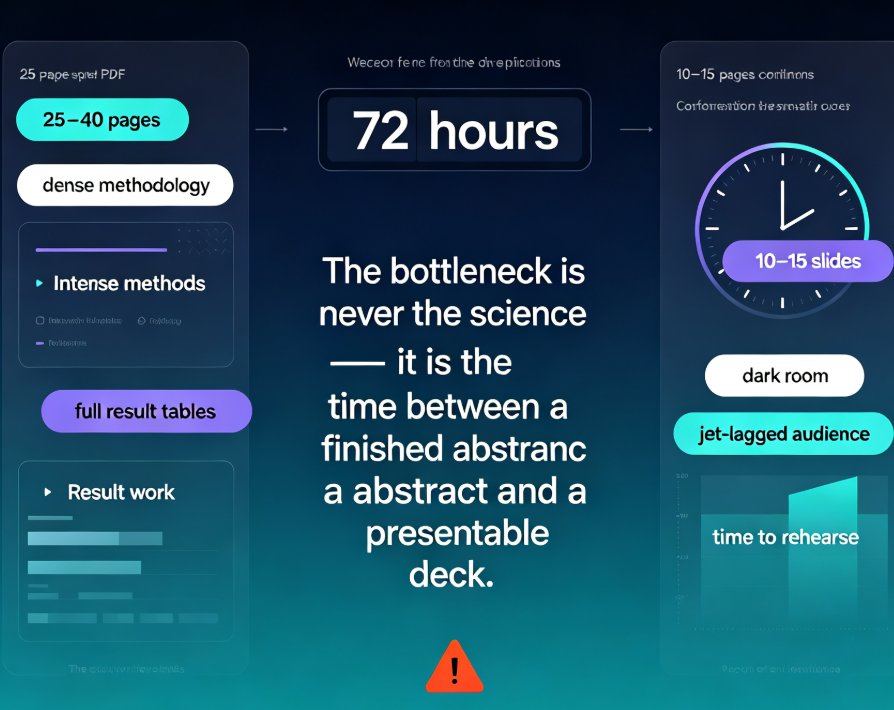
Let's be real: the gap between "abstract accepted" and "slide deck done" is where most research talks go to die. A typical paper runs 25–40 pages of dense methodology, exhaustive related work, and full result tables. A conference talk is 10–15 slides that someone must follow while sitting in a dark room, possibly jet-lagged.
That compression isn't a cut-and-paste job. Deciding what to include, how to visualize data, and how to sequence the narrative is real cognitive work. As one researcher put it, this transformation takes "significant cognitive work — deciding what to include, how to visualize data, and how to structure the narrative." A good AI tool handles the heavy lifting so you can focus on the science.
| Aspect | Research Paper (25–40 pages) | Conference Talk (10–15 slides) |
|---|---|---|
| Length | 15,000+ words | ~800 words of on-slide text |
| Methodology | Full detail, every equation | High-level overview, one or two key equations |
| Results | All findings, complete tables | 3–5 headline findings |
| Literature review | Full survey | 2–3 key citations for context |
| Audience | Readers with time to digest | Listeners with a 15-minute attention budget |
| Formatting | Word or LaTeX | Visual slides, big type, clear figures |
The bottleneck is never the science. It's the time between a finished abstract and a presentable deck.
When you only have 72 hours between submission and your session, that bottleneck decides whether you walk in confident or sleep-deprived and defensive.
II. Your abstract is the perfect starting point
Before we get to the tool, let's talk about why the abstract is the right place to begin. Your abstract is already a compressed argument: the problem, the method, the key result, the implication. That's exactly the skeleton a good conference talk needs.
Most research-to-slides tools fail because they try to ingest a 30-page PDF and flatten it into bullet points. That produces generic slides with no narrative spine. Zendeck takes a different route: you feed it the abstract (as Markdown, TXT, or a Word outline) and it builds the narrative structure around the paper's core claim — motivation, approach, findings, and next steps.
The result is a deck that reads like an argument, not a file dump. A good abstract-to-deck workflow preserves your story arc: what problem, why it matters, how you solved it, and what you found.
III. The 10-minute workflow: abstract to conference deck
Here's the exact sequence I use — and that I'd hand to any PhD student or postdoc who's about to present. No design background required.
Step 1: Prepare your abstract as plain text. Copy the abstract, clean up any LaTeX remnants, and paste it into a Markdown or TXT file. If your abstract is part of a longer document, you can also upload a Word outline with headings like "Motivation," "Methods," and "Results" — Zendeck respects that structure.
Step 2: Let the AI structure the slides. Zendeck generates a first pass: a title slide, a motivation section, a methods block, a results section, and a conclusion with future work. If you're giving a 15-minute talk, you can specify the allocation — something like "12 slides: motivation (2), methodology (3), key results (4), discussion (2), conclusion (1)" — and the generator will honor it.
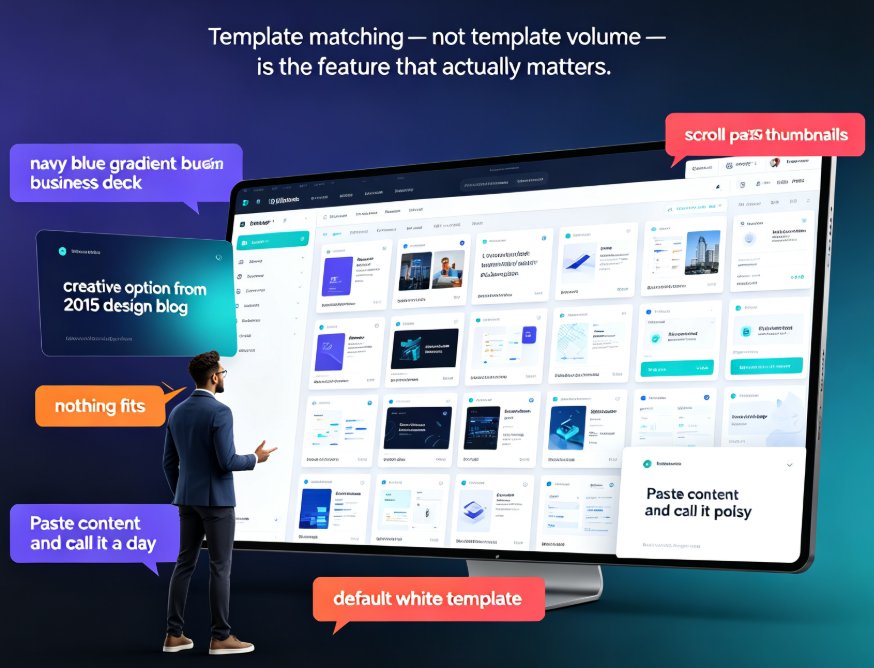
Step 3: Pick a template and let the AI choose the look. Zendeck's template library is contextual: it suggests a design that fits academic content rather than forcing a generic corporate theme. If you're presenting at a journal club, a clean white background with high-contrast type beats a flashy gradient every time.
Step 4: Apply one-click reskin and smart layout. This is where Zendeck shines for researchers. One-click reskinning unifies fonts, colors, and spacing across all slides. Smart layout automatically fixes misaligned text blocks, oversized figures, and uneven card heights — the kind of micro-issues that normally eat an hour of your time.
Step 5: Refine and export. Review the deck, tweak any nuanced findings the AI might have simplified, then export to PowerPoint or Google Slides. Your co-authors can keep editing in the format they already use.
Ten minutes in, you have a structurally sound deck. The rest of your prep time goes to the things that actually matter: data sanity, timing, and practicing your delivery.
IV. Design without a designer: smart layout and reskinning
Academics are not designers. We never got the memo about whitespace, contrast, or the rule of thirds. The good news: you don't need that memo.
Zendeck's smart layout system does the visual grunt work. When you drop in a dense paragraph or a figure with awkward margins, it recognizes the layout issue and proposes a cleaner arrangement. It also keeps your type hierarchy consistent — titles and body text stay the same size and weight across slides, which is the single biggest marker of a professional deck.
One caution, though, from someone who has sat through too many poorly-designed talks: don't let the AI make you lazy about content. Smart layout fixes how slides look. It doesn't fix what they say. You still need one finding per slide and no walls of text — the AI can distill, but you must verify accuracy.
If your lab or department has a signature look, create a custom brand kit once and apply it to every conference deck. That's a small upfront investment that pays off every time you present. For a deeper dive, see our guide on 5 Ways Zendeck Smart Layout Cuts Presentation Design Time.
V. Making dense results readable: data visualization without the tears
Here's the part that makes or breaks an academic talk: results. A full regression table or a 12-panel figure might work in the paper, but on a slide it reads as noise. The fix is to isolate the headline finding and show it visually.
Zendeck's asset library includes AI-generated icons, charts, and illustrations, so you can turn a raw XLSX table into a clean bar chart or line graph that matches your deck theme. You don't need a statistics package or manual Excel styling — the chart is generated and styled in place.
The chart below shows a realistic time comparison between building a deck by hand and doing it with Zendeck, broken down by common tasks. These are indicative figures, not a controlled study, but they match what I consistently hear from researchers who switch:
The pattern holds across every task: AI doesn't eliminate the work, it removes the drudgery so you can spend effort where it counts. You still decide which result is the headline. You still design the narrative. But you stop wasting hours on spacing, color, and chart axes.
For more on turning raw data into compelling visuals, check our guide on AI Data Visualization Trends 2026.
VI. Five mistakes I see in academic decks — every single conference
After sitting through too many sessions, I've noticed the same recurring problems. Here's how to avoid them, with a little help from an AI tool:
1. Overcrowding one slide with multiple results. One finding per slide. If you have four experiments, use four slides. Zendeck's "Concise" mode helps here — it aggressively distills verbose input, which is exactly what academics need, because we tend to over-detail.
2. Reading slides instead of telling a story. If your slide has more text than you'd put in an email, the audience is reading, not listening. Let the AI cut the text, then add speaker notes for the details. Tools for AI-generated speaker notes and rehearsal can script what you actually say.
3. Breaking equations without context. If your method hinges on a key formula, show it — but pair it with a plain-language sentence. A one-line takeaway next to the equation is worth more than a full derivation.
4. Inconsistent visual design. Ten slides in ten font sizes is a red flag for a rushed talk. One-click reskinning in Zendeck makes consistency automatic, which is a relief if your lab doesn't have a slide template. See 5 Ways to Create a Custom Brand Kit if you want a permanent fix.
5. Forgetting the takeaway slide. End with one clear sentence: "This work shows X, and next we'll do Y." The AI can draft this from your conclusion, but you should refine it until it sounds like you.
VII. Before you hit export
You have a deck. Now make it a talk. Two things separate a good deck from a good presentation: rehearsal and delivery. Zendeck's PPT-to-video feature lets you add narration and even generate subtitles, which is perfect for virtual conferences or asynchronous poster sessions where you can't be in the room.
The best conference decks are the ones the speaker barely looks at — because they practiced with the visuals, not against them.
Also, remember to check your data twice. AI tools can simplify nuanced findings, so review every number and citation in the generated deck before you present. Accuracy is the one thing no tool should compromise on. And if your institution has privacy rules about uploading unpublished data, check the data security options before you start.
Final thought
Your abstract got you into the room. The deck keeps you credible once you're there. Using Zendeck to go from abstract to conference deck in ten minutes isn't about cutting corners — it's about redirecting your energy from slide mechanics to the part that actually wins the room: your delivery, your clarity, and the strength of your findings.
More researchers are moving to AI deck generation for exactly this reason. When the only thing between you and a great talk is formatting, that's not a real obstacle anymore.
FAQ
Can Zendeck really turn a research abstract into a full conference deck in 10 minutes?
Yes — that's the core workflow. You paste your abstract as Markdown, TXT, or a Word outline, and Zendeck's AI structures it into a narrative with sections for motivation, methods, results, discussion, and conclusions. The generation itself takes seconds. The 10-minute estimate covers pasting the text, picking a template, doing a one-click reskin, and applying smart layout to clean up any rough edges. Complex multi-panel figures might need a few manual tweaks, but the heavy structural work is done for you.
Do I need design skills to make a conference deck look professional with Zendeck?
No. Zendeck's whole premise is that you should not need design skills. The AI suggests a template matched to your content type, and smart layout automatically unifies fonts, colors, and spacing. One-click reskinning lets you switch the entire visual theme without touching individual slides. If your department or a conference requires a specific look, you can build a custom brand kit once and apply it to every future deck.
Can I export my conference deck to PowerPoint or Google Slides?
Yes. Zendeck supports standard export formats, so you can download your deck as a PowerPoint file and further edit it in your usual tool or upload it to Google Slides. That makes it easy to collaborate with co-authors who are already working in PowerPoint ecosystems, or to feed the deck into a submission system that only accepts PPTX files.
How does Zendeck handle figures, data tables, and equations from my paper?
For figures and data, upload supplementary files separately — like your XLSX data tables or chart images — so Zendeck can incorporate them into the relevant slides. The AI-generated charts from your data can be styled consistently with the deck theme. Equations are trickier; most researchers keep LaTeX fragments or images for heavy math, and Zendeck's asset library lets you drop in those visuals while keeping the layout aligned.
Can Zendeck add narration for a pre-recorded conference talk or virtual presentation?
Yes. If your session is virtual or asynchronous, you can use Zendeck's PPT-to-video feature to add a voiceover and generate subtitles from your slides. You can even use an AI avatar to narrate. That turns your conference deck into a shareable micro-talk without recording a screen video of yourself.