AI Co-Pilots in Live Presentations: Real-Time Trends for 2026
Let's be real: standing in front of a room (or a Zoom grid) and trying to adjust your slides on the fly is stressful. You're juggling content, timing, and audience cues. The old way—pre-build everything, hope it lands—is crumbling. In 2026, the game has changed. AI co-pilots are turning live presentations from a one-way broadcast into a real-time conversation.
This isn't about generating a deck from a prompt and calling it a day. That's so 2023. The defining shift this year is from AI as a generator to AI as a co-pilot—a tool that works alongside you, reads the room, and helps you adapt in the moment. Let's break down what that means for you, your team, and your next big presentation.
01. What Exactly Is an AI Co-Pilot in Live Presentations?
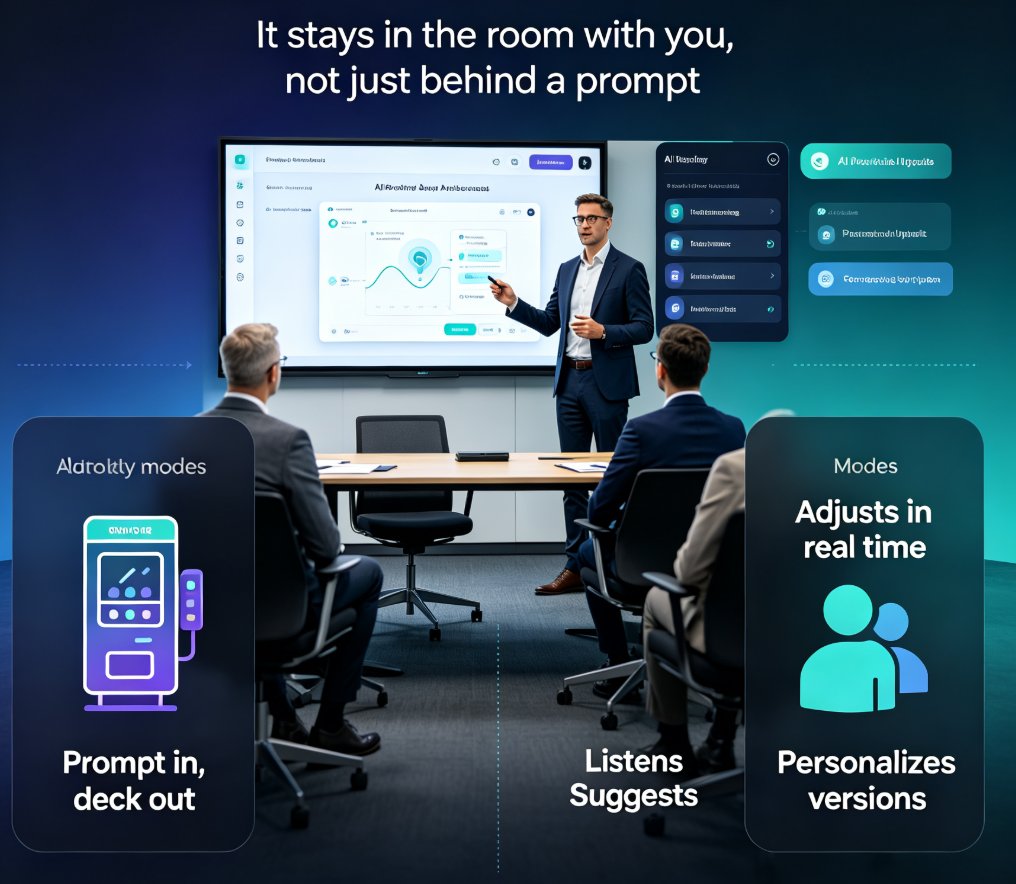
Think of the old AI presentation tools as vending machines. You put in a prompt, you get a deck. If it's wrong, you put in a better prompt and try again. That's not collaboration; that's ordering takeout.
An AI co-pilot is the opposite: it's a partner that stays in the room with you. It listens to your conversation, suggests content, adjusts slides in real time, and even personalizes versions for different audience members. According to the AI Presentation Trends 2026 report, "The shift from 'AI as generator' to 'AI as co-pilot' is the defining change of 2026." The best tools work alongside you in a conversation, not just in response to a single prompt.
What does that look like in practice?
Imagine you're presenting a quarterly business review. Halfway through, a stakeholder asks about a metric you didn't include. With a co-pilot, you can say, "Pull up Q3 customer churn data," and the slide updates instantly—no fumbling, no awkward pause. That's the power of real-time collaboration.
02. The 2026 Trends That Actually Matter
The report highlights several trends that are reshaping how we build and deliver presentations. Here's the shortlist, with what each means for you:
| Trend | What it means |
|---|---|
| Real-time generation | Full deck from a sentence in seconds |
| Voice-to-slide | Speak your idea, get a structured deck |
| Smart content suggestions | AI fills gaps, suggests data and copy |
| Auto-branding | Decks reflect your brand without setup |
| Audience personalization | Different versions for different viewers |
| AI collaboration co-pilots | AI works alongside you, not just for you |
| Multimodal inputs | Use docs, PDFs, URLs as deck source |
| Analytics and tracking | Know how audiences engage with slides |
These aren't just nice-to-haves. They're becoming table stakes. If your tool doesn't do at least half of these, you're already behind.
03. Real-Time Generation and Voice-to-Slide: Speed Without Sacrifice
Pain point: You have a meeting in 20 minutes and a blank slide deck staring back at you. Typing out every bullet point is impossible. Even using a template feels like starting from scratch.
Solution: Real-time generation and voice-to-slide. You speak your idea—"We need to show Q4 growth, key wins, and next quarter's roadmap"—and the AI builds a structured deck in seconds. No more staring at a blinking cursor.
Outcome: You walk into the meeting with a polished, coherent deck that took five minutes to create. The time you save isn't just minutes; it's mental bandwidth. You can focus on the message, not the mechanics.
Pro tip: When using voice-to-slide, speak in short, clear sentences. The AI picks up structure better than rambling paragraphs. Think of it as dictating an outline, not a novel.
This is where tools like Zendeck shine. You can paste a Word outline or even a brain dump, and the AI turns it into a visually consistent deck. Check out how Zendeck's AI turns a brain dump into a structured presentation for a step-by-step look.
04. Auto-Branding and Audience Personalization: Credibility on Autopilot
Pain point: You've spent hours designing a deck, but it looks like a generic template. For a client pitch, that's a credibility killer. And if you're presenting to different stakeholders—sales, executives, technical teams—one version doesn't fit all.
Solution: Auto-branding pulls your visual identity directly from your company URL. No manual brand kit setup. The AI ensures every slide matches your logo, colors, and fonts. Audience personalization takes it further: the same content can be adapted into different versions for different viewers, without you rebuilding anything.
Outcome: Your deck looks like it came from your brand team, not a template library. That consistency signals care and professionalism. As the report notes, "When a VP of Sales sends a proposal to a client and the slides look like a default template, it raises a quiet question about how much care went into the rest of the work." Auto-branding eliminates that doubt.
Zendeck's brand kits make this effortless. You can set up your brand once and apply it across hundreds of slides. For a deep dive, see how to maintain brand consistency across hundreds of slides with AI brand kits.
05. Multimodal Inputs and Analytics: Richer Content, Smarter Delivery
Pain point: You have a 50-page PDF, a few URLs, and a voice note from your boss. Manually extracting the key points into slides is a nightmare. And after you present, you have no idea what actually resonated with the audience.
Solution: Multimodal inputs let you feed the AI documents, PDFs, URLs, and even voice recordings. It processes everything and creates a coherent deck. Analytics built into the tool show you how audiences engage with each slide—where they linger, where they click, where they drop off.
Outcome: You save hours of manual data entry, and you get actionable insights. After the presentation, you know exactly which slides to keep, which to rework, and which to cut. This closes the loop between creation and delivery, making every future deck better than the last.
For a practical example, see how a consultant created a data-rich case study deck in 10 minutes with Zendeck.
06. How Zendeck Fits Into the Co-Pilot Revolution
You might be wondering: where does Zendeck fit in all this? Let's be clear—Zendeck isn't just another template generator. It's built for the co-pilot era. Here's what you get:
- Real-time generation: Paste a Word outline or Markdown, and get a structured deck in seconds.
- Smart layout and one-click reskin: Automatically unify fonts, colors, and layout across all slides.
- Auto-branding: Set up a brand kit once, and every deck reflects your identity.
- PPT-to-video: Turn static slides into narrated micro-courses, perfect for training and onboarding.
- Asset library: Access icons, charts, and illustrations without leaving the tool.
- Collaboration: Edit in real time with your team and share via link.
These features align directly with the 2026 trends. Zendeck acts as your co-pilot, not just a vending machine. If you're still using a tool that only generates from a prompt, you're missing the point. The future is collaborative, and Zendeck is built for it.
07. Practical Tips for Using AI Co-Pilots Effectively
You don't need to overhaul your entire workflow overnight. Start with these small shifts:
- Use voice-to-slide for brainstorming. When you're thinking out loud, let the AI capture your ideas. You'll be surprised how much structure it can infer.
- Set up your brand kit once. It pays off every single time. No more manual font and color adjustments.
- Leverage multimodal inputs. Instead of copying and pasting from a PDF, upload it directly. The AI will extract the key points.
- Review analytics after every presentation. Even five minutes of data review can transform your next deck.
- Iterate with your co-pilot. Don't accept the first output. Ask for changes, add context, and refine. That's the co-pilot advantage.
Watch out: Don't rely on AI to make your deck perfect without review. Even the best co-pilot needs a human pilot. Always check for accuracy, especially with data and claims.
FAQ
What is an AI co-pilot in live presentations?
An AI co-pilot is a tool that works alongside you in real time, not just generating a deck from a single prompt. It suggests content, adjusts slides on the fly, and helps you adapt to audience reactions, making the presentation a collaborative process.
How does auto-branding work in AI presentation tools?
Auto-branding pulls your visual identity directly from your company URL or existing assets, so every slide matches your brand without manual setup. This ensures consistency and credibility, especially for external pitches and proposals.
Can AI co-pilots handle voice input?
Yes, voice-to-slide is a key trend. You speak your idea, and the AI structures it into a deck. This is faster than typing and works well for brainstorming or when you're on the go.
How does Zendeck support AI co-pilot workflows?
Zendeck offers real-time generation, smart templates, auto-branding, and PPT-to-video features. It acts as a co-pilot by letting you import Word outlines, paste Markdown, or use voice, then refine with one-click reskins and asset libraries.
What are the benefits of analytics in presentation tools?
Built-in analytics show how audiences engage with your slides, so you can see which parts resonate and which need improvement. This closes the loop between creation and delivery, helping you refine future presentations.
Ready to stop wrestling with templates and start collaborating with an AI co-pilot? Explore how Zendeck can transform your next presentation. The trends are clear—2026 is the year of the co-pilot, and you don't want to be left flying solo.