Interactive AI Presentations: The New Standard for Audience Engagement
Let's be honest: you've sat through enough presentations where the slides just... talk at you. The presenter clicks through bullet points, you nod politely, and by slide ten you're mentally planning dinner. That's the static deck problem. But here's the thing—interactive presentations are no longer a nice-to-have; they're the baseline for any presenter who wants to be remembered.
AI has made it easier than ever to build decks that actually engage people. Instead of a one-way monologue, you can create a two-way conversation with polls, quizzes, live Q&A, and decision checkpoints. And with tools like Zendeck, you can do this without becoming a design wizard or a tech guru.
I. What Makes a Presentation Interactive?
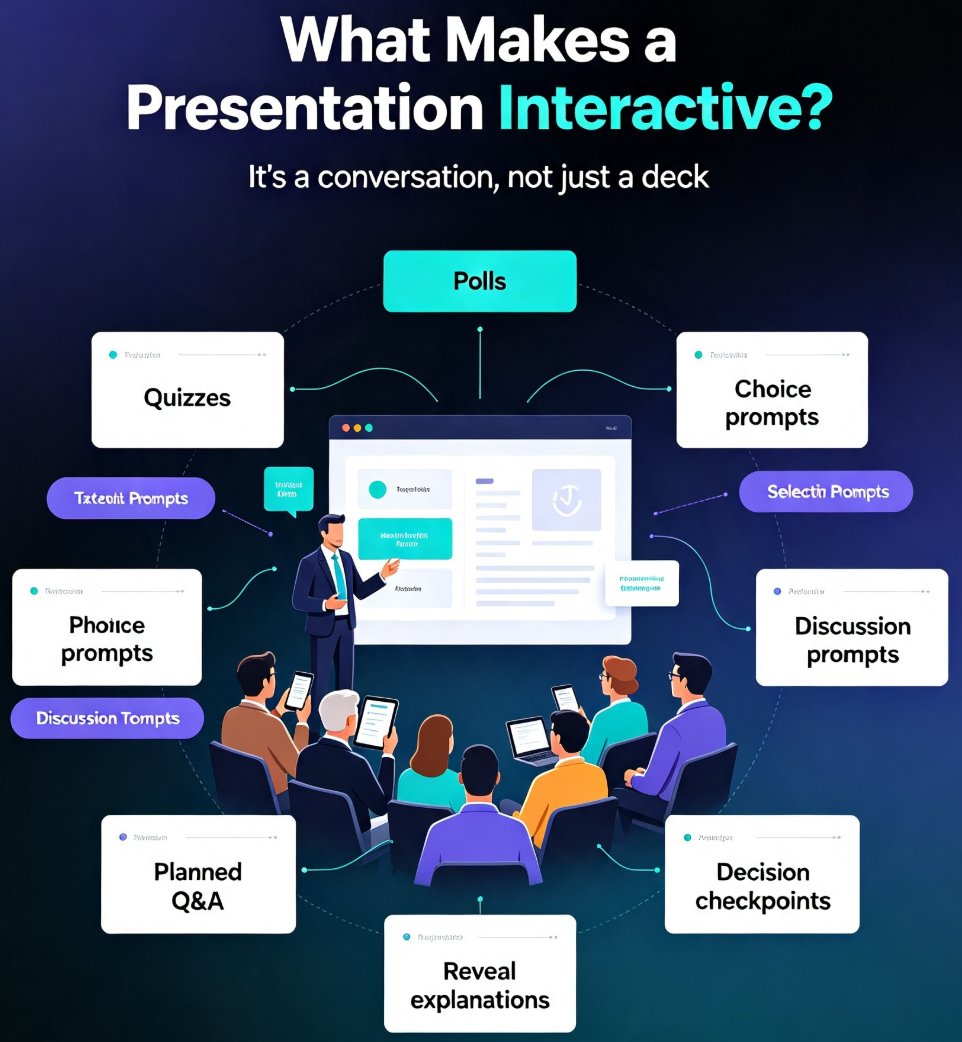
An interactive presentation isn't just a deck with a few animations. It's a structured experience that asks the audience to participate in a meaningful way. According to PopAi's Presentation Academy, interactive elements include polls, quizzes, planned choice prompts, discussion prompts, planned Q&A, reveal-based explanations, and decision checkpoints—all designed to make people think, respond, choose, or remember.
Think about the difference: a static deck might have a title slide, section dividers, body slides, and a conclusion. That's useful when you're starting from rough notes, but it doesn't invite participation. An interactive deck, on the other hand, builds in moments where the audience votes on a pain point, answers a quiz, chooses a scenario path, or reflects on what they'd do next.
The core idea is simple: you're not just presenting information—you're facilitating a conversation.
II. Why Static Decks Fail to Engage
We've all been there. The room is quiet, eyes are glazing over, and the presenter keeps reading from the slide. The problem isn't the content—it's the format. Passive listening leads to passive retention. Research consistently shows that audiences remember more when they actively participate. But most traditional presentations are built for passive consumption.
Here's what happens with a static deck:
- The audience has no reason to pay attention after the first few slides.
- There's no feedback loop, so the presenter can't adjust to the room's energy.
- The presentation feels like a monologue, not a dialogue.
- By the end, most people can't recall the key takeaways.
That's why interactive elements matter. They force engagement, create a feedback loop, and make the content stick.
III. How AI Is Changing the Game
AI presentation tools are making it easier to build interactive decks without spending hours on design. You can start with a simple outline or a brain dump, and the AI generates a structured deck with placeholders for interactive moments. Some tools even suggest where to insert polls or quizzes based on your content.
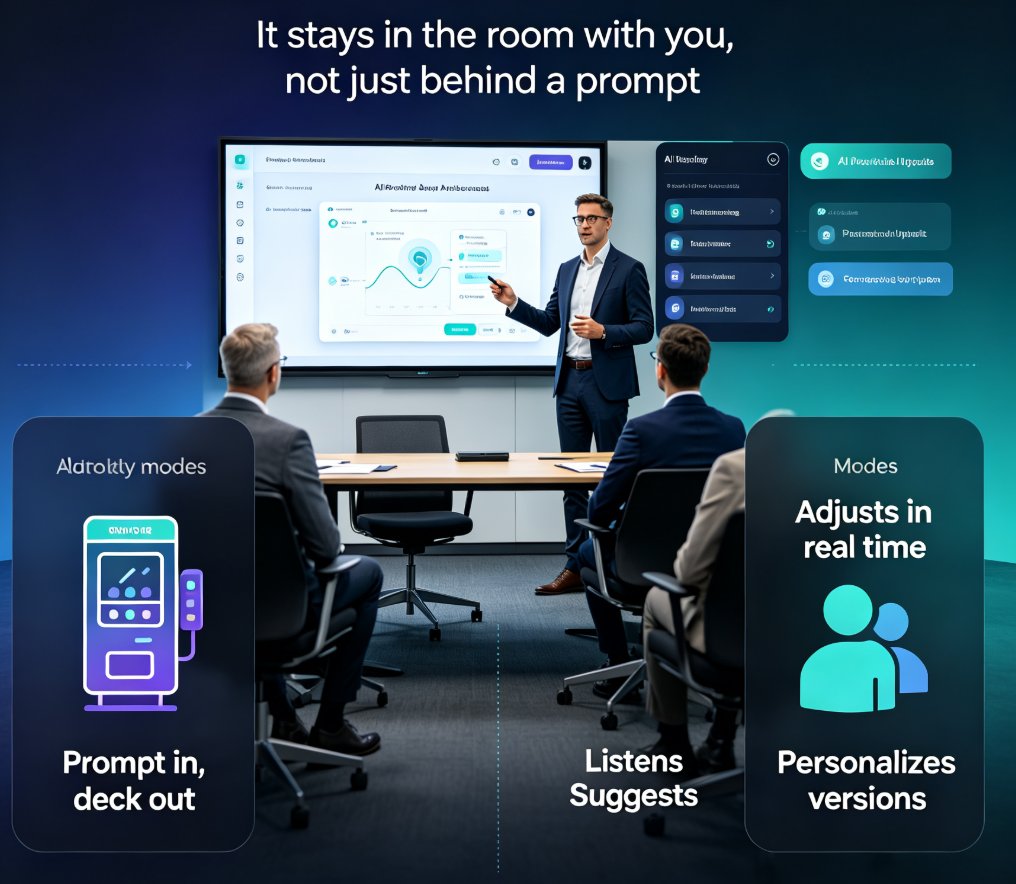
But AI goes beyond just generating slides. Adaptive presentations use AI to tailor the deck to audience reactions in real time. For example, if you're presenting to a group that seems confused, the AI can suggest simplifying a slide or adding an explanatory visual. If the audience is engaged, it can offer deeper dives into certain topics. This is the future of presentations—and it's already here.
If you're curious about how AI reads audience reactions, check out our guide on adaptive presentations.
IV. Zendeck's Role: Real-Time Collaboration and Sharing
Now, let's talk about the tool that makes all this practical. Zendeck isn't just an AI deck generator—it's a collaboration platform that turns your slides into a live conversation.
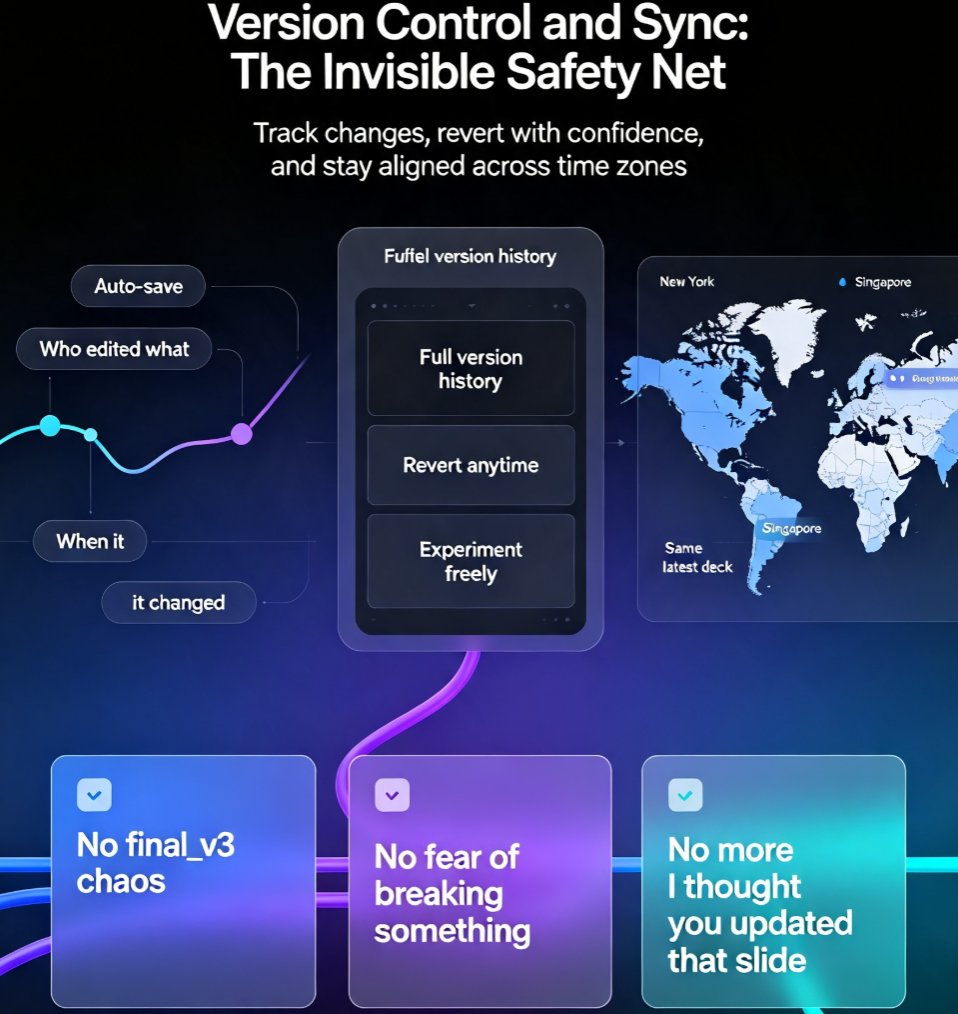
Here's how it works: you create your deck with Zendeck's AI, then share it with your audience via a link. During the presentation, you can collect real-time feedback, run polls, and even let participants ask questions without raising their hands. Zendeck's real-time collaboration features keep everyone in sync, whether you're in the same room or spread across time zones.
For example, a trainer can create an interactive training module with Zendeck's PPT-to-video feature, then share it with learners who can pause, answer quizzes, and get instant feedback. That's the kind of two-way interaction that static slides simply can't deliver.
If you want to dive deeper into how Zendeck supports real-time collaboration, read our article on real-time collaboration and version control.
V. Practical Techniques to Make Your AI Deck Interactive
You don't need to be a tech expert to add interactivity. Here are five techniques you can apply to your next AI-generated deck:
1. Start with a Poll
Open with a quick poll related to your topic. It could be a multiple-choice question about the audience's experience level or a word cloud asking what they hope to learn. This immediately shifts the energy from passive to active.
2. Insert a Quiz Mid-Presentation
A short quiz after a key section helps reinforce learning. You can use a tool like Kahoot or Mentimeter, or embed a simple question directly into your slide. The point is to check understanding before moving on.
3. Plan a Live Q&A Session
Instead of waiting until the end, schedule a Q&A break after every major point. This keeps the conversation flowing and ensures you're addressing what the audience actually cares about.
4. Use Decision Checkpoints
Present a scenario and ask the audience to choose a path. For example, "If you were the marketing manager, would you invest in social media or email?" This makes the content relatable and encourages critical thinking.
5. End with a Reflection Prompt
Close by asking the audience to write down one thing they'll apply from your presentation. This simple act boosts retention and gives you a tangible outcome to measure.
The key is to plan these moments deliberately—don't just wing it.
VI. Measuring Engagement
How do you know if your interactive presentation actually worked? You need data. Presentation analytics can track poll participation rates, quiz scores, Q&A activity, and even viewer attention spans. Zendeck integrates with analytics tools, and you can also use its sharing features to see who viewed your deck and for how long.
For a deeper look at how to track engagement, check out our guide on presentation analytics.
Static vs. Interactive Presentations: A Quick Comparison
| Aspect | Static Presentation | Interactive Presentation |
|---|---|---|
| Audience role | Passive listener | Active participant |
| Engagement level | Low to medium | High |
| Feedback loop | None | Real-time |
| Retention | Low | High |
| Tools needed | Basic slide software | AI + participation tools |
| Example | Bullet-point deck | Poll + quiz + live Q&A |
FAQ
What is an interactive presentation?
An interactive presentation is a slide deck designed to invite audience participation rather than passive listening. It includes planned moments like polls, quizzes, live Q&A, discussion prompts, and decision checkpoints that help people think, respond, choose, or remember. These elements turn a one-way lecture into a two-way conversation.
How can AI help create interactive presentations?
AI presentation tools can generate the initial deck structure from a document or outline, suggest where to insert interactive elements, and even adapt content based on audience reactions. For example, AI can propose poll questions, quiz slides, or discussion breaks based on your topic and audience profile, saving you hours of manual design work.
What features does Zendeck offer for interactive presentations?
Zendeck supports real-time collaboration and sharing, allowing you to present live and collect feedback seamlessly. You can share a deck with your audience via a link, run live polls or Q&A through integrated tools, and even convert your slides into narrated micro-courses for self-paced interactive training. Zendeck's brand kits and asset libraries also ensure your interactive elements stay on-brand.
How do I add polls and quizzes to my AI-generated deck?
You can add polls and quizzes either during the AI generation process (by prompting the tool to include them) or afterward using dedicated participation tools. Many presenters use a hybrid workflow: generate the deck structure with Zendeck, then embed live polling via a tool like Slido or Mentimeter. Zendeck's collaboration features let you share the deck and collect responses in real time.
Can I track audience engagement during a presentation?
Yes. Presentation analytics tools can track metrics like poll participation rates, quiz scores, and Q&A activity. Zendeck integrates with analytics solutions, and you can also use its sharing features to see who viewed your deck and for how long. This data helps you refine your content and delivery for future sessions.
Interactive presentations aren't a trend—they're the new standard. With AI tools like Zendeck, you can create decks that don't just inform but actually involve your audience. So next time you're building a presentation, ask yourself: Am I talking at them, or with them? The answer will make all the difference.