Collaborative AI Decks: Why Real-Time Co-Editing Is Now a Baseline
Let's be real: the days of emailing a PowerPoint back and forth are gone. If you've ever waited for a colleague to finish their edits before you could touch the same slide, you know the pain. And with teams scattered across time zones, that pain multiplies. The good news? AI presentation tools have finally caught up with how we actually work—collaboratively, asynchronously, and in real time. Real-time co-editing is no longer a nice-to-have; it's the baseline for any serious presentation tool. And Zendeck is leading that charge.
I remember a project last quarter where our team of five had to build a pitch deck in 48 hours. We tried using a shared drive, but someone always had the file locked. We tried screen-sharing, but that only worked for one person at a time. It was chaos. Then we switched to a tool with real-time co-editing, and the difference was night and day. We could all work on different slides simultaneously, leave comments, and see changes instantly. That's the experience Zendeck brings to AI-generated decks.
I. The Collaboration Shift: Why Solo Deck Building Is Dead
For years, presentation software treated the deck as a single-player artifact. One person owned the file, made the edits, and then shared the final version. But that model breaks down when you're working with a distributed team—or even a small team in the same office. The shift to remote and hybrid work has made collaboration a survival skill, not a luxury.
Think about your own workflow. How many times have you needed input from a subject matter expert, a designer, and a stakeholder—all before the deck is 'done'? If you're using a static tool, you're probably juggling multiple versions, losing track of feedback, and spending hours merging changes. That's why the industry is moving toward AI presentation tools that bake collaboration into the core experience.
Consider this: a 2023 survey found that 80% of knowledge workers use collaboration tools daily, and that number has only grown. When you combine that with the rise of AI-generated content, the expectation is clear: your AI deck should be as collaborative as your document editor. If your tool doesn't support real-time co-editing, you're working against the grain of modern teamwork.
II. Real-Time Co-Editing: The New Baseline for AI Presentation Tools
Real-time co-editing means multiple people can work on the same deck at the same time, seeing each other's cursors and changes as they happen. It's not just about convenience—it's about speed and accuracy. When you're building a deck with AI, you want to iterate fast, and that requires everyone to be on the same page (literally).
Zendeck's real-time co-editing lets your team collaborate on AI-generated slides without stepping on each other's toes. You can assign sections, leave comments, and watch edits appear in real time. No more waiting for someone to 'release' the file. No more version conflicts. Just smooth, continuous progress.
Here's a quick look at how collaboration has evolved in presentation tools:
| Feature | Traditional Tools (e.g., PowerPoint) | AI Tools with Collaboration (e.g., Zendeck) |
|---|---|---|
| Real-time co-editing | Limited or requires plugins | Built-in, seamless |
| Version history | Manual saves, limited | Automatic, full history |
| Commenting | Basic, often separate | Integrated, contextual |
| Permissions | Basic view/edit | Granular (view, comment, edit) |
| AI assistance | None | Generates content, designs, and layouts |
| Brand consistency | Manual enforcement | Automatic via brand kits |
This table isn't just a feature comparison—it's a reflection of what teams now expect. If you're evaluating AI presentation tools, real-time co-editing should be a non-negotiable requirement.
III. Version Control and Sync: The Invisible Safety Net
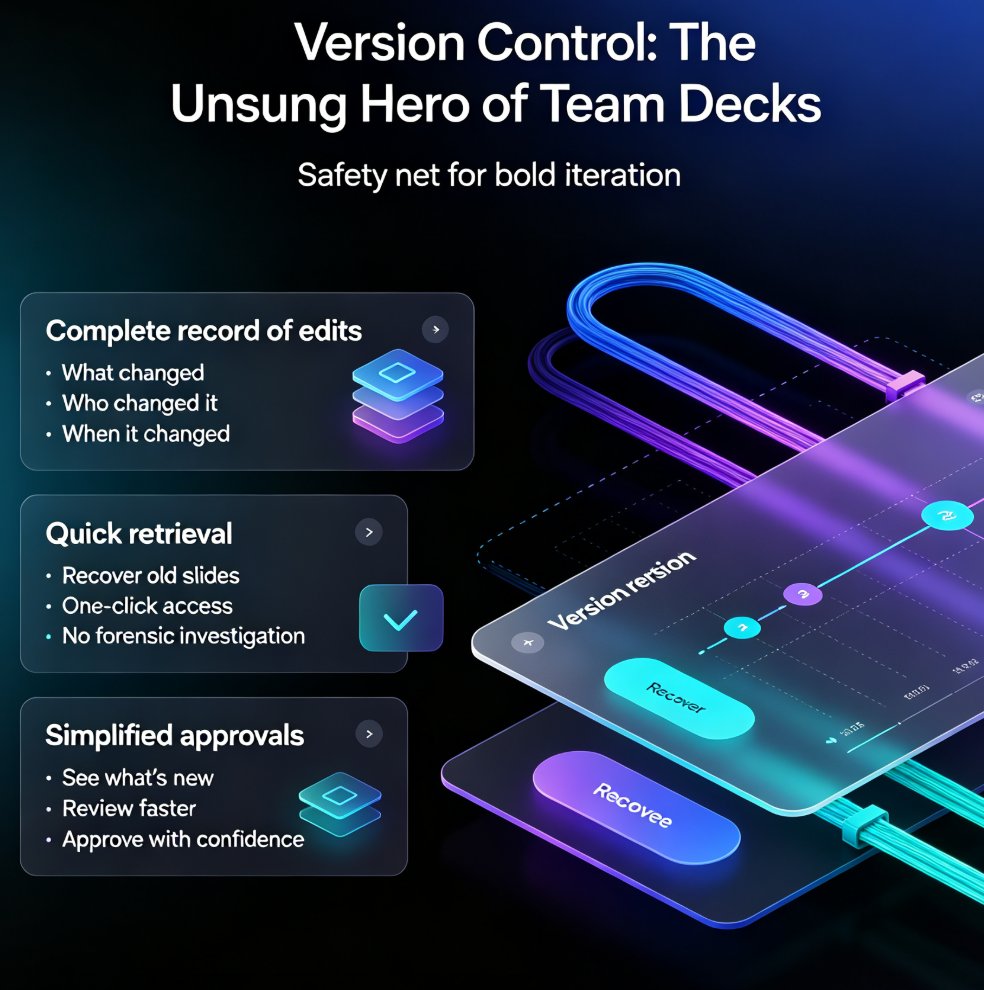
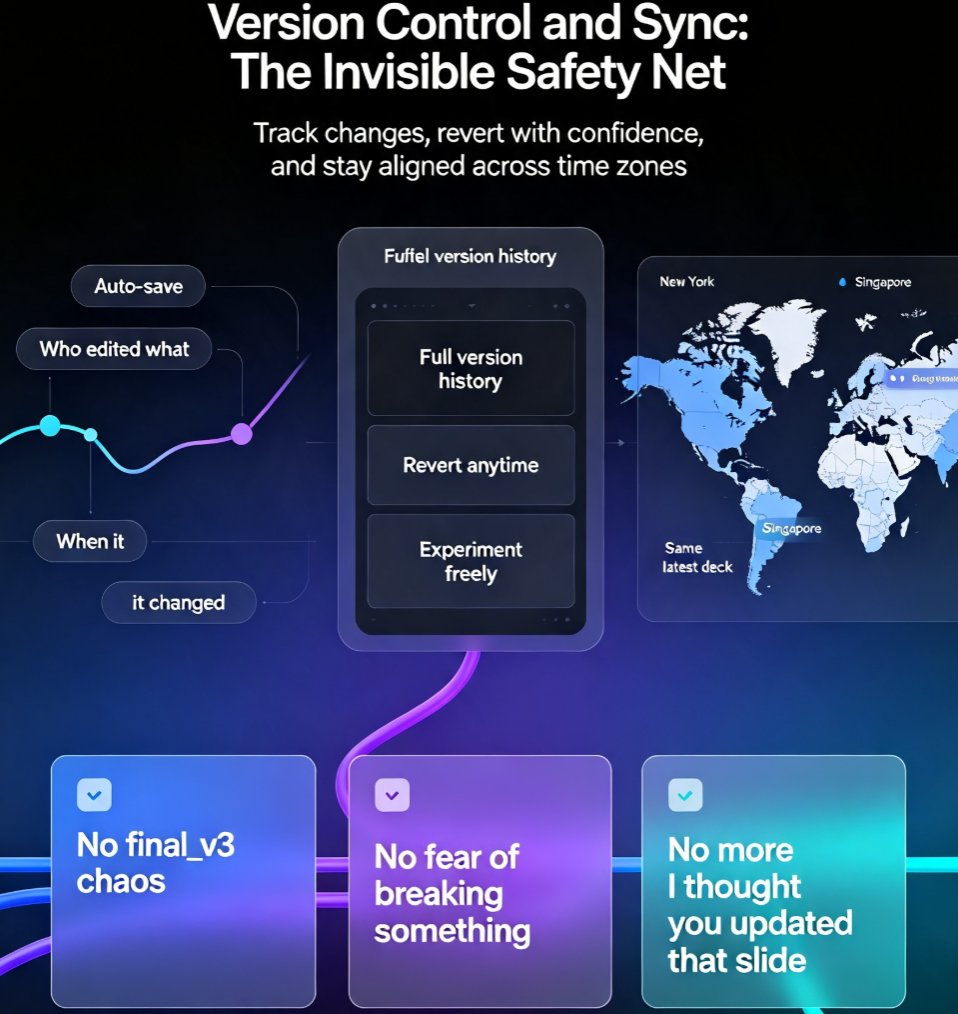
Collaboration without version control is a recipe for disaster. You've probably experienced the 'final_v3_really_final.pptx' problem. With AI decks, the stakes are even higher because you're generating content dynamically, and you need to track changes without losing your creative flow.
Zendeck automatically saves every change and keeps a complete version history. You can see who edited what, when, and even revert to a previous version if a new idea doesn't pan out. This is a game-changer for teams because it removes the fear of breaking something. You can experiment, collaborate, and always have a safety net.
Sync is equally important. When your team is spread across time zones, you need to know that the deck you're looking at is the latest version. Zendeck syncs changes in real time, so whether you're in New York or Singapore, you're always working on the same deck. No more 'I thought you updated that slide' moments.
IV. Sharing and Permissions: Control Without Friction
Collaboration isn't just about editing—it's about sharing with the right people and giving them the right level of access. Zendeck makes this effortless with customizable permissions. You can share a deck via link and decide whether viewers can only see, comment, or edit. This is perfect for involving clients, stakeholders, or subject matter experts without giving away the keys to the kingdom.
For example, if you're working with an external client on a pitch deck, you can grant them comment-only access so they can provide feedback without accidentally breaking your design. Or, if you're collaborating with a colleague on the same slide, you can both edit in real time. Zendeck's permission controls give you the flexibility to collaborate with anyone, anywhere, without losing control.
If you're curious about the specifics of external collaboration, check out our guide on how to real-time collaborate with external clients on Zendeck presentations. It covers the exact steps and best practices.
V. How Zendeck Turns Collaboration into a Superpower
Zendeck isn't just another AI presentation tool—it's built for teams. Here's what sets it apart:
- AI-generated decks from outlines or Markdown: Start with a simple outline, and Zendeck creates a structured, visually consistent deck in minutes. Your team can then refine it together.
- One-click reskin: If you need to change the theme or brand, Zendeck can apply a new look across all slides instantly, even while multiple people are editing.
- Brand kits and asset libraries: Zendeck enforces brand consistency automatically, so when your team collaborates, the deck stays on-brand. This is a huge time-saver for marketing and design teams.
- PPT-to-video: Turn your collaborative deck into a narrated micro-course or video, perfect for training or asynchronous communication.
These features work together to make collaboration not just possible, but enjoyable. Zendeck removes the friction from teamwork, so you can focus on the content, not the logistics.
If you're managing a distributed team, you'll also appreciate how Zendeck handles brand consistency across hundreds of slides. Our article on maintaining brand consistency with AI brand kits dives deeper into this.
VI. A Quick Comparison: Traditional vs. AI-Powered Collaboration
Let's visualize the trend. The chart below shows the percentage of teams using real-time collaboration tools for presentations from 2020 to 2026 (hypothetical data based on industry trends).
As you can see, the adoption curve is steep. By 2026, it's projected that nearly all teams will expect real-time collaboration in their presentation tools. If you're not on board yet, you're already behind.
VII. Best Practices for Collaborative AI Decks
So, how do you make the most of collaborative AI decks? Here are a few tips from the trenches:
- Start with a clear outline: Before you generate the deck, agree on the structure. Zendeck can turn your outline into slides, so make sure everyone's on the same page first.
- Assign roles: Decide who's responsible for which sections. Real-time co-editing works best when people aren't fighting over the same slide.
- Use comments liberally: Instead of emailing feedback, drop comments directly on the slides. It keeps everything in context and easy to track.
- Leverage version history: Don't be afraid to experiment. If a new design doesn't work, roll back to a previous version.
- Set permissions early: Decide who can edit vs. comment vs. view. This prevents accidental changes and keeps the deck secure.
These practices will help you get the most out of Zendeck's collaboration features. And if you're building a deck for a specific use case, like a quarterly business review, check out our guide on creating a QBR deck with Zendeck.
VIII. FAQ
Q: Why is real-time co-editing essential for AI presentation tools?
A: Real-time co-editing lets multiple team members work on the same deck simultaneously, eliminating version chaos and feedback loops. It's now a baseline because distributed teams expect the same fluid collaboration they get in Google Docs or Notion, and AI tools that lack it force sequential handoffs that slow projects down.
Q: How does Zendeck handle version control during collaboration?
A: Zendeck automatically saves every change and keeps a full version history, so you can see who edited what, roll back to any previous state, and never worry about losing work. This is especially useful when several people are editing slides at once, because it prevents accidental overwrites and keeps the deck consistent.
Q: Can I share a Zendeck deck with external clients or stakeholders?
A: Yes. Zendeck lets you share decks via link with customizable permissions—view-only, comment, or edit. You can even collaborate in real time with external clients without requiring them to have a Zendeck account, making client reviews and approvals much smoother.
Q: What makes Zendeck different from traditional presentation tools for team collaboration?
A: Unlike static tools like PowerPoint or Google Slides, Zendeck combines AI-powered design with real-time co-editing, version control, and smart sharing. It also integrates brand kits and asset libraries, so when a team collaborates, the deck stays on-brand automatically—something traditional tools can't enforce.
Q: How can my team get started with collaborative AI decks in Zendeck?
A: Start by creating a deck from an outline or Markdown, then invite your team via the share button. Set permissions based on roles, and use comments to discuss changes. Zendeck's real-time sync means everyone sees updates instantly, so you can iterate faster and finalize decks in record time.
Collaboration isn't a feature anymore—it's the foundation. And with Zendeck, you're not just getting an AI deck generator; you're getting a platform that brings your team together. Whether you're a distributed startup or a global enterprise, real-time co-editing is the baseline, and Zendeck delivers it beautifully. Ready to see the difference? Give it a try and watch your team's productivity soar.