Collaborative AI Presentations: Real-Time Co-Editing & Version Control
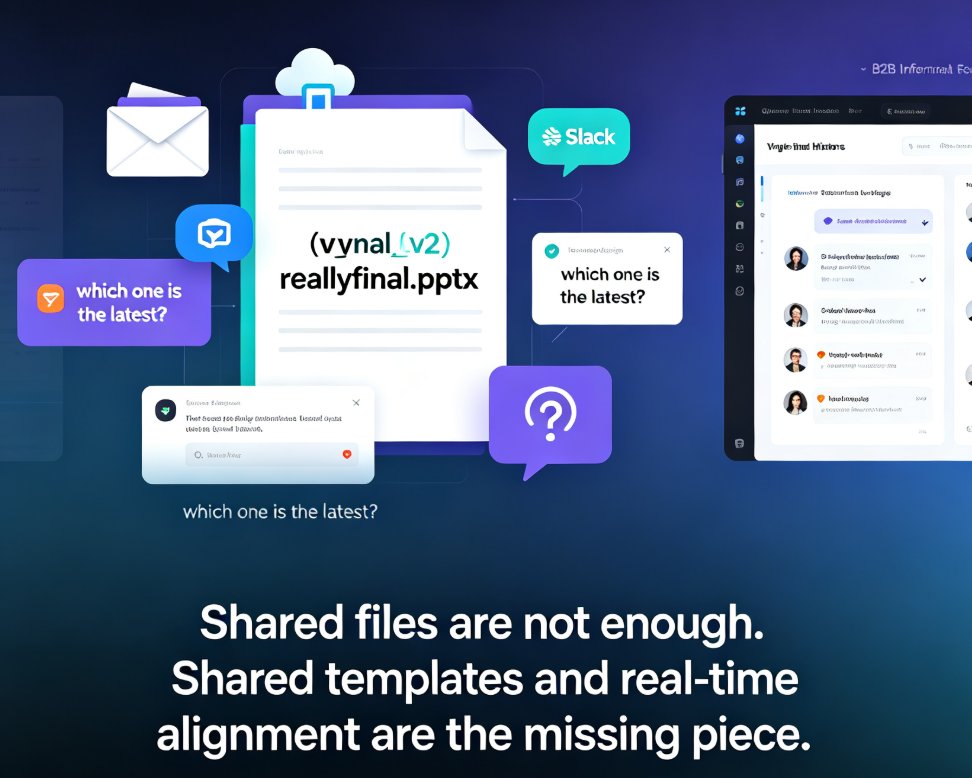
Let's be honest: how many times have you opened a file named Q3_report_FINAL_v3_reallyfinal.pptx and wondered which version your boss actually reviewed? If you've ever built a team deck, you know the drill — someone edits slides in isolation, someone else pastes comments into an email thread, and the "final" version somehow lives on three different laptops.
The fix isn't more discipline. It's better tooling. Collaborative AI presentation platforms have turned real-time co-editing and version control from nice-to-haves into the baseline for any team that ships decks regularly. And if your workflow still revolves around emailing files, you're burning hours every week on work that software should handle for you.
I. The Collaboration Problem Nobody Talks About
Most presentation pain isn't about design. It's about coordination.
Think about the last time your team built a quarterly business review. The marketing lead owns the narrative, the finance analyst owns the numbers, the designer owns the visuals, and your manager owns the final call. In a traditional workflow, that means:
- Sequential handoffs — each person waits for the previous one to finish
- Comment sprawl — feedback scattered across email, chat, and sticky notes
- Version confusion — nobody can confidently say which file is current
- Merge misery — manually copying someone's edits into your copy of the deck
The result? A deck that takes twice as long as it should, with half the team frustrated and the other half checking out. The real bottleneck in modern presentation work isn't creativity — it's coordination.
II. Why Real-Time Co-Editing Is Now a Baseline
Here's the shift that changed everything: teams stopped treating presentations as files to be passed around and started treating them as living documents to be shaped together.
Real-time co-editing means multiple people can work on the same deck simultaneously — one person rewrites the narrative while another swaps visuals and a third drops in fresh data. No locking, no "who's editing right now?" emails, no waiting for someone to release the file. This is exactly the kind of workflow we've covered in our deep dive on why real-time co-editing is now a baseline for collaborative AI decks.
The Box blog makes a sharp point about this: collaboration between humans and AI is most effective when everyone on the team can co-edit the same deliverable at the same time. When AI outputs need review or refinement, stakeholders can provide feedback simultaneously for faster approval. That's the key insight — real-time co-editing isn't just about convenience; it's about compressing the feedback loop so decisions happen faster.
For AI-generated decks specifically, this matters even more. When the AI drafts the first pass, the team's job is to refine, not rebuild. Real-time co-editing lets everyone react to the AI's output together, turning a solo generation task into a team conversation.
III. Version Control: The Unsung Hero of Team Decks
If real-time co-editing is the star, version control is the safety net that makes it possible.
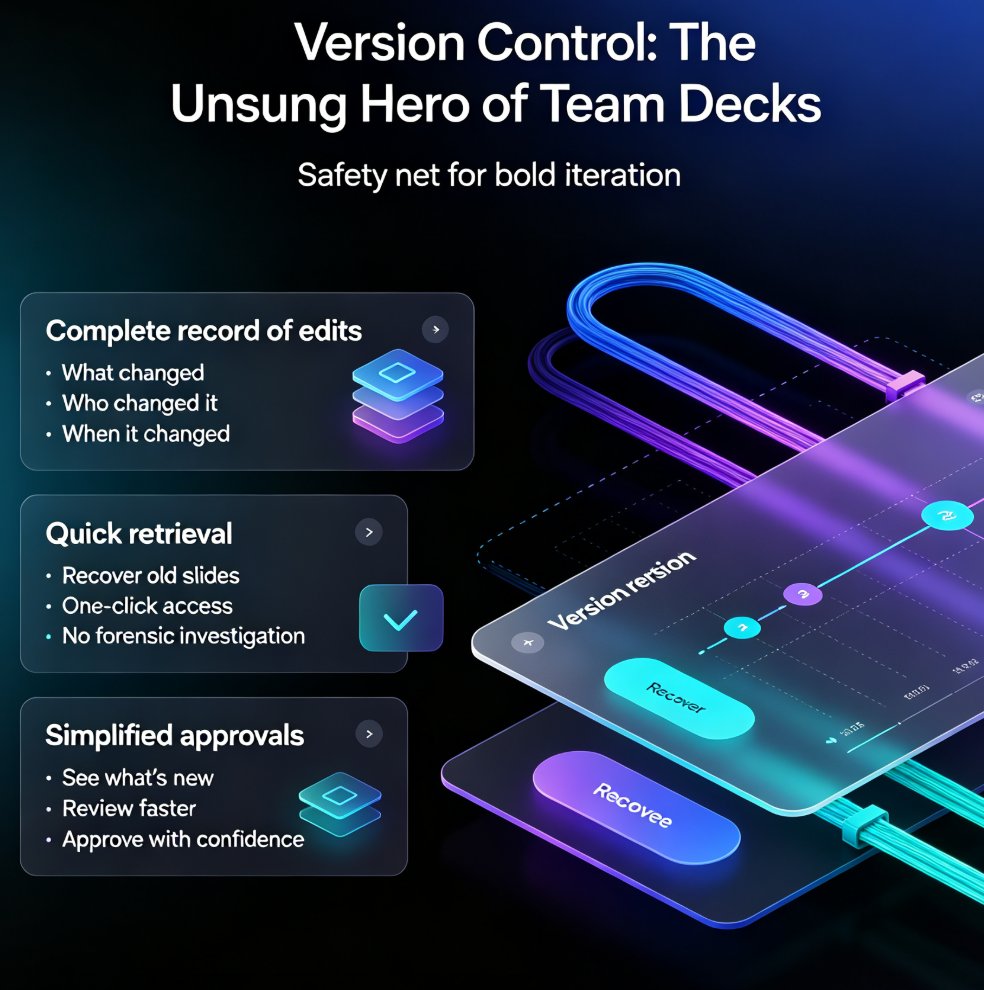
Version control does three things that matter:
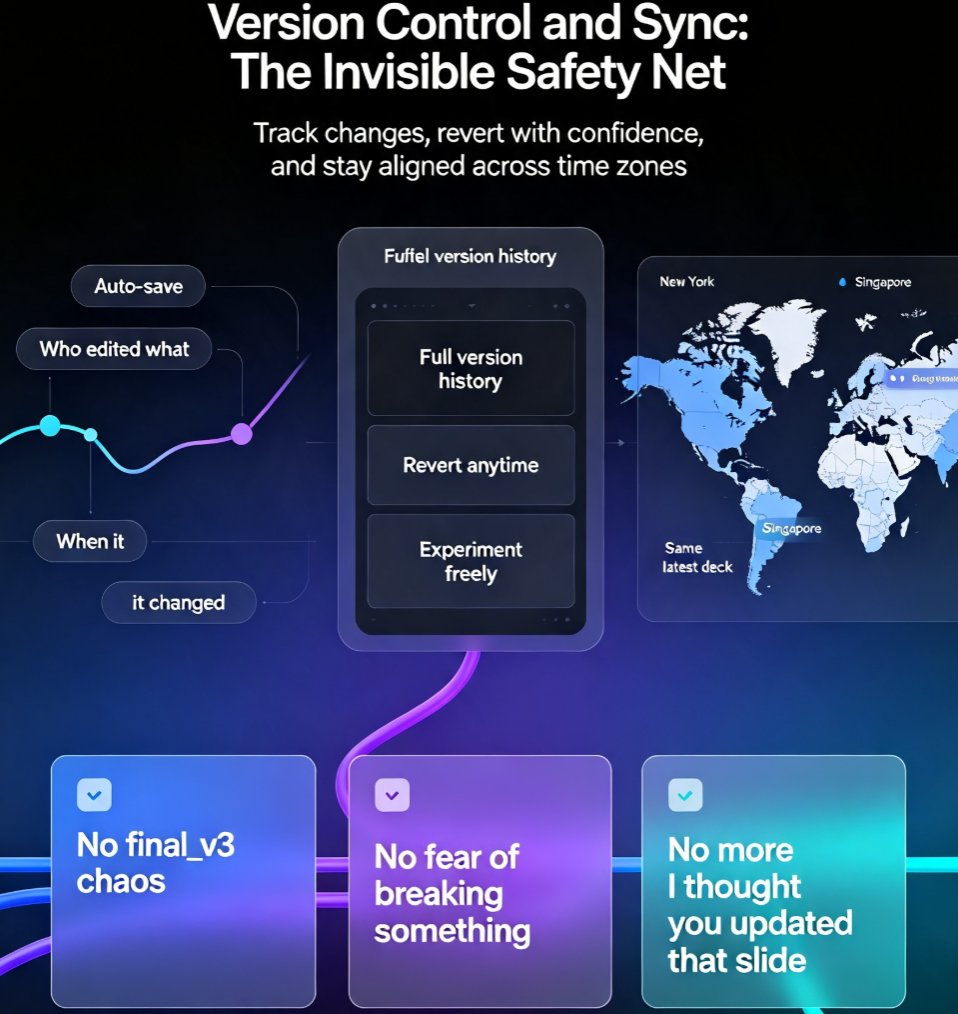
- Keeps a complete record of edits — every change is tracked, so you can always see what changed, who changed it, and when
- Enables quick retrieval — need to recover that slide from two weeks ago? It's one click, not a forensic investigation
- Simplifies approvals — reviewers can see exactly what's new since the last round, instead of re-reading the whole deck
The Box research highlights version control as a core feature of intelligent collaboration tools, alongside integrated commenting and AI-powered feedback that catches errors and inconsistencies. A deck without version control is a deck you can't safely experiment with — because every change risks losing something you might need later.
And here's the thing: version control isn't just about undoing mistakes. It's about giving your team the confidence to iterate boldly. When you know you can always roll back, you're willing to try the bold headline, the unconventional layout, the risky narrative. That's where good work comes from.
IV. Security and Compliance Can't Be an Afterthought
Now the uncomfortable part: collaboration means sharing access, and sharing access means security risk.
According to Box's State of AI in the Enterprise report, 74% of organizations cite data privacy and security as top concerns when choosing an AI platform for content and unstructured data. That's not paranoia — it's a rational response to the reality that your decks often contain sensitive information: financials, client names, product roadmaps, headcount plans.
When you evaluate collaborative AI presentation tools, security isn't a checkbox — it's a dealbreaker. Look for:
- Single sign-on (SSO) and unified authentication across platforms
- Granular permissions — who can view, comment, or edit
- Cloud sync that keeps information up to date in real time
- Compliance controls that match your industry's requirements
The best collaborative tools make security invisible: you never think about it, but it's always working in the background. That's the standard your team should expect. If you're evaluating tools, our guide on 2026 data security trends in AI presentation tools covers what to watch for.
V. What to Look For in a Collaborative AI Presentation Tool
Not all collaboration features are created equal. Here's a practical checklist based on what actually matters in team workflows:
| Feature | Why It Matters | Red Flag If Missing |
|---|---|---|
| Real-time co-editing | Multiple people work simultaneously without conflicts | Only one editor at a time; "file locked" messages |
| Version history | Full edit record; easy rollback | No way to see past versions |
| Integrated commenting | Feedback lives in context, not in email threads | Comments require a separate tool |
| Granular permissions | Control who can view, comment, or edit | All-or-nothing access |
| AI-powered feedback | Catches errors and inconsistencies automatically | No automated review |
| Cloud sync | Everyone sees the latest version instantly | Manual refresh or re-upload required |
| SSO / unified auth | One login, consistent security | Separate credentials per tool |
That last point about AI-powered feedback is worth emphasizing. Modern collaborative tools don't just let you edit together — they actively help you improve the content. The AI can flag inconsistencies, suggest stronger phrasing, and catch errors that human reviewers miss. The best collaborative AI tools don't just host your work; they make it better.
VI. How Zendeck Handles Real-Time Collaboration
Here's where this gets practical. Zendeck was built with team workflows in mind, and its collaboration features reflect what we've covered above.
When your team works on a deck in Zendeck, you get real-time co-editing that lets everyone contribute simultaneously — no file locking, no version conflicts. The version history keeps a complete record of every change, so you can roll back to any point without fear. And because Zendeck's AI handles the heavy lifting of layout and design, your team can focus on the content that actually matters.
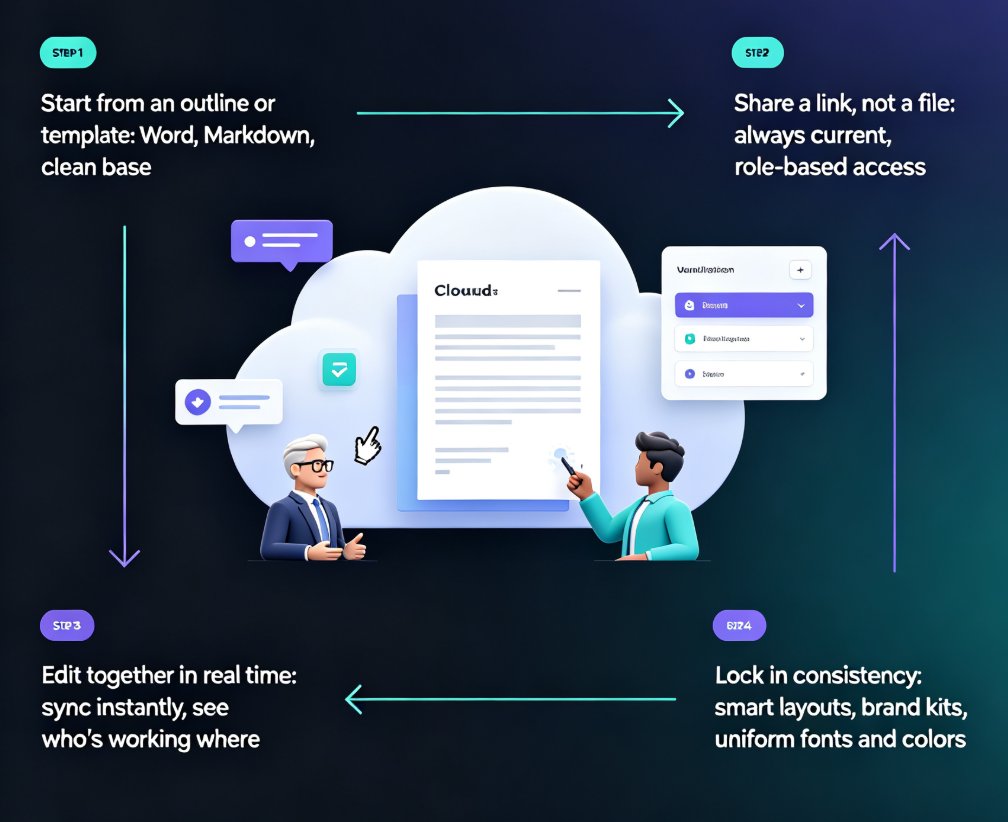
The workflow looks like this: someone imports a Word outline or pastes Markdown, the AI generates a structured deck, and then the whole team refines it together in real time. Comments, edits, and feedback all happen in one place. When the deck is ready, you can share it via link with internal or external stakeholders — with granular permissions controlling who can view, comment, or edit.
For teams that need to move fast, this collapses what used to be a multi-day process into a single working session. And if you're collaborating with external clients, Zendeck's permission controls let you share the right access with the right people without exposing your internal work — we've written about how to real-time collaborate with external clients on Zendeck presentations if you need the details.
VII. Best Practices for Stress-Free Team Decks
A few habits that separate teams who love their workflow from teams who dread it:
1. Establish a single source of truth. Pick one platform and commit. The moment decks live in two places, version chaos returns.
2. Use comments instead of email. Feedback should live where the work lives. If your tool supports inline commenting, use it — and close the loop by resolving comments when they're addressed.
3. Let the AI do the first pass. Don't start from a blank canvas. Generate a structured draft, then refine together. This is where AI presentation tools earn their keep — they compress the "getting started" phase to minutes. You might also find our list of 5 hidden features of AI presentation tools that boost team productivity useful here.
4. Review in rounds, not in real time. Real-time co-editing is great for building, but formal review works better in structured rounds. Version control makes this painless: each round is a checkpoint you can return to.
5. Protect your brand. When multiple people edit a deck, brand consistency suffers. Use brand kits and templates that enforce your colors, fonts, and layout automatically — so the deck looks cohesive no matter who touched it. This is one of the core office efficiency habits worth building.
FAQ
Q: What is real-time co-editing in AI presentation tools?
Real-time co-editing lets multiple team members work on the same presentation simultaneously, seeing each other's changes as they happen. Instead of emailing files back and forth, everyone edits the same live deck, which dramatically speeds up the review and refinement process. It's especially powerful with AI-generated decks, where the team refines a draft together rather than rebuilding from scratch.
Q: Why is version control important for team presentations?
Version control keeps a complete record of every edit, so you can see what changed, who changed it, and when. It enables quick rollback to any previous version and simplifies approvals by showing reviewers exactly what's new since the last round. Without it, teams risk losing work, overwriting each other's edits, and wasting hours on version confusion.
Q: How does Zendeck support team collaboration?
Zendeck offers real-time co-editing, version history, and granular permissions. Teams can generate a deck from a Word outline or Markdown, then refine it together in real time. Comments and feedback happen in context, and decks can be shared via link with controlled access for internal or external stakeholders — so the right people see the right version at the right time.
Q: What security features should I look for in a collaborative AI presentation tool?
Look for single sign-on (SSO), granular permissions, cloud sync, and compliance controls. According to Box's State of AI in the Enterprise report, 74% of organizations cite data privacy and security as top concerns when choosing an AI platform. Security should be a primary consideration, not an afterthought — especially when decks contain financials, client names, or product roadmaps.
Q: Can real-time collaboration work with AI-generated presentations?
Yes — and it's actually where collaboration shines. The AI generates the first structured draft, then the team refines it together in real time. This compresses the feedback loop and lets stakeholders react to the AI's output simultaneously, turning a solo generation task into a team conversation. The result is a better deck, faster.