5 Hidden Features of AI Presentation Tools That Boost Team Productivity
Introduction: The Hidden Productivity Killer in Your Presentation Workflow
Let's be real: most teams spend way too much time on presentation formatting. You've got a solid content outline, but then someone tweaks the font, another person changes the color scheme, and the final deck looks like a ransom note made of mismatched slides. The result? Endless email chains, lost time, and a brand that feels inconsistent.
You might already use an AI presentation tool to generate slides from a prompt. But the real productivity gains come from features that fly under the radar—things like brand kits, smart layouts, real-time collaboration, and version control. These aren't just nice-to-haves; they're the difference between a chaotic workflow and a streamlined machine.
In this article, we'll dive into five hidden features of AI presentation tools that directly boost team productivity. And we'll show how Zendeck—a platform built for professionals and educators—makes each one a reality. No fluff, just actionable insights.
01 Brand Kits: Stop Fighting Over Fonts
Pain Point: Every time your team creates a presentation, someone has to manually set the company font, colors, and logo. And if you're working across departments, consistency goes out the window. One deck uses Helvetica, another uses Arial; your brand guidelines become optional.
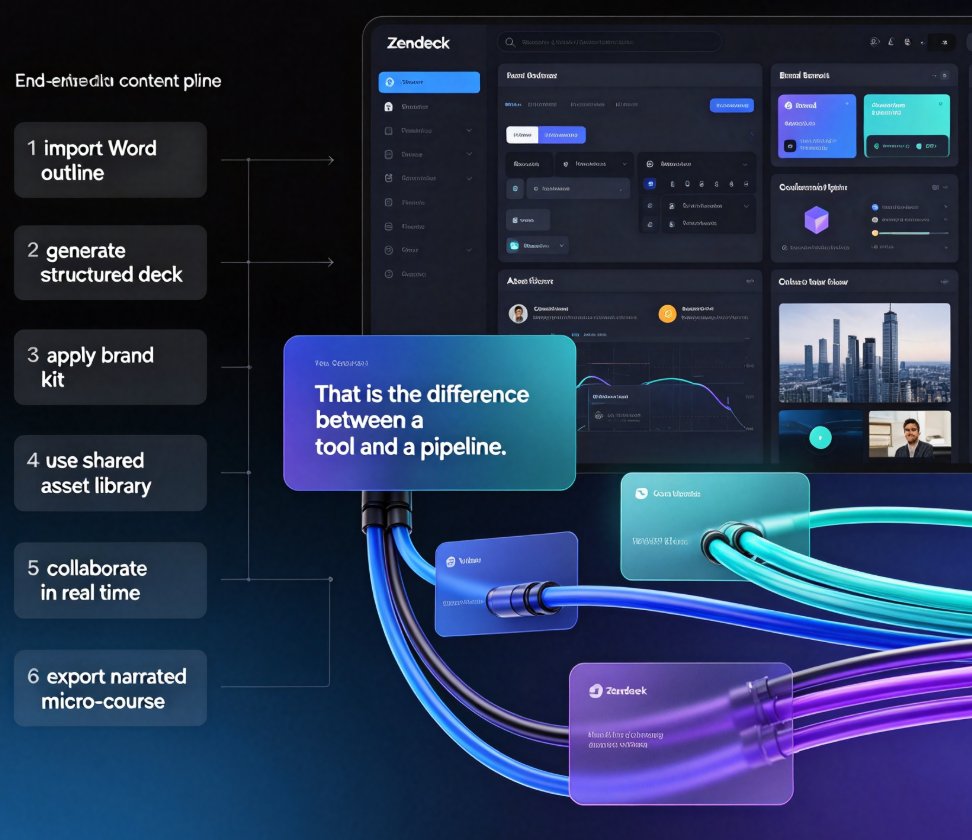
Solution: Zendeck's brand kit feature lets you define your visual identity once—fonts, color palette, logo placement—and apply it to every deck automatically. No more copy-pasting style settings or hunting for the correct shade of blue.
Outcome: Your team can focus on content, not design. A marketing manager can create a pitch deck, and a trainer can build a course—both will look like they came from the same department. Consistency becomes automatic, not accidental.
Pro tip: Set up your brand kit during onboarding. It takes 10 minutes and saves hours per project.
For a step-by-step guide, check out How to Set Up and Use Brand Kits in Zendeck for Consistent Presentations.
02 Smart Layout & One-Click Reskin: No More Manual Redesign
Pain Point: You've built a beautiful deck, but then the client asks for a different color scheme. Or you need to repurpose the same content for a different audience. Redesigning slide by slide is tedious and error-prone.
Solution: Zendeck's smart layout engine automatically adjusts your slide layouts based on the content type. And with one-click reskin, you can apply a completely new theme—colors, fonts, backgrounds—across the entire deck instantly.
Outcome: What used to take hours now takes seconds. You can repurpose training materials for a sales presentation, or tweak the look for a new brand campaign without starting from scratch. This is especially powerful for teams that produce multiple decks per week under tight deadlines.
Learn more about how AI-powered design suggestions work in How AI-Powered Design Suggestions Are Making Presentation Software Smarter.
03 Real-Time Collaboration: Kill the Email Ping-Pong
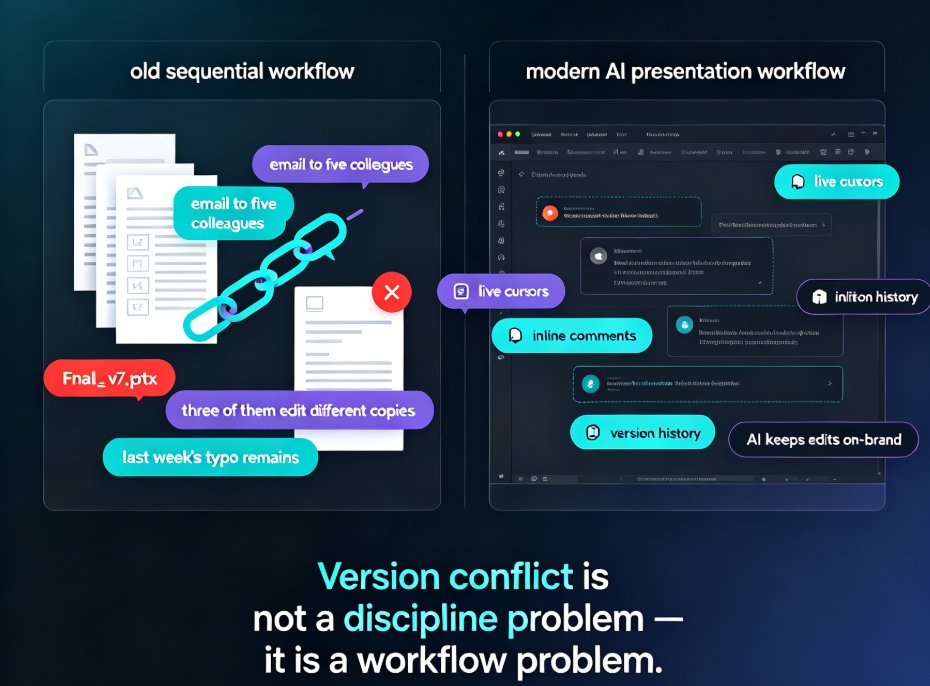
Pain Point: You email a PPT file to a colleague for feedback. They make changes, email it back. Then you merge both versions, hoping you didn't miss anything. This dance can stretch days, especially when multiple stakeholders are involved.
Solution: Zendeck offers real-time co-editing with version control. Multiple team members can work on the same deck simultaneously—see each other's cursors, comment on slides, and chat inline. No more "which version is latest?"
Outcome: Decision-making speeds up. A sales team can finalize a proposal in a single session, with the VP adding comments while the designer adjusts visuals. The deck becomes a living document, not a static file.
According to industry research, teams using AI collaboration tools report a 30-40% reduction in meeting time and faster decision cycles (source: Neweratech). Zendeck embodies this by providing a unified platform for real-time collaboration.
Deep dive into version control: How Teams Can Co-Edit AI Presentations in Zendeck with Version Control.
04 Version Control & History: Never Lose a Good Idea
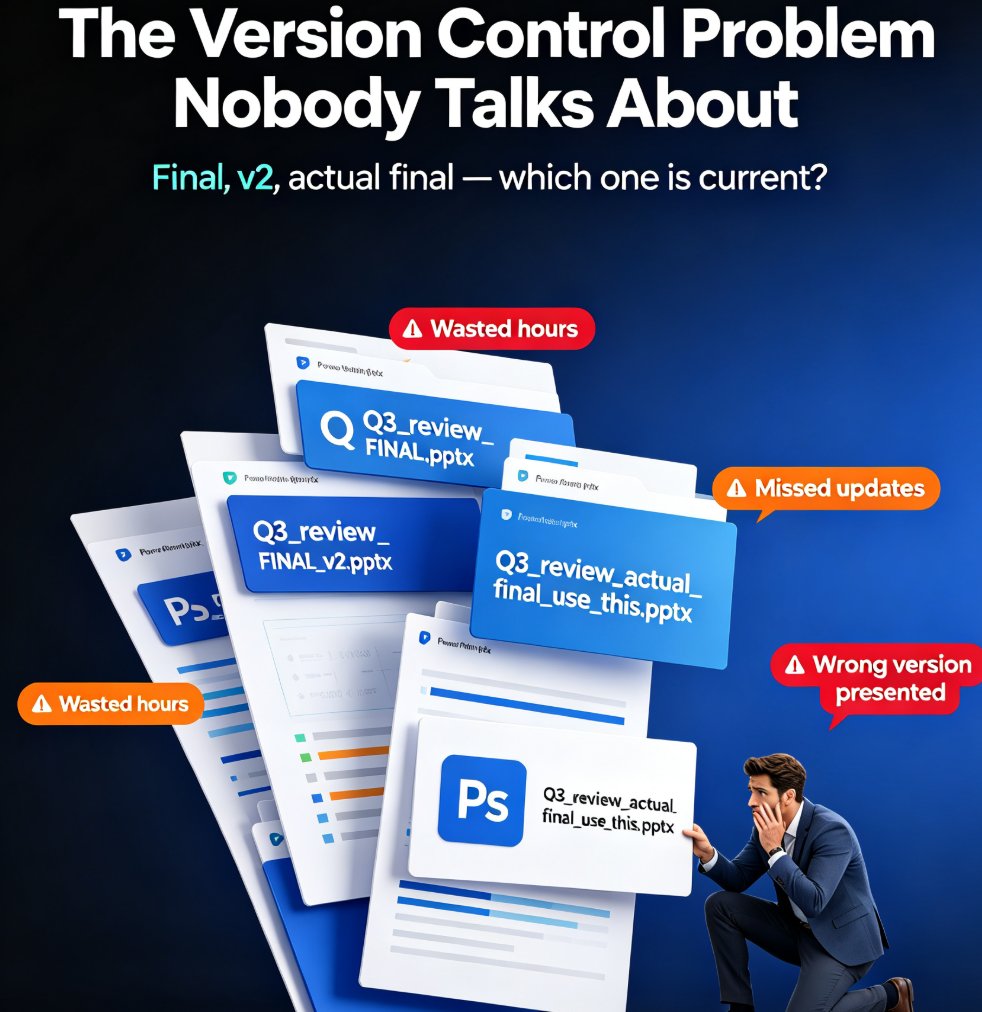
Pain Point: You deleted a slide that had the perfect chart. Or your boss wants to revert to the version from last week. Without version control, you're stuck—either manually saving multiple files or hoping the undo button works.
Solution: Zendeck automatically saves every change and keeps a full version history. You can view, compare, and restore any previous version with a single click. Each version is timestamped and attributed to the editor.
Outcome: Freedom to experiment. Try different layouts, remove sections, or let junior team members contribute—all without fear of losing the original. It's the safety net every team needs.
Watch out: Some tools only keep versions for a limited time. Zendeck retains your history indefinitely, so you can always go back.
For a complete guide on team collaboration features, see Real-Time AI Collaboration and Version Control for Team Presentations.
05 Import from Word & PDF: Turn Documents into Decks Instantly
Pain Point: You have a beautifully written Word document or a hefty PDF report, but you need to present it as a slide deck. Manually copying and pasting each section is mind-numbing and prone to formatting errors.
Solution: Zendeck's import feature allows you to upload a Word outline, PDF, or even raw text. The AI parses the structure, extracts headings and bullet points, and generates a perfectly formatted deck in seconds. You can then refine with smart layouts.
Outcome: What used to take an entire afternoon now takes minutes. A trainer can convert a curriculum outline into a course deck; a consultant can turn a client report into a presentation. This is the ultimate productivity hack for content-heavy teams.
Check out the specifics: Import PDFs, Reports, and Raw Text into Zendeck for Instant AI Decks and From Word to Slides: Import Outlines into Zendeck for Instant Decks.
Comparison: How Zendeck Stacks Up Against Other AI Presentation Tools
To give you a clear picture, here's a comparison of hidden productivity features across popular AI presentation platforms. Data based on publicly available features as of early 2025.
| Feature | Zendeck | Tome | Beautiful.ai | Gamma | Canva Magic Design |
|---|---|---|---|---|---|
| Brand Kit (centralized fonts/colors) | ✅ Yes | ✅ Yes | ✅ Yes | ✅ Yes | ✅ Yes (with Canva Pro) |
| One-click reskin / smart layout | ✅ Yes | ✅ Yes | ✅ Yes | ✅ Yes | ✅ Yes |
| Real-time collaboration with version control | ✅ Yes (full history) | ✅ Yes (limited) | ❌ No version history | ✅ Yes (basic) | ✅ Yes (with Canva Pro) |
| Import from Word/PDF | ✅ Yes (Word, PDF, TXT) | ❌ No | ❌ No | ✅ Yes (PDF) | ❌ No (limited) |
| PPT-to-video with narration | ✅ Yes | ❌ No | ❌ No | ❌ No | ✅ Yes (with Canva Pro) |
| Offline access | ✅ Yes (export to PPTX) | ✅ Yes (export) | ✅ Yes (export) | ✅ Yes (export) | ✅ Yes (export) |
Key takeaway: While many tools offer basic slide generation, Zendeck bundles features like brand kits, version control, and document import into a single platform—without requiring a premium tier for essential collaboration.
Why These Hidden Features Matter for Your Team
Let's tie it all together. Every hidden feature we've discussed solves a specific pain point in the team workflow:
- Brand kits eliminate inconsistency.
- Smart layout removes manual redesign.
- Real-time collaboration kills email ping-pong.
- Version control protects your work.
- Import from Word/PDF transforms existing content into slides instantly.
When you combine these, you're not just making prettier slides—you're reducing friction, saving hours, and empowering your team to focus on what matters: the message.
Ready to try it? Zendeck is built for teams like yours. Start with a free account and see how these hidden features transform your workflow.
FAQ
What hidden features in AI presentation tools improve team productivity?
Key features include brand kits for consistent styling, smart layout for one-click reskinning, real-time collaboration to avoid email ping-pong, version control to track changes, and the ability to import from Word/PDF to instantly create structured decks. Zendeck offers all these in one platform.
How does Zendeck's brand kit help maintain consistency?
Zendeck's brand kit lets you set your company's fonts, colors, and logo once. Every slide created automatically follows these rules, so no more manual tweaking or copy-pasting across departments.
Can multiple team members edit the same presentation in Zendeck?
Yes. Zendeck supports real-time co-editing with version control. You can see changes as they happen, and revert to any previous version if needed. It's like Google Docs for presentations.
Does Zendeck support importing from Word or PDF?
Absolutely. You can import a Word outline, PDF, or raw text, and Zendeck will generate a fully structured, visually consistent deck in seconds. Perfect for turning reports into presentations.
Is Zendeck suitable for large enterprises?
Yes. With features like brand kits, centralized templates, and team collaboration tools, Zendeck scales from small teams to enterprise departments, ensuring brand compliance and efficiency.