AI Slide Deck Generators Compared: Zendeck vs Gamma vs Beautiful.ai for Business
You've got a board meeting at 9 AM, and the deck needs to look like it was made by a design team — not by someone who opened PowerPoint ten minutes ago. That's the exact moment when an AI slide deck generator feels like a life raft. But here's the thing: not all AI tools are built for business consistency. Some give you speed, others give you automation, and a few actually care about your brand.
In this comparison, we'll take a hard look at three popular options: Gamma, Beautiful.ai, and Zendeck. We'll evaluate them on what actually matters for business users: brand consistency, template variety, import flexibility, and collaboration. No hype, just practical takeaways.
01 – What Business Users Actually Need from an AI Slide Deck Generator
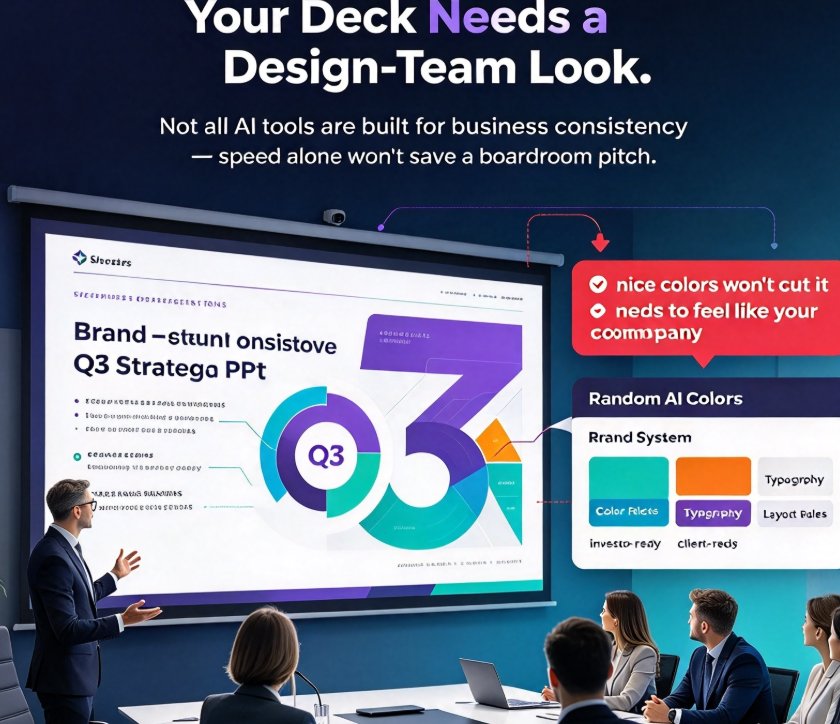
Let's be real: a random AI-generated deck with nice colors won't cut it when you're pitching to an investor or presenting to a client. You need a deck that feels like it belongs to your company. That means a consistent color palette, typography, and layout rules.
But there's another layer: your workflow. Most business people don't start from a blank slide. We start from a Word document, a rough outline, or a cluttered markdown file. So the tool needs to ingest what you already have and turn it into structured slides.
Collaboration is non-negotiable too. If you're working with a team, you want to co-edit without version chaos. And when the deck is done, you might need to export it to PowerPoint or turn it into a narrated video for asynchronous sharing.
So the real question is: which tool handles these workflows without making you fight the design?
02 – Gamma: Fast Text-to-Slide, But Designed Like a Web Page
Gamma's claim to fame is lightning-fast content generation. You type a topic, pick a tone, and get a full deck in seconds. It treats presentations as web-native documents, which means you can scroll through them like a long page, and the narrative flow is smooth.
However, that same web-native philosophy creates friction for business users. When you export to PowerPoint, the formatting can shift — fonts get resized, spacing breaks, and you lose the polished look you saw on screen. Users on forums have reported these exact issues. Gamma is fantastic for brainstorming or making a quick internal overview, but if your deck needs to be on-brand and pixel-perfect, you'll spend extra time fixing what AI generated.
Also, Gamma's template library is decent, but it leans toward modern, trendy looks rather than corporate-grade flexibility. If you need strict brand governance, you'll have to manually adjust colors and fonts on every single slide.
03 – Beautiful.ai: Design Automation for Teams, Yet Limited Template Variety
Beautiful.ai is built for business teams who hate alignment issues. Its core promise is automated layout — you add content, and the design logic rearranges everything so slides always look balanced. That's a huge win when you have multiple people contributing to a deck and no one wants to be the design police.
The Smart Slide technology adjusts layout as you edit text or swap images, so you never end up with overlapping elements or awkward gaps. For team consistency, Beautiful.ai does a solid job enforcing spacing and alignment rules.
But there's a trade-off. Beautiful.ai gives you fewer template choices compared to other tools. Its design system is coherent, but it starts to feel repetitive after a few decks. You can customize colors and fonts, but you're still working within a fixed aesthetic. If you're looking for a wide variety of starting points, you might feel boxed in.
Another pain point: importing existing outlines. Beautiful.ai works best when you build from scratch inside the tool. If you've got a detailed Word doc, you'll probably have to paste content slide by slide, which defeats the purpose of AI-assisted speed.
04 – Zendeck: The Middle Ground That Cares About Brand Consistency and Import Flexibility
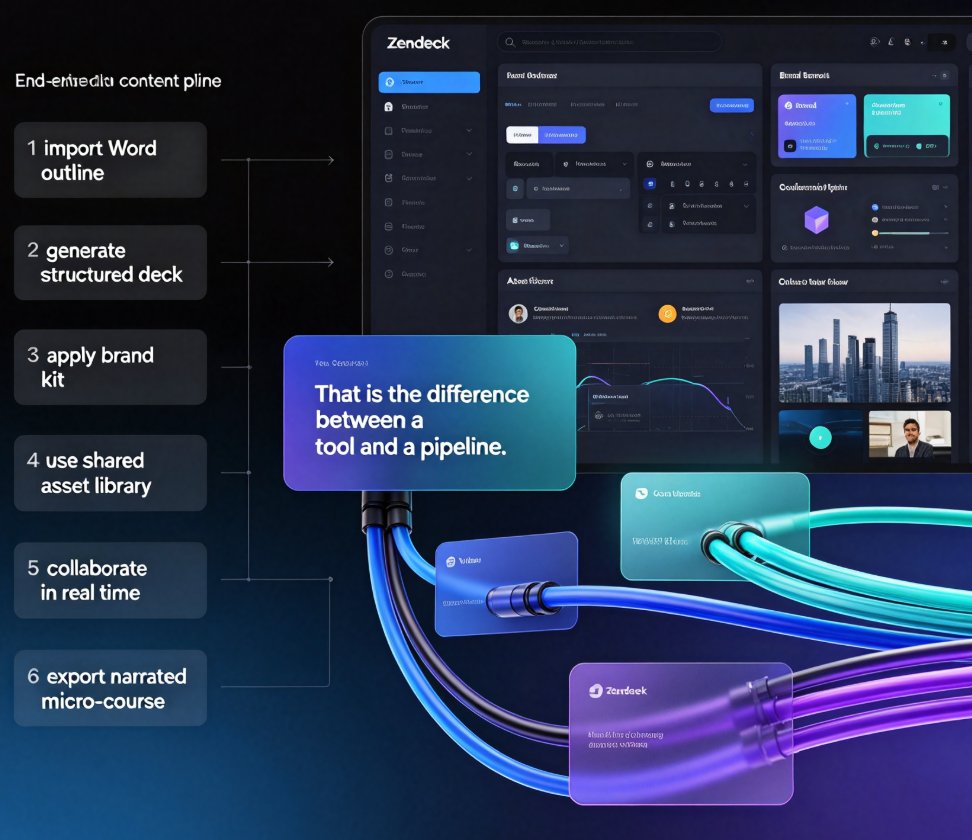
Now let's talk about Zendeck. It's designed for people who need both speed and control. Zendeck doesn't just generate slides from a prompt — it lets you upload a Word outline, paste Markdown, or drop in a TXT file, and it builds a structured deck from that content. That's a game-changer for business workflows where the content already exists in a document.
The template library is a clear strength. You get premium templates that cover various use cases — from corporate internal decks to sales pitches and educational courseware. And the AI helps you pick the right template for your context, so you're not staring at a blank grid of irrelevant designs.
Smart Layout is Zendeck's answer to design automation. It automatically aligns fonts, colors, and spacing, and it keeps your brand kit applied across every slide. You can set up a custom brand kit once and trust that every new deck will follow the same rules. That's a huge time-saver when you're building a series of weekly status reports or a batch of client pitches.
Collaboration is built in: online editing, link sharing, and comment threads. You don't have to email PPT files back and forth. And when you need to explain a deck async, Zendeck's PPT-to-video feature turns your slides into a narrated micro-course. That's something neither Gamma nor Beautiful.ai does natively with the same polish.
05 – Side-by-Side Comparison: Features, Templates, Output Quality, Collaboration
Here's the honest breakdown. We've tested these tools across typical business scenarios, and this table sums up what we found.
| Feature / Criterion | Zendeck | Gamma | Beautiful.ai |
|---|---|---|---|
| Content import | Word outline, Markdown, TXT | Text prompt, limited import | Build in tool; limited import |
| Template variety | Large premium library, contextual suggestions | Modern web-style templates | Cohesive, but limited choices |
| Brand consistency | Custom brand kit, enforced across slides | Manual styling; weak governance | Good alignment, but brand kit less flexible |
| Design automation | Smart Layout, one-click reskin | Auto layout during generation | Smart Slide auto-layout |
| Collaboration | Real-time co-editing, link sharing, comments | Live editing, but less structure | Team sharing, but less real-time co-editing |
| Export to PPTX | Clean, minimal formatting loss | Occasional font/spacing issues | Good, but complex animations may break |
| PPT-to-video | Native support with narration & subtitles | Limited | Limited |
| Best for | Teams needing brand consistency + multi-format import | Quick drafts and narrative web decks | Design-savvy teams that want automated polish |
The bottom line from the table: Zendeck wins on import flexibility, template variety, and brand enforcement. Gamma and Beautiful.ai are great in their own lanes, but they don't cover the full business workflow.
06 – Which One Should You Choose? A Decision Framework
Let's make this practical. Here's a quick framework to choose based on your scenario.
- You need a fast, throwaway deck that won't live past tomorrow? Gamma is your friend. It's perfect for brainstorming and internal notes.
- You want automated layout and your team already designs inside the tool? Beautiful.ai takes the pain out of alignment.
- You're building a serious investor pitch, a client proposal, or a recurring internal report? Zendeck is the safer bet. Its import pipeline, template library, and brand kit ensure consistency without you micromanaging every slide.
If your typical week involves turning a Word outline into a polished deck for a stakeholder meeting, Zendeck will save you the most time. It's also the only tool here that lets you go from outline to a narrated micro-course without switching platforms.
07 – Final Verdict: Zendeck Wins for Consistency-Driven Teams
Let's cut through the noise. If your goal is a deck that looks professionally branded, follows your design language, and doesn't break when you export it to PowerPoint, Zendeck is the most complete answer. It doesn't sacrifice speed for control — you still get AI-generated slides in minutes, but you also get the guardrails that matter for business.
We're not saying you'll never use Gamma or Beautiful.ai again. But for the ongoing, brand-critical work that keeps your team sane, Zendeck's combination of import options, rich templates, and collaboration makes it the strongest choice today.
So before your next big deck, give Zendeck a shot. Upload that Word outline and see the difference a tool that respects your brand can make.
FAQ
What is the biggest difference between Zendeck, Gamma, and Beautiful.ai?
Zendeck focuses on brand consistency and multi-format import, letting you work from Word outlines, Markdown, or TXT. Gamma treats presentations like fluid web pages optimized for quick text-to-slide generation. Beautiful.ai automates layout for polished team decks, but offers fewer template choices beyond its own design system.
Is Zendeck better than Gamma for a business team?
If you need strict brand governance and a wide template library, yes. Zendeck enforces consistent fonts, colors, and layouts across decks, while Gamma gives you speed but less control over formatting. For one-off fast drafts, Gamma works; for recurring client or investor decks, Zendeck is the more reliable pick.
Which AI slide deck generator is the easiest for beginners?
All three are beginner-friendly, but Beautiful.ai is the simplest if you want automated design without touching style settings. Zendeck is equally intuitive because it guides you through template selection and smart layout, and it imports your existing Word outline. Gamma is the fastest if you just want a draft from a single prompt.
Can I export presentations to PowerPoint from these tools?
Yes. Zendeck exports cleanly to PPTX, and users report minimal formatting issues thanks to its layout engine. Gamma also supports PPTX and Google Slides, but you may see spacing or font shifts after export. Beautiful.ai exports to PPTX as well, though complex animations or custom fonts may not carry over perfectly.
Does Zendeck offer collaboration features like real-time editing?
Yes. Zendeck supports online co-editing and link sharing, so your team can work on the same deck simultaneously. You can also leave comments and control who views or edits. For secure sharing with external stakeholders, it's a solid option, and you can learn more from our guide to AI presentation collaboration.