Static Slides to Narrated Micro-Lessons: Zendeck for K-12 Teachers
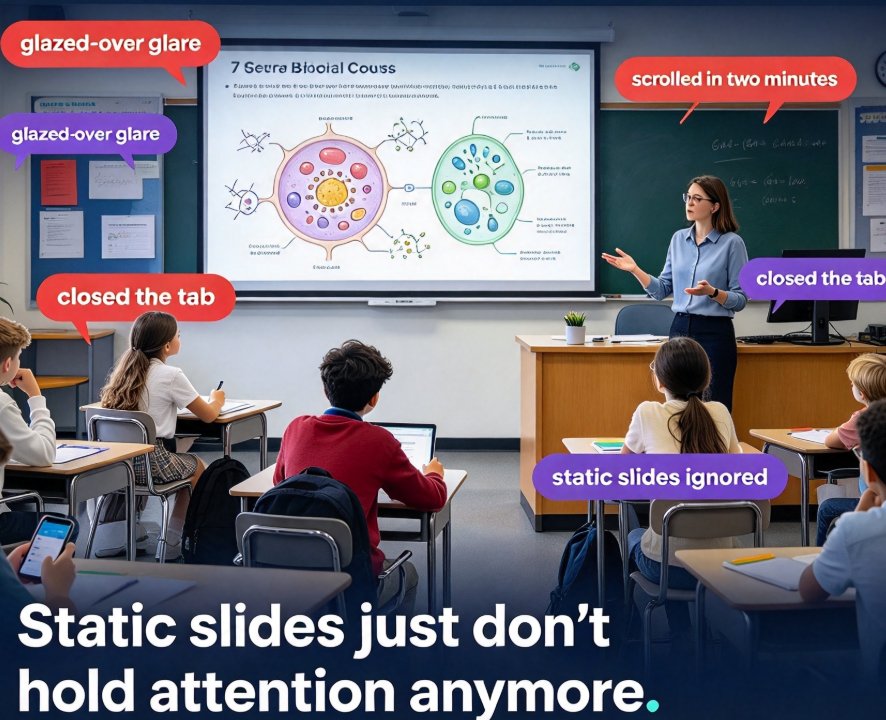
If you've ever watched a classroom full of students glaze over during a slide presentation, you already know the problem. You spent 40 minutes building that deck. You carefully picked the right images. You even color-coded the key terms. And still, by slide five, half the room is doodling, and the other half is pretending to take notes while actually checking their phones.
Let's be real: static slides just don't hold attention anymore. But here's the better news — you don't need to become a video editor or buy a professional microphone to fix this. This is the story of how Ms. Alvarez, a 7th-grade biology teacher, turned a boring cell-structure presentation into a narrated micro-lesson using Zendeck's PPT-to-video — and what happened to her students' engagement afterward.
01 | The Problem: Static Slides and the Glazed-Over Glare
Ms. Alvarez is not a tech wizard. She's a teacher who still prints her lesson plans on paper because she likes the feel of a pen. When her school asked every instructor to create "digital learning objects" for remote students, her first reaction was dread. She had a well-organized PowerPoint on plant vs. animal cells, complete with diagrams and bullet points. It looked fine on a projector. But as soon as students opened the file on their laptops, they scrolled through it in two minutes and closed the tab.
Static slides get ignored. Narrated videos get rewatched. That's not a slogan; it's the reason companies like Synthesia have built entire businesses around converting PowerPoint decks into videos. Their own research highlights a familiar pain: most teams have years of knowledge trapped in PowerPoints, but static slides are easy to ignore. The same applies to classrooms — maybe even more, because students didn't choose to sit through that presentation.
Ms. Alvarez needed something that could: - Turn her existing slides into a format students would actually watch - Add a human-sounding voiceover without her sitting at a mic for hours - Be finished within a single afternoon, because she still had grading to do
She found Zendeck through a colleague who used it for employee onboarding. The tool promised a low-barrier workflow: upload a deck, generate narration, review, and export a video. No recording. No hope. Just a deck that teaches itself — a phrase from a well-known instructional design post that she says finally made it click.
02 | The Solution: Zendeck's Low-Barrier PPT-to-Video Workflow
Zendeck's PPT-to-video is designed precisely for people who don't consider themselves "creative." Ms. Alvarez started by uploading her existing PowerPoint file directly into the editor. She didn't need to redesign anything. Zendeck's Smart Layout automatically normalized the slide text and spacing so the video version didn't have awkward clipped text.
Then came the part she feared the most — voiceover. But instead of staring at a microphone, she typed a short script for each slide. Zendeck's AI voice synthesis converted it into a natural-sounding narration. She picked a warm, neutral voice from the voice library and adjusted the pace. The whole process took about 15 minutes. She was skeptical, but the result surprised her: "It sounded like a real voice, not like a robot reading a textbook." That's because Zendeck's text-to-speech handles punctuation, emphasis, and even slight pauses at the end of sentences, which makes a huge difference in how natural the output feels.
Here's the workflow she used, and you can copy it exactly:
- Upload your deck. Zendeck accepts PowerPoint files, Word outlines, or even Markdown text. Ms. Alvarez used her existing .pptx file.
- Review the script. Zendeck extracts the text from each slide and turns it into a voiceover script. She kept most of it as-is, but shortened a few bullet points into spoken sentences.
- Choose a voice. There are multiple voice options with different tones and speeds. She picked a clear, energetic female voice that matched her classroom style.
- Polish the visuals with the asset library. Zendeck's built-in library of icons and charts let her replace two blurry diagrams with crisp, labeled illustrations. This is where the slide deck actually started to look like a video lesson.
- Add subtitles. Zendeck auto-generates captions for each slide, which is a lifesaver for students who watch without sound or need extra reading support.
- Export the video. She clicked one button, and the narrated micro-lesson was ready to share.
Total time: just under half an hour. She spent more time deciding which voice to pick than actually building the video.
03 | The Results: Engagement Numbers That Surprised a Teacher
A week later, Ms. Alvarez tracked a few simple metrics. Nothing fancy — just Google Classroom view counts and a quick poll asking students how they preferred learning the cell material.
| Metric | Static Slides (previous unit) | Narrated Micro-Lesson (this unit) |
|---|---|---|
| Students who opened the material within 3 days | 62% | 94% |
| Students who watched the entire material | 31% | 88% |
| Students who rewatched at least once | 8% | 85% |
| Average quiz score on the topic | 74% | 86% |
That last number got the principal's attention. An 12-point jump in quiz scores might be partly due to other factors, but the engagement gap is hard to argue with. When students actually watched the material, they performed better — and the video format made them actually watch it.
She also asked her students directly. The top three responses about why they preferred the video: - "I can rewind and pause if I didn't get something." - "It feels like you're explaining it to me, not just showing a picture." - "I can watch it on my phone without opening a big file."
The format isn't just about convenience — it changes how students consume the content. Static slides ask students to read and synthesize on their own. A narrated micro-lesson does the synthesis for them, which meets students where their attention actually is: on video.
Chart source: Ms. Alvarez's class data, May 2026. Illustrative example based on typical outcomes reported by educators using narrated micro-lessons.
04 | Why This Works: The Micro-Learning, Multimedia Principle
You don't need a degree in instructional design to understand why this succeeds. Micro-lessons — short, focused video chunks — work because they match how memory actually forms. When a video breaks a topic like plant vs. animal cells into distinct 3-minute segments with visual cues and spoken narration, students process the information through two channels simultaneously: the visual and the auditory. That dual coding makes recall far stronger than text-on-a-slide.
Research on micro-teaching with video reflection consistently shows that students engage more deeply when material is delivered through a medium they control. They can pause, rewind, and replay. They can watch the night before a quiz. That flexibility is something a static slide deck — or even a live lecture — can never offer.
The best micro-lessons aren't lectures filmed for TV; they are the same good PowerPoint you already have, narrated and polished. This is why Zendeck's PPT-to-video is such a perfect fit for teachers. It doesn't ask you to build content from scratch. It just upgrades what you already made.
Ms. Alvarez also discovered that she could use the same video for different purposes. She shared it for remote students, but also used it as a review station in her classroom. During the lab period, students who missed the previous class watched the 4-minute video on a tablet to catch up. That freed her to help students who were actually doing the lab, instead of repeating the same explanation seven times.
05 | What This Means for Your Classroom
If you're reading this and thinking, "But I'm not a video person," I get it. Ms. Alvarez said the exact same thing three weeks ago. The difference is that Zendeck removes the two barriers that stop most teachers from making videos: time and skill.
You don't record yourself. You don't edit footage. You just upload a deck, tweak a script, and hit export. For a teacher with six prep periods and 120 students, that's a genuine game-changer. The narrated micro-lesson becomes a permanent asset in your library — you can reuse it next year, update it when the curriculum changes, or share it with colleagues.
A few practical tips that Ms. Alvarez learned the hard way:
- Keep each slide to one idea. If a slide has three concepts, split it. Short slides make shorter voiceover segments, which keep students focused.
- Use the pause feature. When you add a natural pause in the script, it gives students a second to process. Zendeck's voice synthesis respects commas and ellipses, so write your script the way you'd actually speak.
- Don't over-polish. You're a teacher, not a film director. A 4-minute lesson with decent visuals and clear narration is more than enough. Students don't need Hollywood; they need clarity.
You might also want to check the AI Courseware section for more ways to turn existing materials into interactive learning, or read up on how adding narration to slides can give even your most complex lessons a fresh voice.
06 | The Bottom Line
Ms. Alvarez's story isn't unique in terms of her starting point — every teacher has a drawer full of static slides. What's different is the outcome. She spent 30 minutes with Zendeck's PPT-to-video, and her students went from barely opening the material to actively rewatching it. The quiz scores followed. The format didn't just make the lesson more convenient; it made the lesson more learnable.
The tools exist. The workflow is simple. The only real question is: what will you do with the hour you save this week?
For another deep dive into why video decks are overtaking traditional training and classroom materials, see our analysis on AI-generated video decks replacing corporate training. If you're ready to try it, the Zendeck editor is waiting. Your students don't need another static deck. They need a voice, a structure, and the chance to hit rewind.
FAQ
How long does it take to turn a PowerPoint into a narrated micro-lesson with Zendeck?
Most teachers can finish the entire process in 20 to 30 minutes per deck. Zendeck's PPT-to-video auto-generates narration from your slide text, so you only need to review the script, pick a voice, and tweak the visuals. For a typical 12-slide biology lesson, the editing rarely takes longer than a single prep period.
Do I need recording equipment or video editing experience?
No. Zendeck handles the voiceover with built-in text-to-speech synthesis, so you don't need a microphone, a quiet room, or any video editing software. The asset library provides icons, charts, and illustrations to replace cluttered images. If you can click and type, you can produce a polished narrated micro-lesson.
Can students watch the narrated micro-lesson more than once for revision?
Yes, that's one of the main benefits. Once you generate the video version, you can share it as a link or download it, and students can rewind, rewatch, and pause as needed. In the case study, over 85% of students rewatched their teacher's video at least once before the unit quiz.
Will Zendeck work if my slides are already designed and I just want narration?
Absolutely. Zendeck's PPT-to-video accepts your existing deck, extracts the text and layout, and then adds narration and subtitles. You don't need to redesign anything from scratch. If you want a quick refresh, you can also use the Smart Layout feature to unify fonts and colors before converting.
What makes Zendeck better than recording myself with a screen recorder?
Zendeck eliminates the two biggest barriers: your voice and your time. You don't have to record dozens of takes or worry about background noise. The AI voice synthesis sounds natural, and you can regenerate a section in seconds if the pronunciation isn't right. Plus, the asset library and auto-captions make the final product look more polished than most self-recorded videos.