AI-Generated Video Decks: Replacing Traditional Corporate Training
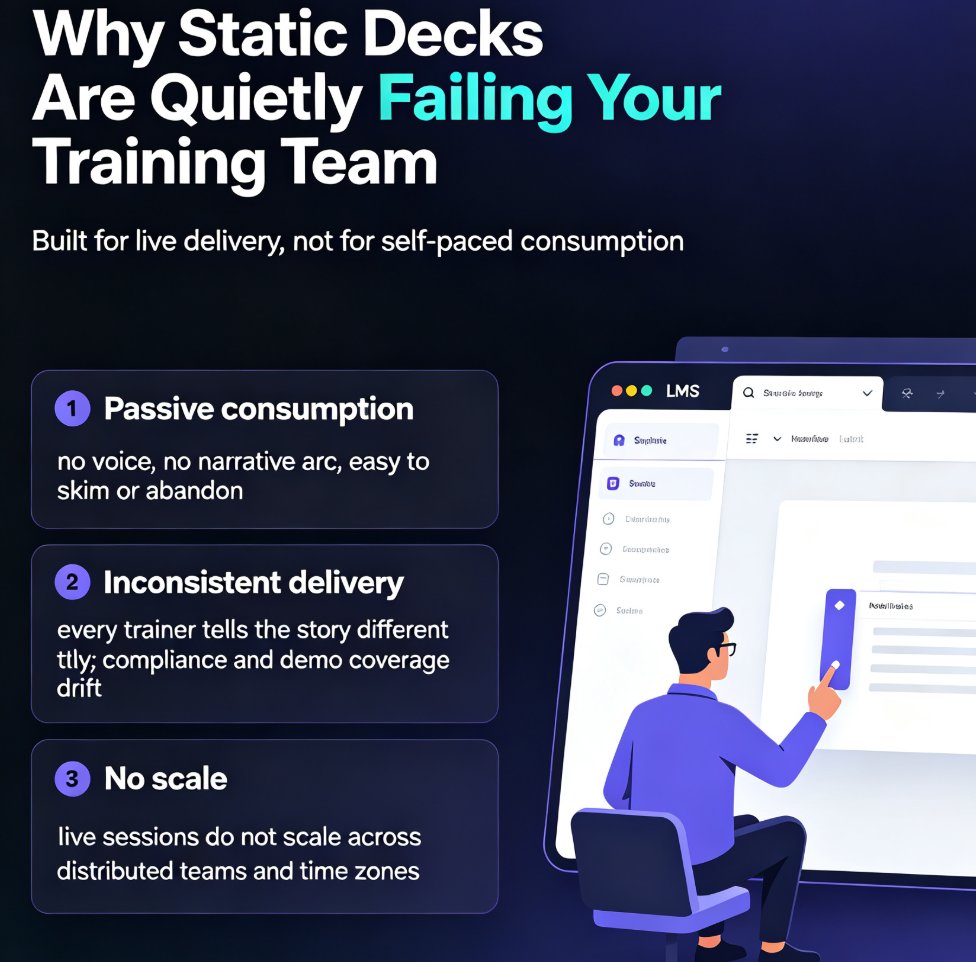
Imagine you're an L&D manager at a global company. You've spent weeks creating a 40-slide training deck, only to see engagement metrics flatline. Your learners skim through slides, skip videos, and forget everything by Monday. Sound familiar? The problem isn't your content—it's the format.
Static slide decks and long, expensive video productions are being replaced by a new approach: AI-generated video decks. These are narrated, interactive micro-courses built from your existing slides in minutes, not weeks. And the evidence is mounting that they work just as well—sometimes better—than traditional training methods.
I. The High Cost of Traditional Training Videos
Let's be real: producing a professional training video is a pain. You need a script, a studio, an actor or subject matter expert, editing software, and hours of post-production. Even then, the final product is often a one-way broadcast that learners passively watch—and quickly forget.
The average corporate training video costs thousands of dollars and takes weeks to produce. And when content changes—which it always does—you're back to square one. This is why so many training decks end up as static PDFs or PowerPoint files that nobody opens.
The result? Low engagement, poor knowledge retention, and a workforce that isn't actually learning. Traditional training videos are failing because they're too slow to produce, too expensive to update, and too passive to engage modern learners.
II. What the Research Actually Says
You might think AI-generated video is a gimmick. But the data says otherwise. A groundbreaking study from University College London (UCL) evaluated adult learners' performance when exposed to AI-generated synthetic videos compared to traditional text and human-presented videos. The findings: AI video content performs just as effectively as instructor-led video in terms of recall and recognition—and learners preferred it over text-based materials.
That's not just a nice-to-have. It means you can replace expensive, hard-to-scale human-presented videos with AI-generated ones without sacrificing learning outcomes.
And engagement? A global IT firm, Sigma Software, leveraged AI-powered video tools and saw a 35% increase in employee learning engagement. By combining customizable avatars, immersive visuals, and interactive features like quizzes, they delivered highly contextualized training content that captivated employees and encouraged active participation.
The takeaway: AI-generated video decks aren't just a cost-cutting hack—they're a proven way to boost engagement and learning outcomes.
III. How AI Video Decks Work
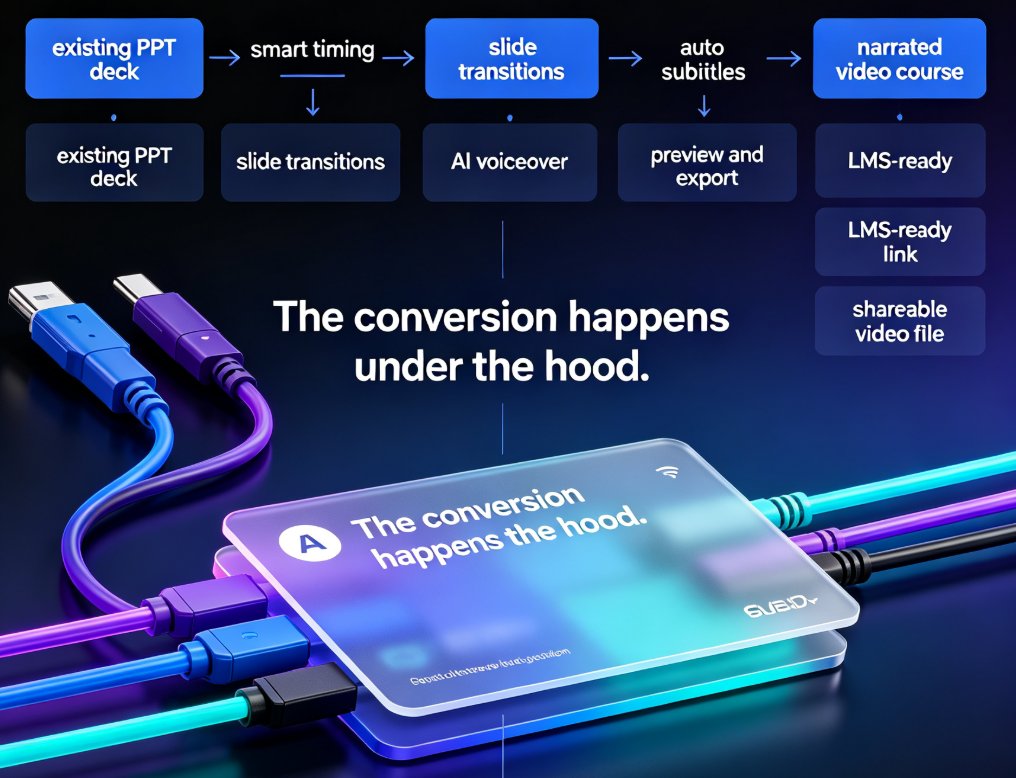
So how do you actually create one? The process is simpler than you think. You start with an outline—maybe a Word document, a Markdown file, or even a messy brain dump. An AI presentation tool like Zendeck turns that into a structured, visually consistent deck. Then, with a single click, you convert those slides into a narrated video with AI voiceovers, synchronized animations, and even interactive elements like quizzes.
The magic is that you don't need design skills or video editing experience. Zendeck's PPT-to-video feature handles the heavy lifting: it generates speaker notes, adds transitions, and creates a professional-looking micro-course that feels custom-made.
For example, you can take an existing PowerPoint on cybersecurity awareness and turn it into a 5-minute narrated video with a click. Update the content? Just edit the slides and regenerate the video—no reshoots, no re-editing.
IV. Building Your First AI Video Deck: A Practical Guide
Ready to try it? Here's a step-by-step workflow that works for any training topic:
- Start with an outline. Write down the key learning objectives and main points. Don't worry about formatting—just get your ideas out. You can use a simple text file or even a Word document.
- Generate your slides. Import the outline into Zendeck (or paste Markdown) and let the AI create a structured deck with consistent fonts, colors, and layouts. This takes seconds, not hours.
- Customize your brand. Apply your company's brand kit to ensure every slide looks on-brand. This is crucial for corporate training—you want consistency across all modules.
- Add interactivity. Insert quizzes, branching scenarios, or clickable elements to keep learners engaged. Interactive features are proven to boost retention.
- Convert to video. Use Zendeck's PPT-to-video feature to add AI narration, background music, and transitions. You can choose from different AI voices and adjust pacing.
- Review and publish. Watch the video, tweak any slides, and export to MP4 or share via a link. You can also embed it in your LMS or share it on your company's learning platform.
The entire process takes 10–15 minutes for a 10-slide module. Compare that to the weeks it takes to produce a traditional video, and you'll see why L&D teams are making the switch.
V. Traditional Training vs. AI Video Decks: A Side-by-Side Comparison
| Aspect | Traditional Training Video | AI Video Deck (e.g., Zendeck) |
|---|---|---|
| Production time | Weeks (script, filming, editing) | Minutes (outline to video) |
| Cost | High (studio, actors, equipment) | Low (subscription-based) |
| Update frequency | Rarely updated due to cost | Updated instantly by regenerating |
| Engagement | Passive viewing | Interactive, with quizzes and branching |
| Scalability | Hard to scale across languages/regions | Easy to localize and reuse |
| Learner preference | Mixed | Preferred over text-based materials (UCL study) |
| Design consistency | Depends on production quality | Guaranteed via brand kits and templates |
The comparison is clear: AI video decks win on speed, cost, and flexibility—without sacrificing learning effectiveness.
VI. The Future of Corporate Training
We're moving toward a world where every training module can be a video—not because we have more budget, but because AI makes it affordable and fast. The future of corporate training is not about replacing humans with AI, but about using AI to create more engaging, personalized, and scalable learning experiences.
Already, tools like Sora and Veo are pushing the boundaries of what's possible, but they're not yet reliable for professional use. That's why platforms like Zendeck focus on practical, slide-based video generation—it's a proven, low-risk way to get started today.
If you're still relying on static slide decks or expensive video productions, you're leaving engagement and efficiency on the table. Start small: pick one onboarding module or a compliance refresher, and turn it into an AI video deck. Measure the engagement metrics. You'll likely see the same 35% boost Sigma Software did.
FAQ
Are AI-generated video decks as effective as traditional instructor-led videos?
Yes. Research from University College London found that AI-generated synthetic videos perform just as effectively as instructor-led videos in terms of recall and recognition. Learners also preferred them over text-based materials, making them a viable substitute for traditional training videos.
How much can AI video decks improve training engagement?
A case study from Sigma Software showed a 35% increase in employee learning engagement after adopting AI-powered video tools. The combination of customizable avatars, immersive visuals, and interactive features like quizzes drives active participation and better knowledge retention.
What is the fastest way to create an AI video deck from existing slides?
Use a tool like Zendeck's PPT-to-video feature. You can import a Word outline or Markdown, generate a structured deck, then convert it into a narrated micro-course with AI voiceovers and synchronized animations—all in a few clicks, without any design skills.
Can AI video decks replace all traditional corporate training?
Not entirely, but they are ideal for onboarding, product training, compliance, and knowledge refreshers. For complex, hands-on skills, you may still need live workshops or simulations. However, AI video decks handle the bulk of scalable, repeatable training more efficiently and cost-effectively.
Do AI video decks require expensive production equipment or actors?
No. AI video decks are generated from your slide content using text-to-speech, AI avatars, and automated animations. You don't need cameras, studios, or professional voice actors. This dramatically reduces production time and cost while allowing quick updates.