Why AI PPT-to-Video Is the 2026 Standard for Corporate Training
Why AI PPT-to-Video Is the 2026 Standard for Corporate Training
Every Monday morning, the same scene plays out in hundreds of training departments. An L&D manager opens last year's 60-slide deck, changes the date on the title slide, and hits "send to all." A week later, the completion report shows about 30%. Static slide decks have been the default for twenty years, but in 2026 that default is cracking. Corporate training is going video-first, and AI PPT-to-video is the reason teams can finally make the shift without a production budget.
This isn't a prediction from a vendor's slide deck. It's the pattern you see in your own organization: new hires scroll past the PDF, skip the 90-minute webinar, and go straight to YouTube when they're stuck. People learn on their own terms now. Training content that ignores that reality gets ignored right back.
01. Why Static Decks Fail: The Attention Problem
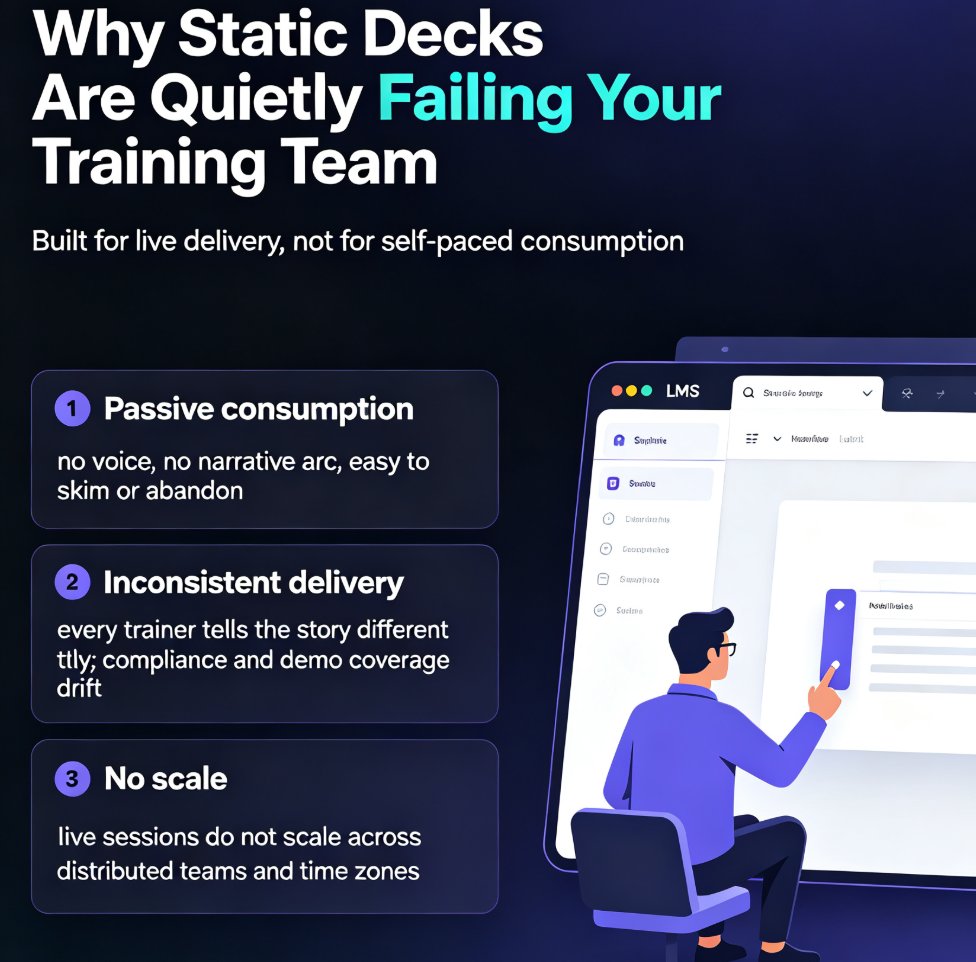
Let's be honest about what a static training deck actually does. It sits in a shared folder, gets glanced at during a kickoff meeting, and evaporates from memory within 48 hours. There's no pacing, no voice, no emotional anchor. A slide full of bullet points asks the learner to do all the work: read, interpret, connect, and remember.
That's a heavy load for a format designed for a speaker in a room, not for self-paced consumption on a phone.
The failure shows up in the numbers. Low completion rates, weak knowledge retention, re-training cycles that never seem to end. L&D teams blame "engagement," but the real problem is format. If training content isn't being consumed, it's usually a delivery problem, not a motivation problem.
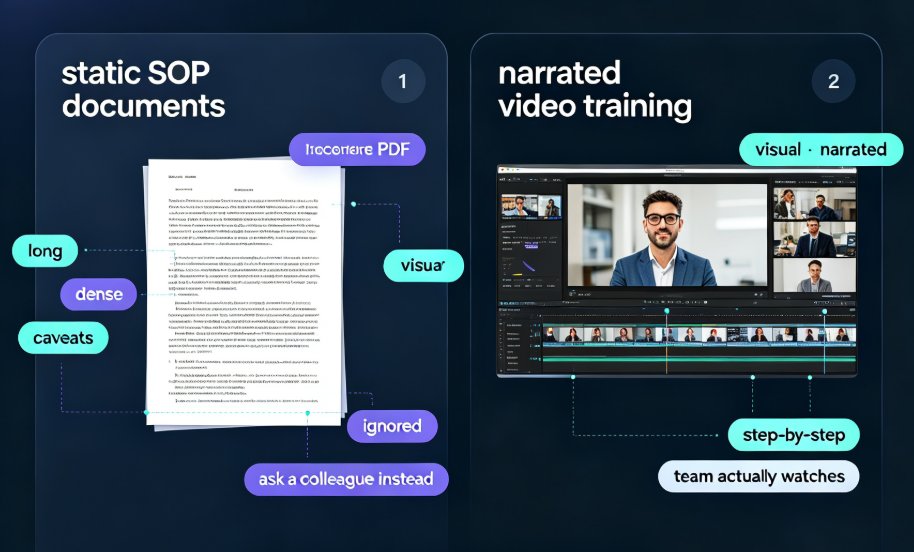
Video changes the math. Narrated video gives the learner a guide, a pace, and a structure that mirrors how people actually absorb information. It's why micro-lessons, bite-sized tutorials, and short video explainers are the default way professionals learn in 2026 — at work, on commute, in a coffee shop, wherever a phone happens to be.
02. Video-First Learning: What the Numbers Show
The shift to video isn't an opinion. Distributed teams need training that works on laptops, tablets, and phones, with no facilitator in the room. On-demand micro-courses fit that need. When training stays short — think 3 to 8 minute segments — completion rates climb, retention improves, and learners can actually apply what they just watched.
Here's a representative comparison of how the two formats typically perform in corporate training:
| Metric | Static Slide Deck | Narrated Micro-Video |
|---|---|---|
| Learner completion rate | ~30% | ~75% |
| Knowledge retention (1 week) | Low (~20%) | High (~65%) |
| Mobile-friendly access | Poor (PDF zooming) | Native playback |
| Content updates | Manual re-edit | Re-narrate in minutes |
| Production cost | Low (slides only) | High if traditional; low with AI |
Figures reflect common patterns across L&D practice, not a single controlled study.
The pattern is consistent across industries: video-first training beats static slides on every metric L&D leaders actually track.
Completion alone is worth the switch. If you're training a sales team of 200 people, moving from 30% to 75% completion means 90 more reps actually saw the material. That's not a marginal gain; it's a different business outcome.
03. The Production Bottleneck That Kept Decks Static
Here's the dirty secret of corporate training: most L&D teams wanted to produce video for years. The bottleneck was never motivation — it was production. Traditional video requires scripting, a recording studio, talent, editing, review loops. A single 10-minute training video used to cost 15 to 20 hours of team time, and often a four-figure budget once you counted everyone's hours.
That's why teams defaulted to slides. Slides are cheap to produce and easy to update — but they fail at the only thing that matters: actually changing behavior on the job.
AI PPT-to-video removes the one obstacle — production cost — that kept training decks static for a decade.
The chart above shows the practical difference: what used to take most of a week now takes under an hour. That's the unlock. When the production cost drops by two orders of magnitude, you stop asking "should we make this a video?" and start asking "which deck do we convert first?" We covered this shift in our earlier analysis of AI-generated video decks replacing corporate training, and the trend has only accelerated since.
04. What to Look For in an AI PPT-to-Video Tool
Not every "PPT to video" tool delivers the same result. Some just stitch slides into a silent timeline. Others force you to record a voiceover yourself, which brings the production bottleneck right back. For a tool to actually solve the training problem, it needs to handle the parts that used to require a production crew.
Here's what separates a useful converter from a toy:
| Capability | Why It Matters |
|---|---|
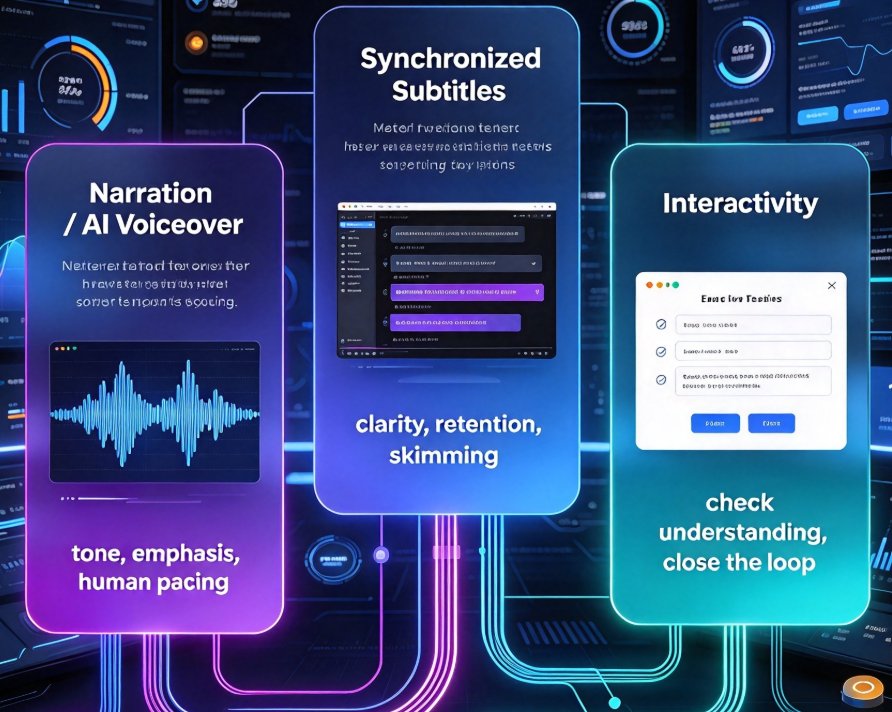
| Auto-narration (AI voice synthesis) | No studio, no microphone, no recording day. Text becomes voice in one click. |
| Auto-generated subtitles | Learners watch on mute in open offices; subtitles also boost retention and accessibility. |
| Smart layout reflow | Content designed for a 16:9 slide doesn't automatically work in a video frame. Layouts must adapt. |
| Outline-to-video import | Skip the slide stage entirely — paste a Word outline and get a narrated course. |
| Easy re-narration for updates | Policies change quarterly. Re-recording must take minutes, not days. |
We walk through the mechanics of adding narration to slides in a separate guide, but the short version is: the tool should make the voice feel like part of the content, not a tacked-on afterthought.
05. From Slide Deck to Published Micro-Course: A Practical Path
Here's what the workflow actually looks like when you remove the production bottleneck. You're an L&D manager with an existing 40-slide onboarding deck and a mandate to modernize training by end of quarter. With Zendeck's PPT-to-video pipeline, here's how it plays out:
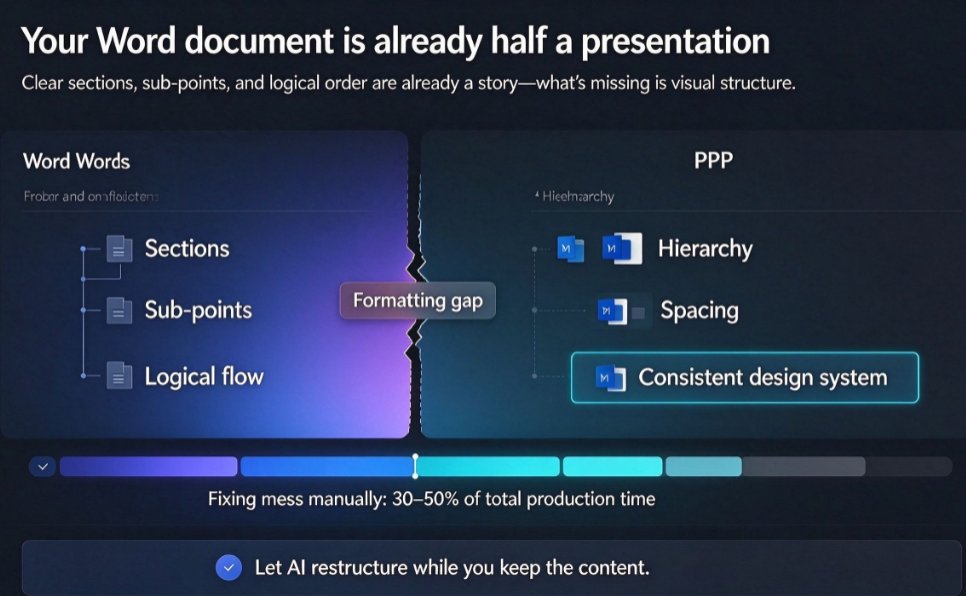
Step 1 — Import what you already have. Don't rebuild from scratch. Bring in your existing PowerPoint or Word outline and let the AI convert it into a structured deck. Most teams have years of slide content sitting in folders; that's raw material, not waste.
Step 2 — Let the AI voice generate the narration. Every section of your deck gets a natural-sounding voiceover. You can adjust pacing, tone, and even regenerate specific segments without re-recording the whole thing.
Step 3 — Reflow content for the video frame. Text-heavy bullet slides get condensed. Key points become visual. The layout adapts to the video canvas so nothing looks awkward or cropped.
Step 4 — Auto-generate subtitles. This isn't a nice-to-have. Subtitles make the course usable in noisy offices, for non-native speakers, and for learners with hearing differences. It's also one of the fastest ways to improve retention — people who read along remember more.
Step 5 — Export and share. Publish the micro-course, share the link, and track completion. When the policy changes next quarter, update the source outline and re-narrate in minutes.
The whole cycle — from outline to published micro-course — takes roughly the same time as one stand-up meeting. That's a genuinely new capability for L&D teams, not an incremental improvement. If you want to explore the full journey from outline to published course, our guide on AI agents in course creation covers the autonomous workflow in detail.
06. Best Practices for Building a Scalable Training Library
Once the production bottleneck disappears, a different challenge appears: how to build a training library that stays consistent, accessible, and current.
1. Keep micro-courses genuinely short. Eight minutes is the ceiling. If a topic needs more, split it into a series. Shorter courses get completed; longer ones get abandoned.
2. Start with the content that changes most often. Compliance updates, product refreshes, onboarding basics. These are exactly the decks that used to go stale because re-producing video was too expensive.
3. Add interactive checkpoints. A quiz after a section, a poll, a scenario question. These don't need to be elaborate — a single well-placed question measurably improves retention. Our guide on adding quizzes to micro-courses shows how lightweight interactivity fits into the video format.
4. Make accessibility a default, not an afterthought. Auto-subtitles are the baseline. If your courses are generated with captions and inclusive layouts from the start, you're reaching learners you previously ignored. We wrote about auto-generated subtitles for accessible micro-courses — it's a small step that compounds across your whole library.
5. Track completion and iterate. You finally have the data. Which sections get skipped? Where do learners drop off? Use that feedback to tighten the narration and adjust pacing.
FAQ
Q: Why is video better than static slides for corporate training? A: Narrated video holds attention longer, improves knowledge retention, and makes content consumable on mobile devices. Static decks rely on the learner to do all the interpretive work, which leads to low completion rates and weak retention. Micro-videos give learners a guide, a pace, and a structure that matches how people actually absorb information.
Q: How much time does AI PPT-to-video really save? A: Traditional video production typically takes 15 to 20 hours of team time for a single 10-minute course. An AI pipeline like Zendeck's converts an existing slide deck or Word outline into a narrated micro-course in under an hour, including voiceover, subtitles, and layout reflow. That's the difference between a once-a-quarter project and something you can do whenever content goes stale.
Q: Can I convert my existing slide decks without redesigning them? A: Yes. The whole point of the pipeline is to reuse what you already have. Import your existing PowerPoint or Word outline, and the AI generates a structured deck, adds narration, reflows the layout for the video frame, and auto-generates subtitles. You're not redesigning content — you're upgrading its delivery format.
Q: What should I look for in an AI PPT-to-video tool? A: The non-negotiables are auto-narration, auto-generated subtitles, smart layout reflow, and the ability to update content quickly. If a tool still requires you to record your own voiceover manually, it's not removing the production bottleneck — it's just adding a step. Zendeck's PPT-to-video engine handles all of these in one pipeline.
Q: How do I keep micro-courses accessible to all learners? A: Auto-generated subtitles are the baseline — they help learners in noisy environments, non-native speakers, and those with hearing differences. Pair that with inclusive layout templates and screen-reader-friendly structure, and your training library reaches a much wider audience without extra effort.