Branching Scenarios in AI Presentations for Interactive Training
Branching Scenarios in AI Presentations for Interactive Training
Let's be real: nobody remembers slide 47 of a compliance deck. But everyone remembers the moment they chose wrong, saw the consequence, and had to go back and try again. That's the difference between presenting information and creating a learning experience.
A linear slide deck tells people what to do. A branching scenario lets them practice doing it — and that practice is what actually changes behavior.
If you're an L&D professional, HR trainer, or compliance officer, you've probably felt the frustration of building a beautiful deck that goes in one ear and out the other. The fix isn't more slides. It's a different structure entirely.
01 Why Linear Decks Fail at Scenario-Based Learning
Pain point: You've spent hours building a safety training deck. Sixty slides, all perfectly formatted, all factually correct. And yet, a week later, your learners can't tell you what to do when they smell gas in the server room.
Solution: The problem isn't your content — it's the format. Linear decks assume learners absorb information passively. But adults learn by making decisions and facing consequences. That's exactly what branching scenarios deliver.
Outcome: When learners make a choice, see the outcome, and adjust, retention jumps. Scenario-based learning forces active engagement instead of passive scrolling.
The research on adult learning is clear: we remember what we do far better than what we read. A branching scenario turns your training content into a series of decisions, each with real consequences. Learners don't just hear about the right answer — they discover it through trial and error.
This is why compliance and safety training are the biggest adopters of branching scenarios. When the cost of a mistake is high — a data breach, a workplace injury, a regulatory fine — you can't afford training that doesn't stick.
02 What Branching Scenarios Actually Look Like
A branching scenario is a non-linear structure where each decision point leads to different outcomes. Think of it like a "choose your own adventure" book, but for professional training.
◉ What's the difference between linear and branching presentations?
| Feature | Linear Deck | Branching Scenario |
|---|---|---|
| Navigation | Fixed order | Decision-driven |
| Learner role | Passive viewer | Active decision-maker |
| Feedback | None or delayed | Immediate, contextual |
| Retention | Low | High |
| Best for | Information sharing | Compliance, safety, soft skills |
| Build complexity | Low | Medium |
| Reusability | One-time | Reusable with variations |
The table above shows why branching scenarios win for training that requires judgment — compliance, safety, customer handling, and leadership skills. If your training asks learners to "think on their feet," a branching scenario is the only format that lets them practice that thinking.
03 Plan Your Branch Structure Before You Build
Pain point: Most people skip this step and end up with a tangled mess of slides that go nowhere. They start building, realize they need a slide they don't have, and improvise — which is how you get a training module that feels like a maze.
Solution: Before you open any tool, map your scenario on paper. Start with one core decision, then branch into 2-3 outcomes. Each outcome should lead to another decision or a terminal state (correct, incorrect, or partial).
Outcome: A clear map means you know exactly how many slides you need and how they connect. You'll build faster and test more thoroughly.
Here's a simple structure for a compliance scenario:
Start → Decision 1 (What do you do?)
  ├─ Correct → Decision 2 (Next step)
  │    ├─ Correct → Success screen
  │    └─ Wrong → Consequence → Retry
  └─ Wrong → Consequence → Back to Decision 1
A good branching scenario has no more than 3 decision points per module. Anything more and learners get lost — and you get buried in slide management.
When you're mapping, ask yourself three questions for each decision point: 1. Is this decision realistic? Does it match what learners actually face on the job? 2. Are the consequences meaningful? Does the outcome teach something, or is it just a "try again" screen? 3. Does each branch lead somewhere? No dead ends, no loops that trap the learner.
04 Build It in Zendeck: Hyperlinks and Slide Organization
Pain point: You've mapped your scenario, but now you need to actually build it. Manually wiring hyperlinks across dozens of slides is tedious — and one wrong link breaks the whole experience.
Solution: Zendeck's AI presentation platform makes this dramatically easier. Start by generating your base deck from an outline, then organize your slides to match your branch map.
Outcome: You get a clean, structured deck where every slide has a purpose and every link points where it should.
Here's the workflow:
- Generate your base slides — Use Zendeck's AI to create the core content slides from your outline. Don't worry about the branches yet. You can start with a brain dump or rough outline and let the AI structure it for you.
- Duplicate for branches — Create copies of decision slides for each outcome path. Zendeck's slide organization makes it easy to keep related slides grouped together.
- Wire hyperlinks — Add hyperlinks to decision buttons that jump to the correct outcome slide. This is where your branch map becomes a real, clickable experience.
- Test every path — Click through each branch to make sure the flow works. This is non-negotiable — a broken link in a branching scenario is like a missing page in a book.
◉ How do I organize slides for branching in Zendeck?
Group your slides by scenario path. Use Zendeck's slide organization features to keep related slides together. Name slides clearly (e.g., "D1-Correct", "D1-Wrong") so you can find them when wiring links. Trust me, you don't want to be hunting for "Slide 23" when you have 40 slides across 6 branches.
◉ Can I reuse the same slide for multiple branches?
Yes. You can link multiple decision points to the same outcome slide. This keeps your deck lean and avoids duplication. For example, if two different wrong answers lead to the same consequence screen, they can both link to that one slide.
05 Add Decision Points with PPT-to-Video
Pain point: Static text-based scenarios can feel flat. Learners want to see and hear the situation, not just read about it. A wall of text on a decision slide kills the immersion you worked so hard to create.
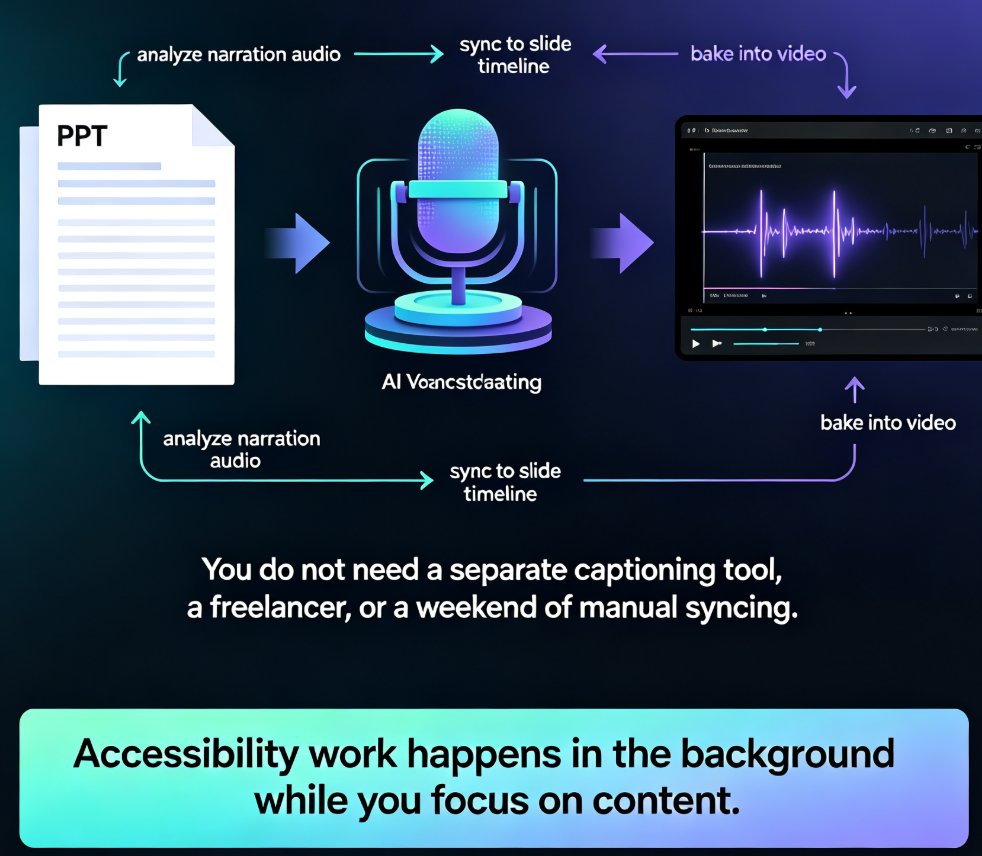
Solution: Zendeck's PPT-to-video feature turns your scenario slides into narrated micro-courses. Each branch can have its own narration, making the scenario feel like a real conversation.
Outcome: Learners hear the scenario, make a choice, and get a narrated response — a much richer experience than reading text on a slide.
◉ How does PPT-to-video work with branching?
Each slide (or group of slides) becomes a video segment. When a learner makes a decision, the video jumps to the corresponding segment. This works especially well for customer-service training, where tone and delivery matter as much as content. Imagine a scenario where the learner hears an angry customer's voice, then chooses how to respond. That's a completely different experience from reading a transcript.
Adding narration to your branching scenarios turns a click-through exercise into a realistic simulation — and that's where the real learning happens.
You can also use this approach to create interactive training modules that feel like mini-simulations rather than slide shows. The combination of visual slides, narrated audio, and decision points creates a multi-sensory learning experience that text alone can't match. And if you're building a full micro-course, this workflow scales beautifully from a single scenario to an entire curriculum.
06 Best Practices and Common Pitfalls
Pain point: Even with the right tools, branching scenarios can go wrong. The most common failure? Learners click through without thinking, or they get frustrated and abandon the training entirely.
Solution: Follow these best practices to keep your scenarios effective and engaging.
Outcome: You'll build scenarios that learners actually complete and remember.
Do: - Keep decision points realistic — use situations your learners actually face on the job - Provide meaningful consequences for each choice — show the "why" behind the right answer - Allow retries — learners learn more from mistakes than from getting it right the first time - Test every branch before publishing — click through each path at least twice - Use analytics to track where learners struggle
Don't: - Don't create more than 3 branches per decision — analysis paralysis kills engagement - Don't make consequences punitive — focus on learning, not punishment - Don't forget to track completion — use presentation analytics to see where learners drop off
◉ How do I know if my branching scenario is working?
Track where learners drop off or repeatedly choose wrong answers. That's your signal that a decision point is confusing or the consequences aren't clear enough. If 80% of learners choose the same wrong answer, the scenario isn't testing knowledge — it's testing how well you wrote the question.
07 Putting It All Together: A Compliance Training Example
Let's walk through a real example. You need to train employees on data privacy — specifically, what to do when they receive a suspicious email.
- Scenario: An employee receives an email that looks like it's from IT, asking for their password.
- Decision 1: What do you do? (a) Click the link, (b) Report it to IT, (c) Reply with your password
- Branch A (Correct): Report it — IT confirms it's a phishing attempt. Next decision: What should you do with the email? (a) Delete it, (b) Forward it to colleagues, (c) Mark as phishing
- Branch B (Wrong): Click the link — a warning screen appears explaining the risks. Learner returns to Decision 1.
- Branch C (Wrong): Reply with password — a consequence screen shows what could happen. Learner returns to Decision 1.
This structure takes about 8-10 slides in Zendeck, wired with hyperlinks, and can be narrated using PPT-to-video. The whole build takes under an hour once you've mapped the branches.
Teams are already using this approach for HR onboarding and other high-stakes training. The same pattern works for safety drills, customer escalation handling, and even sales objection handling.
FAQ
Q: What is a branching scenario in a presentation? A: A branching scenario is a non-linear presentation structure where learners make decisions at key points, and each decision leads to a different outcome or path. It's commonly used in compliance, safety, and soft-skills training to simulate real-world decision-making.
Q: Can I create branching scenarios without coding in Zendeck? A: Yes. Zendeck lets you build branching scenarios using hyperlinks and slide organization — no coding required. You generate your base slides with AI, duplicate them for branches, and wire the links manually.
Q: How many slides do I need for a branching scenario? A: It depends on the number of decision points. A simple scenario with 2-3 decisions typically needs 8-15 slides. Each decision point adds 2-3 slides for the outcomes.
Q: Can I add narration to branching scenarios? A: Yes. Zendeck's PPT-to-video feature lets you add narration to each slide or branch, turning your scenario into a narrated micro-course that feels like a real simulation.
Q: What's the best way to test a branching scenario? A: Click through every possible path manually before publishing. Check that all hyperlinks point to the correct slides and that no branch leads to a dead end or an infinite loop.