Live Polls & Quizzes: 2026 Trend of Interactive AI Decks
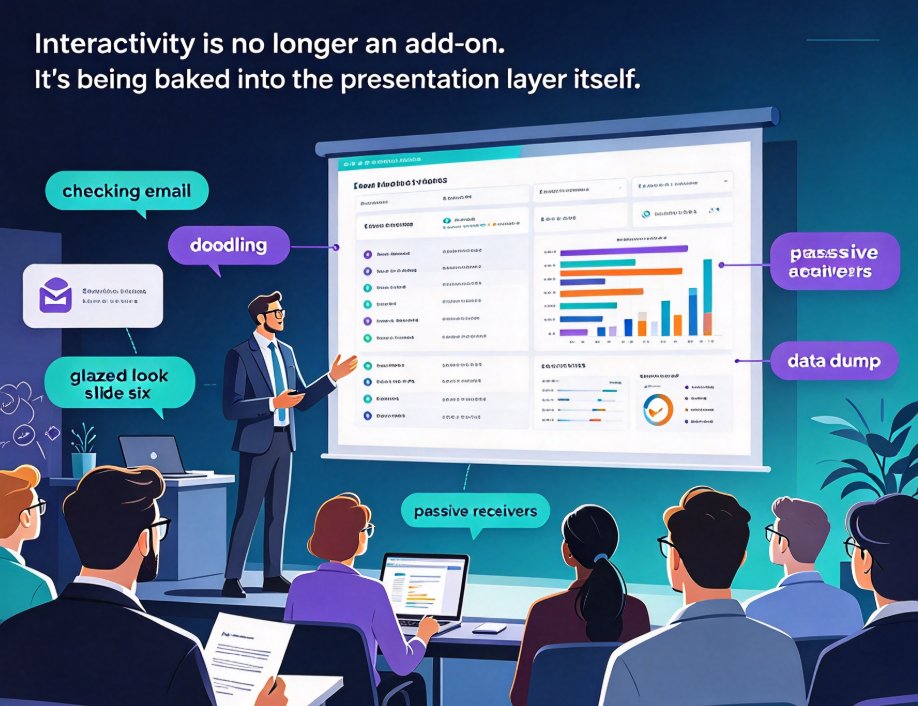
You're fifteen minutes into a training session. Two slides past the agenda, and already someone is checking email, another is doodling in the margins, and the guy in the back has the glazed look of someone who mentally clocked out at slide six.
We've all been that presenter. And the classic remedy — brighter colors, more charts, louder delivery — misses the actual problem. The issue isn't visual polish. It's that your audience has no way to participate. They're passive receivers of your data dump, and passive receivers forget most of what they hear.
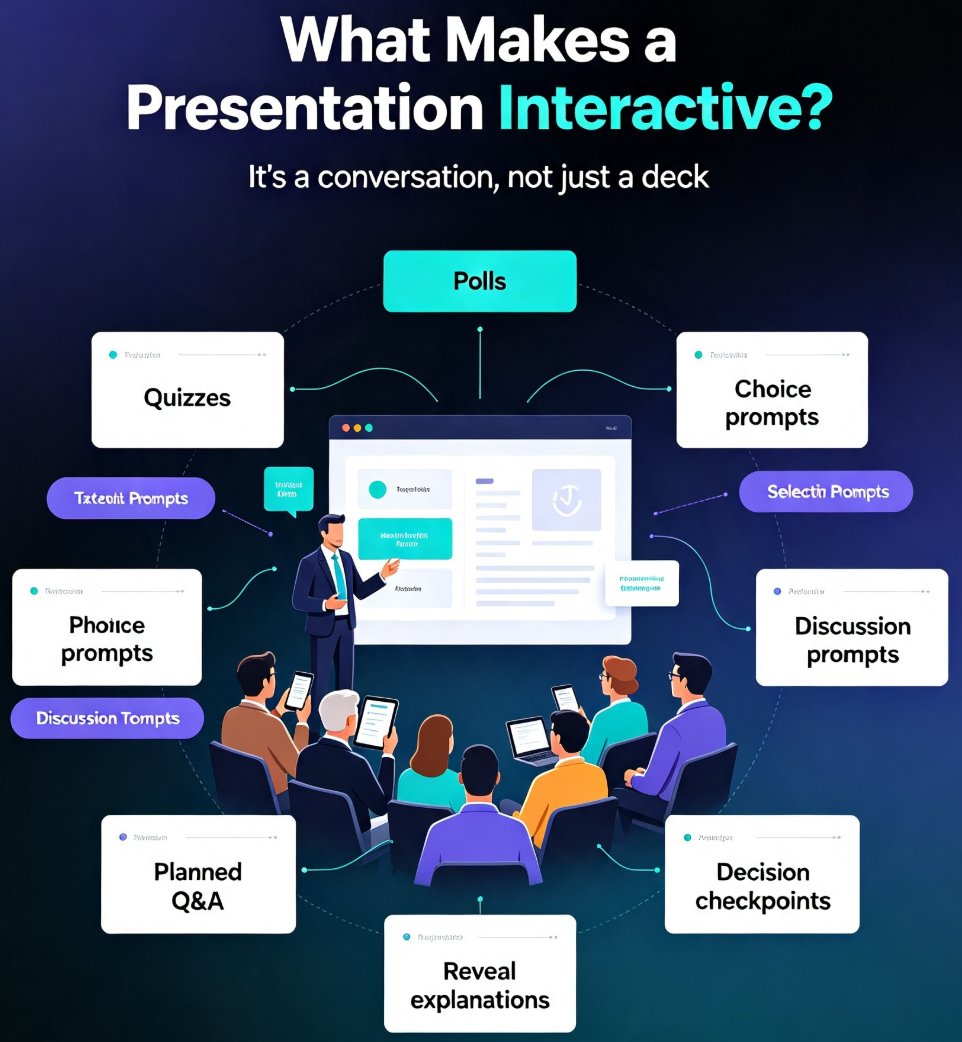
Here's the 2026 reality check: interactivity — live polls, quizzes, and real-time feedback — is no longer a feature you bolt onto a deck after the fact. It's being baked into the presentation layer itself, natively, by the tools you already use. This shift is reshaping corporate training, classroom teaching, and client pitches at the same time. Let's explore what changed, what the numbers say, and how you can start shipping genuinely interactive decks without tripling your prep time.
I. Interactivity Used to Be an Add-On. Now It's the Default.
For a decade, "interactive presentation" meant a hacky assembly line: build your deck in one tool, export it, import it into a live-polling platform, re-format everything so it didn't fall apart, and manually position widgets at the right moments. The final product worked — when you had an extra afternoon to babysit it. One bad export and your fonts collapsed, your animations vanished, and you were debugging layout issues at 8 AM.
That brittle workflow is exactly what 2026 tooling is dismantling. As the Presenti.ai guide to interactive presentation tools notes: AI integration has lowered the technical barrier significantly — the best tools now generate questions automatically, analyze audience responses in real time, and surface patterns in poll data without manual effort from the presenter.
Three things changed:
- Generation: polls and quizzes are generated by AI inside your deck, from your actual content — not pasted in later.
- Analysis: the tool reads the results for you and tells you where your audience is confused.
- Plumbing: no more exporting, importing, or re-formatting. The interaction layer lives where your content lives.
The pain point is familiar: you used to burn an afternoon wiring up interactive elements that broke on stage. The outcome now is a deck that arrives with engagement built in, and you just present. And if you're curious about the other quiet time-savers hiding in modern AI presentation tools, the team-productivity features roundup walks through five of them.
II. The Data Behind the Shift: Engagement and Retention
Let's be honest — "engagement" has become one of those buzzwords people nod along to without asking what it actually buys them. So let's put numbers on it.
The chart below summarizes typical attention-retention benchmarks for different formats of a one-hour training or pitch session. The direction of these figures is consistent across adult-learning studies; treat the exact percentages as illustrative rather than gospel.
<svg viewBox="0 0 640 420" xmlns="http://www.w3.org/2000/svg" role="img" aria-label="Bar chart showing attention retention by deck format"><rect width="640" height="420" fill="#f9fafb"/><text x="320" y="30" text-anchor="middle" font-family="Arial, sans-serif" font-size="16" font-weight="bold" fill="#111827">Attention Retention by Deck Format</text><text x="320" y="48" text-anchor="middle" font-family="Arial, sans-serif" font-size="12" fill="#6b7280">Illustrative benchmarks for a one-hour session</text><line x1="80" y1="70" x2="80" y2="340" stroke="#d1d5db" stroke-width="1"/><line x1="80" y1="340" x2="600" y2="340" stroke="#d1d5db" stroke-width="1"/><text x="70" y="75" text-anchor="end" font-family="Arial" font-size="11" fill="#6b7280">100%</text><line x1="80" y1="70" x2="600" y2="70" stroke="#f3f4f6" stroke-width="1"/><text x="70" y="142" text-anchor="end" font-family="Arial" font-size="11" fill="#6b7280">75%</text><line x1="80" y1="137" x2="600" y2="137" stroke="#f3f4f6" stroke-width="1"/><text x="70" y="210" text-anchor="end" font-family="Arial" font-size="11" fill="#6b7280">50%</text><line x1="80" y1="205" x2="600" y2="205" stroke="#f3f4f6" stroke-width="1"/><text x="70" y="278" text-anchor="end" font-family="Arial" font-size="11" fill="#6b7280">25%</text><line x1="80" y1="272" x2="600" y2="272" stroke="#f3f4f6" stroke-width="1"/><text x="70" y="345" text-anchor="end" font-family="Arial" font-size="11" fill="#6b7280">0%</text><rect x="112" y="246" width="90" height="94" fill="#94a3b8" rx="4"/><text x="157" y="238" text-anchor="middle" font-family="Arial" font-size="13" font-weight="bold" fill="#334155">35%</text><text x="157" y="365" text-anchor="middle" font-family="Arial" font-size="11" fill="#374151">Passive deck</text><rect x="234" y="192" width="90" height="148" fill="#6366f1" rx="4"/><text x="279" y="184" text-anchor="middle" font-family="Arial" font-size="13" font-weight="bold" fill="#4338ca">55%</text><text x="279" y="365" text-anchor="middle" font-family="Arial" font-size="11" fill="#374151">Deck + visuals</text><rect x="356" y="138" width="90" height="202" fill="#8b5cf6" rx="4"/><text x="401" y="130" text-anchor="middle" font-family="Arial" font-size="13" font-weight="bold" fill="#7c3aed">75%</text><text x="401" y="365" text-anchor="middle" font-family="Arial" font-size="11" fill="#374151">Deck + live polls</text><rect x="478" y="97" width="90" height="243" fill="#10b981" rx="4"/><text x="523" y="89" text-anchor="middle" font-family="Arial" font-size="13" font-weight="bold" fill="#047857">~90%</text><text x="523" y="365" text-anchor="middle" font-family="Arial" font-size="11" fill="#374151">Polls + quizzes + AI</text><text x="320" y="400" text-anchor="middle" font-family="Arial" font-size="10" fill="#9ca3af">Source: industry training benchmarks; illustrative values for a one-hour session</text></svg>
The takeaway isn't subtle: moving from a passive deck to one with live polls roughly doubles retention of key points, and layering in quizzes and AI-adaptive feedback pushes it toward the 90% range in many corporate training settings.
Here's why, and it's not magic. A poll forces every single person in the room to make a micro-decision: do I agree with this, or not? That moment of judgment is what the brain encodes as memory. A quiz adds retrieval practice — the single most reliable learning technique in cognitive science. And when AI reads the responses in real time and adjusts what it shows next, the audience stops feeling like they're being talked at.
There's a second payoff that doesn't show up in the chart. As the Presenti.ai analysis puts it: live polls and Q&A tools don't just create engagement in the moment — they generate data about what your audience knows, believes, and cares about. That data informs everything from follow-up content to product decisions to curriculum design. You walk out of the room with a map of your audience's confusion. A passive deck gives you polite applause.
III. What Makes Interactivity "Native" in 2026
The word "native" gets thrown around loosely. Here's what it actually means for interactive decks:
Ten years ago, interactivity was external. Today, the line between "content" and "interaction" is disappearing — modern AI decks treat a poll, quiz, or feedback prompt as just another slide type, not a third-party import. You don't assemble a Frankenstein deck anymore; you build one cohesive experience where questions are woven into the narrative flow.
Three practical consequences:
- AI writes the questions. Feed the tool your outline, and it generates contextually relevant poll questions and quiz items aligned to your learning objectives. You review and edit; you don't start from a blank widget.
- The layout adapts. When a question is inserted, the deck reflows around it automatically — fonts, colors, and spacing stay consistent, no manual fixing. That's the same smart layout logic that cuts design time across the board.
- Results integrate into your flow. Live results appear on the slide, and the data can be exported for follow-up — feeding your knowledge-video strategy, your micro-course library, or your next content cycle.
The outcome: a session where the questions feel like a natural part of the narrative, because they were generated from the same content as everything else. With Zendeck, these capabilities are built straight in, so you move from Word outline to an interactive deck in a single workflow — more on that in Section V.
IV. Polls vs. Quizzes: Match the Tool to the Moment
Not every interactive moment deserves the same mechanism. Using a quiz where a poll belongs — or vice versa — is how sessions turn gimmicky. Here's the decision framework that works across training, education, and client presentations:
| Moment | Best mechanism | Why it works |
|---|---|---|
| Opening attention check | Single live poll | Instant participation, zero pressure, warms up the room |
| Mid-session comprehension check | Short quiz (2–3 items) | Retrieval practice, flags confusion before you move on |
| Attitude / opinion survey | Anonymous poll | Honest answers, no social pressure |
| End-of-session knowledge check | Full quiz with scores | Measures retention, feeds certification data |
| Workshop ideation | Open-ended feedback prompt | Captures qualitative insight you can act on |
The rule of thumb: polls measure state ("where are you on this?"), quizzes measure understanding ("did it land?"). Frame every interactive moment as one or the other, and the choice gets easy.
If you're designing for micro-courses or self-paced learning, the same logic applies with an extra layer. Adding interactive quizzes to micro-courses lets learners test themselves as they go, which is exactly the retrieval practice that boosts completion and retention rates. And when your slides need to tell a data story, dropping in an interactive chart from an asset library is a lightweight way to invite exploration without turning the whole deck into a game show.
V. A Non-Technical Workflow for Interactive Decks (Zendeck Edition)
So what does this look like in practice — without hiring a developer or spending a week in Figma?
The modern workflow is embarrassingly simple: you bring the content, the tool brings the interactivity. Here's the sequence we recommend for trainers, educators, and internal L&D teams:
- Start with your outline. A Word document, Markdown, or even a rough draft — Zendeck generates a complete, structured deck from your raw material in minutes. Structure and visual design are handled up front.
- Add your interaction layer. Use Zendeck's built-in poll and quiz tools to drop engagement moments exactly where you want them, with the deck reflowing automatically to accommodate them. The full how-to is covered in the polls-and-quizzes guide.
- Rehearse with the data flow. Run the deck, check that live results render cleanly on each slide, and confirm your export path for the response data you'll use later.
- Ship and iterate. After the session, pull the poll and quiz data to see which sections confused people. That dataset becomes the brief for your next version — or your next micro-course.
The prep-time math is the part that surprises people: because the AI generates the questions and the design simultaneously, you're looking at minutes of interaction setup, not hours. The AI-driven design automation trend is precisely what makes this feasible — the structural work is done before you even open the interactivity menu.
VI. What the 2026 Roadmap Says About Your Next Deck
If you take one thing from this article, let it be this: the era of the passive slide deck is closing, and the tools that treat interactivity as a first-class citizen are pulling ahead. The question isn't whether your next training session or pitch will include a poll or quiz — it's whether you'll have to build that layer by hand or let AI generate it for you.
The organizations winning at this are the ones who treat every presentation as a two-way conversation with a data trail. They walk out of the room knowing more about their audience than they walked in with, and that knowledge compounds into better content, curricula, and products.
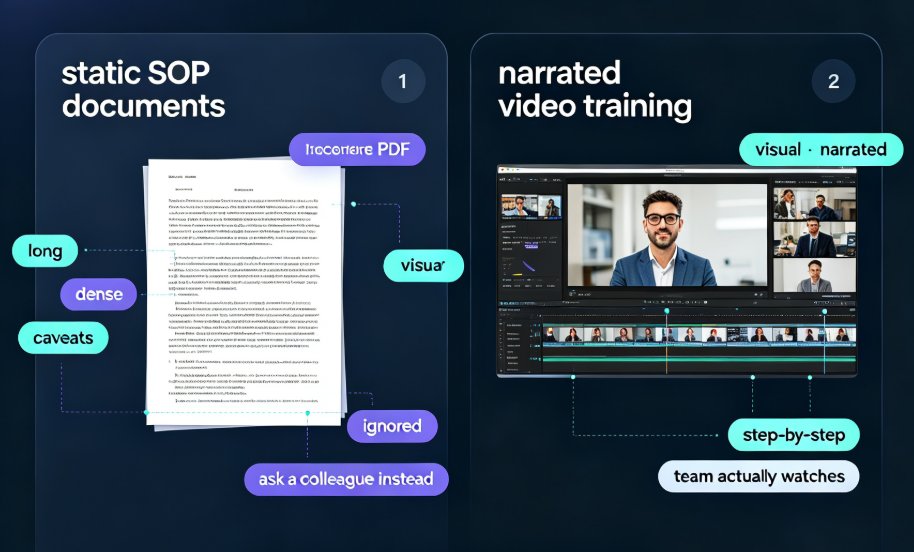
Interactive education doesn't die after the session ends, either — slides with embedded engagement can be turned into narrated micro-courses that preserve the questions for self-paced learners, extending the value of a single hour of work into reusable training material.
Next time you're building a deck, ask yourself: where does the audience get to do something? If you can't find a spot, that's not a sign your content is flawless — it's a sign the interactivity hasn't been designed in yet.
FAQ
What makes a presentation "interactive" in 2026? Interactivity means the audience participates during the deck itself — voting in live polls, answering quiz questions, or submitting open-ended feedback — rather than just watching. In 2026, this is native to AI presentation tools, which generate the questions for you and analyze responses in real time instead of requiring manual setup.
Do live polls and quizzes really improve retention? Yes, and the effect is substantial. Training-industry benchmarks consistently show that moving from a passive deck to one with live polls roughly doubles retention of key points; layering quizzes and adaptive feedback can push retention toward the 90% range in corporate settings. Quizzes provide retrieval practice, the single most reliable learning technique in cognitive science.
Can AI actually generate meaningful questions for my topic? Yes. Modern AI presentation tools generate polls and quiz items directly from your outline or source content, aligned to your stated learning objectives. You review and edit the results rather than starting from blank widgets, which is exactly why setup time drops from hours to minutes.
How do I add polls and quizzes to a deck built with Zendeck? Within Zendeck you add polls and quizzes as native slide elements — drop them where you want them, and the deck reflows automatically around them. Live results render directly on the slide, and response data can be exported for follow-up analysis. The full walkthrough is in Zendeck's polls-and-quizzes guide.
Do interactive elements slow down presentation prep? They used to, before AI-native tools. With Zendeck, the AI generates the deck structure, design, and question set at once, so adding an interaction layer takes minutes rather than an afternoon. Because the layout adapts automatically when you insert a question, you never lose time fixing formatting.