How Autonomous Agents Automate Slide-to-Course Workflows in 2026
How Autonomous Agents Automate Slide-to-Course Workflows in 2026
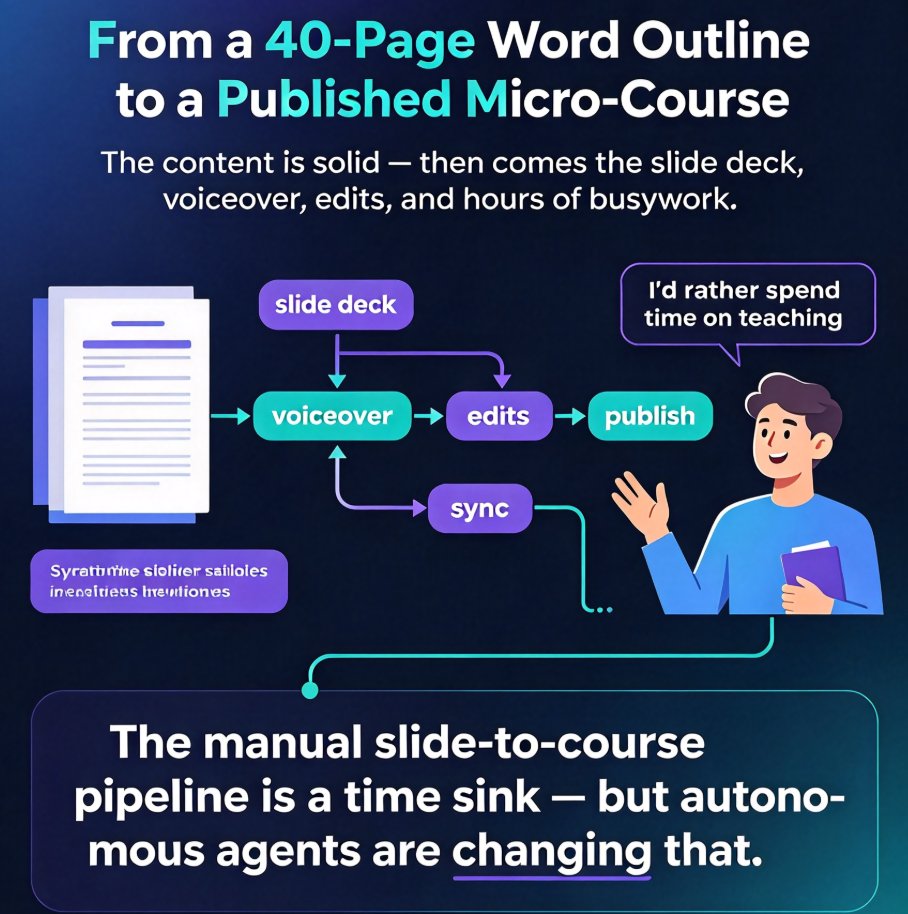
You've just finished a 40-page Word outline for your next training course. The content is solid—now you face the dreaded slide deck. Then the voiceover. Then the edits. That's hours of busywork, and honestly, you'd rather spend that time on teaching.
Let's be real: the manual slide-to-course pipeline is a time sink. But in 2026, autonomous agents are changing that. This article breaks down how AI agents automate the entire workflow—from a Word outline to a published micro-course—and how Zendeck makes it real for educators, trainers, and content teams.
I. What Are Autonomous Agents in Course Creation?
Autonomous agents are AI systems that can execute a series of tasks with minimal human intervention. In the enterprise world, they're already handling invoice processing, data entry, and approvals—structured, repetitive processes that follow clear rules. Course creation is another perfect fit, because much of the work is repetitive: formatting slides, choosing layouts, adding narration, and syncing subtitles.
The shift is happening now. A 2026 enterprise guide notes that AI agents excel at automating repetitive, structured business processes. In education, the same logic applies—only the "business process" is your curriculum. By offloading the mechanical steps, you keep the creative decisions and skip the grunt work.
II. The 2026 Slide-to-Course Pipeline: From Outline to Micro-Course
Let's map out the typical journey from a Word outline to a published video course. Each step is a candidate for automation.
- Outline & Content Import – You have your text, now you need it to become slides.
- Slide Generation & Design – Layouts, colors, fonts, and visual hierarchy—traditionally the most tedious part.
- Narration & Voiceover – Recording clean audio, pacing, and tone.
- Subtitles & Accessibility – Captions that sync with the audio, plus alt text for visuals.
- Rendering & Publishing – Exporting the video, uploading to your LMS or sharing link.
Manually, this process can take 4–6 hours per course. With an autonomous agent, it's a matter of minutes. The agent handles the repetitive, rule-based parts—layout decisions, color selection, narration timing—while you review and approve the output. This is where agentic AI in course creation really shines.
III. How Zendeck's AI Agent Automates Each Step
Zendeck is built around this exact workflow. Its agent takes your Word outline, generates a structured, visually consistent deck, applies a template that matches your brand, converts it to video with AI narration, and even adds subtitles automatically. Here's how it aligns with each step:
| Step | Manual Effort (typical) | Zendeck Agentic Effort |
|---|---|---|
| Outline to Deck | 1–2 hrs formatting slides | 1–2 minutes with AI generation |
| Design / Layout | 1–2 hrs fiddling with colors | Instant with smart layout & reskin |
| Narration | 30–60 min recording & editing | 2–3 min with AI voiceover |
| Subtitles & Accessibility | 30–45 min syncing captions | Auto-generated subtitles & alt text |
| Rendering & Publishing | 15–30 min exporting | Automated video rendering |
The table makes it clear: the same course that took 4+ hours manually is done in under 10 minutes with Zendeck. And because the agent learns your brand and preferences, the output isn't generic—it's in your visual language.
Autonomous agents don't just save minutes—they save entire workdays. For a trainer who produces a course every week, that's nearly a full week of reclaimed time per month.
IV. The Real-World Impact: Time and Effort Saved
To put it in perspective, let's visualize the time reduction across the pipeline. The chart below shows average time spent per step for a typical 30-slide course, comparing manual production with Zendeck's agentic workflow.
Time in minutes per step (illustrative averages based on typical course creation scenarios).
As the chart shows, the gap is dramatic. The agentic workflow isn't just slightly faster—it's an order of magnitude leaner. When you scale this across multiple courses or recurring training, the savings compound.
The real prize isn't the time saved—it's the consistency and quality that come from removing human fatigue. An agent doesn't get bored, doesn't rush, and doesn't miss a brand color.
V. Starting Small: Adopting Agentic Workflows Without Overwhelm
You don't need to overhaul everything overnight. The most practical path is to start with one repetitive step—say, slide design—and let the agent handle it. Once you trust that, bring in narration, then subtitles. Zendeck lets you pick and choose which steps the agent automates, so you can ease in.
Here's a simple adoption plan:
- Week 1: Import a Word outline and let Zendeck generate the deck. Only adjust the design manually.
- Week 2: Activate the smart layout and reskin feature to standardize colors and fonts.
- Week 3: Add narration using the AI voiceover, and review the pacing.
- Week 4: Turn on auto-subtitles and export your first video course.
Each step builds on the last, and before long, the entire pipeline runs with a single click. This "start small, automate repeatable" approach—popularized by the agentic workflow movement—fits perfectly with course creation.
Why This Matters for Your Team
If you're a training manager, an L&D specialist, or an educator who produces courses regularly, the shift to autonomous agents is not a luxury. It's a competitive advantage. Courses that used to take half a day now ship in minutes, and your team can spend that reclaimed time on analysis, mentoring, and improving content quality.
Zendeck is built for this exact scenario. It's not a generic AI that guesses; it's a purpose-built agent that understands course structure, design principles, and accessibility—so your output is polished and on-brand without the busywork.
The 2026 course workflow is agentic, and the best part is that you don't need to be a designer or a video editor to use it. Just upload your outline, and let the agent do the rest.
For a deeper dive into how automated course creation is reshaping education, check out our guide on AI agents in course creation from outline to micro-course and explore the full courseware design category.
FAQ
1. What is an autonomous agent in course creation? An autonomous agent is an AI system that can execute multiple steps of the course creation pipeline—design, narration, subtitles—with minimal human supervision. It follows your brand rules and workflow, so you only review and approve the output.
2. How long does Zendeck take to go from a Word outline to a micro-course? Under 10 minutes. The agent generates slides, applies templates, adds AI narration, and produces a video with subtitles. Most users report total time of 5–8 minutes for a standard 30-slide course.
3. Do I need design or video editing skills to use Zendeck? No. Zendeck's agent handles layout, color, and rendering automatically. You can customize later, but you start with a polished result out of the box.
4. Can I customize the automated output to match my brand? Yes. Zendeck supports brand kits, custom templates, and smart reskin. The agent applies your colors, fonts, and logo across all slides, so the output is consistent with your organization's visual identity.
5. What if I only want to automate one step, not the whole pipeline? That's completely doable. Zendeck's agent lets you pick which stages to automate—you can generate slides first, then manually review before adding narration or subtitles. The workflow is flexible by design.