AI Agents in Course Creation: From Outline to Published Micro-Course
Let's be real: building a course used to be a marathon. You'd write the outline, wrestle with slide templates, record narration, edit out the awkward pauses, and then export everything in the right format. For a single micro-course, that's easily a week of evenings. For a team producing training content regularly, it's a full-time job nobody asked for.
That's exactly why the rise of AI agents matters. Not because they make one step slightly faster, but because they collapse the entire pipeline — from a rough outline to a published, narrated micro-course — into a single flow. This article breaks down what that shift means, how Zendeck's end-to-end workflow fits into it, and where you should still keep a human in the loop.
01. What Exactly Is an "AI Agent" in Course Creation?
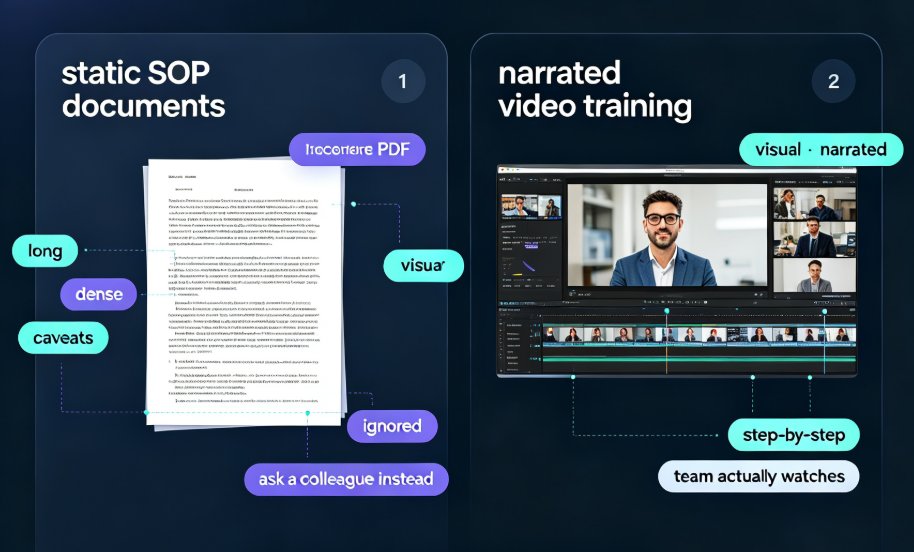
Before we talk about tools, let's get the terminology straight. A regular AI feature does one thing: it generates text, or it designs a slide, or it suggests an image. An AI agent does something bigger — it coordinates multiple steps toward a goal without you micromanaging each one.
Think of the difference this way:
- Single-step AI tool: You paste text, it makes a slide. Then you manually format it, manually add a chart, manually record audio.
- AI agent: You paste an outline, and it builds the deck, applies consistent design, drafts speaker notes, generates narration, and exports a video — with you approving at checkpoints rather than doing the grunt work.
The distinction matters because most people's frustration with AI presentation tools isn't that one step is broken. It's that they still have to stitch five tools together to finish a course. The agentic shift is about removing that stitching.
An AI agent doesn't just help you make slides — it runs the entire production pipeline from raw text to a published video course. That's the core difference between incremental automation and a genuinely new workflow.
If you want the broader picture of where this trend is heading, our piece on agentic AI in presentation tools covers the 2026 automation landscape in more detail.
02. The Old Pipeline vs. The Agent Pipeline
To appreciate what agents change, it helps to see the two workflows side by side. Here's a realistic comparison based on producing a 15-slide micro-course:
| Step | Traditional Workflow | AI Agent Workflow (Zendeck) |
|---|---|---|
| Outline | Write in Word, then manually restructure | Paste Word outline or Markdown directly |
| Slide design | Pick template, drag content, fix alignment | AI generates structured, consistent slides automatically |
| Layout & branding | Manually match fonts, colors, spacing | Smart layout unifies everything in one click |
| Speaker notes | Write notes slide by slide | Auto-generated from slide content |
| Narration | Record audio, edit out mistakes | AI voiceover added via PPT-to-video |
| Video export | Render, compress, re-export | Export a shareable narrated video directly |
| Total time | 3–7 days | Under an hour |
Notice what's happening in the right column: every step that used to require a separate tool and a separate skill now lives in one flow. You're not becoming a better designer or editor — you're becoming a better director. You set the direction, the agent executes.
This is a real shift, not a marketing slogan. For a deeper look at how AI is automating the full path from text prompt to video deck, check out our breakdown of AI agents and the text-to-video-deck pipeline.
03. Zendeck's Full-Stack Workflow: Outline → Published Micro-Course
So what does this actually look like in practice? Let's walk through the Zendeck flow, because it's a good example of a full-stack agent approach — not a single-feature tool.
Step 1: Drop in your raw material
You start with whatever you already have: a Word outline, a Markdown file, or even a messy brain dump. Zendeck's AI reads the structure and turns it into a deck. You don't need to pre-format anything — the agent handles hierarchy, section breaks, and slide flow for you. If you're the type who thinks in bullet points, this step alone saves an afternoon.
Step 2: Let the AI handle design and layout
This is where most tools stop — and where Zendeck keeps going. The AI applies a consistent visual system: fonts, colors, spacing, and layout that match your brand or chosen template. No more slides that look like they were designed by three different people. One-click reskinning means you can change the entire look of the deck without touching the content.
Step 3: Add narration without a microphone
Here's where a course diverges from a regular presentation. A micro-course needs a voice. Zendeck's PPT-to-video feature lets you add narration directly to your slides, turning static content into a spoken walkthrough. You can generate voiceover, add subtitles, and control the pacing — all without booking a recording studio.
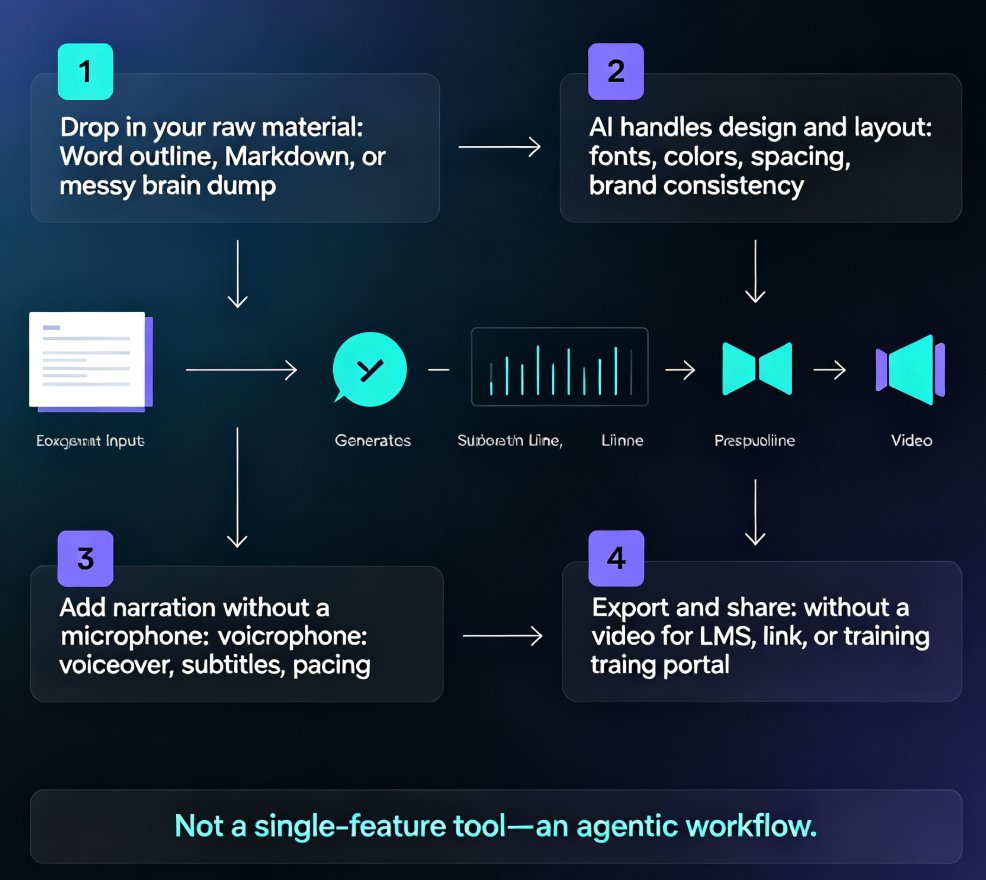
Step 4: Export and share
The final output is a video you can host on your LMS, share via link, or drop into a training portal. The whole journey — outline to slides to narrated video — happens inside one platform, which is the real point of the agentic approach.
The practical outcome: a course that used to take a week now takes less than an hour, and the quality bar doesn't drop — it rises, because the AI enforces consistency you'd struggle to maintain by hand.
If you want to see the narration step in more detail, our guide on adding narration to slides with PPT-to-video walks through it slide by slide.
04. Who Benefits Most (and Why Now)
Not everyone needs this workflow equally. Here's who gets the biggest win from AI agents in course creation:
Educators and trainers
If you're building courseware for students or employees, your bottleneck has never been knowledge — it's production time. You know the material cold; you just can't get it into a polished format fast enough. An agent workflow removes that bottleneck, letting you turn lecture notes into a narrated micro-course in the same afternoon.
HR and L&D teams
Compliance training, onboarding, policy updates — these need to be produced quickly and updated constantly. The old model of sending content to a design team and waiting two weeks is dead. With an agent pipeline, HR can update a policy deck and push a new narrated video the same day. This is part of a broader trend where AI-generated video decks are replacing traditional corporate training.
Content operators and course creators
If you produce educational content for a living, speed is revenue. The faster you can turn an outline into a publishable course, the more courses you can ship. AI agents don't replace your expertise — they multiply your output.
The "why now" part
This isn't hypothetical. The pieces — AI slide generation, smart layout, text-to-speech, video export — have existed for a while. What's new is that they're integrated into one agentic flow instead of scattered across separate tools. That integration is what turns a collection of features into a workflow you can actually rely on.
05. What AI Agents Can't Do (Yet): Where Human Judgment Still Wins
Let's not oversell this. An AI agent is a powerful production assistant, but it's not a subject-matter expert. Here's where you still need to stay hands-on:
- Accuracy: AI can hallucinate facts or present outdated information confidently. You need to review content for correctness before publishing.
- Voice and tone: Generated narration sounds natural, but it won't capture your personal teaching style. For high-stakes courses, consider recording your own voiceover and letting the agent handle everything else.
- Strategic decisions: What to include, what to cut, how to sequence a lesson for maximum understanding — that's judgment, not generation. The agent executes; you direct.
The smartest approach is collaboration: let the AI agent handle production, but keep final editorial control for yourself. That's not a compromise — it's the right division of labor.
If you're worried about the common pitfalls, our article on AI presentation mistakes to avoid in 2026 covers the traps people hit and how to sidestep them.
06. Getting Started: Your First Agent-Built Micro-Course
Ready to try this yourself? Here's a simple path to your first agent-built course:
- Start small. Pick a topic you know cold — something you could teach in your sleep. The goal is to test the workflow, not to learn new content.
- Write a rough outline. Don't polish it. Ten to fifteen bullet points in Markdown or Word is enough. The AI will handle structure.
- Generate the deck. Paste your outline into Zendeck and let the AI build the slides. Review the flow and adjust anything that feels off.
- Add narration. Use the PPT-to-video feature to generate a voiceover. Listen to it once — you'll likely want to tweak pacing or wording on a slide or two.
- Export and share. Publish the video to your LMS or share the link. Then ask yourself: how long did that actually take?
Most people are shocked the first time they run this loop. The gap between what they expected ("another AI toy") and what they got ("a publishable course") is wider than they anticipated.
For a more detailed walkthrough of turning raw material into a structured deck, our guide on turning a brain dump into a structured presentation is a great companion read.
07. The Bottom Line
AI agents aren't a futuristic concept anymore — they're the current reality of course production. The tools that win aren't the ones with the flashiest single feature; they're the ones that integrate the entire pipeline so you can move from outline to published micro-course without switching contexts.
Zendeck's approach fits that bill: paste your outline, get consistent slides, add narration, export a video. It's not about removing humans from the process — it's about removing the drudgery so humans can focus on what they do best: teaching, explaining, and deciding what matters.
If you're producing knowledge videos or micro-courses on a regular basis, the agentic workflow isn't a nice-to-have. It's the difference between a production pipeline that scales and one that burns out the people running it.
FAQ
What is an AI agent in course creation?
An AI agent is a system that handles a complete workflow autonomously rather than executing one isolated task. In course creation, that means an agent can take your raw outline, generate structured slides, apply consistent design, add narration, and export a finished video — with you reviewing and approving at key checkpoints instead of doing every step by hand.
How does Zendeck turn an outline into a micro-course?
You paste a Word outline or Markdown text into Zendeck, and the AI generates a structured, visually consistent deck. From there you can add narration through the PPT-to-video feature, which turns static slides into a voiced micro-course ready to share. The whole journey — text to slides to video — happens inside one platform.
Do I need design or video editing skills to use AI agents for courses?
No. That's the point. Zendeck handles layout, fonts, colors, and narration automatically, so someone with zero design background can produce a professional-looking micro-course. Your job is to supply the content and review the output, not to wrestle with templates or timelines.
How long does it take to create a course with an AI agent?
For a typical 10–15 slide micro-course, you can go from outline to a narrated video in under an hour. The exact time depends on how much review and editing you want to do, but the heavy lifting — slide generation, design, and voiceover — is compressed from days to minutes.
Can I edit the AI-generated course after it's created?
Yes. Zendeck keeps you in control at every stage. You can edit slides, swap templates, adjust narration, and re-export the video. The AI agent accelerates production, but the final call on content and tone always stays with you.