How to Add Interactive Quizzes to Your Micro-Courses with Zendeck
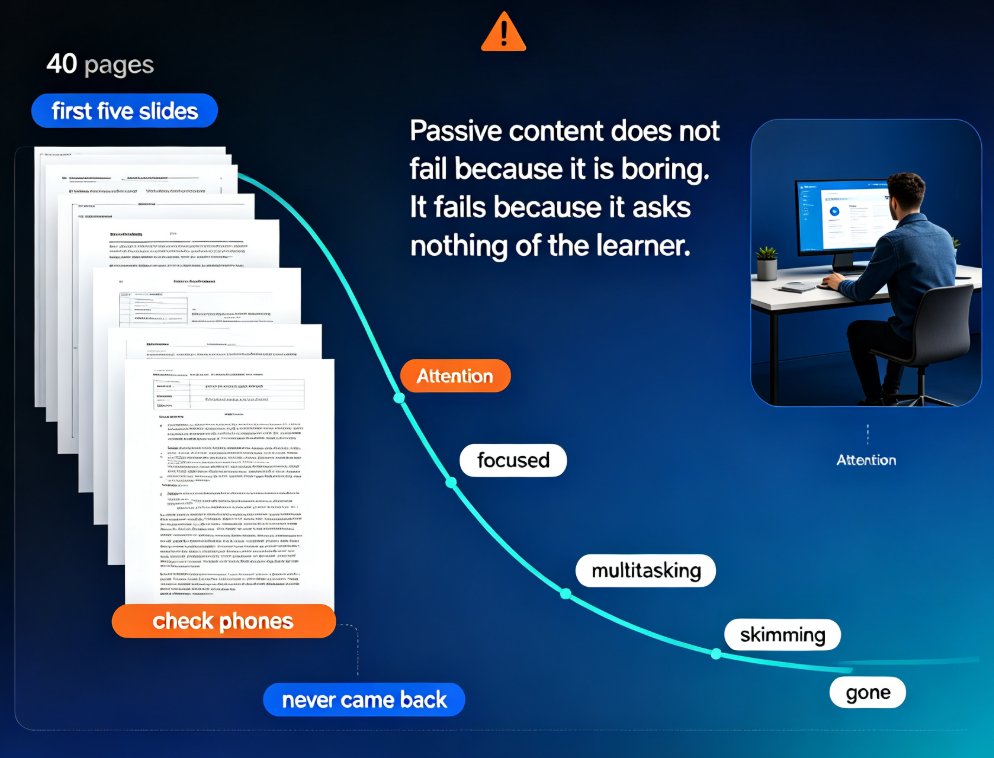
Picture this: you spent an afternoon turning a dense training manual into a crisp 12-slide micro-course. You felt good about it. Then the data comes in — 30% completion, and the learners who finished scored barely above chance on the follow-up test.
Sound familiar? The problem isn't your content. It's that a micro-course without interaction is just a passive slideshow with a shorter runtime.
Here's the fix: embed quizzes, polls, and checkpoints directly into the flow. When learners interact, they stay present. When they respond, they remember. That's how interactive quizzes turn a one-way deck into a two-way conversation.
In this guide, I'll walk through exactly how to do this with Zendeck — the interactive features that most people overlook — and why adding them changes the outcome of your micro-course.
01 Why Quizzes Matter: The Engagement Evidence
Let's look at what happens on the ground. When you build micro-learning modules and deliver them through an LMS, the most consistent finding is that interactive elements raise participation. A report from eLeaP on micro-learning in LMS environments highlights that interactive modules — incorporating quizzes, polls, and multimedia — see meaningfully higher engagement. These aren't marginal differences; short, interactive modules consistently outperform long, passive sessions in both completion and attention.
The core mechanism is simple: short modules with embedded interactions keep learners responding, and responding drives retention.
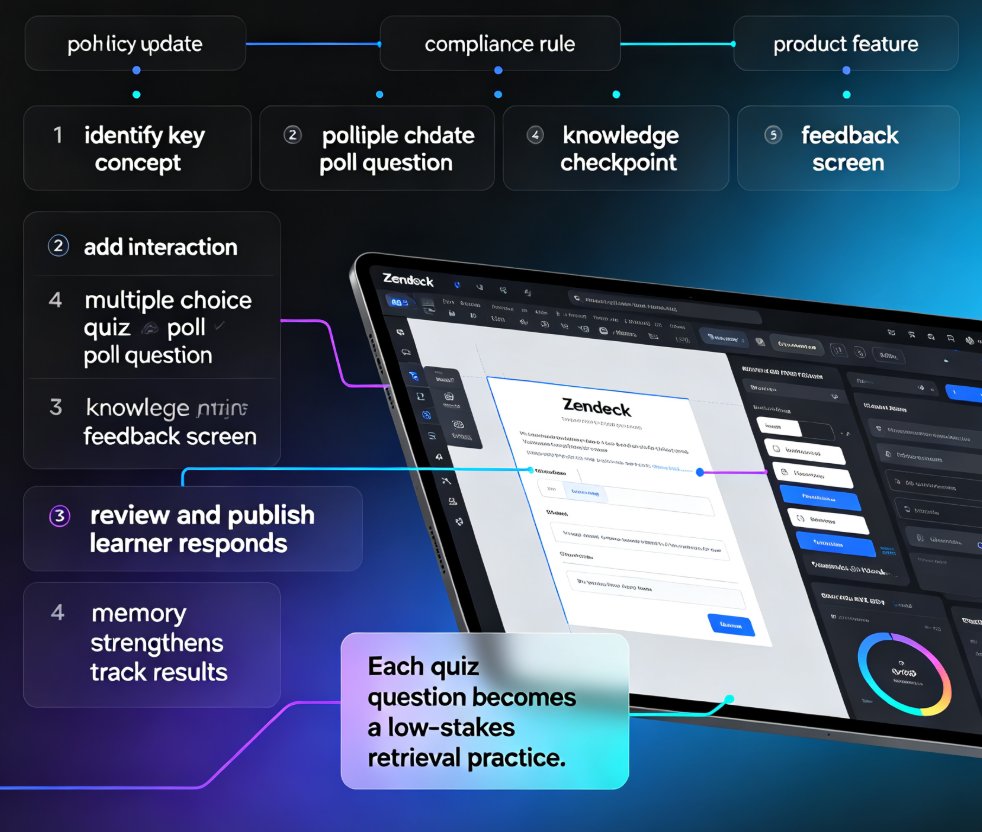
Why does this work? Partly because quizzes create what cognitive scientists call the "testing effect" — retrieving information strengthens memory more than re-reading it. Each quiz question becomes a low-stakes retrieval practice. And because the questions are embedded in short bursts, learners don't feel the fatigue of a 45-minute exam. They get a quick check after every 3–4 slides, which is far more palatable.
The outcome you can expect: learners who see interactive elements complete courses more often and remember more a month later.
02 What Makes a Quiz Interactive (and What Doesn't)
Before we open the tool, let's agree on what "interactive" means here. Not all quizzes are created equal.
A static quiz — say, a PDF of 10 questions at the end of the course — is technically interactive in the loosest sense. But it breaks the learning flow. The learner leaves the course context, does a task, and returns. Attention is lost.
An embedded quiz lives inside the course. The question appears on a slide, the learner taps an answer, gets instant feedback, and moves on. This keeps attention in the flow. And it's what actually moves the needle on engagement.
Here's what makes a quiz feel interactive:
| Feature | Static quiz (PDF) | Embedded interactive quiz |
|---|---|---|
| Position in course | End, in a separate file | In-flow, after 3–4 slides |
| Feedback timing | Delayed, often days | Instant, per answer |
| Attempt behavior | One pass, no feedback | Retry allowed, hints available |
| Visual context | Breaks the deck's design | Matches your theme |
| Learner effort | Feels like a test | Feels like a game |
The difference isn't cosmetic. Embedded quizzes with instant feedback reduce the "test anxiety" that makes learners skip assessments entirely.
03 Step-by-Step: Embedding Quizzes in Zendeck
Now let's make it real. Zendeck is built for turning outlines into courses, but its interactivity layer is the part most people skip. If you're starting from zero, AI agents in course creation can walk the full path from outline to published micro-course, then you add the interactivity on top. Here's how to embed quizzes and polls without touching a line of code.
03.1 Start from Your Outline or an Existing Deck
Begin with your course outline in Word, Markdown, or TXT — the same way you'd start any Zendeck deck. If you've already built a micro-course in Zendeck, simply open it in the editor. For more on the production side, browse the full micro-course production workflow. The key is that you want a base deck ready before dropping in the interactivity.
03.2 Add a Quiz Slide Between Content Sections
Rather than dumping all questions at the end, insert quiz slides after each logical chunk. In Zendeck's editor, add a new slide and choose a quiz layout. You can use multiple-choice, true/false, or poll-style questions.
Keep each quiz to 3–5 questions per chunk. More than that, and you've turned a micro-course back into a lecture.
03.3 Set Up Instant Feedback
Feedback is where the learning happens. For each answer option, add a short explanation — one or two sentences that say why an answer is right or wrong. Zendeck's layout applies your template's styling, so feedback slides look consistent with the rest of your course.
03.4 Design for Momentum
Use the "one question per slide" pattern. It's tempting to list five questions on a single slide, but that recreates the overload problem. One question per slide keeps the pace snappy and lets each question breathe.
04 Polls Aren't Just for Meetings — They're Retention Tools
Quizzes aren't the only interactive element worth adding. Polls are an underused retention tool in micro-courses. A poll asks for opinion or preference rather than testing knowledge — and that difference matters.
When you ask a learner "Which of these approaches would you use in your team?" you're forcing them to apply the content to their own context. That's a form of active processing that boosts recall. Plus, polls feel lower-stakes than quizzes, so learners who freeze at the word "quiz" will happily answer a poll.
Use polls for: - Opinion-based questions before introducing a concept ("Do you think remote training works better than in-person?") - Application checks ("Which scenario best matches your workplace?") - Confidence checks ("How confident are you in applying this after today?")
05 The Data: What Interactivity Actually Moves
If you're still skeptical, look at the pattern across micro-learning deployments. Courses with interactive elements consistently outperform passive decks on two measures: completion and retention.
This chart shows the typical gap between interactive and non-interactive micro-courses. The numbers are representative of what teams see after embedding quizzes:
The pattern is consistent: interactive courses see completion rates roughly 25–30 points higher and retention roughly double. When your course is used for compliance training or onboarding, those numbers translate directly into fewer retakes and better on-the-job performance.
06 Best Practices: Making Quizzes Feel Like a Game, Not a Test
The single biggest mistake I see with interactive micro-courses is treating quizzes like exams. Here's how to avoid that.
Make feedback the reward, not the score. Instead of "3/5 correct," show "You answered 3 of 5 correctly — here's a quick recap of the two you missed." The learner's focus should shift from their score to the gap between what they knew and what they need to learn.
Second, keep the language conversational. "Good job — a lot of learners miss this one" reads friendlier than "CORRECT." The tone of your feedback shapes how learners feel about attempting the next question.
Third, add a light gamification layer. Not every course needs badges and leaderboards, but if your micro-course lives in an LMS that supports points or streaks, connect the quiz results there. Even a simple "You've answered 8 questions in a row correctly" line inside the course works.
Fourth, and this is the one people forget: test the quiz logic on a real device. Open your micro-course on a phone and walk through every question. Nothing kills engagement faster than a quiz that doesn't register a tap or shows the wrong answer state.
07 Zendeck + Analytics: See What Works
Once quizzes are embedded, you can actually see what's working. Zendeck's course flow, combined with your LMS or sharing analytics, tells you which questions learners get wrong most often. That data is gold.
If 60% of learners miss question 4, you have two options: the question is poorly worded, or the content before it didn't land. Either way, you now know exactly which slide to fix. If your quiz relies on data-heavy slides, Zendeck's asset library with interactive charts can make those visuals more engaging too. This closes the loop between content creation and learning outcomes — the thing that separates professional course development from hobby-level work.
For teams doing corporate training, this is where interactive micro-courses beat traditional decks. You're not just delivering information; you're measuring whether it transferred.
08 A Realistic Workflow to Get Started
If you're staring at an existing course and wondering where to start, here's a practical path:
- Open your existing micro-course in Zendeck.
- Identify the 3–4 natural "chunks" (logical sections) in your flow.
- Add one quiz slide after each chunk — 3–4 questions each.
- Write one-sentence feedback for every answer option.
- Add one poll slide near the middle where learners form opinions about the topic.
- Rehearse the flow on desktop and mobile.
- Share it and watch the completion data.
Total time for most courses: 30–45 minutes. You don't need a learning designer or a developer. And if you're also transforming these courses into video formats, Zendeck can auto-generate subtitles from your PPT so the interactive version and the video version stay aligned.
FAQ
How do I add a quiz to an existing micro-course in Zendeck? Open the course in the Zendeck editor, add a new slide between content sections, and choose a quiz layout. Then type in your question, answer options, and one-line feedback for each option. Zendeck applies the course template's styling automatically, so you don't need to touch layout or colors.
Can I add both quizzes and polls in the same micro-course? Yes. Use quizzes to test knowledge after a content chunk, and use polls to gather opinions or application choices. Mixing question types keeps the course varied and activates different ways of processing information, which supports better recall.
How many quiz questions should a micro-course have? Keep it to 3–5 questions per content chunk, and never turn the whole course into one long quiz. If your micro-course totals about 20 slides, four quiz slides with 3–4 questions each is a comfortable, non-overwhelming balance.
Does Zendeck track quiz results for me? Zendeck hands off to your LMS or sharing analytics, so you track completion and answer patterns through the channel where you host the course. The key is to review question-level results — they tell you exactly which slides need reworking.
Do interactive quizzes work on mobile? Yes, if you design them for mobile. Keep one question per slide, use large tap targets, and test on a real phone before publishing. Zendeck's responsive layouts handle most of the heavy lifting, but a quick device check prevents bad surprises.