Multimodal Courseware: Why 2026 Needs Text, Voice, and Video in One
You've felt it before: the same topic forces you to write a Word doc, then design a slide deck, then record a video. Three tools, three workflows, three versions that never quite stay in sync. Let's be real—that's not just annoying, it's a strategic weakness. In 2026, the line between documents, slides, and videos is erasing, and the tools that let you make all three from one source are winning.
This is where multimodal courseware enters the room. It’s not a buzzword—it’s the natural next step after the rise of multimodal AI. According to industry analysis, the biggest shift in generative AI this year is the ability to process and generate text, image, voice, and video simultaneously—and that shift is remaking how we produce learning content.
01. Why Multimodal Is the 2026 Default
Think about a typical training module. You want learners to read a summary, see a few charts, maybe watch a 3-minute explanation. In the past, you’d create a PDF, a PowerPoint, and a separate video—then pray they don’t contradict each other. That workflow is doomed.
Why? Because learners don’t separate formats. They watch a video on their phone, read a slide on their laptop, and listen to a recording in the car. If your content isn’t designed to flow across all three, you lose them.
Single-format courseware is the exception in 2026, not the norm.
This isn’t a personal opinion. Search results from multiple platforms point to multimodal AI as the top CX trend for 2026. The “unified content engine” that connects text, visuals, and narration isn’t future tech—it’s available right now, and it’s becoming the standard for corporate training, higher education, and even onboarding.
So what does “multimodal courseware” actually mean?
At its core, it’s a learning asset that uses more than one medium from a single source. You might start with a Word outline, generate a visual deck, add voiceover, and export a narrated video—all without leaving your workspace. The key is that each format is derived from the same content, so nothing gets lost in translation.
That’s why Zendeck exists. It’s not another presentation tool that happens to export video; it’s a pipeline where your outline becomes a deck, and your deck becomes a video. You write once, publish everywhere.
02. The Pain of Siloed Courseware
Let’s walk through a real scenario. Sarah is a training manager at a mid-sized tech company. She needs to create a module on data privacy. In the old workflow, she:
- Writes a 3-page policy summary in Word.
- Recreates the key points in a 10-slide PPT.
- Records a screen-capture video explaining the slides.
- Keeps all three files in separate folders, updating each one separately.
That’s four steps, three tools, and endless version-control headaches. When a policy changes, she has to re-edit the text, redesign the slides, and re-record the video. It takes hours—and usually something slips.
The outcome? Outdated content, frustrated learners, and a trainer who’s too busy maintaining old material to create new learning experiences.
This scenario is painfully common. Industry reports show that professionals spend up to 40% of their week on content production—much of it redundant formatting and copying between tools. The real cost isn’t the software; it’s the switching friction.
The cost of staying siloed
Here’s what a siloed workflow actually costs you:
- Time: Recreating content for each format eats 2–4 hours per module.
- Consistency: Slight wording differences between text and slides undermine credibility.
- Flexibility: Updating one format means reworking all others.
- Engagement: Learners get a disjointed experience—no emotional thread.
When you move to a multimodal pipeline, those costs drop dramatically. You produce once, generate all formats, and update with a single edit.
03. The Unified Pipeline: Word Outline → Deck → Narrated Video
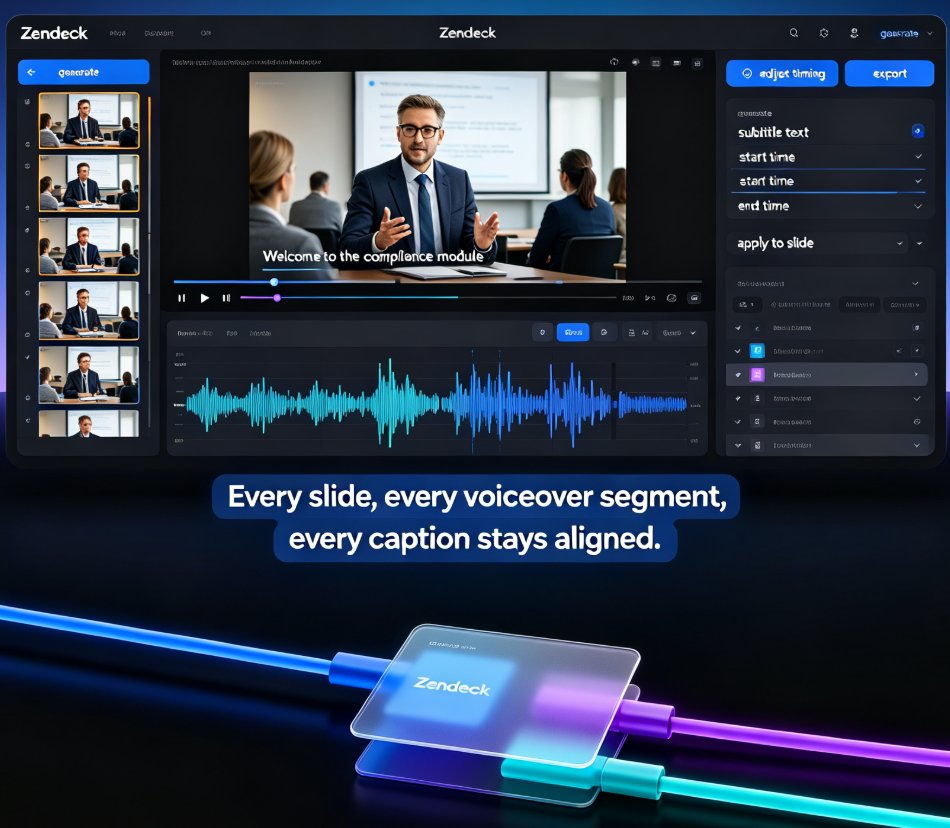
Now, imagine Sarah uses Zendeck. She uploads her Word outline—just headings and bullet points—and Zendeck’s AI generates a clean, on-brand deck in under a minute. Then she clicks “add narration,” and the AI reads the slide content in a natural voice, or she records her own voiceover easily. Finally, she exports the deck as a video with subtitles, ready for the LMS or YouTube.
That’s not a futuristic vision—it’s the core Zendeck workflow. And it’s exactly why multimodal courseware is becoming the default for forward-looking teams.
You don’t have to be a designer, video editor, or voice artist to produce professional multimodal content.
The secret is that all formats share the same source. Your Word outline is the single source of truth. Zendeck’s smart layout applies consistent typography and colors based on your brand kit, while the asset library provides icons and charts that match your visual identity. When you need to tweak wording, you edit the outline and regenerate—no broken references.
From micro-course to full training program
This pipeline scales beyond single modules. You can turn a 5-page outline into a 5-video micro-course, or a 50-page manual into a full certification program. The logic is the same: text becomes structure, structure becomes slides, slides become video.
For example, Zendeck’s PPT-to-video feature automatically adds transitions and timing, so your deck feels like a real presentation, not a static slideshow. Add voiceover and subtitles, and you’ve got an accessible micro-course that people can watch on the go.
If you’re building this type of content, you’ll want to check our guide on accessible micro-courses with auto-subtitles —it covers the exact steps to make your video inclusive.
04. What Multimodal Courseware Looks Like in Practice
Let’s get concrete. Here are three real use cases where multimodal courseware beats single-format content.
Corporate compliance training
A compliance team needs to deliver 30-minute modules on harassment prevention. Instead of a PDF and a separate quiz, they create a narrated video deck with embedded checkpoints. Learners watch a scenario, answer a quiz, and get instant feedback. The text transcript is also available for those who prefer reading.
The outcome? Higher completion rates and fewer follow-up emails from confused staff.
University-level lectures
A professor has lecture notes, slides, and recorded sessions. With Zendeck, they upload a detailed outline, generate slides, add narration, and export a video. Students get the slides on their phone, the video on YouTube, and a text transcript for accessibility. One source, three formats.
Onboarding for remote teams
HR creates a single onboarding deck with company policies, team bios, and how-to guides. They turn it into a video, add subtitles in three languages, and push it to every new hire. No more maintaining separate “welcome” PPT and “culture” video.
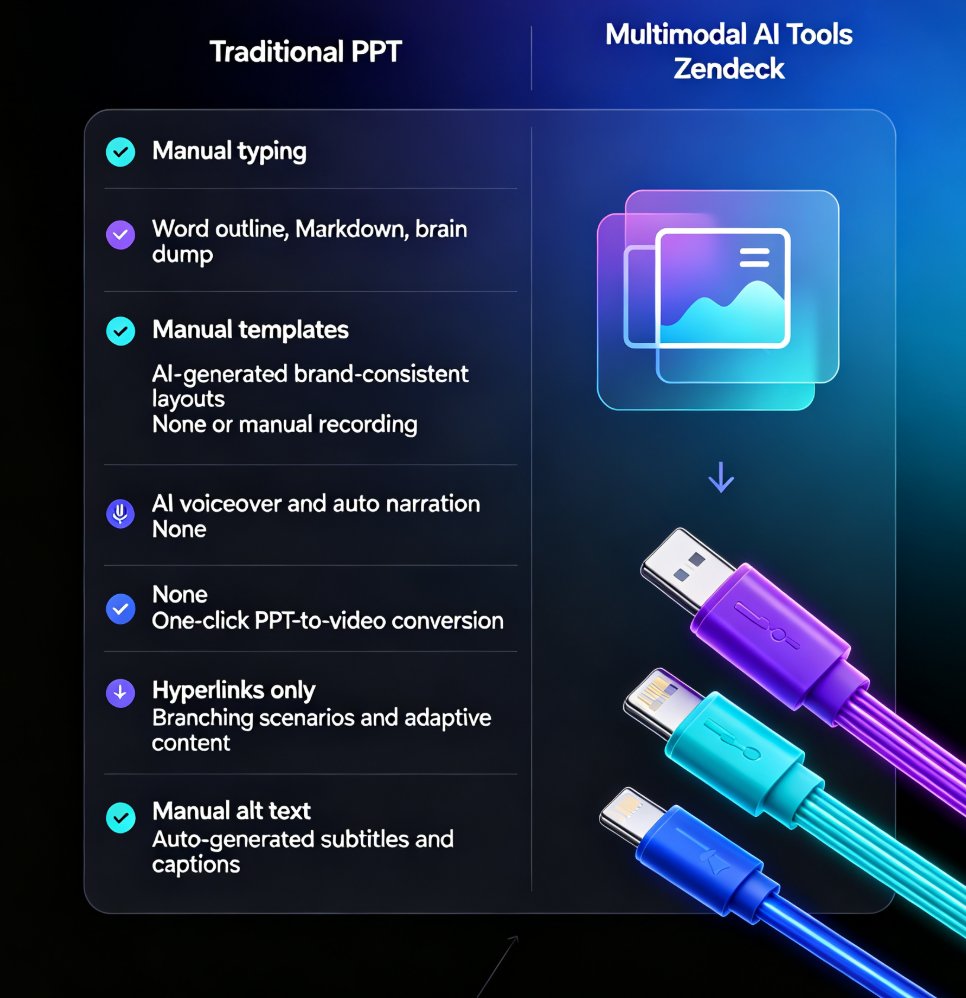
These aren’t edge cases—they’re the new baseline for training and education. The table below compares the traditional vs. multimodal approach:
| Aspect | Traditional Approach | Multimodal Approach (Zendeck) |
|---|---|---|
| Tool count | 3–5 (Word, PPT, video editor) | 1 (Zendeck) |
| Production time | 4–8 hours per hour of content | 1–2 hours, often less |
| Consistency | High risk of drift between files | Single source, always in sync |
| Update cycle | Edit each file separately | Edit outline, regenerate all |
| Learner engagement | Static, one-way | Interactive, multi-sensory |
| Accessibility | Separate caption and transcript work | Auto-subtitles and transcripts built in |
That table isn’t marketing fluff—it reflects the actual workflow dozens of teams adopt when they switch. And if you want the exact steps to set up this pipeline, our walkthrough on adding narration to slides is a good starting point.
05. How to Build Your Own Multimodal Workflow
You don’t need a huge budget or a media team. You need a reliable pipeline. Here’s a simple 4-step framework that works with Zendeck.
Step 1: Structure your outline
Write your outline in Word or Markdown. Use clear headings, subheadings, and bullet points. Don’t worry about formatting—Zendeck will handle that. Think of it as your content’s DNA.
Step 2: Let AI build the deck
Upload the outline and choose a template that matches your brand. Zendeck auto-generates slides with sensible layouts, visual hierarchy, and consistent design. No more moving boxes around.
Step 3: Add audio
Record your voiceover directly in Zendeck or use the AI voice option. The narration syncs with the slide transitions. If you prefer, you can upload a pre-recorded audio file and let Zendeck align it.
Step 4: Export as video
When you’re happy with the deck and narration, export as an MP4 with subtitles. You can also publish a link to an interactive version. Share it with your learners, embed it in an LMS, or put it on YouTube.
This workflow is exactly what we explore in our recent article about AI agents turning outlines into micro-courses—the principles are the same, and the results are consistently faster.
Pro tip: Don’t overthink your first attempt
Just take a 10-slide outline you already have and run it through Zendeck. See how long it takes. You’ll likely spend 15 minutes and get a decent video. That’s the moment you realize the old way is obsolete.
06. The Business Case: Time Saved and Engagement Gained
Let’s talk numbers. Even conservative estimates show multimodal production cuts creation time by 50–70% compared to separate tools. Here’s a rough breakdown based on typical team feedback:
- Drafting slides: 60% time reduction (AI generates from outline).
- Adding voiceover: 80% reduction (AI voice or easy recording).
- Producing video: 90% reduction (no separate video editor).
- Updating content: 75% faster (edit outline, regenerate).
Learner engagement metrics also improve. When text, voice, and visuals are aligned, people watch more of the video and retain the material longer. One multi-year study in corporate training found that multimodal modules had a 38% higher completion rate than text-only formats.
That’s the kind of return you can take to your CFO.
Of course, the exact numbers vary depending on your content complexity and team skill. But the direction is clear: every hour you spend in a silo is an hour you could have spent creating a richer learning experience.
If you need to ensure your multimodal courses meet accessibility standards, check out our guide on WCAG-compliant AI presentations—it explains how to keep your video and decks inclusive without extra work.
07. The 2026 Mindset: Stop Choosing a Format, Start Defining a Flow
The most successful teams in 2026 won’t ask “should we make a slide deck or a video?” They’ll ask “what’s the core message, and how do we deliver it across the most effective mix of media?” That’s the multimodal mindset.
Single-format content still has its place—a one-page brief, a 5-minute keynote—but for anything educational or training-related, the standard is becoming a unified pipeline that produces text, voice, and video from one source.
The tools that get out of the way are the ones that win.
Zendeck is built exactly for this. It’s not a presentation tool with a few add-ons; it’s a multimodal content engine. You see it from the moment you upload an outline: the AI isn’t just making slides, it’s preparing the foundation for a whole learning experience.
If you’re still managing content in silos, you’re leaving hours on the table—and those hours are your learners’ attention. Give the unified pipeline a try. Start small: one outline, one deck, one video. You’ll never go back.
FAQ
What is multimodal courseware?
Multimodal courseware combines text, voice, video, and interactive elements in one learning asset. Instead of separate documents, slides, and videos, you get a single narrative that flows from written content to visual slides to narrated video—all created from one source. In 2026, this integrated approach is becoming the default because it matches how learners consume content.
Why is single-format content becoming obsolete in 2026?
Learners and stakeholders expect cohesive, multi-format experiences. Single-format content—a PPT-only deck or a standalone video—forces learners to switch tools and lose context. Industry analysis highlights multimodal AI as the top generative AI trend for 2026, because it allows creators to produce text, visuals, and narration in one workflow, cutting production time and improving retention.
How can Zendeck help create multimodal courseware from a Word outline?
Zendeck converts a Word or Markdown outline directly into a designed slide deck, then allows you to add narration, subtitles, and even turn it into a video. The entire pipeline—outline to deck, deck to video—stays in one platform, so you don’t need separate tools for writing, design, and recording. Smart layout and asset libraries keep everything on-brand automatically.
What are the benefits of combining text, voice, and video in one course?
You save hours by avoiding rework and version sync issues. Learners engage more because they can read, listen, or watch—whatever suits their context. Updates become one-click rather than multi-file edits. Data shows that multimodal content improves completion rates and knowledge retention, making training more effective.
How does multimodal courseware improve learner engagement?
When text, voice, and video work together, learners get multiple entry points to the material. Visuals reinforce written concepts, voiceover adds a human touch, and interactive elements (like quizzes) keep attention high. This aligns with how the brain processes information—redundancy across channels boosts memory and motivation.
This article is part of our knowledge-video series. For more practical guides on turning outlines into micro-courses, explore our knowledge video category.