
Multimodal AI Presentations: Zendeck's PPT-to-Video Trend 2026
Let's be honest: the average presentation is boring. Static slides, endless bullet points, and a monotone voiceover that puts everyone to sleep. But here's the thing—2026 is the year that changes. Multimodal AI is finally making presentations feel alive, and tools like Zendeck's PPT-to-video are leading the charge.
If you've ever spent hours building a deck, only to watch your audience check their phones, this article is for you. We'll break down what multimodal AI actually means for presentations, why it's the hottest trend in content creation, and how you can use it to turn static slides into narrated experiences that people actually remember.
I. What Is Multimodal AI and Why Should You Care?
Multimodal AI is a fancy term for AI systems that handle multiple types of data at once—text, images, audio, and video. Instead of just reading words or recognizing pictures, these models combine everything to understand context like a human would.
The market for multimodal AI was valued at USD 1.2 billion in 2023 and is expected to grow at a CAGR of over 30% between 2024 and 2032 (SuperAnnotate). That's not just hype; that's a fundamental shift in how software works.
◉ What Can Multimodal AI Actually Do?
Think about how you communicate. You don't just send text—you use emojis, voice notes, screenshots, and videos. Multimodal AI does the same. Models like GPT-4o handle text, images, and audio in conversations. Claude 3 reads charts and diagrams with impressive accuracy. Gemini processes text, images, audio, and video.
For presentations, this means AI can now:
- Understand your content—whether you upload a Word outline or paste messy notes
- Generate visuals that match your message, not just stock photos
- Add voiceover that sounds natural, not robotic
- Create video from slides, turning a deck into a mini-course
The result? A presentation that works across every channel—live, recorded, or self-paced.
II. The Rise of Multimodal AI in Presentation Tools
Presentation software has been stuck in a rut for years. PowerPoint gave us templates, Canva gave us design, and AI tools gave us auto-generated slides. But none of them truly combined text, visuals, and audio into one seamless experience—until now.
◉ From Static Decks to Dynamic Experiences
In 2026, the best presentation tools aren't just about making slides look pretty. They're about creating content experiences that adapt to how people actually learn and consume information.
Here's what that looks like in practice:
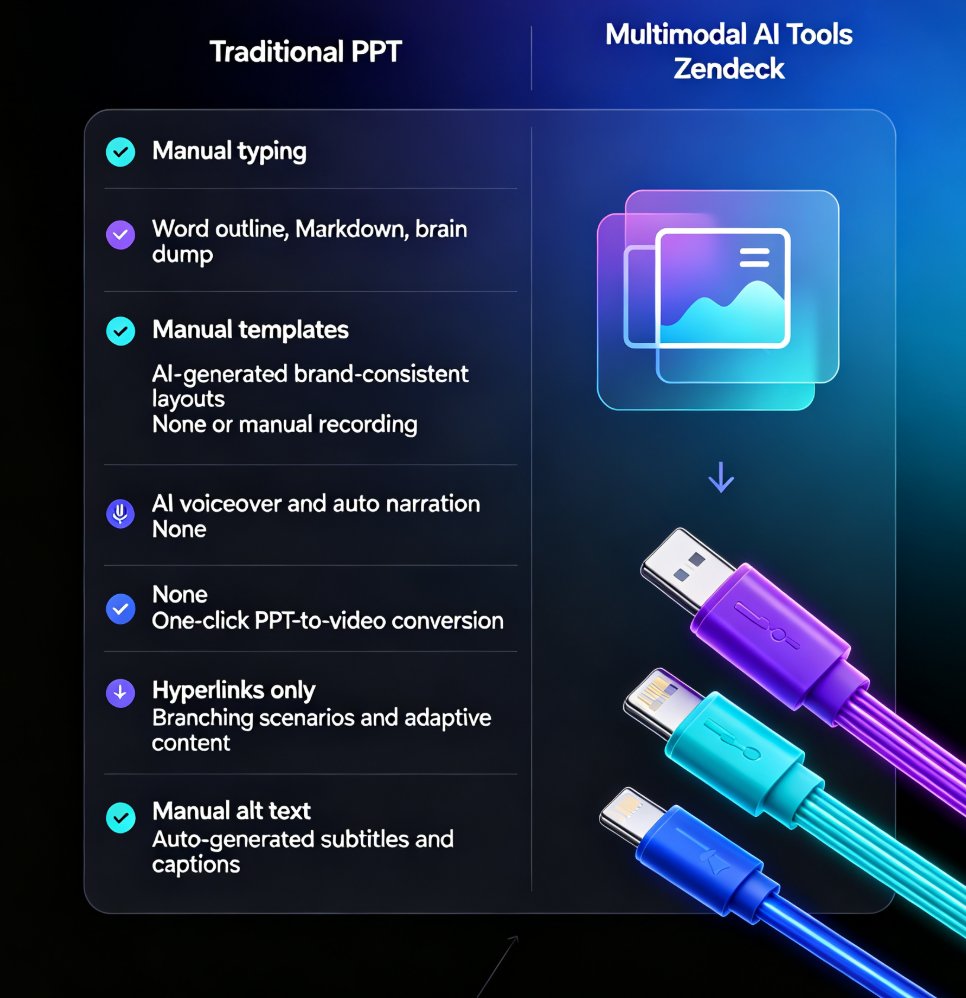
| Feature | Traditional PPT | Multimodal AI Tools (e.g., Zendeck) |
|---|---|---|
| Input | Manual typing | Word outline, Markdown, brain dump |
| Design | Manual templates | AI-generated, brand-consistent layouts |
| Audio | None or manual recording | AI voiceover, auto-generated narration |
| Video | None | One-click PPT-to-video conversion |
| Interactivity | Hyperlinks only | Branching scenarios, adaptive content |
| Accessibility | Manual alt text | Auto-generated subtitles and captions |
The shift is from "making slides" to "producing content." And that's exactly where Zendeck fits in.
III. Zendeck's PPT-to-Video: Multimodal AI in Action
Zendeck is an AI-powered content creation platform built for professionals, educators, and teams. Its core promise? Empower anyone without design skills to create stunning presentations and video courses.
◉ How It Works
Let's walk through a real scenario. You're a corporate trainer who needs to turn a 40-page compliance manual into an engaging training module. Here's your workflow with Zendeck:
- Upload your outline—paste a Word document or Markdown file
- AI generates slides—structured, visually consistent, on-brand
- Add narration—use Zendeck's voiceover feature to record or generate audio
- Convert to video—one click turns your deck into a narrated micro-course
- Share—export or share via link for self-paced learning
This is multimodal AI in practice: text in, video out, with design and narration handled automatically.
◉ Why This Matters for Your Work
The pain point is real: you're not a designer, you're not a video editor, and you don't have time to learn new tools. The old solution was to hire someone or deliver boring slides. The new solution is Zendeck.
Zendeck's PPT-to-video feature turns static slides into narrated experiences, making your content more engaging and accessible.
For educators, this means turning lesson plans into video lectures. For HR, it's compliance training that employees actually watch. For marketers, it's product demos that explain themselves.
IV. Real-World Applications Across Industries
Multimodal AI isn't just a tech trend—it's solving real problems in education, corporate training, and marketing.
◉ Education: From Lectures to Micro-Courses
Teachers and professors are using multimodal AI to create micro-courses that students can watch anytime. Instead of a 60-minute lecture, they break content into 5-minute narrated videos with visuals and subtitles. Students retain more, and teachers save hours of re-recording.
◉ Corporate Training: Consistency at Scale
AI-generated video decks are replacing traditional corporate training because they're scalable and consistent. Every employee gets the same message, delivered the same way, whether they're in New York or New Delhi.
◉ Marketing: Demos That Sell
Themselves
Product teams are turning feature lists into narrated video demos. Prospects watch a 3-minute video instead of reading a spec sheet. Conversion rates go up because the story is clear.
V. The 2026 Trend: Why Multimodal Is the New Baseline
The numbers don't lie. Multimodal AI is growing at over 30% CAGR, and the tools that embrace it are winning. Here's a visual look at the market trajectory:
The takeaway: multimodal AI isn't a niche feature—it's becoming the standard for content creation tools. If your presentation software doesn't handle video, audio, and text together, you're already behind.
VI. How to Get Started with Multimodal Presentations Today
You don't need to wait for the future. Here's how to start creating multimodal presentations right now with Zendeck.
◉ Step 1: Start with a Text Outline
Don't design slides first. Write your content as a Word outline or Markdown. Zendeck's AI will turn it into a structured deck. This is the "text" part of multimodal.
◉ Step 2: Let AI Handle the Visuals
Zendeck's smart layout and one-click reskin automatically unify fonts, colors, and layout. You get a professional look without touching a design tool. This is the "image" part.
◉ Step 3: Add Voiceover and Subtitles
Use Zendeck's narration feature to add audio to your slides. Add subtitles for accessibility. This is the "audio" and "text" combination that makes content accessible to everyone.
◉ Step 4: Convert to Video
One click turns your narrated deck into a video. Now you have a micro-course, a product demo, or a training module—ready to share.
The whole process takes minutes, not days. And you don't need any design or video editing skills.
VII. Common Mistakes to Avoid (And How Zendeck Helps)
Let's be real—AI tools can go wrong. Here are the mistakes I see people make, and how to avoid them.
◉ Mistake 1: Overloading Slides with Text
AI can generate a wall of text if you let it. Keep slides focused on one idea per slide. Zendeck's templates are designed to enforce visual hierarchy, so your content stays scannable.
◉ Mistake 2: Ignoring Brand Consistency
If your AI-generated slides don't match your brand, they look unprofessional. Use Zendeck's brand kits to enforce your logo, colors, and fonts across every slide.
◉ Mistake 3: Skipping Accessibility
Subtitles and alt text aren't optional anymore. WCAG compliance is the new baseline for presentations. Zendeck makes it easy to add captions and accessible layouts.
◉ Mistake 4: Forgetting the Story
A presentation isn't just information—it's a narrative. Use branching scenarios and adaptive content to keep your audience engaged. Zendeck supports interactive elements that respond to viewer choices.
VIII. The Future: What's Next for Multimodal Presentations
We're just scratching the surface. Here's what I expect to see by 2027:
- AI co-pilots that adjust your presentation in real-time based on audience reactions
- Adaptive decks that change content based on who's watching
- Deeper video integration where slides become fully interactive video experiences
The tools that embrace multimodal AI will define how we communicate at work. Zendeck is already building toward this future with its PPT-to-video, narration, and interactive features.
IX. Why Zendeck Is Your Best Bet for Multimodal Presentations
Here's the honest truth: there are a lot of AI presentation tools out there. But Zendeck stands out for three reasons:
- It's built for non-designers. You don't need to learn Figma or Premiere Pro.
- It covers the full pipeline. From text outline to video export, everything happens in one place.
- It's accessible and affordable. You get premium templates, asset libraries, and collaboration features without enterprise pricing.
If you're an educator, trainer, HR professional, or content operator, Zendeck is the tool that lets you create multimodal content without a production team.
FAQ
What is multimodal AI in the context of presentations?
Multimodal AI in presentations refers to AI systems that process and generate multiple content types—text, images, audio, and video—simultaneously. Instead of just creating static slides, multimodal tools can add voiceover, subtitles, and even video elements, making decks more engaging and accessible.
How does Zendeck's PPT-to-video feature work?
Zendeck's PPT-to-video feature converts your static slides into narrated micro-courses. You upload a Word outline or paste Markdown, Zendeck generates structured slides, and then you can add voiceover and subtitles to turn them into video presentations—all within the same platform.
Why is multimodal AI important for educators and trainers?
Educators and trainers need to hold attention and explain complex topics. Multimodal AI lets them combine visuals, narration, and text in one deck, which improves comprehension and retention. It also saves time by automating the production of video-based learning materials.
Can I edit the AI-generated slides before converting to video?
Yes. Zendeck allows full manual editing of AI-generated slides. You can adjust layouts, change templates, and fine-tune content before exporting to video, so you keep creative control while benefiting from AI speed.
What are the benefits of turning PPT into video for corporate training?
Turning PPT into video makes training scalable and consistent. Employees can watch narrated decks at their own pace, on any device, and revisit sections as needed. It also reduces live training costs and ensures everyone gets the same message.
Ready to stop creating boring presentations? Try Zendeck's PPT-to-video and see what multimodal AI can do for your content.


