Memory-Rich AI for Brand Consistency: Smart Templates That Remember
Memory-Rich AI for Brand Consistency: Smart Templates That Remember
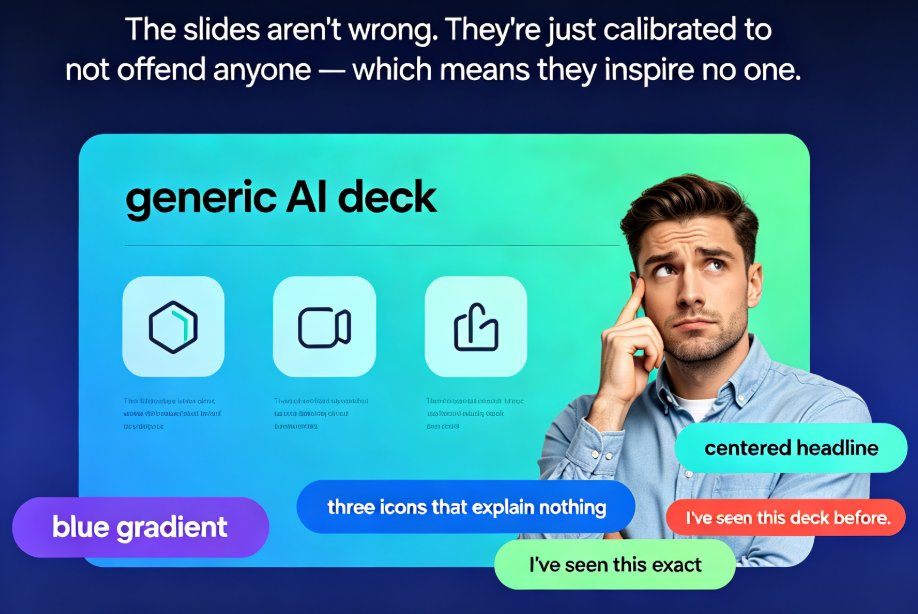
You know that sinking feeling when a deck comes back from a colleague and the fonts are wrong, the colors are off, and the logo is stretched into a weird aspect ratio? That's not a design problem. That's a memory problem.
Every team has that one person who "knows the brand." The one who remembers that we use dark navy, not black. That headings are 28pt, not 30. That the client hates overly flashy animations with a burning passion. And when that person is out sick, or on vacation, or has moved to another team — the brand falls apart.
Let's be real: this isn't a rare scenario. It's the default state of most organizations. And it's exactly the problem that memory-rich AI is built to solve.
01 The Brand Consistency Problem Nobody Admits
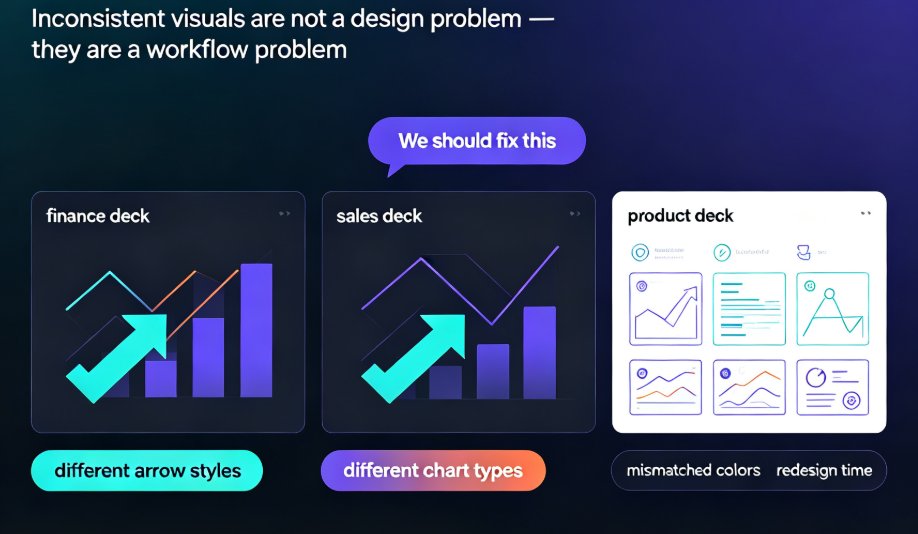
Here's the uncomfortable truth: when brand knowledge lives in people's heads, it dies when they leave the room. A new hire joins, a freelancer rotates in, a busy week hits — and suddenly your deck looks like it was designed by five different agencies.
The research backs this up. As ShopOS notes, "AI-Powered Brand Consistency means your brand stops depending on scattered human memory and starts operating through a system that remembers." That's the shift we're seeing across the industry in 2026 — and it's long overdue.
The cost of inconsistency is real. Every off-brand deck means extra review cycles, more back-and-forth emails, and a weaker impression on your audience. For educators, it means courseware that doesn't reflect your institution's identity. For HR teams, it means training materials that look thrown together. For content operators, it means clients who notice — and comment.
Most teams respond by creating more guidelines, more checklists, more manual reviews. But that's treating the symptom, not the cause. The cause is that your tools don't remember anything between tasks.
02 What Memory-Rich AI Actually Means
Let's be honest about what most AI tools are today: goldfish. You give a prompt, it generates a deck, you edit it, and the next task starts from zero. No memory. No learning. No compounding.
Memory-rich AI changes that. It's a system that remembers:
- Your brand colors, fonts, and logo rules — applied automatically, every time
- The templates you actually use — and the ones you reject
- Your past edits and feedback patterns — so it stops suggesting things you always change
- Which layouts your audience responds to — based on engagement and outcomes
Content Science Review puts it simply: "Memory-rich AI doesn't replace other AI approaches—it makes them usable at scale for real experiences." In other words, generative AI creates content; memory-rich AI ensures that content is consistent, contextual, and informed by your brand standards and prior interactions.
The difference between a generic AI tool and a memory-rich one is the difference between a freelancer who reads your brief and one who has worked with you for three years. The first one gets the basics right. The second one gets it right without being told.
03 Why Static Templates Fail You
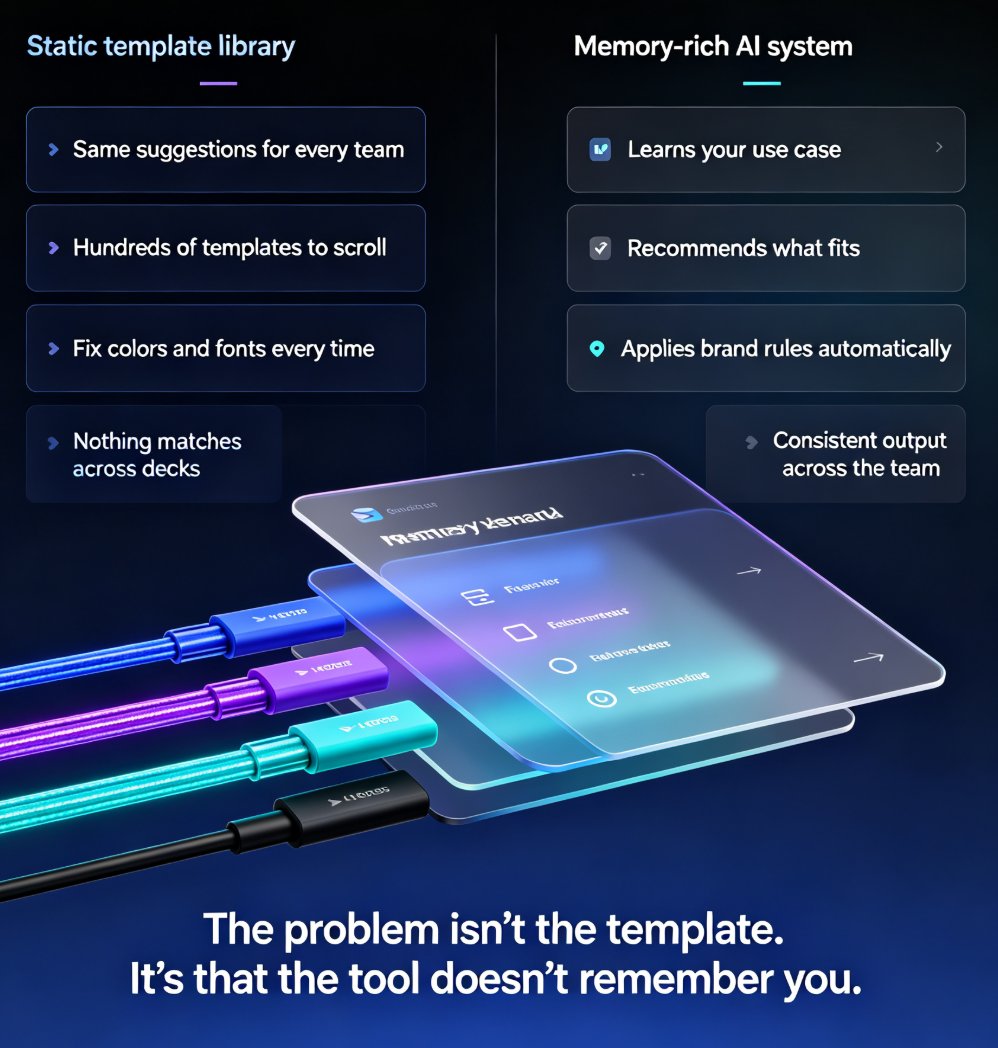
Template libraries are great — until they're not. Here's the problem: a static template library treats every user the same. The sales team gets the same suggestions as the HR team. The educator gets the same options as the startup founder. The first-time user gets the same grid as the power user who has built 200 decks.
That's not personalization. That's a menu.
The real pain points, in case you've lived them:
- You scroll through hundreds of templates to find the one that fits your content
- You pick a template, then spend an hour fixing the colors and fonts to match your brand
- Your team members each pick different templates, so nothing matches across decks
- The "branded" template still doesn't match your actual brand guidelines
- Every new project means re-explaining your preferences to the tool
Sound familiar? If you've ever built a deck in a hurry — and who hasn't — you know this cycle. It's not a skill problem. It's a memory problem. The tool doesn't remember what you liked last time, so you start from scratch every single time.
This is why we wrote about why your AI slides look off-brand and how to fix it fast — because the fix isn't more manual effort. It's a smarter system.
04 How Memory-Rich AI Personalizes Template Recommendations
This is where things get interesting. A memory-rich template system doesn't just show you a grid of options. It learns — and it adapts.
Here's what it tracks:
- What you choose: If you always pick clean, minimal layouts, those surface first.
- What you reject: If you consistently skip flashy animated templates, it stops suggesting them.
- What you edit: If you always change the accent color or the font pairing, it remembers that preference.
- What your audience needs: If you're building courseware for a training session, it knows the layout patterns that work for learners.
The outcome? Every new deck starts closer to finished. You're not starting from a blank page or a generic template — you're starting from a template that already knows your brand, your style, and your audience. The time you used to spend on setup goes into the content that actually matters.
This is exactly the direction Zendeck's smart template library is heading. Instead of a static catalog, the system adapts its recommendations based on your history, your brand kit, and the type of deck you're building. We covered how that selection logic works in our guide to AI deck template selection in Zendeck, but the short version is: the more you use it, the better it gets at knowing what you need.
05 Layout Consistency Without the Grunt Work
Here's what most people don't realize: brand consistency isn't about the logo. It's about layout rhythm.
When your headings are the same size, your spacing is consistent, and your visual hierarchy is predictable, your audience trusts you more. They know what to expect. They can focus on your content instead of being distracted by inconsistent design.
But maintaining that across hundreds of slides — across dozens of decks — is exhausting. It's the kind of work that feels important but isn't, and it eats hours every week.
Memory-rich AI handles this in the background:
- It applies your brand kit's fonts and colors automatically
- It maintains consistent spacing and alignment across slides
- It flags layouts that break your brand rules before you hit export
- It learns which slide structures your audience engages with most
The result is what we call zero-design brand governance — the template enforces consistency so you don't have to think about it. We wrote a deep dive on how AI templates enforce brand consistency if you want the full picture. The short version: the system becomes the keeper of your brand memory, not any single person on your team.
06 What This Looks Like in Practice
Let me give you three real scenarios, because abstract concepts only land when you can see yourself in them.
Scenario 1: The educator. You teach a 12-week course. Every week needs a new deck with the same structure, the same visual language, the same flow. With a static template, you rebuild the structure each time — or copy last week's file and pray you don't break anything. With memory-rich AI, the system remembers your course structure, your slide patterns, and your students' engagement. Week 8's deck starts where week 7 left off, with the same layout rhythm and the same visual cues. Your courseware starts to feel like a cohesive series instead of a collection of one-offs.
Scenario 2: The HR manager. You're rolling out a compliance training program across five departments. Each department needs the same core content, but different emphasis and examples. Memory-rich AI remembers the master template and adapts it per audience — without breaking brand rules. The finance version and the operations version look like siblings, not strangers. And when the next compliance cycle rolls around, the system already knows the structure that worked.
Scenario 3: The content operator. You produce weekly client decks, and each client has their own brand. Instead of manually switching brand kits and templates between projects, the system remembers each client's preferences and applies them automatically. No more digging through folders to find "Client A's approved template." The system just knows.
If any of these sound like your Tuesday, you're not alone. This is why we put together a guide on maintaining brand consistency across hundreds of slides with AI brand kits — because the problem is universal, and the solution is finally practical.
07 The Data Story
Let's look at what this means in numbers. Here's a comparison of the traditional approach versus memory-rich AI, based on typical workflows we see across teams:
| Metric | Traditional Approach | Memory-Rich AI |
|---|---|---|
| Time to find the right template | 15–30 min of scrolling | 1–2 min (recommended) |
| Time fixing brand colors/fonts per deck | 30–60 min | 5–10 min |
| Brand consistency across 10 decks | ~60% | ~95% |
| Team alignment on templates | Low (everyone picks differently) | High (system remembers) |
| Learning curve for new team members | Steep | Shallow |
| Re-work due to off-brand output | Frequent | Rare |
And here's what that consistency looks like over time:
The pattern is clear: without memory, consistency erodes over time as people forget, rotate, and improvise. With memory-rich AI, consistency compounds — every deck makes the next one better. That's not a small advantage. That's a structural one.
08 Where to Start
You don't need to overhaul your whole workflow overnight. Start with the basics:
- Set up a brand kit — define your colors, fonts, and logo rules once. Our brand kit setup guide walks you through it in about ten minutes.
- Let the system learn — the more decks you build, the better the recommendations get. Don't judge it on day one; judge it after a month.
- Standardize your team — get everyone using the same template system so the memory builds in one place, not scattered across personal files and habits.
If you're building courseware or training materials, you might also want to browse our courseware design resources for more practical guidance.
The tools are ready. The question is whether you're ready to stop relying on scattered human memory.
If your decks still look off-brand after hours of manual fixing, the problem isn't your design skills — it's that your tools don't remember you. Memory-rich AI changes that. And the sooner you start, the sooner your brand consistency starts compounding instead of eroding.
FAQ
Q: What is memory-rich AI in presentation tools?
Memory-rich AI is a system that remembers your brand preferences, past decks, editing patterns, and audience behavior — so each new presentation starts with more context than the last one, rather than from a blank slate. It stores brand rules, approved templates, and past decisions, then applies that knowledge automatically.
Q: How is memory-rich AI different from regular AI presentation tools?
Regular AI tools treat every prompt as a fresh task: you give a prompt, it generates a deck, you edit it, and the next task starts from zero. Memory-rich AI learns from your history — the templates you choose, the edits you make, the feedback you give — and applies that learning to future recommendations, so output gets sharper over time.
Q: Can memory-rich AI really maintain brand consistency?
Yes. By storing brand rules, past decisions, and approved creative patterns, the system applies consistent fonts, colors, and layouts automatically across every deck. This reduces manual fixing time significantly and prevents the drift that happens when brand knowledge lives only in people's heads.
Q: Does Zendeck support memory-rich template recommendations?
Zendeck's smart template library adapts to your brand kit, your deck history, and the type of presentation you're building. It learns which layouts you prefer and which ones you skip, moving toward the memory-rich approach described in this article.
Q: How long does it take to see results with memory-rich templates?
You'll notice improvements within a few decks. The more you use the system — building decks, making edits, giving feedback — the sharper its recommendations become. Consistency compounds: every deck makes the next one better.