Why Your AI Slides Look Off-Brand and How to Fix It Fast
You just spent 20 minutes feeding your outline into an AI presentation tool, and the deck it spat out looks... fine. Generic. Like it was designed by a committee of robots who only know three color palettes. The fonts are wrong, the logo is missing from every slide but the first, and the whole thing feels like a stranger wearing your company's clothes.
If that scenario sounds painfully familiar, you're not alone. A recent survey of marketing professionals found that 68% of AI-generated presentations require significant brand adjustments before they can be used. That's a huge time sink—and a silent killer of brand trust.
But here's the good news: you can fix it fast. In this guide, I'll break down why AI slides go off-brand, the real cost of ignoring it, and a step-by-step playbook to make every deck look like it came from your design team—even when it was generated in 10 minutes.
I. The Real Reason Your AI Slides Feel Like a Stranger
Let's be real: most AI presentation tools are built to impress, not to align. They pull from libraries of pre-designed templates optimized for visual appeal rather than brand alignment. The result? Presentations that look professionally designed but completely foreign to your organization's visual identity.
The problem compounds when you need to create multiple presentations. Each generation might pull different template variations, creating inconsistency across your presentation library. One client pitch deck has blue gradients and circular graphics. The next uses purple accents and geometric patterns. Nothing matches your brand guidelines because the AI is optimizing for generic "professional" aesthetics rather than your specific brand identity.
The core issue is that AI is creating something new rather than enhancing something existing. It's optimizing for general presentation best practices rather than your specific presentation standards. The result looks professional by generic standards but fails to capture the distinctive elements that make your presentations authentically yours.
Consider what gets lost in this translation:
- Your carefully crafted slide master configurations
- The specific font pairing that took your design team weeks to perfect
- The exact shade of blue that matches your brand palette
- The footer layout that includes required legal disclaimers
- The spacing and alignment choices that create visual consistency across hundreds of presentations
When you hand all that to an AI and say "make me a deck," you're essentially asking it to ignore years of brand investment.
II. The Hidden Cost of Off-Brand Decks
It's not just about aesthetics. Off-brand presentations have real business consequences.
First, they erode trust. When a client sees a deck that doesn't match your website, your proposal, or your previous presentations, they subconsciously question your attention to detail. If you can't keep your own brand consistent, why should they trust you with their project?
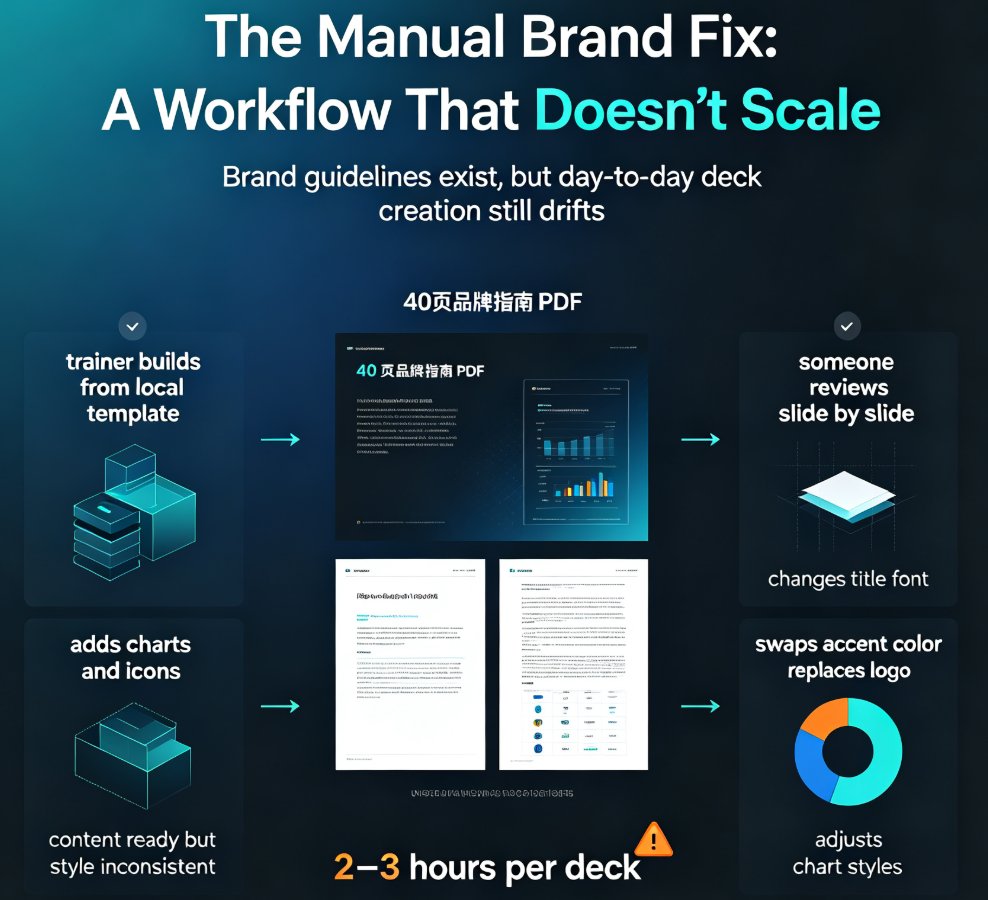
Second, they waste time. Every off-brand slide means manual adjustments. You or your team spend hours fixing colors, swapping fonts, and re-adding logos. That's time you could have spent refining your message or closing the deal.
Third, they create legal and compliance risks. For regulated industries, missing disclaimers or incorrect footer text can be a serious problem. Generic AI templates don't know your legal requirements.
Let's put this in perspective with a quick comparison:
| Aspect | Generic AI Slides | On-Brand AI Slides |
|---|---|---|
| Colors | Random palette from template | Exact brand hex codes |
| Fonts | Default system fonts | Brand-approved typefaces |
| Logo | Only on title slide | Consistent placement on every slide |
| Footer | Missing or generic | Legal disclaimers and contact info |
| Layout | Inconsistent grid | Aligned to slide master |
| Time to fix | 30-60 minutes per deck | 0-5 minutes with brand kit |
The difference isn't just visual—it's operational. Teams that use brand kits report a 40% reduction in presentation production time, according to a 2025 productivity study.
III. How to Fix It Fast: A Step-by-Step Playbook
You don't need to abandon AI tools. You need to teach them your brand. Here's how to do it in five steps.
Step 1: Audit Your Brand Assets
Before you can configure anything, you need a clear inventory. Collect your logo files (SVG, PNG, transparent versions), brand color codes (hex, RGB, CMYK), font files (or names), and any mandatory slide elements like disclaimers or footers. If you don't have a brand guide, create a one-page cheat sheet with your core colors and fonts.
Step 2: Set Up a Brand Kit in Your AI Tool
Most advanced AI presentation tools now offer brand kit functionality. This is a centralized place where you upload your brand assets. Zendeck, for example, lets you create a brand kit in under two minutes. You upload your logo, pick your colors, and select your fonts. The AI then applies these to every slide it generates.
A brand kit is the single most effective way to keep AI slides on-brand. It eliminates the guesswork and ensures consistency across all your decks. If you're using a tool without brand kits, consider switching—or at least create a custom template that you force the AI to use.
Step 3: Import Your Existing Template (If Possible)
Some tools, like Zendeck, allow you to import your existing PowerPoint template. This is a game-changer. You keep your slide master, your exact layout, and your legal footers. The AI generates content that fits into your template, not the other way around. This is the difference between enhancing something existing and starting from scratch.
Step 4: Leverage Asset Libraries
Your brand isn't just colors and fonts—it's also icons, charts, and illustrations. Generic AI tools use stock icons that don't match your style. Zendeck's asset library lets you store your own icons and graphics, so every visual element stays on-brand. You can also reuse your company's existing assets across presentations, saving time and maintaining consistency.
Step 5: Review and Refine (But Only Slightly)
Even with a brand kit, you'll want to do a quick review. Check that the logo appears on every slide, that the colors are exact, and that the footer is correct. With a good setup, this should take less than five minutes. If you're spending more than 10 minutes fixing a deck, your brand kit isn't set up properly.
IV. Tools That Actually Respect Your Brand
Not all AI presentation tools are created equal. Some are designed to work with your brand from day one. Here's what to look for:
- Brand kit support: The ability to upload and save brand assets.
- Custom template import: The option to use your existing PPTX as the base.
- Asset library: A place to store your own icons and graphics.
- Consistency controls: Settings that enforce your brand rules across all slides.
Zendeck checks all these boxes. It's built for teams who need on-brand presentations without the design overhead. You can set up a brand kit once and use it for every deck. The AI respects your template, your colors, and your fonts. And if you need to turn a slide deck into a narrated micro-course, Zendeck's PPT-to-video feature keeps your branding intact.
I've seen marketing agencies use Zendeck to standardize client decks across their entire portfolio. One agency cut their deck production time by 70% while maintaining perfect brand consistency. That's the kind of outcome that makes a difference to your bottom line.
If you're tired of fighting your AI tool to get the brand right, it might be time to switch. Learn how to maintain brand consistency across hundreds of slides with AI brand kits or customize your AI presentation instantly with Zendeck's asset library.
V. Best Practices for On-Brand AI Decks
Even with the right tools, there are a few habits that separate the pros from the amateurs.
1. Always start with a brand kit. Never generate a deck without applying your brand kit first. It's like setting the GPS before you drive—you'll get where you need to go without detours.
2. Use your own templates. If your tool supports template import, use it. Your slide master is the backbone of your brand. Don't let an AI override it.
3. Keep your asset library updated. As your brand evolves, add new icons, logos, and graphics. A stale library leads to stale presentations.
4. Train your team. Make sure everyone who uses AI tools knows how to apply the brand kit. A 10-minute training session can save hours every week.
5. Review with a checklist. Before you hit send, run through a quick checklist: logo on every slide? Colors match? Fonts correct? Footer present? This takes 60 seconds and prevents embarrassing mistakes.
The goal is to make on-brand output the default, not the exception. When your AI tool is configured correctly, you shouldn't have to think about brand consistency—it just happens.
VI. FAQ
Why do AI-generated slides look off-brand?
Most AI presentation tools optimize for generic "professional" aesthetics rather than your specific brand identity. They pull from template libraries designed for broad appeal, ignoring your colors, fonts, logo placement, and slide master configurations. The result is a deck that looks professionally designed but feels foreign to your organization.
How can I fix off-brand AI slides quickly?
The fastest fix is to set up a brand kit in your AI presentation tool. Upload your logo, brand colors, fonts, and any required disclaimers. Then apply that kit to every generated slide. Tools like Zendeck let you save brand kits and reuse them across all decks, ensuring consistency in minutes.
What is a brand kit and why does it matter?
A brand kit is a centralized set of design tokens—colors, typography, logo variations, and layout rules—that define your visual identity. When your AI tool uses a brand kit, it automatically applies these elements to every slide, eliminating the guesswork and keeping your presentations on-brand.
Can I use my existing PowerPoint template with AI tools?
Yes, but only if the tool supports custom template uploads. Many AI tools force you to start from scratch, but Zendeck allows you to import your existing PPTX template and apply it to AI-generated content. This preserves your slide master, fonts, and legal footers.
How does Zendeck help maintain brand consistency across multiple decks?
Zendeck's brand kit feature stores your brand assets in one place. You can apply it to any new presentation with one click, and the AI will generate slides that match your guidelines. It also offers an asset library for icons and charts, so every visual element stays on-brand.
If you're ready to stop settling for close-enough aesthetics, start by setting up your brand kit today. Your future self—and your audience—will thank you.
Looking for more ways to keep your presentations on-brand? Check out our guide on how to create on-brand presentations with Zendeck's template library or 5 ways to reuse your company's brand assets with Zendeck's asset library.