How HR Teams Create Engaging Onboarding Presentations with Zendeck
Let's be honest — building an onboarding deck is rarely the part of HR work anyone looks forward to. You're juggling compliance slides, culture slides, benefits overviews, and a hundred tiny updates from five different departments, all while the new hire's start date creeps closer.
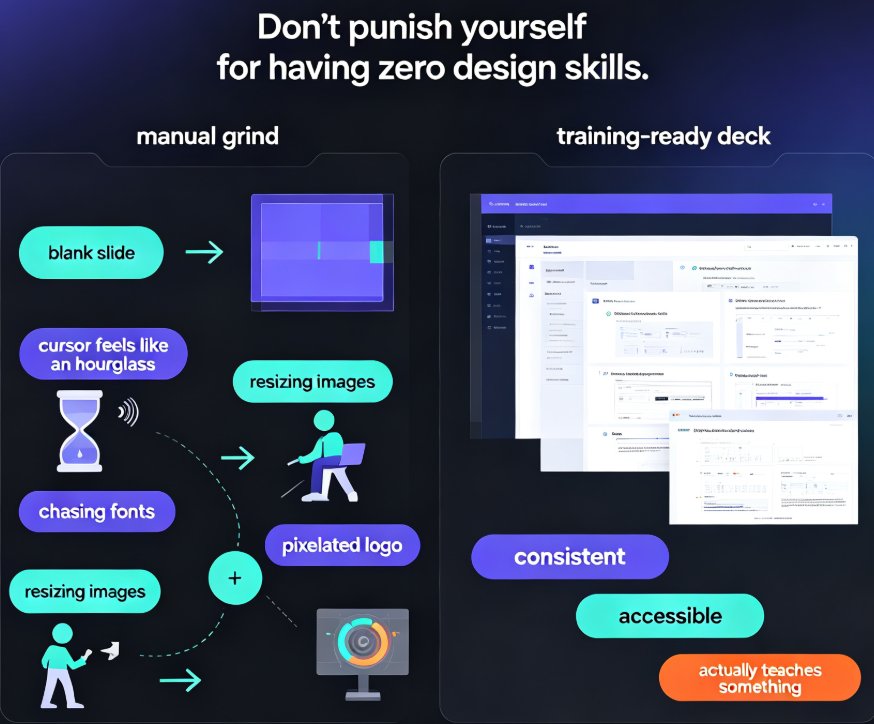
The classic scenario: it's Thursday afternoon, a new cohort starts Monday, and the deck from last quarter is already outdated. Someone volunteers to "just update it," and three hours later they're still fighting with inconsistent fonts and misaligned logos. Sound familiar?
Zendeck changes that workflow. You paste in an outline, pick a template, and the AI generates a structured, on-brand deck in minutes — no design skills required. What used to take a day now takes an afternoon, and the result looks better than most decks HR teams have ever produced internally.
01 Why onboarding decks are the silent time-sink in HR
Onboarding is one of the highest-leverage moments in the employee lifecycle. First impressions shape retention, and the deck is often the first artifact a new hire sees. Yet most HR teams build these decks the same way they did ten years ago: copy-pasting from old files, hunting for the latest org chart, and praying the benefits numbers are current.
The result is a deck that's inconsistent, off-brand, and — let's be real — a little embarrassing when the CEO walks by. The average onboarding deck touches at least six different content sources: HR policies, IT setup, culture slides, benefits, team introductions, and compliance training. Keeping all of those aligned manually is a recipe for errors.
This is exactly where AI presentation tools earn their keep. Instead of starting from a blank slide, you start from an outline — the thing you actually know how to write — and let the tool handle layout, hierarchy, and visual consistency.
02 What Zendeck does differently for non-designers
Zendeck isn't another template site. It's an AI-powered content creation platform built for people who don't think in pixels. You upload a Word outline or paste Markdown, and the platform generates structured, visually consistent slides with smart layouts.
Three things matter most for HR teams:
1. One-click reskinning. You pick a template once, and Zendeck unifies fonts, colors, and layout across every slide. No more orphaned slides that look like they came from three different decks.
2. The template library. Premium templates are organized around real use cases — training, orientation, compliance — not just "pretty backgrounds." This matters because onboarding decks have a specific rhythm: welcome, logistics, culture, policies, action items. If you want a deeper look at how templates are evolving, check out how AI templates now adapt to industry, audience, and tone.
3. PPT-to-video. When you need a self-paced version for remote hires, Zendeck turns static slides into narrated micro-courses. That's a huge win for distributed teams.
The core promise is simple: anyone without design skills can produce a deck that looks professionally designed. That's not a marketing line — it's the difference between a tool that requires you to become a designer and one that removes design from the equation entirely.
03 A practical workflow: from outline to onboarding deck in four steps
Let's walk through a realistic scenario. You're an HR generalist at a 200-person company. A new cohort of five starts Monday.
Step 1: Write the outline. Open your existing onboarding doc, strip it down to headings and bullet points, and paste it into Zendeck. If you don't have a doc, write a rough outline — the AI will expand it.
Step 2: Pick a template. Zendeck's library has options for corporate training and orientation. If you're unsure, the platform's AI deck template selection will match the right look to your content and audience.
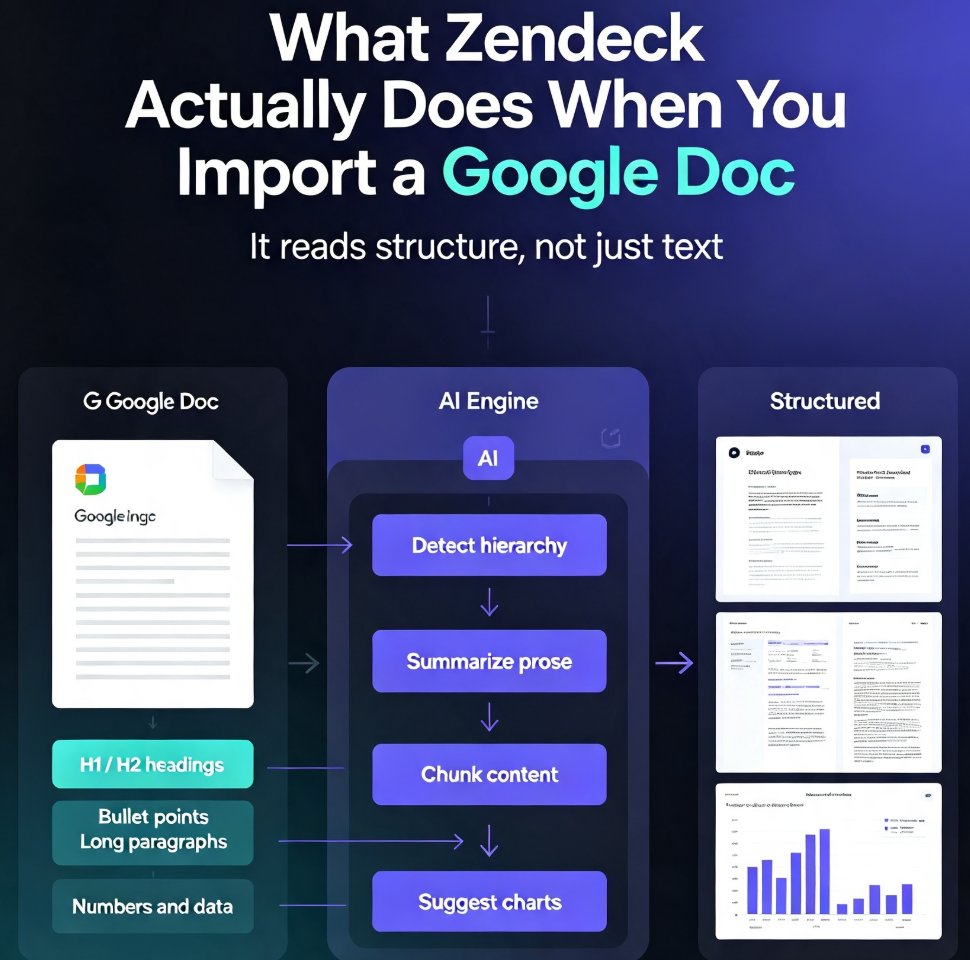
Step 3: Generate and review. The AI produces a full deck in minutes. This is where you add your judgment — fix the org chart, update benefits numbers, adjust tone. The AI handles layout; you handle accuracy.
Step 4: Polish and share. Use the asset library for icons and charts, add speaker notes if you're presenting live, and share the link. For remote cohorts, add narration and turn it into a video.
The whole loop — outline to finished deck — takes under an hour for most HR teams. Compare that to the half-day copy-paste marathon you're used to.
04 Real scenarios: where this actually saves you
Scenario A: New hire orientation. Five slides covering welcome, day-one logistics, and team structure. With Zendeck, you generate this in 20 minutes, then spend another 20 making it feel personal — adding a photo of the team, a welcome note from the manager.
Scenario B: Compliance training. This is the deck nobody wants to build but everyone needs. Compliance content is dense and dry. Zendeck's smart layouts break it into digestible sections, and the AI-generated speaker notes help whoever presents it sound prepared rather than reading from slides.
Scenario C: Manager onboarding. New managers need a different deck — culture expectations, team-building resources, performance review timelines. Because Zendeck generates from an outline, you can create a manager-specific version without duplicating the general one.
Scenario D: Self-paced remote onboarding. For distributed teams, turn the deck into a narrated micro-course. New hires watch it on their own schedule, and you don't have to run the same session four times. This is part of a broader shift where AI-generated video decks are replacing traditional corporate training.
05 The before-and-after: what changes when HR stops hand-building decks
Here's a comparison table that sums up the shift:
| Aspect | Traditional approach | Zendeck-assisted |
|---|---|---|
| Time to first draft | 3-6 hours of copy-paste | 15-30 minutes from outline |
| Design consistency | Inconsistent, depends on who built it | Uniform via one-click reskin |
| Brand compliance | Manual, easy to miss | Enforced by templates and brand kit |
| Updates for next cohort | Re-edit the old deck | Regenerate from updated outline |
| Remote-friendly version | Separate video project | Built-in PPT-to-video |
| Design skills required | Yes, or a designer's help | None |
The most underrated benefit is repeatability. Onboarding isn't a one-time project — it happens every month, every quarter, for every new hire. A workflow that takes 30 minutes instead of 4 hours compounds quickly. Over a year, that's dozens of hours returned to your team.
06 Common mistakes (and how to avoid them)
Even with AI, onboarding decks can go sideways. Here are the traps I've seen HR teams fall into:
Mistake 1: Treating the AI output as final. The AI gives you structure and design, not the final word on your company's policies. Always review numbers, dates, and names before sharing. Here's a rundown of common AI presentation mistakes and how to fix them.
Mistake 2: Skipping the brand kit. If your company has brand colors and fonts, set them up once in Zendeck. Otherwise every deck is a slightly different shade of "corporate." A custom brand kit keeps every deck on-message.
Mistake 3: Overloading slides. Just because the AI can generate 40 slides doesn't mean it should. Keep the core orientation deck tight — you can always link out to deeper resources.
Mistake 4: Ignoring accessibility. Onboarding decks should be readable by everyone. Accessible AI presentations are becoming the norm, and it's worth checking contrast and text alternatives before you publish.
FAQ
Q: Do I need design skills to use Zendeck for onboarding decks? A: No. Zendeck is built for non-designers. You provide the outline and content; the AI handles layout, typography, and visual consistency. One-click reskinning keeps everything uniform.
Q: How long does it take to create an onboarding presentation with Zendeck? A: Most HR teams go from outline to a polished first draft in 15-30 minutes. The exact time depends on how much content you have and how much personalization you add afterward.
Q: Can Zendeck turn an onboarding deck into a video for remote hires? A: Yes. Zendeck's PPT-to-video feature converts static slides into narrated micro-courses, which is ideal for self-paced onboarding of distributed teams.
Q: How do I keep onboarding decks on-brand? A: Set up a custom brand kit in Zendeck with your company's colors and fonts. Every generated deck will then follow those rules automatically, so you don't have to manually adjust each slide.
Q: What types of onboarding content work best with Zendeck? A: Orientation decks, compliance training, manager onboarding, benefits overviews, and culture slides all work well. Any content you can express as an outline can be turned into a structured deck.