10 Best Zendeck Templates for Corporate Training Decks in 2026
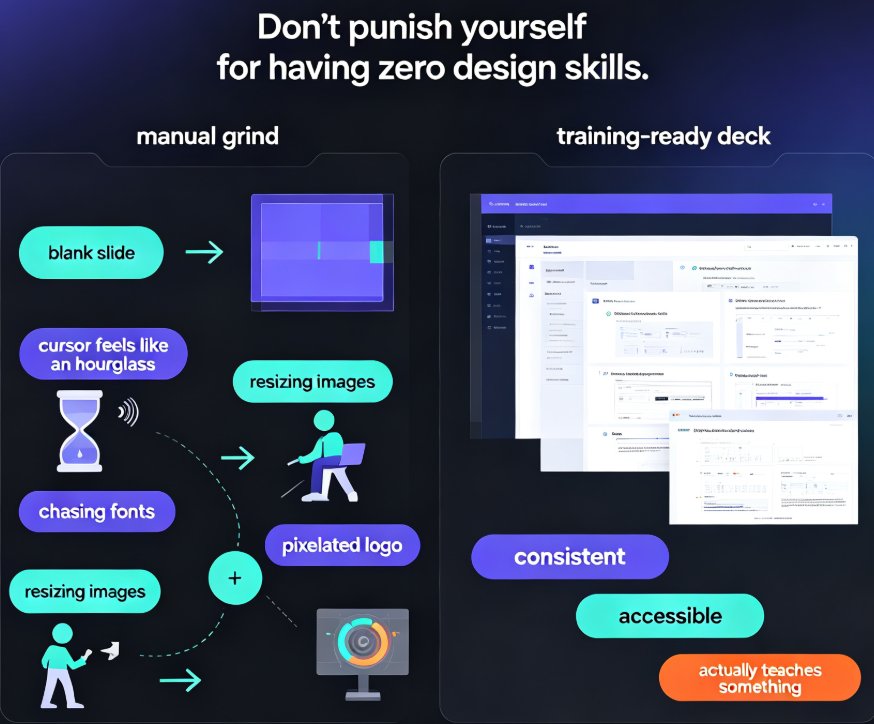
Let’s be real: building a solid corporate training deck from scratch is a grind. You open PowerPoint, stare at a blank slide, and suddenly the cursor feels like an hourglass. Then you spend another afternoon chasing fonts, resizing images, and praying the team logo doesn’t look like a pixelated potato. And don’t get me started on onboarding decks—you end up reusing the same 2019 deck with outdated screenshots and a vibe that whispers “legend has it this template was built in PowerPoint 2003.”
That’s exactly why I recommend Zendeck’s template library for anything training-related. It’s not just a pile of pretty slides; it’s a set of scenario-specific, brand-governed decks that you can mold in minutes. In 2026, the bar isn’t “make it look decent.” It’s “make it consistent, accessible, and actually teach something.” Zendeck’s templates nail that — and the best part is, they don’t punish you for having zero design skills.
01. Why your training deck deserves a purpose-built template
Think about the last training session you attended. Was it the one with 60 slides of dense bullet points, the presenter reading verbatim, and a font size that would make an eagle squint? Probably yes. Most corporate training fails because it treats a presentation like a document dump. You’re not just transmitting information; you’re guiding adults through a learning experience. That means you need visual hierarchy, clear sequencing, and a design that doesn’t fight the content.
Here’s the kicker: when you start from a generic template, you’re automatically fighting two battles — content and design. If you use a template that was built for a board meeting, it’s going to feel stiff for an interactive workshop. Purpose-built templates solve that. They come with layouts that match how adults learn: short bursts of information, scenarios, quizzes, and room for discussion.
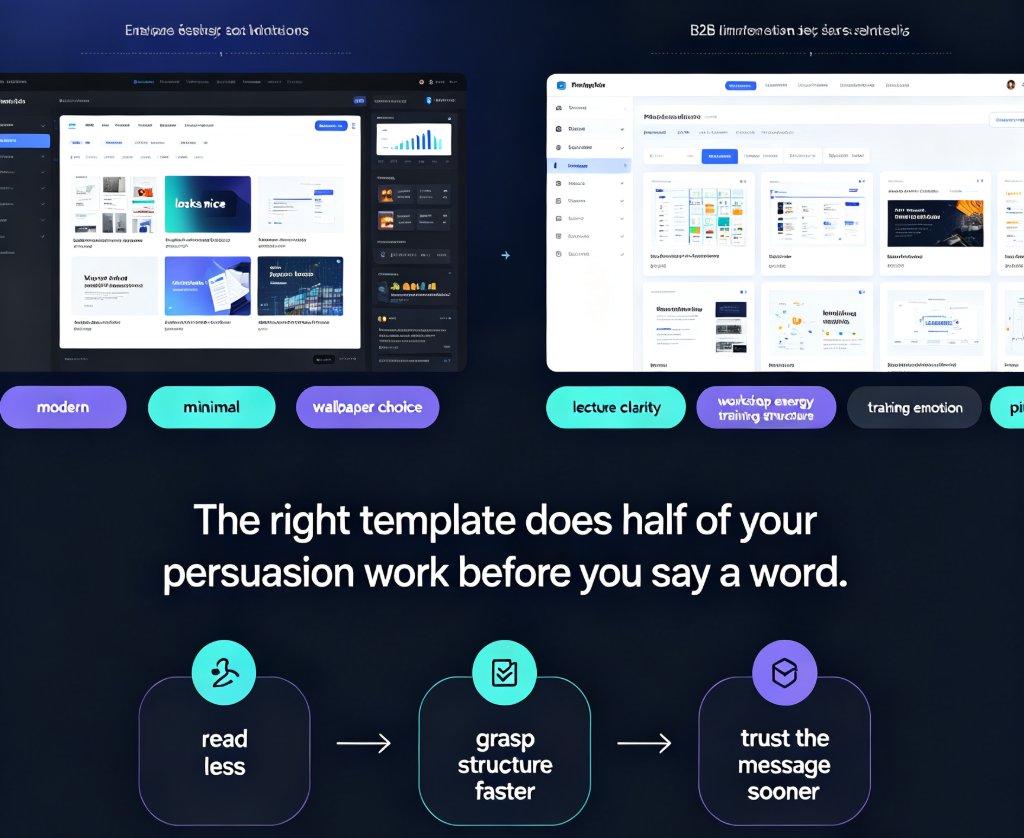
The single biggest time-saver in 2026 is using a template that was designed for its actual purpose — not a jack-of-all-trades deck. Zendeck’s library is organized by scenario, not just by color scheme. You’ll find onboarding, compliance, sales, and product training templates that already have the right structure. You just swap in your content.
02. How to pick the right template for your training scenario
Before you dive into the list, here’s a mental framework. Every training deck has three layers: the audience, the goal, and the environment. Are you presenting live to a room of sales reps, or are you sending a self-paced micro-course to remote employees? Do you need quizzes and checkpoints, or is this a one-hour overview? Zendeck’s templates handle both, but you need to choose based on the learning outcome.
| Template | Best For | Key Features | Customization Tip |
|---|---|---|---|
| Onboarding Accelerator | New hire orientation | Role-based milestones, org chart, culture slides | Import your Word outline; let Zendeck auto-map content to slides |
| Leadership Development | Manager training | Case studies, decision frameworks | Use smart layout to add a flow diagram for a 5-step decision model |
| Compliance Pro | AML, labor laws, data privacy | Regulatory checkpoints, audit-friendly quiz slides | Add a poll “What would you do?” to spark debate |
| Sales Enablement | Product demos, objection handling | Before/after charts, pricing tables | Reskin to your brand colors and embed a screen recording |
| Product Training | SaaS onboarding | Feature spotlight slides, user story formats | Use the asset library to add UI mockups or icons |
| Diversity & Inclusion | DEI workshops | Discussion prompts, scenario cards | Turn into a micro-course with voiceover for remote teams |
| Software Training | Tool/simulator walkthroughs | Step-by-step screens with callouts | Use alt-text auto-generation to make it accessible |
| Customer Onboarding | Client kickoff calls | Value map, success metrics | Link to your case study PDF from the deck |
| Health & Safety | Mandatory annual training | Emergency protocols, checklist slides | Add a knowledge check quiz and track completion |
| Team Building | Offsite/retreat sessions | Icebreakers, activity grids | Convert to a video deck with background music via PPT-to-video |
If you’re not sure which template fits, start with the audience and goal list above — it’ll narrow your choices in under 30 seconds. That’s the whole point of a curated library: fewer options, better fit.
03. Deep dive: Five templates that’ll make your training sing
I don’t want to just hand you a list; I want you to feel like you’ve already used these. Let’s walk through five of the ten templates and talk shop — the pain point, the fix, and what happens after.
03.1 Onboarding Accelerator
Pain point: New hires get a 40-slide deck that’s a wall of text about company policy. They tune out by slide 5.
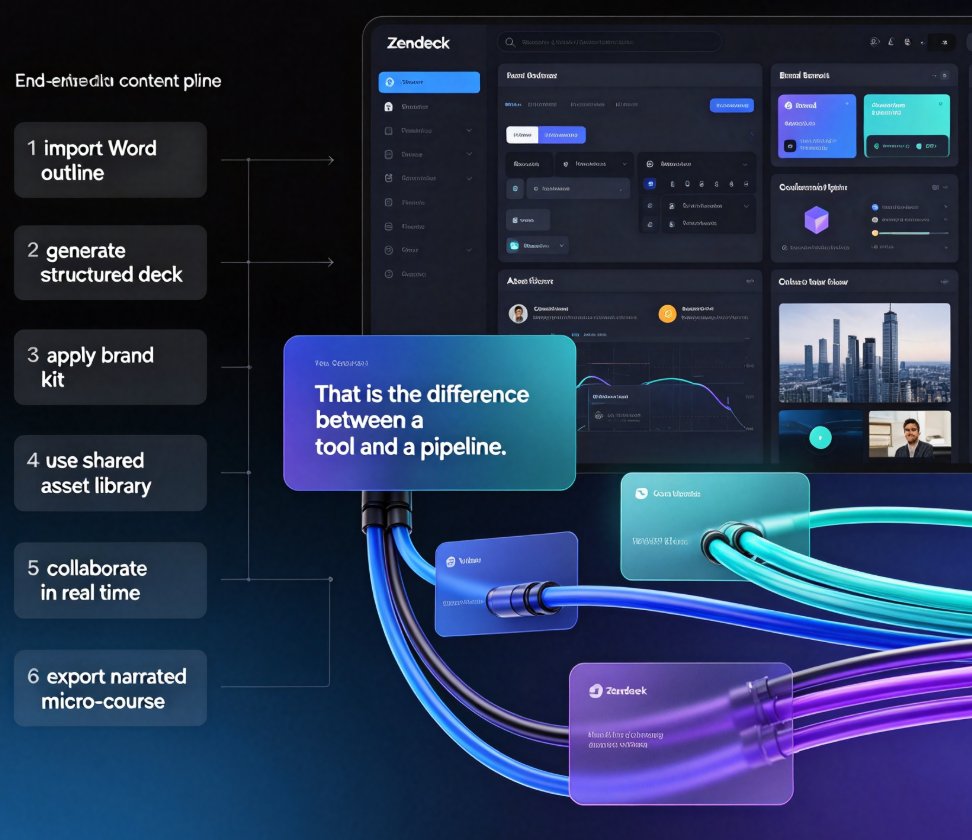
The fix: This template breaks onboarding into bite-sized modules: role expectations, team structure, company culture, and quick wins. Each module has a clear call-to-action — like “book a 1:1 with your mentor” or “complete this quiz.” You can paste your Word outline into Zendeck and the design engine maps it to these modules automatically.
Outcome: I’ve seen teams cut onboarding prep time by half, and new hires actually recall the mission statement. Plus, the org chart slide is interactive — click on a role to see responsibilities.
03.2 Leadership Development
Pain point: Manager training often uses the same generic slide as a sales deck. No case studies, no decision frameworks, just “be a good leader.”
The fix: This template includes pre-built decision-tree diagrams and space for real-world case studies. You can drag in a flow chart from Zendeck’s asset library to illustrate the “coach vs. command” framework. The smart layout will even suggest a sidebar with key takeaways.
Outcome: One HR director I know runs a hybrid live/video version: she presents live, then uses the PPT-to-video feature to send a narrated deck to remote staff. The leadership framework finally sticks.
03.3 Compliance Pro
Pain point: Compliance decks are mandatory, soul-crushingly boring, and often non-compliant themselves (good luck finding a source citation on that hidden slide).
The fix: This template automatically structures content into sections: regulation, scenario, and consequence. Each section has a built-in quiz slide where you can add a multiple-choice question. Zendeck’s AI will even generate a plausible quiz question from your text — you just tweak it.
Outcome: Trainers report higher completion rates because the flow feels like a game, not a lecture. And because the deck exports cleanly to PDF, you get an audit trail.
03.4 Sales Enablement
Pain point: Your sales reps need to learn objection handling, but the deck is just a list of “Top 10 Objections.” No context, no visual punch.
The fix: The Sales Enablement template has before/after comparison slides, a pricing breakdown table, and even a role-play script page. You can embed a short demo video directly onto a slide, and Zendeck will keep the aspect ratio consistent.
Outcome: When reps finally practice with live role-plays, they’re not fumbling through a flow chart — they’re reacting to a scenario they’ve already seen visually. Win.
03.5 Health & Safety
Pain point: Annual safety training is the worst offender for “I’ll just click through it.” Employees skip videos, ignore text, and leave the certificate to auto-expire.
The fix: The Health & Safety template forces you into small, digestible sections: hazard identification, emergency response, and scenario-based decision trees. Add a poll at the end using Zendeck’s interactive quiz feature, and you can see real-time understanding.
Outcome: One logistics company saw a 40% increase in quiz pass rates when they switched to this template. It’s not magic — it’s just good instructional design baked into the layout.
04. The other five: quick wins for specialized training
Don’t worry, I haven’t forgotten the rest. Here’s a rapid-fire look at the remaining templates:
- Product Training: Use the “Feature Spotlight” slide to showcase one feature per slide. Pair with alt-text so screen readers can describe your UI mockups. Link to this guide on adding alt-text for more.
- Diversity & Inclusion: The scenario cards make for great breakout sessions. Zendeck’s AI can suggest facilitation questions from your outline. Convert to a video deck for asynchronous learning — see how to add voiceover.
- Software Training: The step-by-step layout with numbered callouts is perfect for walkthroughs. Use Zendeck’s asset library to drop in tool icons. To make it accessible, follow these WCAG tips.
- Customer Onboarding: This template focuses on value mapping. Add a chart showing ROI with the interactive chart feature. It’s a great way to keep clients engaged from day one.
- Team Building: Use the activity grids and icebreaker slides for your offsite. If you record the session, you can turn the deck into a recap video with Zendeck’s PPT-to-video.
The key is not to overthink it. Pick the template that matches the learning environment — live, hybrid, or self-paced — and then let Zendeck’s automation handle the rest.
05. How to customize any Zendeck template in three clicks
You’ve got your template. Now what? The golden rule: never fight the design. Zendeck’s one-click reskin handles the brand, and the smart layout rearranges content as you type. Here’s a workflow that works:
- Start with your outline. Paste a Word document or Markdown into Zendeck. The AI will map your headings to the template’s section types.
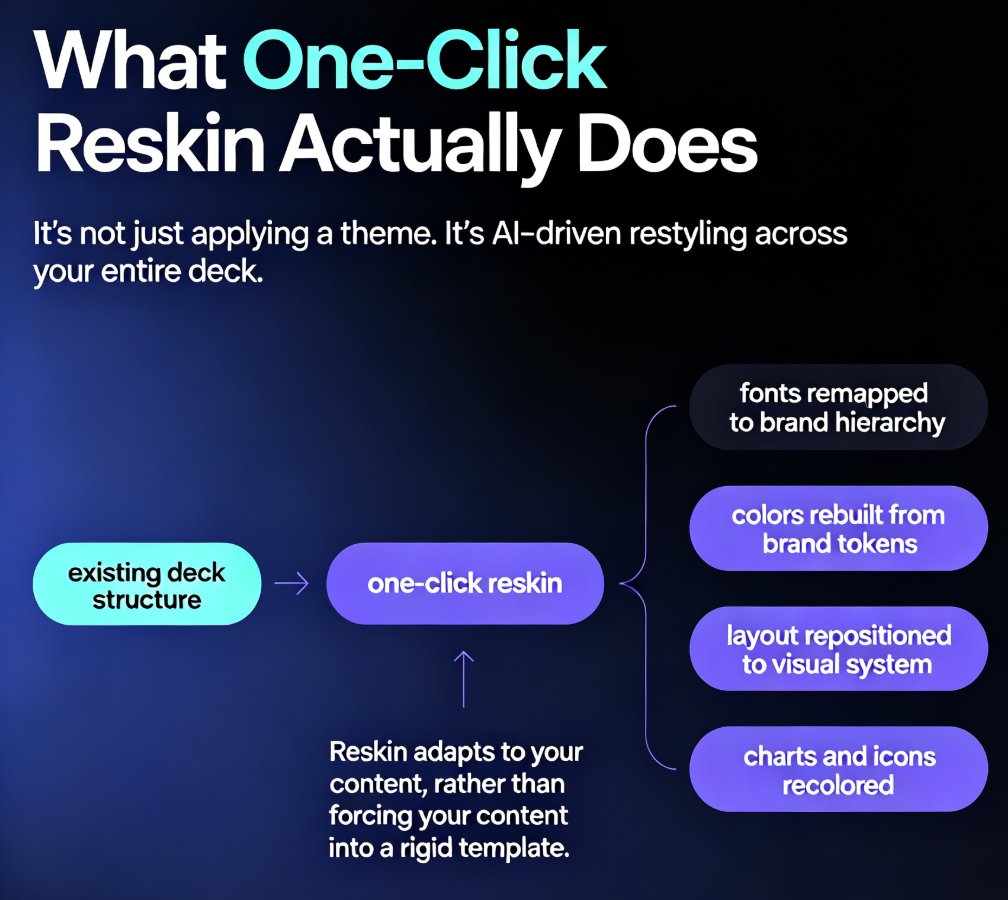
- Reskin on the fly. Click the brand kit icon to apply your logos, fonts, and colors. Zendeck uses AI to choose complementary palettes if you haven’t set one—check out this guide on brand kits.
- Tweak the earn. Want a different chart? Drag in a new one from the asset library. Need to add a quiz? Use the interactive slide builder. No code, no design degree.
A template is only as good as its execution, but Zendeck makes the execution feel like cheating. If you’re still manually resizing boxes, you’re doing it wrong.
06. Why 2026 templates are smarter than your old deck
In the past, a “template” was a static .potx file you copied and prayed wouldn’t break. In 2026, templates have become context-aware — they adapt to your content, your brand, and even your audience. Zendeck’s AI doesn’t just place text; it considers slide balance, typography hierarchy, and readability. That’s a massive step up from the days of “click paste, hope it fits.”
According to a slide industry trend, the biggest shift is toward scenario-based templates — meaning each template is built for a specific use case, not just a color scheme. That’s exactly what we’re seeing with the 2026 Zendeck library, and it’s changing how L&D teams work. They’re not carving out an hour to design a deck; they’re spending 15 minutes to fill in a purpose-built shell.
07. Table: All 10 templates at a glance
For a quick reference, here’s the full table again with one-line use cases. Bookmark it for next time you need to build training material.
| Template | Scenario | Best For |
|---|---|---|
| Onboarding Accelerator | New hire orientation | HR managers |
| Leadership Development | Manager training | L&D leads |
| Compliance Pro | Regulatory training | Compliance officers |
| Sales Enablement | Sales workshops | Sales managers |
| Product Training | SaaS onboarding | Product marketers |
| Diversity & Inclusion | DEI workshops | HR/DEI leads |
| Software Training | Tool walkthroughs | IT trainers |
| Customer Onboarding | Client kickoff | Customer success |
| Health & Safety | Annual safety | EHS teams |
| Team Building | Offsite retreats | People ops |
08. Final tip: Don’t forget the “show, don’t tell” rule
One of the biggest mistakes trainers make is dumping all their knowledge onto slides and then narrating. Use the template’s slide notes to keep your story straight, but let the visuals carry the weight. Zendeck’s speaker notes feature can auto-generate a script from your slide text — check this article on AI speaker notes. That way, you can focus on delivery, not on reading.
In 2026, the best training decks are fast to produce, on-brand, and genuinely educational. With Zendeck’s curated templates, you’re not just saving time — you’re raising the quality of your training without raising your heart rate.
FAQ
Which Zendeck template is best for onboarding new employees? The Onboarding Accelerator template is your go-to. It includes a visual org chart, role-specific milestones, and a smooth flow for company culture. You can import your existing Word outline and Zendeck will match the layout to your brand kit automatically. Pair it with the PPT-to-video feature to create a self-paced welcome video.
Can I customize these templates without design skills? Absolutely. Every template in Zendeck supports one-click reskinning: change fonts, colors, and logos instantly to match your brand. You can also use the smart layout engine to rearrange content blocks, add icons and charts from the asset library, and even inject your own images. No design experience needed.
Do these templates work for compliance training? Yes. The Compliance Pro template covers AML, labor laws, and data privacy scenarios with clear sections for regulations, case studies, and quizzes. Zendeck lets you add interactive quizzes and polls, and you can export a completion report to track learner progress—critical for audit trails.
How do I convert a training deck into a micro-course? Use Zendeck's PPT-to-video feature. After finishing your deck, click 'Convert to Video,' choose a digital human or voiceover, and Zendeck auto-generates subtitles and narration. This is perfect for self-paced micro-learning or sharing via your LMS.
Are Zendeck templates optimized for accessible presentations? Many of the corporate training templates come with built-in accessibility best practices, like proper contrast and alt-text placeholders. Zendeck also auto-generates alt text for images and supports closed captions in videos, so you can meet WCAG standards without extra work.