Memory-Rich AI: Personalize Courseware & Presentations in 2026
Memory-Rich AI: The 2026 Shift That Finally Personalizes Your Courseware and Presentations
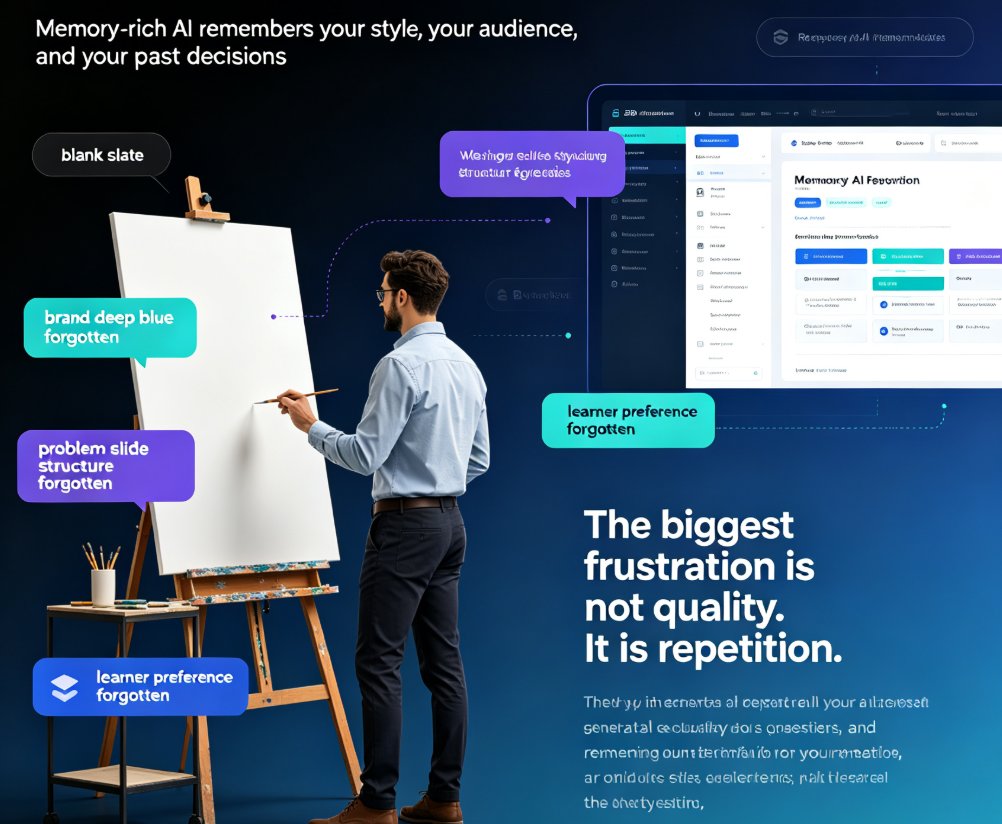
You know the feeling. You open your presentation tool, and it's like meeting a stranger. The AI doesn't remember that you always use your brand's deep blue, that your last three decks all started with a problem slide, or that your learners prefer concrete examples over abstract theory. So you redo it all—every. single. time.
That's about to become a relic. In 2026, memory-rich AI is changing how courseware and presentations get built. Instead of a blank slate, your AI remembers you. Your style. Your audience. Your past decisions.
This article breaks down what memory-rich AI actually means for educators, trainers, and teams—and how a tool like Zendeck turns that memory into decks that feel like you made them.
01 | The Pain: Every Session Starts from Zero
Let's be real: the biggest frustration with AI presentation tools isn't quality—it's repetition. You tell the AI you prefer concise bullet points. You explain that your audience is C-level executives. You show it your brand palette. Then you close the tab.
Next session? Blank slate. You explain it all again.
That's what stateless AI looks like from the user's side. According to Supermemory's analysis of AI memory systems, "AI systems lose user context after every session, forcing users to repeat preferences constantly." This isn't a minor annoyance—it's a productivity killer.
For educators building courseware, the cost is even higher. You're not just reformatting slides; you're re-establishing pedagogical context. How do your learners prefer to absorb information? What prior knowledge are you building on? What examples landed well last semester?
The outcome: wasted hours, inconsistent branding, and courseware that doesn't evolve.
02 | What Memory-Rich AI Actually Is
Memory-rich AI is a system that stores user preferences and context, then retrieves them to inform future interactions. It's the difference between a tool and something that feels like it knows you.
Here's the core flow, based on how modern AI memory systems are architected:
- Embed and store: When you share a preference ("I prefer short, actionable takeaways"), that text gets embedded into a high-dimensional vector and stored with metadata like user ID and timestamp.
- Retrieve on demand: On each new session, your query is embedded and run through a similarity search to pull the most relevant memories.
- Inject into context: Retrieved memories are injected into the system prompt before the AI generates a response.
But here's where most implementations break down. Supermemory notes that "naive top-k search returns semantically close but contextually irrelevant memories." You need filtering by recency, relevance thresholds, and user scope combined.
Memory isn't just storage—it's smart retrieval. That's what separates a genuinely personalized experience from a gimmick.
03 | Why Memory Changes Learner Engagement
When your AI remembers, the experience transforms. Content Science Review frames this as "Memory-Rich AI"—systems that remember past decisions, constraints, and outcomes. Their findings point to three major benefits:
- Greater efficiency and accuracy: Less rework, better decision quality.
- Personalization at scale: Experiences evolve over time instead of resetting.
- Stronger trust and adoption: Users perceive AI that learns as more reliable and credible.
For courseware specifically, the impact is tangible. Imagine an AI that remembers each learner's progress, their preferred learning style, and the examples that clicked for them. Now imagine it adapting the next module's tone and difficulty accordingly.
This is the difference between content that's consumed and content that's retained.
04 | The Cognitive Load Argument for Personalization
Why does personalization matter for retention? It comes down to cognitive load theory. When learners encounter content that feels generic, their brains work harder to connect it to what they already know. When content feels tailored—when it references familiar examples and builds on prior knowledge—the load drops, and comprehension spikes.
Memory-rich AI reduces cognitive load by:
- Eliminating redundant explanations of concepts the learner already knows
- Adjusting complexity based on past performance
- Using examples that resonate with the learner's context
Personalization isn't just nice-to-have; it's a retention strategy. And in 2026, tools that remember are the ones making that possible.
05 | Stateless vs. Memory-Rich: A Side-by-Side Look
Let's put the difference in plain numbers. Here's a comparison of what you experience with a stateless AI tool versus a memory-rich one:
| Action | Stateless AI | Memory-Rich AI | Time Saved / Session |
|---|---|---|---|
| Setting up brand colors & fonts | Re-enter every time | Automatically applied | 5-8 min |
| Explaining audience type | Repeated each new deck | Recalled from history | 3-5 min |
| Adjusting content tone | Re-specify per project | Adapted from past feedback | 4-6 min |
| Re-structuring the outline | Start from scratch | Builds on previous structure | 6-10 min |
| Learner follow-ups | Generic check-ins | Personalized to each learner | 5-7 min |
| Total time saved per session | — | — | 23-36 minutes |
Now let's visualize how personalization improves with each session—because that's the real power of memory.
06 | The Architecture Behind Persistent Memory
Building memory-rich AI isn't simple. It requires a hybrid architecture. Supermemory highlights the components:
- Vector RAG for semantic search across stored preferences
- Graph databases for relationship mapping (e.g., linking a user's brand preferences to their audience types)
- Asynchronous profile storage so memory building doesn't block responses
- Compliance from day one: GDPR, data encryption, user deletion rights
This isn't just technical sophistication—it's user experience. When retrieval is fast (think sub-300ms) and relevant, the AI feels prescient. When it's slow or off-target, it feels like a gimmick.
The lesson? Great memory is invisible. It only shows up in the result.
07 | Privacy and Trust: The Non-Negotiable Layer
Memory-rich AI is powerful, but it's also sensitive. Your preferences, your audience data, your learners' progress—that's personal. Every memory system must handle:
- GDPR compliance for user data
- Encryption at rest and in transit
- User deletion rights (the "forget me" button)
In 2026, trust is a competitive advantage. Tools that remember you—but respect your boundaries—win. Tools that store everything indiscriminately lose.
Memory without trust isn't personalization; it's surveillance.
The good news? The best tools are building privacy in from the start, not as an afterthought.
08 | How Zendeck Applies Memory to Presentations and Courseware
Now let's talk about what this looks like in practice. Zendeck has been building memory-rich capabilities into its AI presentation platform—and the results matter for educators and teams.
At its core, Zendeck's AI remembers:
- Your brand kit: colors, fonts, and layout preferences that get applied automatically to every deck
- Your audience context: whether you're presenting to executives, trainees, or students, the AI adjusts tone and content accordingly
- Your content patterns: how you structure outlines, which visuals you favor, what hooks you use
This means when you start a new deck, you're not starting from zero. You're starting from everything you've already taught the AI. That's the difference between a tool and a partner.
For courseware specifically, this gets interesting. The same AI that remembers your brand can also remember your learners' needs—allowing you to quickly adapt existing content for different cohorts without rebuilding from scratch.
09 | Practical Steps to Leverage Memory-Rich AI
Ready to make the shift? Here's how to get the most from memory-rich AI tools:
1. Be explicit early. The more you tell your AI about your preferences upfront, the faster it learns. Don't wait until session five to mention you hate bullet points.
2. Feed it your history. If your tool allows importing past decks or outlines, do it. More data means more accurate memory.
3. Correct it when it's wrong. Memory only works if you correct the retrievals. The more feedback you give, the smarter it gets.
4. Check the privacy settings. Understand what's being stored and how long. You should have control.
5. Build it into your workflow. Use the same tool across projects so the memory compounds. Switching tools resets your memory.
10 | The 2026 Takeaway: Personalization Is Now a Default, Not a Premium
Here's the bottom line. In 2026, personalization is no longer a luxury—it's the baseline. Learners expect content that meets them where they are. Teams expect tools that don't make them repeat themselves. And AI that forgets? It's becoming as outdated as a fax machine.
Memory-rich AI closes the loop: the more you use it, the better it gets. The second session is better than the first. The tenth is dramatically better than the second. This is the compounding return on personalization.
If you've been tolerating blank-slate AI out of habit, it's time to reconsider. Whether you're building courseware for a classroom or a pitch deck for investors, tools that remember are the ones that'll earn your loyalty.
So take an honest look at how your current tool handles your context. Is it meeting you where you are—or making you start over every time? The answer might just change how you work.
FAQ
What is memory-rich AI in the context of presentation tools?
Memory-rich AI refers to AI systems that store and retrieve user preferences, past decisions, and context across sessions. In presentation tools, this means the AI remembers your brand style, frequently used layouts, audience preferences, and even past feedback—so every new deck starts from what it already knows about you, instead of from a blank slate.
How does memory-rich AI improve learner engagement in courseware?
By remembering each learner's progress, learning style, and preferences, memory-rich AI can adapt content difficulty, examples, and pacing. This reduces cognitive overload and repetition, keeping learners in their optimal zone. Research from Content Science Review shows that AI systems that remember context and demonstrate learning are perceived as more reliable, credible, and useful—which directly translates to higher engagement.
What are the key architectural components of memory-rich AI?
The core components are: 1) A vector embedding layer that converts user preferences into searchable representations; 2) A hybrid retrieval system using vector RAG for semantic search plus graph databases for relationship mapping; 3) Asynchronous profile storage so memory building doesn't block responses; and 4) Compliance features like GDPR support, data encryption, and user deletion rights.
How does Zendeck use memory for personalized presentations?
Zendeck's AI remembers your brand kit—colors, fonts, and layout preferences—and applies them automatically to every new deck. It also tracks your audience types and past content decisions, so the generated slides match your style from the first draft. The result is consistent, on-brand presentations with minimal manual adjustment.
What are the main challenges in implementing AI memory?
The biggest challenge is retrieval relevance. Naive top-k search often returns semantically close but contextually irrelevant memories. You need filtering by recency, relevance score thresholds, and user scope combined. Additionally, you must handle data privacy compliance, encryption, and user deletion rights from day one—memory is powerful, but only if trust is maintained.
Sources: Supermemory (May 2026) on AI memory architecture; Content Science Review on memory-rich AI benefits.