One-Click Reskin: How Zendeck Rebrands Your Entire Deck Library
You just got the email every brand team dreads: "We're rolling out a new corporate identity next month. We need every deck updated."
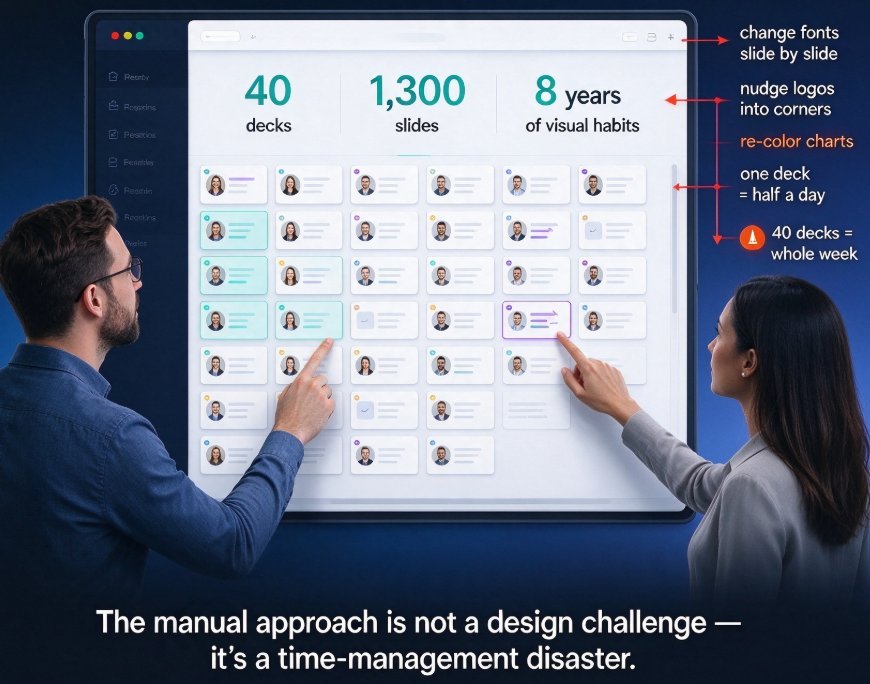
And suddenly your slide library — 40 decks, 1,300 slides, eight years of visual habits — becomes one giant formatting headache. You can almost feel the freeway of manual work: changing fonts slide by slide, nudging logos into corners, re-coloring charts until your eyes cross. One deck can eat half a day. Forty decks? That's your whole week.
Let's be real: the manual approach to rebranding a presentation library is not a design challenge. It's a time-management disaster. But here's the shift that changes the game.
01 What Is a "Reskin" — And Why It's Not Just a Template Swap
Before we dig in, let's clear up what one-click reskin actually does. It's more than choosing a new template and calling it a day.
A reskin is the automated process of reapplying an entire brand system — typography, color palette, slide master, layout structures, graphic motifs — across every slide in a deck, while leaving your content untouched.
The difference from a basic template change is important:
| Template swap | Reskin | |
|---|---|---|
| What changes | Background + fonts | Full brand system: colors, fonts, layouts, graphic elements |
| Layout adjust | Manual repositioning | Adaptive — content blocks reflow into new layouts automatically |
| Brand fidelity | Low — often breaks on slide 3 | High — governed by your saved brand kit |
| Time per 50-slide deck | 1–2 hours | Under 60 seconds |
| Risk of inconsistency | Medium | Low — uniform by design |
What separates a true reskin from a cheap template swap is the smart layout engine. A template just replaces the background; a reskin reads your content, reflows titles, bullets, images, and charts to fit the new layout system, and applies your exact brand colors throughout. It's the difference between painting a house and rebuilding the façade so every room matches.
02 Which Teams Hit the Brand Wall Hardest
You might think this is only a corporate problem. It's not.
Marketing teams feel it when they repurpose a product launch deck into a sales pitch, a webinar, and a social media one-pager — all in the same brand language.
L&D and training teams feel it when courseware from different authors has to be unified into one corporate visual identity.
Educators feel it when a semester's worth of lectures has to be redesigned for a new institutional template.
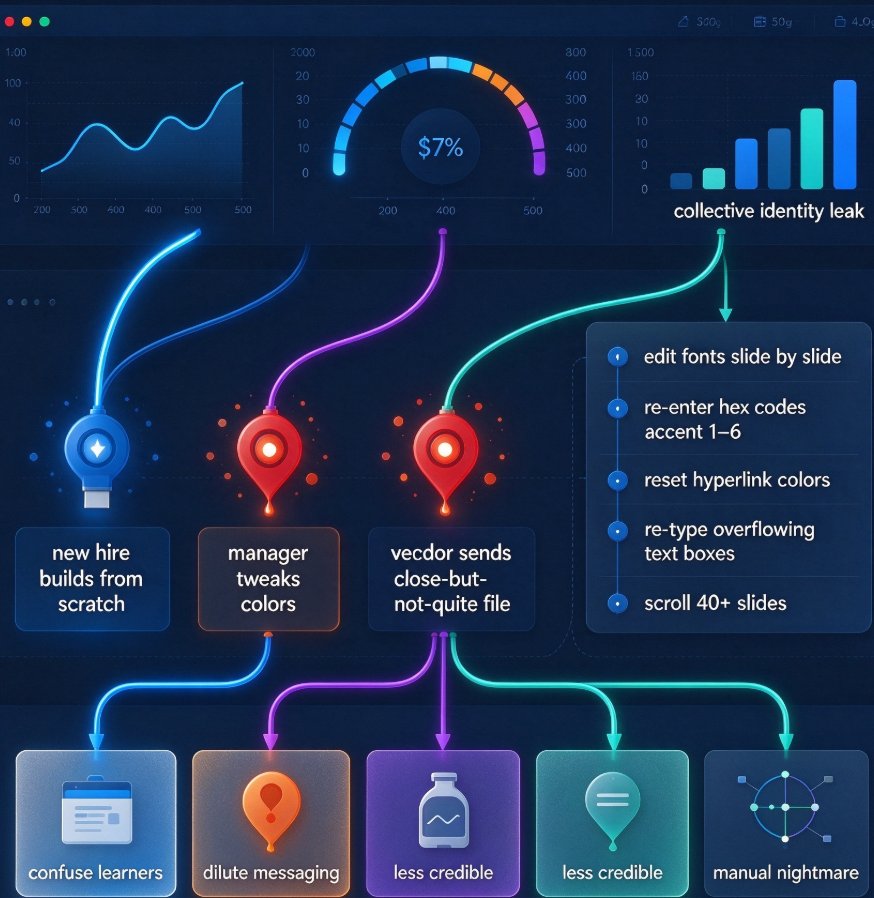
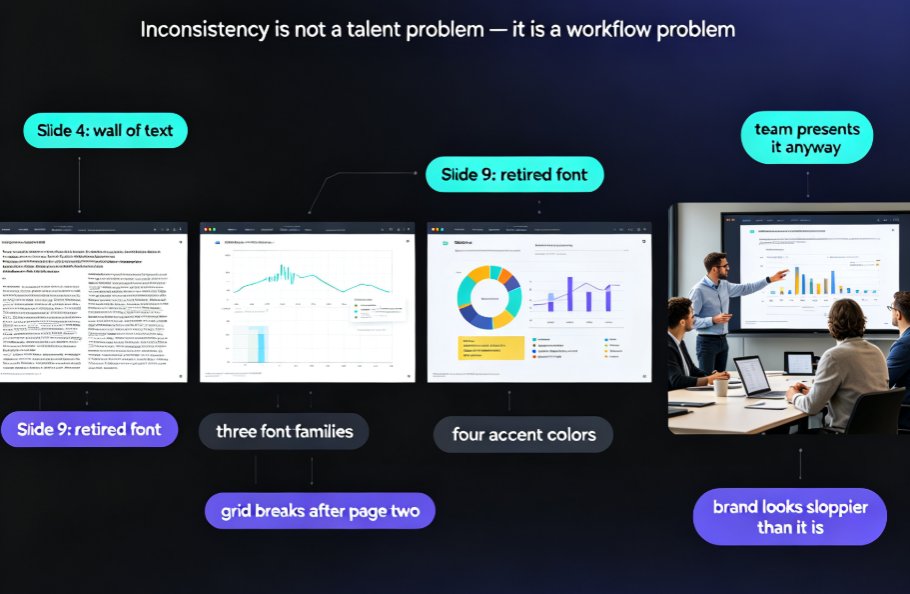
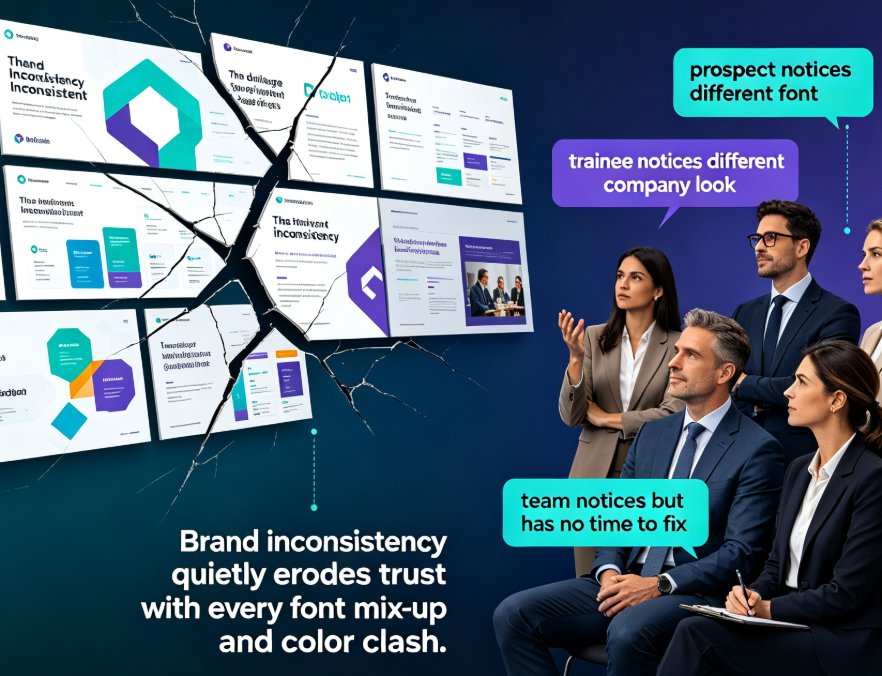
And the pain is rarely aesthetic. It's operational: inconsistencies leak into client-facing materials, stakeholders notice misaligned logos, and — the worst part — someone always ends up doing the rework at 11 pm the night before the board presentation. The bigger your library, the harder the hit. This is exactly what the search results on presentation rebrands point to — agencies promise to move your decks to a new brand "in batches, on your deadlines," because the alternative is manual chaos.
The outcome you're actually after isn't a prettier slide. It's a verifiable brand standard across everything you ship — without paying an agency overtime.
03 How Zendeck's One-Click Reskin Actually Works
Let's walk through the workflow you'd experience inside Zendeck, so you know exactly what "one-click" buys you.
Step 1: Set Up Your Brand Kit (Once)
Your brand kit is the anchor. Save your fonts, color codes, and logo files into Zendeck's brand settings. You can also start from a preset template if you're rebuilding from scratch.
If a strong brand kit is your foundation, it only takes about five minutes to save it — and it pays off every single time you generate or restyle a deck.
Don't have a formal kit? No problem. Zendeck can extract a working palette from your logo or existing slide deck, which is a fast bridge for teams that haven't codified their identity yet.
Step 2: Pick Your Theme & Apply
The key is what happens when you click "apply":
- Font system updates across headings, body text, captions — all at once.
- Color palette replaces old accents with your exact brand codes, including chart series colors.
- Layout grid reflows content blocks so titles, bullets, and images snap into the new spatial system.
- Slide master elements — logos, footers, page numbers — update consistently on every slide.
That's the whole click. No manual touch-ups on a 50-slide deck.
Step 3: Fine-Tune If Needed (But Rarely)
Once the reskin runs, you can still edit individual slides. Maybe a dense data slide needs a slight layout tweak, or you want a different visual motif on a title slide. But here's the honest part — with a well-prepared brand kit, most decks won't need any hand-tuning, which is exactly what makes the speed sustainable.
One small tip that I wish someone had told me earlier: don't try to reskin a deck that still has unfinished content. Get your content locked first. The reskin will be more predictable when your content isn't changing underneath — this is also something worth keeping in mind when you look at how to add interactive elements to your PPT with Zendeck.
04 Real Scenario: From Legacy Chaos to On-Brand Library in One Afternoon
Here's a scenario you'll recognize. Sarah, a marketing manager at a mid-size SaaS company, inherits a deck library built over three product generations. Some decks use the old logo, others the new one; fonts range from Helvetica to Calibri to something from a contractor's laptop.
Her rebrand is coming in three weeks. Her estimate: 32 hours of manual editing — if nothing goes wrong.
With Zendeck's reskin, the same job took her under one hour per batch of decks. She:
- saved the new brand kit (15 minutes),
- applied it to 30 decks across two sessions (about 40 minutes), and
- spent 20 minutes fixing two data-heavy slides that genuinely needed custom tweaks.
That's roughly 2.5 hours of total work instead of 32. The library went from a patchwork of legacy formats to a visually unified set that looks like one designer handled everything.
And that's precisely the outcome that matters: a rebrand that doesn't steal your team's bandwidth from real work.
05 Why Reskin Beats the "Design It From Scratch" School of Thought
Some brand managers will argue: a rebrand is a chance to rethink every deck from scratch, and automation steals that opportunity.
There's a kernel of truth there, but let's keep it honest.
A reskin doesn't replace strategic design. It replaces the redundant work of translating an existing identity across dozens of files.
If you genuinely need a new narrative, new structure, and new content — that's a redesign, and reskin isn't a substitute. But for a corporate rebrand where the content stays valid and you just need it to look right, reskin is the only sane workflow.
There's also a subtler advantage: when branding is enforced by a tool, it reduces the risk of "one-off" edits that go rogue. Teams can't drift toward inconsistent styles if the brand system is applied at the deck level. That's the kind of governance that keeps a library coherent over time, which is precisely what we dig into when talking about how AI asset libraries are revolutionizing corporate brand consistency.
06 What the Market Is Saying (and Where It's Heading)
We're not alone in this direction — the broader presentation tools market is converging on the same idea of "instant deck restyling." Google results across competitor pages echo the same promise: "restyle your full presentation instantly with AI," "drop in any deck and restyle it to a new brand in seconds," "update themes, layouts, and visuals across all slides."
Let me be direct about what this means for you:
Speed of visual rebranding is becoming table stakes in presentation software in 2026. The differentiators aren't just speed anymore — they're how well the restyle preserves your content and how deeply it respects your brand kit.
A quick comparison of what's being offered across tools:
| Tool / Service | Key promise | Key limitation to watch out for |
|---|---|---|
| Manual design agency | High-fidelity, fully custom results | Cost, turnaround time, batch dependency |
| Basic template swap | Fast, colorful backgrounds | Layouts break; weak brand fidelity |
| Gamma (AI restyle) | Instant AI restyling | Content reflow can require manual checks |
| Zendeck one-click reskin | Brand-kit-governed reskin across entire library | Best results with a prepared brand kit |
You don't need a table to tell you which direction is practical. The trend is clear: teams want to unify decks without paying a per-deck redesign tax.
07 The Hidden Superpower: Reskin Across Different Deck Purposes
One of the underrated advantages is that a reskin works across different deck purposes.
A sales proposal, an executive QBR, a training module, a conference talk — these look nothing alike when it comes to structure. But they all need to feel like the same brand.
Reskin doesn't force a one-size-fits-all layout — it applies the brand system within each deck's native structure.
This matters more than it sounds. It means your sales deck doesn't have to look like a training deck just because the brand is unified. The governance is consistent while the expression stays purpose-driven. That's a distinction that matters if you've ever seen a rebrand that made everything look like a slide-by-numbers clone.
If you want to go one step further, this same smart layout logic pairs naturally with other workflows — say, generating speaker notes or turning a deck into a narrated micro-course without breaking the visual system.
08 Three Practical Rules Before You Hit "Reskin"
So you're ready to try it. Here's the honest, from-the-trenches checklist:
Rule #1: Your brand kit should be specific, not aspirational. Don't just save a color and hope for the best. Include typography weights, logo variations, and chart palettes. The more precise your kit, the less manual fixing after the reskin.
Rule #2: Lock your content first. Reskin is not a live-editing feature. Editing content mid-reskin just creates rework. Get the words final, then restyle.
Rule #3: Run a pilot on one deck before batch processing. Pick a dense, representative deck, reskin it, and review the result before doing the whole library. This is like rehearsing a pitch deck before the live room — it saves you from surprises at scale.
09 The Way to Think About It (One-Paragraph Takeaway)
You can spend your week dragging logos into place, or you can spend 2.5 hours reskinning your whole library and go home happy.
The teams that win the rebrand race are the ones that recognize where automation genuinely helps — and where it doesn't. Zendeck's one-click reskin isn't about removing human judgment from design; it's about removing the drudgery so your judgment can focus on the work that actually matters: content, narrative, and impact.
If brand consistency is the price of entry in 2026, reskin is the tool that makes it cheap.
FAQ
Q: What does one-click reskin mean in a presentation tool? A: One-click reskin refers to instantly restyling an entire presentation — fonts, colors, and layouts — into a new brand theme without editing each slide manually. In Zendeck, this is powered by smart layout automation that applies your brand kit across all slides in seconds, preserving content while changing visuals.
Q: How long does it take to rebrand a 50-slide deck with Zendeck? A: With Zendeck's one-click reskin, a 50-slide deck can be rebranded in under a minute. Once your brand kit is saved, you select the target theme and apply it across the whole deck. Slide layouts, color schemes, and font choices update instantly, and you can fine-tune any individual slide if needed.
Q: Can Zendeck restyle multiple decks in one session? A: Yes. If your decks are stored in a shared library, you can apply the same brand theme across several presentations in one workflow. This is especially useful for marketing teams needing to repurpose a quarterly report into a webinar deck, a sales one-pager, and a training deck without duplicating design work.
Q: Is my content safe during a Zendeck reskin? A: Completely safe. The reskin function only changes visual styling — fonts, colors, slide master layouts, and graphic elements. All text, images, charts, and data remain exactly as they were. You can also undo the reskin or restore a previous version via version history, so you never lose original formatting.
Q: What do I need to prepare before using reskin? A: A basic brand kit is enough. Save your logo, color palette, and font family in Zendeck's brand kit settings. If you don't have a formal kit, you can start from a template or let Zendeck extract colors from your existing logo. The clearer your brand kit, the faster and more accurate the reskin will be.
If you're dealing with a rebrand this quarter, start with a pilot deck and your brand kit — then reskin the library in one sitting. Your calendar will thank you.