How a Training Company Turned a PDF into a Video Course with Zendeck
You know that sinking feeling when you're handed a 100-page safety manual and told to "turn it into training"? The PDF is dense, the content is dry, and your learners are already checking their phones. That was exactly the situation at SafetyFirst Training, a mid-sized firm that builds compliance courses for industrial clients. Their client needed a refresher on lockout/tagout procedures, and the only source material was a 100-page PDF that hadn't been touched since 2019.
Let's be real: nobody reads a 100-page manual. Even if they do, they retain maybe 20% of it. The old approach—uploading the PDF to a learning management system and calling it a day—wasn't working. Completion rates hovered around 45%, and safety incidents kept happening because employees weren't actually absorbing the material.
So what did SafetyFirst do? They stopped treating the manual as a document and started treating it as a story. They used Zendeck's PPT-to-video feature to turn that dense PDF into a 15-minute narrated micro-course. The result? Completion rates jumped to 85%—a 40% improvement—and what used to take three weeks of production time now takes three hours. Here's how they did it, and how you can do the same.
01 The Compliance Training Problem: Dense Manuals, Low Completion Rates
Compliance training has a bad reputation. It's the thing employees click through as fast as possible, often while doing something else. The root cause is usually the format: a wall of text, no visuals, no narrative, no reason to care.
Traditional manual-to-training workflows are equally painful. You either hire an instructional designer to rewrite everything (expensive, slow), or you record a screen-share of someone scrolling through the PDF (boring, ineffective). Neither approach scales, and both ignore how adults actually learn.
The real problem isn't the content—it's the container. A 100-page manual contains all the information you need, but it's structured for reference, not for learning. Learners need a linear, narrated path that explains concepts in context, with visuals that reinforce the message.
That's where video micro-courses shine. They're short, focused, and can be consumed on any device. But creating them from scratch is a huge lift. That's why SafetyFirst turned to AI.
02 How Zendeck's PPT-to-Video Transforms a PDF into a Narrated Course
Zendeck's PPT-to-video tool is designed for exactly this scenario. You upload your source file—PDF, PPTX, DOCX, or even raw text—and the AI does the heavy lifting. Here's the workflow SafetyFirst used:
- Upload the PDF – SafetyFirst dropped the 100-page manual into Zendeck. The platform parsed the text, extracted key sections, and identified headings, bullet points, and images.
- Review the auto-generated deck – Zendeck turned the manual into a structured slide deck, complete with clean layouts and consistent typography. SafetyFirst could select which slides to include, reorder them, or delete irrelevant sections.
- Add narration – The AI generated speaker notes for each slide, and SafetyFirst chose a natural-sounding voice. They could also upload their own voiceover if they preferred.
- Customize the visual style – Using Zendeck's brand kit, they applied their client's colors, logo, and fonts. No design skills required.
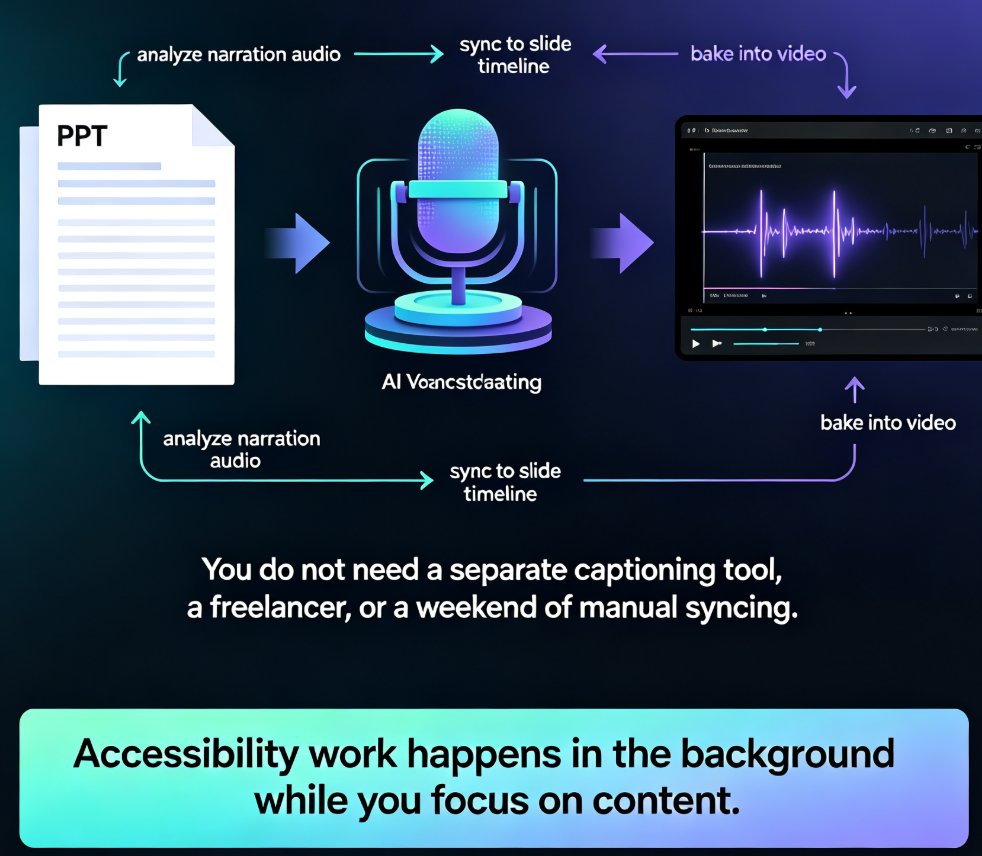
- Export to video – With one click, Zendeck rendered a narrated video with synchronized slides, captions, and a transcript. The final output was a 15-minute micro-course, ready for the LMS.
The entire process took under three hours. Compare that to the three weeks SafetyFirst used to spend on a similar project—hiring a scriptwriter, recording voiceover, and manually syncing slides in PowerPoint.
Pro tip: If your PDF has speaker notes or annotations, Zendeck can use those to generate more accurate narration. It's like having a subject matter expert whisper in the AI's ear.
03 The Results: 40% Higher Completion, Weeks Saved
SafetyFirst deployed the new micro-course to 500 employees. The numbers were dramatic:
- Completion rate: 85% (up from 45%)
- Average time to complete: 15 minutes (down from 60+ minutes of reading)
- Quiz pass rate: 92% (up from 68%)
- Development time: 3 hours (down from 3 weeks)
Here's a visual comparison of the completion rates before and after:
But the numbers only tell part of the story. The real win was learner engagement. Employees actually watched the video to the end. They commented that it felt "like a real course, not a slideshow with a robot voice." The narration was natural, the visuals were clear, and the pacing kept them interested.
The key takeaway: when you reduce friction and make content digestible, learners show up. Compliance training doesn't have to be a checkbox exercise. It can be something people actually want to complete.
04 Why Engagement and Accessibility Matter in Compliance Training
Compliance training has a dual mandate: it must be engaging enough that people retain the information, and accessible enough that everyone can participate. Zendeck's PPT-to-video feature addresses both.
Engagement: From Passive Reading to Active Watching
A video micro-course is inherently more engaging than a PDF. You have motion, audio, and visual cues that guide the learner's attention. Zendeck's AI doesn't just read the text aloud—it structures the content into logical segments, adds transitions, and highlights key points. The result is a narrative that feels designed, not dumped.
SafetyFirst also used Zendeck's branching scenarios to add interactive checkpoints. After each section, learners faced a quick quiz or decision point. This turned passive viewing into active recall, which is proven to boost retention.
Accessibility: Meeting WCAG Standards Without Extra Work
Accessibility isn't optional—it's a legal requirement for many industries. Zendeck makes it easy:
- Auto-generated captions – Every video gets synchronized captions, which help hearing-impaired learners and anyone watching without sound.
- Transcripts – A full transcript is generated automatically, making the content searchable and easy to translate.
- Keyboard navigation – The video player supports keyboard controls, so learners with motor impairments can navigate without a mouse.
- High-contrast templates – Zendeck's design system ensures text is legible against backgrounds, meeting WCAG contrast ratios.
SafetyFirst didn't have to hire an accessibility consultant. The AI handled it out of the box. That's a huge time saver—and a huge risk reducer.
Heads up: If you're serving global teams, Zendeck's localization features let you translate the narration and captions without redesigning the slides. We covered this in our guide on localizing AI presentations for global teams.
05 Practical Tips for Converting Manuals into Video Courses
Based on SafetyFirst's experience, here are five tips to get the most out of Zendeck's PPT-to-video feature:
- Start with a clean PDF – If your source document has scanned images or messy formatting, the AI will struggle. Run it through OCR first, or export from Word as a clean PDF.
- Use speaker notes if you have them – Zendeck can leverage existing speaker notes to generate more accurate narration. If you don't have notes, the AI will write them from the slide content.
- Trim ruthlessly – A 100-page manual doesn't need to become a 100-slide video. Zendeck lets you select only the slides that matter. SafetyFirst cut it down to 20 slides—just the core procedures.
- Add interactive elements – Use branching scenarios or quizzes to break up the video. This keeps learners engaged and gives you data on comprehension.
- Test with a small group first – Before rolling out to the whole company, run a pilot with a few employees. Get feedback on pacing, clarity, and whether the narration sounds natural.
These tips work whether you're building safety training, HR onboarding, or product education. The same principles apply.
FAQ
How does Zendeck convert a PDF into a video course?
Zendeck's PPT-to-video tool lets you upload a PDF, PPTX, or DOCX file. It parses the content, generates a structured slide deck, adds narration, and exports a video with captions and transcripts. You can select specific slides, adjust narration language, and customize the visual style before rendering.
What file types are supported for conversion to video?
Zendeck supports PDF, PPTX, DOCX, and even raw text or Markdown. For PDFs, it extracts text and images, then rebuilds them into a clean, on-brand deck that becomes the basis for your narrated video.
Can I customize the narration and accessibility features?
Yes. You can choose the narration language, adjust the speaking pace, and add closed captions or subtitles. Zendeck also generates a transcript automatically, making the video WCAG-friendly and easier to localize for global teams.
How long does it take to create a video course from a manual?
Most users go from upload to finished video in under an hour. The AI handles the heavy lifting—structuring slides, writing speaker notes, and syncing audio—so you can focus on reviewing and polishing the final output.
Is Zendeck suitable for compliance training with strict branding requirements?
Absolutely. Zendeck's brand kits and template library let you enforce your organization's colors, fonts, and logos across every slide. You can also lock down design rules so the output always matches your compliance guidelines.
If you're staring at a 100-page manual right now, you have two options: keep sending it out as a PDF and watch completion rates sink, or turn it into a video course that people actually finish. Zendeck makes the second option ridiculously easy. Try it with your next compliance project—you'll wonder why you ever did it the hard way.
Ready to see it in action? Explore more PPT-to-video tutorials or dive into our micro-course production guide.