Top 10 Zendeck Templates for University Lecturers: Syllabus to Deck
You've got a 40-page syllabus, a lecture in three hours, and a slide deck that's still a blank canvas. Sound familiar? If you're a university lecturer, you know the drill: turning dense course content into slides that actually engage students is a grind. But it doesn't have to be. With the right templates, you can go from syllabus to deck in minutes—without sacrificing quality or your sanity.
The right template doesn't just save time—it makes your course look like it was designed by a professional studio. And when you're juggling research, grading, and office hours, that's a win you can feel.
Zendeck's template library is built for exactly this scenario. It's an AI-powered presentation platform that turns your outline, Markdown, or even a PDF into a polished deck. But the real magic lies in the templates—especially the ones tailored for educators. Let's walk through the top 10 Zendeck templates that every university lecturer should have in their toolkit.
01 Why University Lecturers Need Template-Driven Decks
Let's be honest: most lecturers aren't graphic designers. Yet we're expected to produce visually compelling slides that hold attention for 90 minutes. The pain point is real—manually formatting slides, aligning text boxes, and hunting for icons eats into time better spent on research or student mentorship.
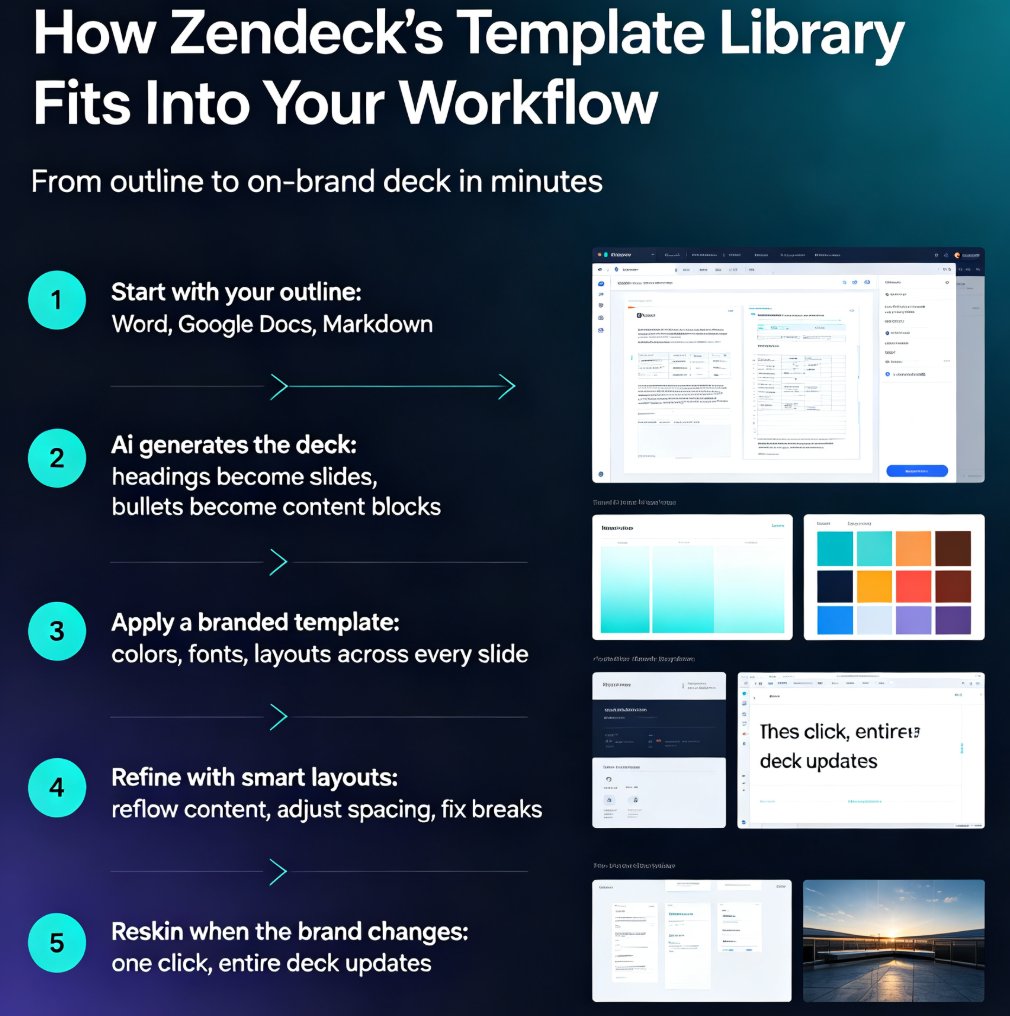
The solution? A template-driven approach. Templates give you a consistent visual structure, so you can focus on content instead of layout. Zendeck takes this a step further by using AI to auto-arrange your content into the template's grid. You paste your syllabus outline, and the platform generates a structured deck with proper hierarchy, bullet points, and even suggested visuals.
The outcome? You get a professional-looking deck in a fraction of the time. Lecturers who switch to template-based workflows report cutting deck creation time by 50–70%. That's hours back every week.
02 The Top 10 Zendeck Templates for Lecturers
Here are the templates that consistently get the highest ratings from university faculty. Each one solves a specific teaching challenge, from course overviews to exam reviews.
1. Lecture Series
Best for: Multi-week courses with recurring structures. This template gives you a clean title slide, agenda, content sections, and a summary slide. It's designed to be reused week after week, so your students always know what to expect.
2. Course Overview
Best for: The first day of class. This template helps you present the syllabus, learning objectives, grading breakdown, and key dates in a visually scannable way. No more squinting at a dense PDF.
3. Syllabus Snapshot
Best for: Condensing a 10-page syllabus into a single slide. It uses a grid layout with icons to highlight assignments, readings, and deadlines. Perfect for quick reference during office hours.
4. Concept Explainer
Best for: Breaking down complex theories. This template includes a large central diagram with supporting text boxes. You can use it to walk through step-by-step processes or cause-and-effect relationships.
5. Case Study
Best for: Business, law, or medical courses. It structures your case into background, problem, analysis, and conclusion. The template includes placeholder charts and data callouts, so you can plug in real numbers.
6. Research Presentation
Best for: Sharing your own research or teaching students how to present theirs. It has sections for hypothesis, methodology, results, and discussion—plus a clean citation slide.
7. Exam Review
Best for: Pre-exam sessions. This template uses a Q&A format with large text and color-coded categories. You can quickly add practice questions and answer keys.
8. Group Project Brief
Best for: Assigning group work. It lays out the project goals, team roles, timeline, and grading rubric. You can share it as a PDF or keep it interactive for collaboration.
9. Guest Lecture
Best for: When you invite an industry expert or colleague. This template has a professional, minimal design that lets the speaker's content shine. It includes a thank-you slide and contact info placeholder.
10. Micro-Course Module
Best for: Flipped classrooms or online learning. This template is optimized for Zendeck's PPT-to-video feature. Each slide is designed to work as a short video segment, with space for narration notes and interactive prompts.
03 How to Choose the Right Template for Your Course
Not all templates are created equal. The right choice depends on your course type, audience, and delivery format. Here's a quick comparison to help you decide:
| Template Name | Best For | Key Feature | Ideal Course Format |
|---|---|---|---|
| Lecture Series | Weekly lectures | Reusable structure | In-person or online |
| Course Overview | First day | Syllabus at a glance | Any |
| Syllabus Snapshot | Quick reference | One-page summary | Handout or slide |
| Concept Explainer | Complex theories | Central diagram | Lecture or tutorial |
| Case Study | Business/medical | Data callouts | Seminar |
| Research Presentation | Research sharing | Methodology sections | Conference or class |
| Exam Review | Pre-exam prep | Q&A format | Review session |
| Group Project Brief | Group assignments | Roles & timeline | Workshop |
| Guest Lecture | External speakers | Minimal design | Special session |
| Micro-Course Module | Online learning | Video-ready | Flipped classroom |
The best template is the one that disappears into your content—so your students focus on the material, not the design. Start with the Lecture Series or Course Overview for general use, then experiment with specialized ones as needed.
04 Customizing Templates with Your Brand Kit
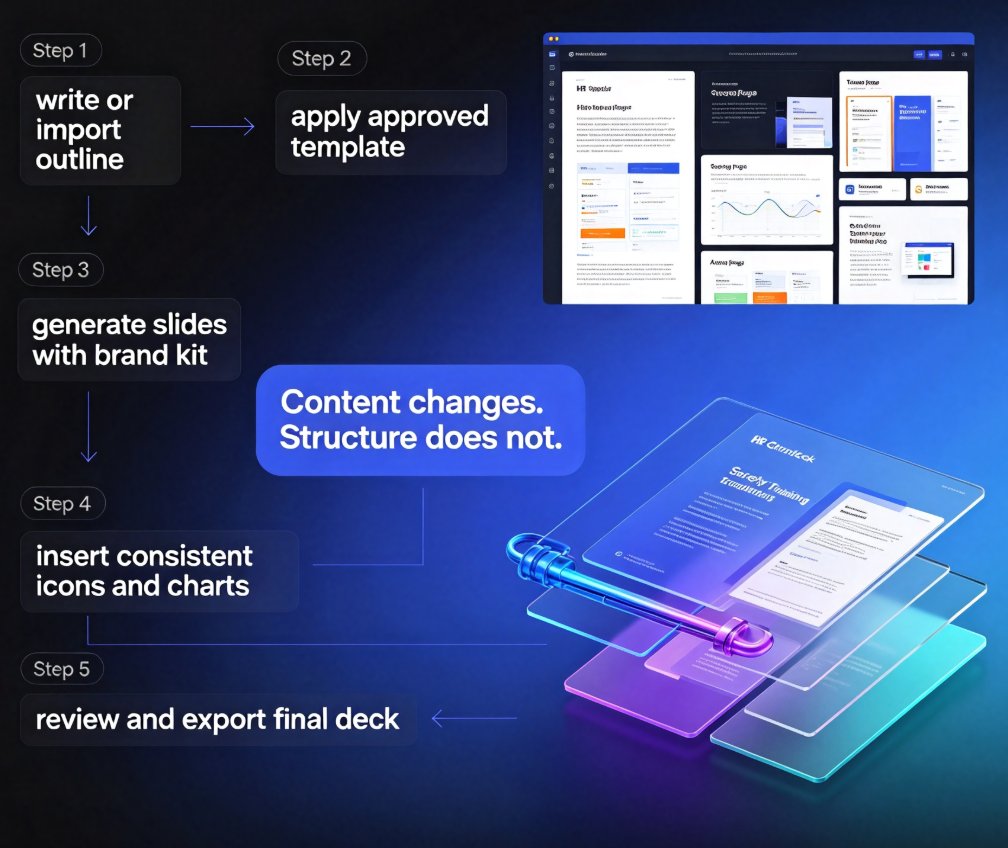
A template is just a starting point. To make it truly yours, you need to align it with your university's branding. Zendeck's brand kit feature lets you upload your logo, choose your school colors, and set your preferred fonts. Once configured, every template you apply will automatically use your brand assets.
This is a game-changer for consistency. When your slides match your institution's visual identity, students perceive your course as more professional and credible. It also saves you from manually adjusting colors and fonts on every slide.
If you're new to brand kits, check out our guide on setting up brand kits in Zendeck for a step-by-step walkthrough. You can also explore 5 ways to create a custom brand kit to get more ideas.
05 From Slides to Micro-Courses: Extending Your Templates
Once you've built your deck, don't stop there. Zendeck's PPT-to-video feature lets you turn your slides into narrated micro-courses. This is perfect for flipped classrooms, where students watch a short video before class and then engage in active learning during the session.
Simply add AI narration to each slide, and Zendeck will generate a video with your voiceover (or a synthetic voice). You can also add interactive quizzes and export the final product to your LMS. This extends the life of your templates—one deck becomes a reusable learning asset.
For a complete workflow, read our guide on creating micro-courses from scratch or turning static slides into interactive micro-courses.
06 Frequently Asked Questions
Can I customize Zendeck templates to match my university's branding?
Yes. Zendeck's brand kit feature lets you upload your university logo, colors, and fonts. Once set, every template you apply will automatically adopt your branding, ensuring consistency across all your course materials.
Are Zendeck templates suitable for both in-person and online lectures?
Absolutely. Templates are designed to be responsive and work well on any screen. You can also export to PPTX, PDF, or Google Slides, and even turn slides into narrated micro-courses for online learning platforms.
How much time can I save using Zendeck templates compared to building slides from scratch?
Most lecturers report cutting deck creation time by 50–70%. With AI-generated layouts and one-click reskinning, a 20-slide lecture deck that used to take 3 hours can be ready in under an hour.
Do I need design skills to use these templates?
No. Zendeck is built for non-designers. The templates come with smart layouts, consistent typography, and visual hierarchy. You just add your content, and the platform handles the rest.
Can I convert my lecture slides into a micro-course video?
Yes. Zendeck's PPT-to-video feature lets you add AI narration and turn your slides into an interactive micro-course. This is perfect for flipped classrooms or supplementary learning materials.
Ready to stop wrestling with slide layouts? Explore Zendeck's template library and find the perfect starting point for your next lecture. Your students will thank you—and so will your free time.