Brand-Consistent Training Decks: Zendeck Template Library Guide
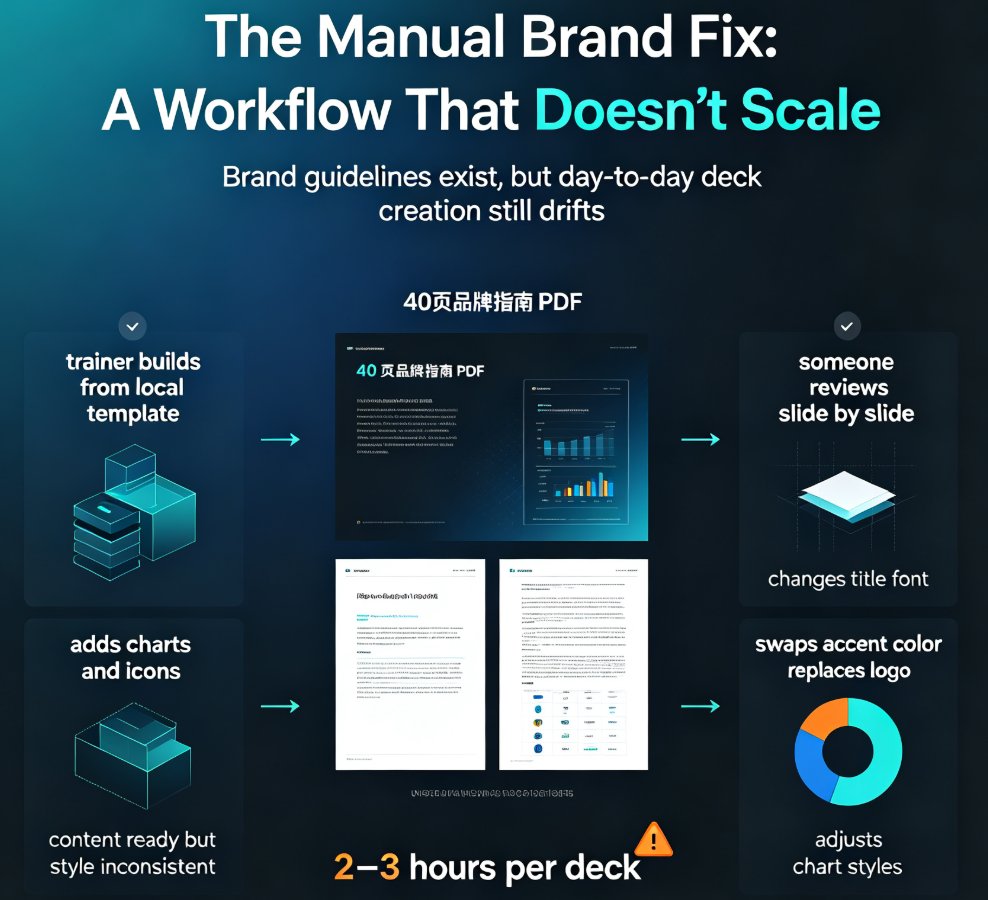
Let's be honest: if you've ever spent a Friday afternoon fixing font sizes across 40 slides because three different trainers each "improved" the template, you already know the pain. Corporate training teams don't have a content problem. They have a consistency problem.
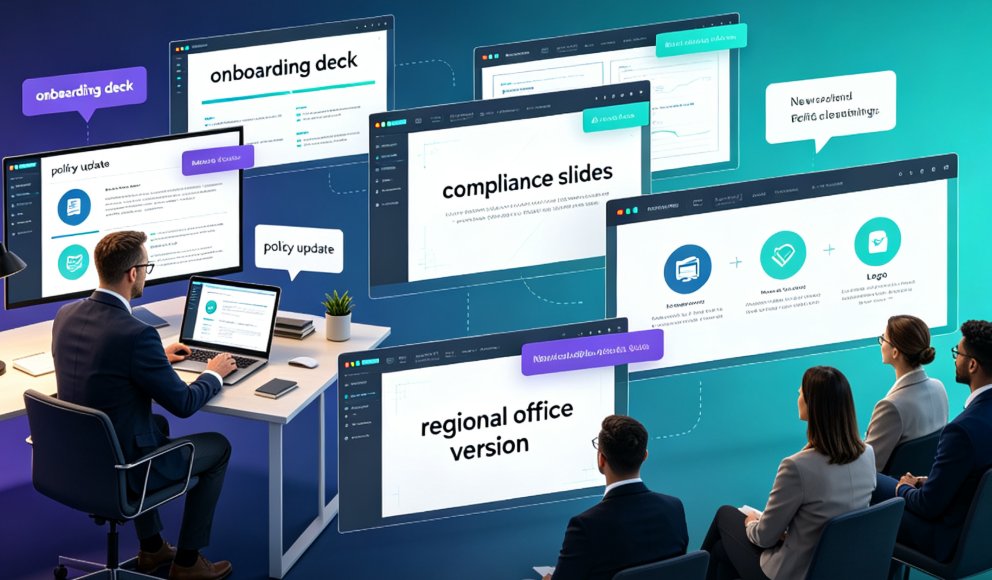
Every quarter, the same scene plays out. The L&D manager needs a new onboarding deck by Monday. The HR business partner needs a compliance refresher by Thursday. The team lead needs a product training session next week. And every single time, someone opens PowerPoint, picks a random template, and starts from scratch — which means the brand guidelines get reinterpreted, the colors drift, and the final deck looks like it was assembled by three different people. Because it was.
The good news? You don't need to hire a designer to fix this. You need a template library that does the design work for you.
A training deck that doesn't match your brand isn't just ugly — it quietly erodes trust in the content itself. When learners see inconsistent fonts, mismatched colors, and layouts that change from slide to slide, they subconsciously downgrade the material. The message might be solid, but the packaging says "we threw this together." And in a corporate setting, perception is reality.
01 Why Brand Consistency Is the Silent Killer of Training Decks
Here's the uncomfortable truth about corporate training: the quality of your content matters less than the consistency of your delivery. Learners don't consciously notice when every deck follows the same visual system. But they absolutely notice when it doesn't.
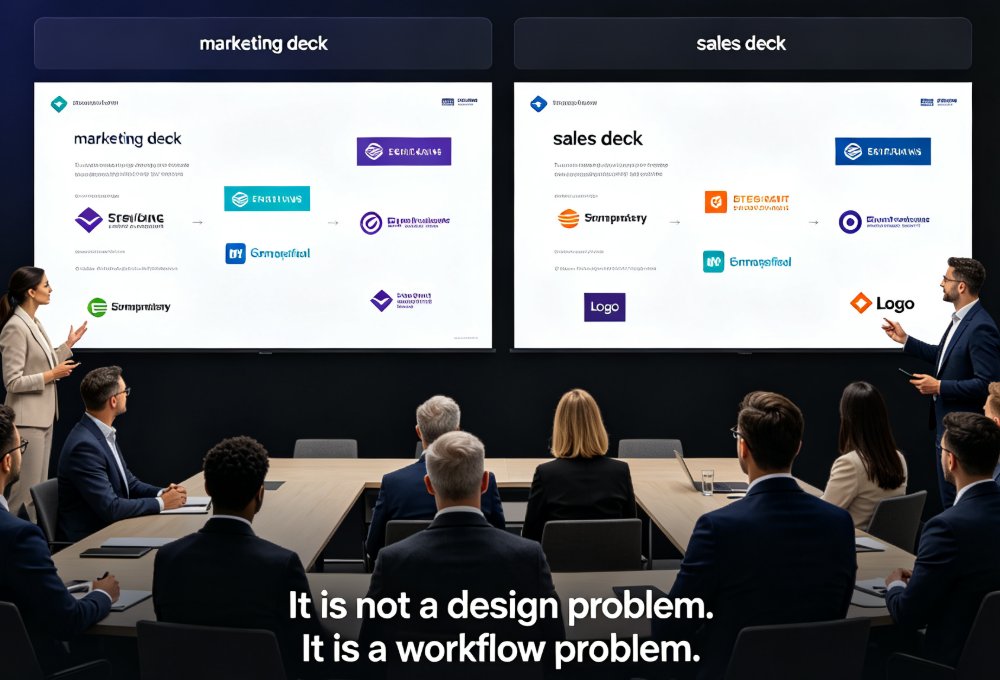
Brand drift happens slowly. One trainer swaps the corporate blue for a slightly lighter shade. Another uses a different heading font because "it looks cleaner." A third copies slides from an old deck that predates the last rebrand. None of these are malicious — they're just the natural result of people working without guardrails.
The real cost shows up in three places:
- Learner trust. Inconsistent visuals signal low production quality, which makes learners question the accuracy of the content.
- Trainer efficiency. Every time a trainer rebuilds a deck from scratch, they burn hours on formatting instead of focusing on the material.
- Brand equity. Every off-brand deck that goes out into the organization dilutes the brand, one slide at a time.
The solution is a template library that acts as the guardrail. When every trainer starts from the same branded template, the visual system stays intact no matter who builds the deck. The fonts are locked. The colors are locked. The layout structure is locked. The only thing that varies is the content — which is exactly what should vary.
The outcome? Training decks that look like they came from a single, professional design team, even when they were built by five different people across three departments.
The fastest way to fix brand inconsistency isn't more guidelines — it's removing the ability to go off-brand in the first place.
02 What a Premium Template Library Actually Does
Let's get specific. A template library isn't just a folder of pretty slides. It's a system that enforces design decisions so you don't have to make them every time.
Here's a side-by-side look at what changes when you stop building from scratch:
| Task | From Scratch | With a Template Library |
|---|---|---|
| Starting a new deck | Blank canvas; pick fonts, colors, and layouts manually | Pick a branded template and start writing content |
| Matching brand colors | Manual hex codes; easy to get wrong | Brand kit auto-applies the correct palette |
| Keeping layouts consistent | Copy-paste and hope; layouts drift over time | Smart layouts enforce consistent structure |
| Updating branding | Rebuild every slide by hand | One-click reskin updates the entire deck |
| Time per deck | 4–6 hours of formatting and fiddling | 20–30 minutes of content-focused work |
The numbers aren't magic — they're just what happens when you remove the design decisions from the critical path. Instead of asking "what font should I use?" you ask "what content belongs on this slide?" That's a much better use of a trainer's time.
This is where a tool like Zendeck's template library earns its keep. It's not just a collection of static templates; it's a system that understands context. Pick a template, drop in your content, and the layout adapts — titles, bullet structures, and visual hierarchy all fall into place automatically.
03 How Zendeck's Template Library Fits Into Your Workflow
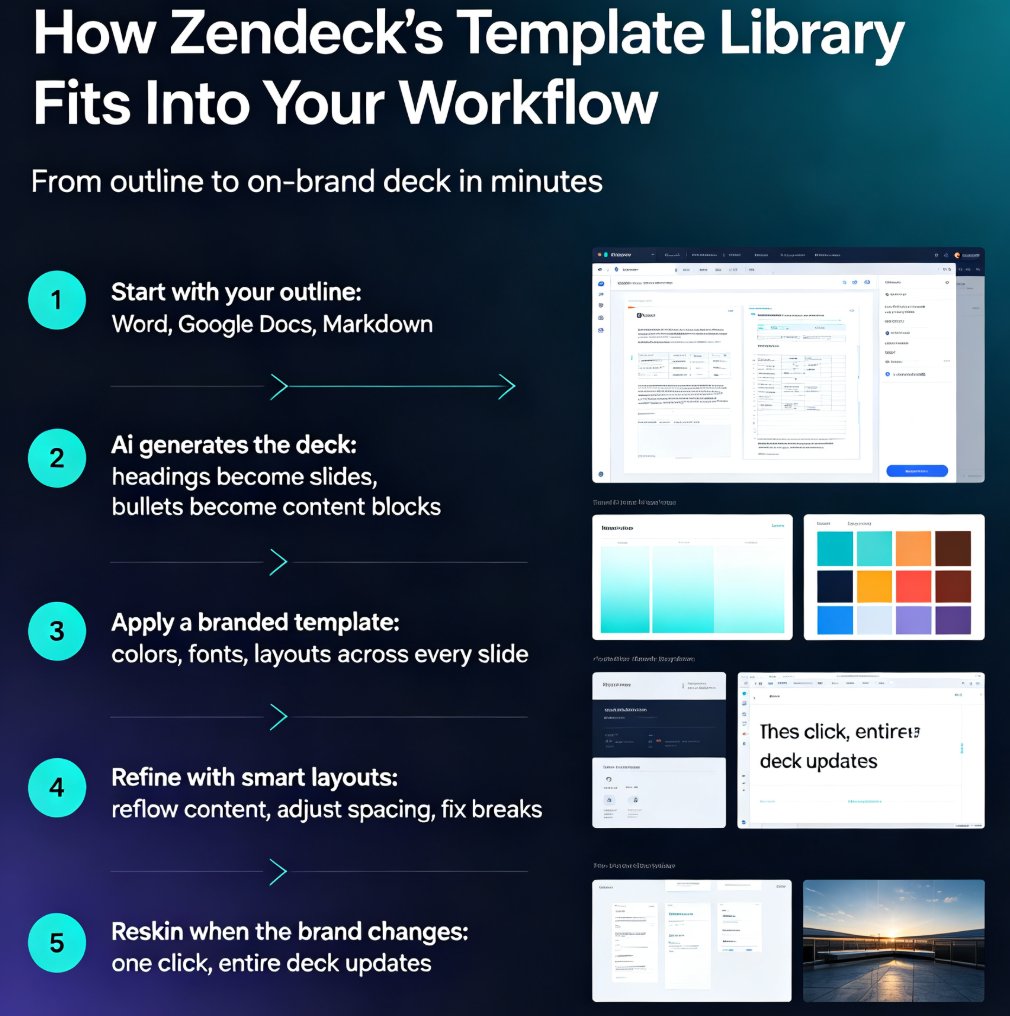
Let's walk through the actual workflow, because "template library" sounds abstract until you see it in action.
Step 1: Start with your outline. Most trainers already have their content written — in a Word document, a Google Doc, or even just a messy Markdown file. Zendeck lets you import that outline directly. No need to re-type anything or copy-paste slide by slide.
Step 2: Let the AI generate the deck. Once your outline is in, Zendeck's AI builds a structured deck with sensible layouts. Headings become slide titles. Bullet points become content blocks. The structure is generated for you, which means you're not staring at a blank canvas wondering where to start.
Step 3: Apply a branded template. This is the step that saves your brand. Instead of accepting the default look, you pick a template from the library that matches your brand — or better yet, one that's already configured with your brand kit. The colors, fonts, and layout styles apply instantly across every slide.
Step 4: Refine with smart layouts. The generated deck won't be perfect on the first pass. But instead of manually dragging text boxes around, you use smart layout tools to reflow content, adjust spacing, and fix awkward breaks. It's editing, not designing.
Step 5: Reskin when the brand changes. Here's the part that pays off long-term. When your company rebrands or a new campaign changes the visual direction, you don't rebuild every deck. You apply a new template with one click, and the entire deck updates. That's the difference between a template library and a one-off template.
The whole flow — from outline to polished, on-brand deck — takes about the time it takes to drink a coffee. That's the speed corporate trainers need when they're juggling five courses at once.
For a trainer-specific walkthrough, check out this guide to AI presentation templates for trainers.
04 Building a Reusable Training System, Not Just a One-Off Deck
Here's where most teams get it wrong: they treat a template library as a way to make one deck faster, instead of as the foundation for a reusable training system.
The teams that get the most value out of Zendeck's template library treat it like an infrastructure investment. They set up three things once, and then every future deck benefits:
1. A brand kit. Your colors, fonts, logos, and visual rules live in one place. Every template pulls from the brand kit, so you never have to remember a hex code again. If you want the full walkthrough, this guide on creating a custom brand kit in Zendeck covers the setup in detail.
2. A template set for each training type. Onboarding, compliance, product training, leadership development — each has different needs. Onboarding decks need more visuals and less text. Compliance decks need clear structure and legal disclaimers. Leadership decks need a more premium feel. Set up a template for each, and trainers just pick the right one for the job.
3. An asset library. Icons, charts, and illustrations that match your brand. Instead of hunting through free icon sites (and hoping the style matches), your team pulls from a curated library that's already on-brand. This is the piece that makes decks look professionally designed rather than assembled.
The teams that win at training content don't build decks one at a time — they build a system that makes every future deck faster and more consistent.
When you set up this system, the payoff compounds. The first deck takes a bit of setup time. The tenth deck takes minutes. The hundredth deck is indistinguishable from something a design agency produced — but it cost a fraction of the time and money.
05 Keeping Decks On-Brand at Scale
The real test of a template library isn't whether it produces one good deck. It's whether it keeps producing good decks when you scale to dozens of trainers, hundreds of courses, and multiple departments.
This is where AI-governed brand consistency comes in. Modern template systems don't just provide a starting point — they actively prevent off-brand output. AI-governed brand consistency means the system checks your deck against your brand rules and flags anything that doesn't match. Wrong color? Flagged. Inconsistent heading style? Flagged. Off-brand icon? Flagged.
For L&D teams, this is a game-changer. You can't review every slide of every deck before it ships. But the system can. It's like having a design reviewer on every project, without the bottleneck.
The other piece of scaling is the asset library. When every trainer pulls from the same curated set of icons, charts, and illustrations, the visual language stays consistent even across completely different courses. A compliance deck and a product training deck might have different content, but they'll feel like they belong to the same family.
And when you need to update the brand? One-click reskinning handles it. Rebranding used to mean redoing every deck in the organization — weeks of work. Now it's a template swap.
06 The Bottom Line
Corporate training teams don't need more design skills. They need better systems.
A premium template library turns "I hope this looks okay" into "this is guaranteed on-brand." That's the difference between hoping and knowing.
If you're an L&D manager, HR business partner, or team lead who's tired of fighting formatting instead of building great training content, the fix isn't to learn design. It's to remove the design decisions from your critical path. Start with a template library, set up your brand kit, and let the system do the heavy lifting.
The trainers on your team will thank you. Your learners will notice the difference. And your brand will stay intact — slide after slide, deck after deck.
FAQ
Q: Do I need design skills to use Zendeck's template library?
No. The template library is built for people without design backgrounds. You pick a template, import your content, and the system handles layouts, colors, and typography automatically. The design decisions are already made for you.
Q: Can I customize templates to match my company's brand?
Yes. Zendeck supports custom brand kits where you define your colors, fonts, and logos. Templates pull from the brand kit automatically, so every deck you create stays on-brand without manual adjustments.
Q: How long does it take to create a training deck with templates?
Most users go from outline to a polished, on-brand deck in 20–30 minutes. The exact time depends on the length of your content, but the template handles the formatting so you focus on the material.
Q: What happens when my company rebrands?
You apply a new template with one click. Zendeck's reskinning feature updates the entire deck — colors, fonts, and layouts — without rebuilding slides manually. That's the advantage of a template system over one-off designs.
Q: Can different trainers use the same templates without breaking brand consistency?
Yes, that's the core benefit. When everyone starts from the same branded templates and pulls from the same asset library, the visual system stays consistent no matter who builds the deck. The system enforces the brand rules for you.