Is Your Training Deck Off-Brand? Zendeck Reskin Enforces Consistency
Let's be honest: when was the last time you opened a training deck and thought, "Wait, is this even our company's font?"
If you're on an L&D team, that moment probably happened this week. A sales enablement deck uses the old logo. A compliance module has a color scheme that belongs to a different brand entirely. And somewhere, a regional trainer just downloaded a template from 2019 and is about to present it to forty new hires.
Off-brand training materials aren't just an aesthetic annoyance. They're a credibility leak — and a surprisingly expensive one.
01: Why Off-Brand Training Decks Are Costing You More Than You Think
Brand consistency is one of those things that's invisible when it's working and painfully obvious when it's not. When every deck your team produces looks like it came from the same design system, learners don't notice. The moment a deck shows up with mismatched fonts, the wrong logo, or a color palette that clashes with your corporate identity, people notice immediately — and they quietly downgrade their trust in the content.
Think about what your training materials represent. When a new hire sits through onboarding, they're not just learning processes — they're absorbing what your company stands for. A deck that looks thrown together sends a subtle signal that the company doesn't care about details. A deck that looks polished and on-brand reinforces the opposite.
The costs of off-brand training go beyond perception, though. Consider what happens on the ground:
- Time wasted on manual fixes. Every time a trainer has to hunt down the correct logo file, adjust font sizes, or manually recolor charts, that's time stolen from actual content development.
- Inconsistent learner experience. A learner who sees three different visual styles across three training modules gets a fragmented experience. That fragmentation undermines the authority of the content.
- Brand erosion at scale. Training materials often get shared, screenshotted, and repurposed. Every off-brand deck that circulates is a small hit to your brand equity.
The real cost isn't the occasional off-brand slide — it's the systemic inconsistency that happens when brand enforcement depends on individual effort.
02: The Manual Brand Fix: A Workflow That Doesn't Scale
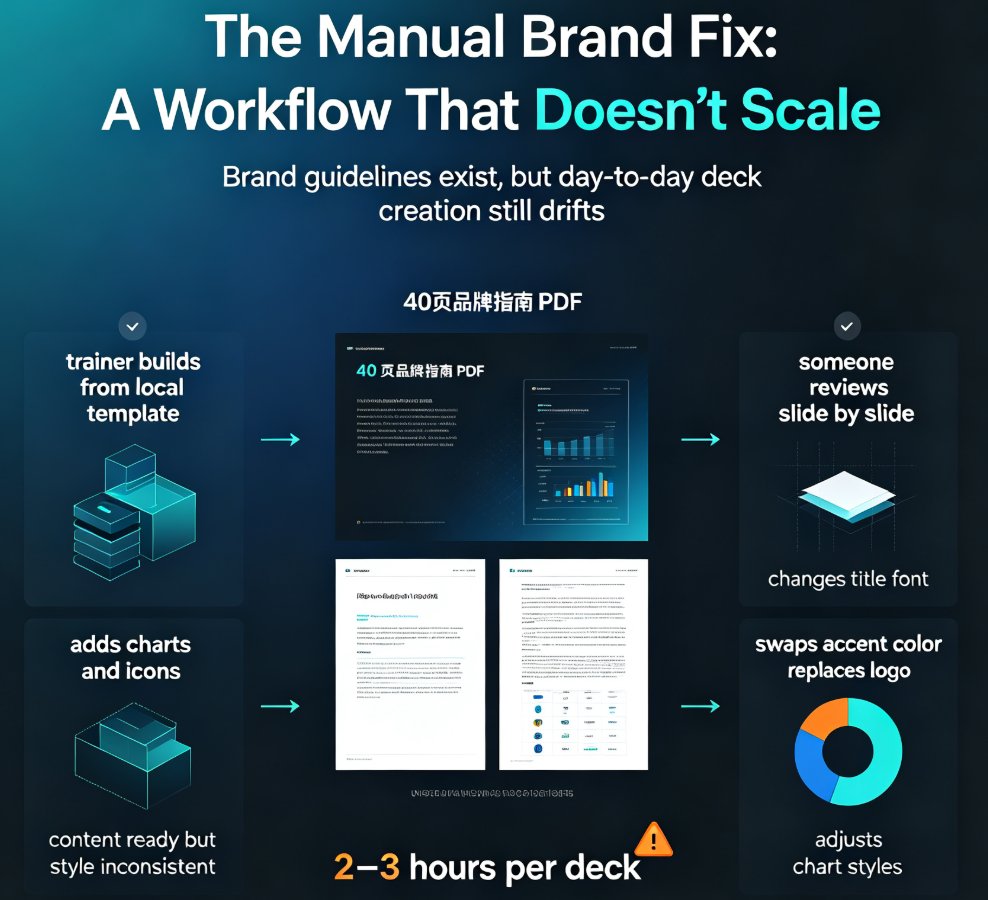
Here's the typical scenario. Your L&D team has a brand guideline PDF — 40 pages of color codes, typography rules, logo usage, and layout principles. It's thorough. It's also completely impractical for day-to-day deck creation.
What actually happens: a trainer builds a deck in PowerPoint using whatever template they have saved locally. Maybe it's current, maybe it's two years old. They add content, insert some charts, maybe pull icons from a free site that doesn't match your visual language. Then, if you're lucky, someone reviews it and flags the issues. If you're not lucky, it goes out as-is.
When you do catch the problems, the fix is manual. Someone opens the deck and goes slide by slide: change the title font, swap the accent color, replace the logo, adjust the chart styles. For a 40-slide deck, that's easily two to three hours of fiddly work. Multiply that by every deck your team produces each month, and you've got a serious productivity drain.
Manual brand enforcement doesn't scale. It's a bottleneck that grows with every new trainer, every new deck, and every new brand update.
The comparison is stark when you look at the alternatives side by side:
| Task | Manual Fix | Template-Only Tools | Zendeck One-Click Reskin |
|---|---|---|---|
| Apply brand colors across 40 slides | 45–60 min | 15–20 min (if templates are current) | ~1 min |
| Update fonts and typography | 30–45 min | 10–15 min | Instant |
| Replace logo and asset references | 20–30 min | 10 min | Instant |
| Fix chart and icon styles | 30–60 min | 15–20 min | Instant |
| Total per deck | 2–3 hours | 50–70 min | Under 5 minutes |
The time difference isn't just about convenience — it changes what your team can do. When brand fixes take minutes instead of hours, trainers can spend that time improving content, adding interactive elements, or simply producing more training material. The productivity gain compounds across every deck, every month, every quarter.
03: What One-Click Reskin Actually Does (And Doesn't Do)
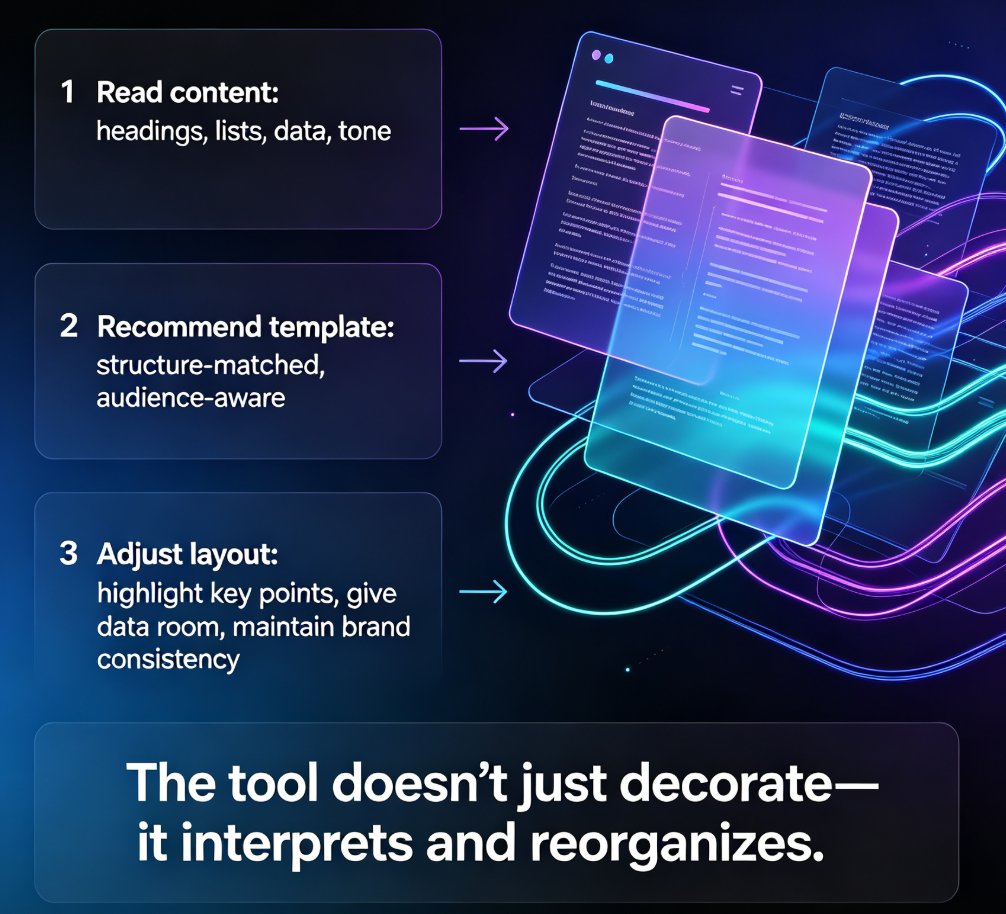
Let's be clear about what reskinning is and isn't. A one-click reskin isn't a magic wand that redesigns your content from scratch. It's a smart system that takes an existing deck — one that might be a mess of inconsistent fonts, clashing colors, and mismatched layouts — and applies your brand standards uniformly across every slide.
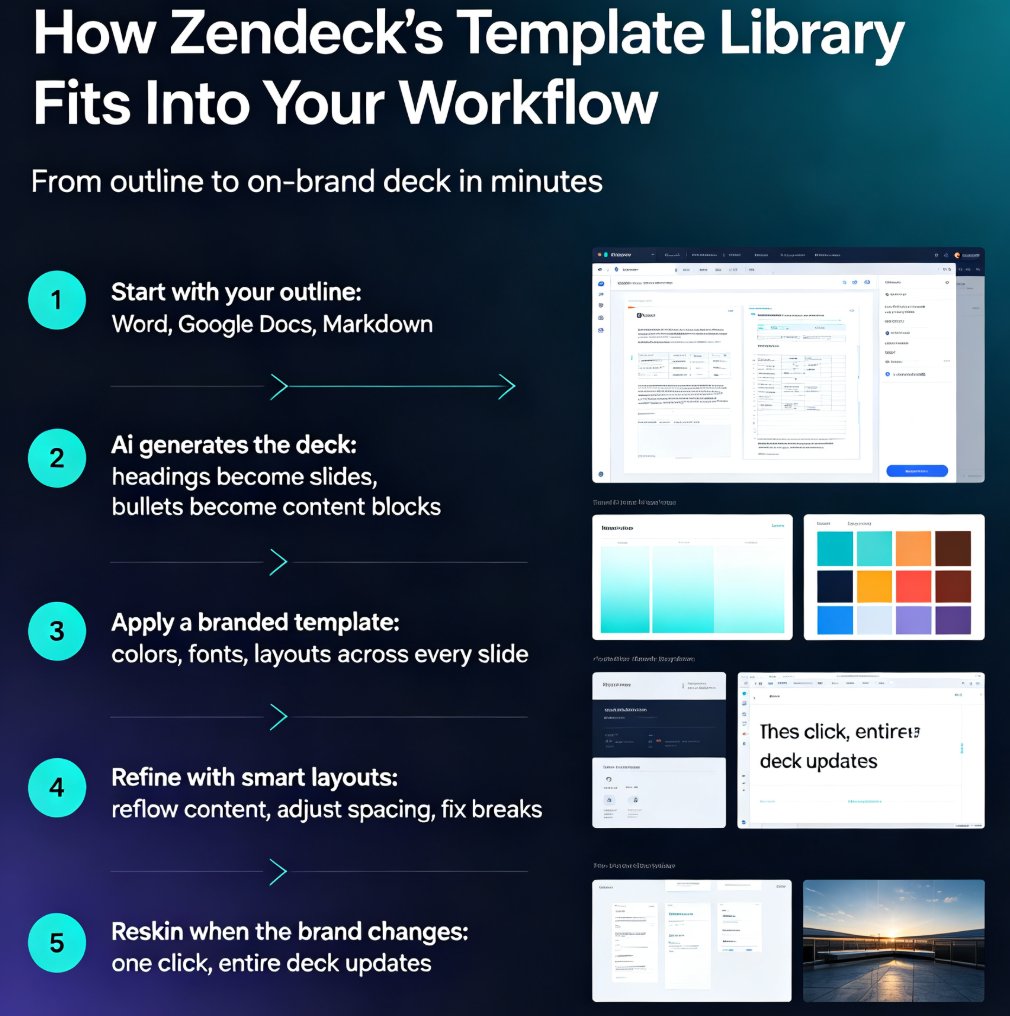
Here's how it works in practice with Zendeck:
- You define your brand once. Set your brand colors, fonts, logo placement, and layout preferences in your brand kit.
- You apply it to any deck. Whether it's a deck you just generated from a Word outline or an old PowerPoint you imported, the reskin tool maps your brand standards onto every slide.
- The system handles the details. Fonts get unified. Colors get corrected. Layouts get aligned. Charts and icons get restyled to match your visual language.
The key insight: reskinning is about enforcement, not creation. You're not asking the tool to be creative — you're asking it to be consistent. That's exactly what a brand system is for.
What reskin doesn't do: it doesn't rewrite your content, it doesn't change your message, and it doesn't make design decisions that should be yours. It removes the mechanical work of brand application so you can focus on the substance.
If you've ever dealt with AI-generated slides that look off-brand, you know the pain of fixing them manually. The reskin approach solves that at the source — you can learn more about why AI slides look off-brand and how to fix them fast.
04: Audit Your Decks: A 10-Minute Brand Compliance Check
Before you fix the problem, you need to know how bad it is. Here's a quick audit you can run on your training library today:
Check 1: Fonts. Open five random training decks. How many different font families do you see? If it's more than two, you have a problem.
Check 2: Colors. Look at the accent colors used in charts, callouts, and headers. Do they match your brand palette? Or are you seeing default blues and grays that came with the template?
Check 3: Logo usage. Is the current logo being used, or are there old versions floating around? Is the logo placed consistently — same size, same position, same clear space?
Check 4: Layout consistency. Do your title slides follow the same structure? Are headers in the same position across decks? Does the visual hierarchy feel consistent?
Check 5: Asset styles. Are the icons, illustrations, and chart styles consistent, or is every deck pulling from a different source?
If you're finding issues in more than two of these categories, you're not alone — but you're also not in a sustainable position. The good news is that the fix doesn't require redesigning every deck from scratch. It requires a system that can apply brand standards automatically.
A 10-minute audit will tell you exactly where your brand compliance breaks down — and that diagnosis is the first step toward fixing it.
05: Build a Brand Kit Once, Enforce It Everywhere
The most effective approach to brand consistency isn't policing every deck — it's building a system where consistency is the default. That's where a brand kit comes in.
A brand kit centralizes your visual identity: colors, fonts, logo rules, layout patterns, and asset guidelines. Instead of trainers hunting through a 40-page PDF, they get a system that applies those rules automatically.
With Zendeck, you can create a custom brand kit that becomes the foundation for every deck your team produces. Set it up once, and every subsequent deck — whether generated from an outline, imported from Word, or built from a template — inherits your brand standards.
The benefits compound over time:
- New trainers get up to speed faster. They don't need to memorize brand rules; the system handles it.
- Deck reviews get faster. Instead of flagging brand violations, reviewers can focus on content quality.
- Brand updates are painless. When your brand evolves, you update the kit once, and every deck can be reskinned to match.
The goal isn't to make brand compliance easier — it's to make brand non-compliance nearly impossible.
If you want to dig deeper into building a brand kit that actually scales, check out our guide on creating a custom brand kit in Zendeck. And if you're wondering how template selection plays into this, our breakdown of AI deck template selection covers how the right starting point makes reskinning even faster.
06: From Reskin to Governance: Making Brand Consistency Stick
One-click reskin is the tactical solution, but the strategic goal is brand governance — a system where brand consistency is enforced at every stage of deck creation, not just at the end.
Here's what governance looks like in practice:
Standardize the starting point. Every trainer should start from the same foundation — a brand-approved template or a generation tool that applies brand rules automatically. When the starting point is consistent, the output is consistent.
Automate the enforcement. Instead of relying on human review to catch brand violations, use tools that apply brand standards automatically. Zendeck's reskin does this at the deck level, and its smart layout system does it at the slide level.
Measure and iterate. Track how many decks need brand fixes after creation. If the number is high, your starting point isn't strong enough. If it's low, your system is working.
The shift from manual enforcement to automated governance is exactly what we're seeing across the industry. As AI-driven design automation becomes the norm, brand consistency is moving from a human responsibility to a system capability. The same logic applies to AI-governed brand consistency through smart templates — the tools are getting smarter about enforcing standards without human oversight.
For L&D teams specifically, this matters because training content is high-volume and high-visibility. Every new hire, every compliance module, every skills workshop is a brand touchpoint. When those touchpoints are consistent, they reinforce your brand. When they're not, they erode it.
Brand governance isn't about restricting creativity — it's about removing the friction that causes inconsistency.
If you're building training materials regularly, you might also find value in our AI presentation templates guide for trainers, which covers how to pick the right starting templates for different training scenarios.
FAQ
Q: How long does a one-click reskin take on a typical training deck?
A: For a standard 30–50 slide training deck, the reskin process takes under five minutes. You select your brand kit, apply it, and the system handles fonts, colors, layouts, and asset styles across all slides. Compare that to the two to three hours a manual brand fix typically takes.
Q: Can Zendeck reskin decks created in other tools like PowerPoint?
A: Yes. Zendeck supports importing existing decks and applying your brand standards to them. You can bring in a PowerPoint or Google Slides deck that's off-brand and reskin it to match your brand kit without rebuilding the content.
Q: What goes into a Zendeck brand kit?
A: A brand kit includes your brand colors, typography, logo placement rules, layout preferences, and asset styles. Once configured, it becomes the default standard for every deck your team generates or reskins.
Q: Will reskinning change my content or message?
A: No. Reskinning applies visual brand standards — fonts, colors, layouts, and asset styles — without altering your text, data, or narrative structure. Your content stays exactly as you wrote it.
Q: How does Zendeck help with brand governance beyond reskinning?
A: Beyond one-click reskin, Zendeck offers smart layout automation, a template library with brand-approved designs, and asset libraries for consistent icons and charts. Together, these create a governance system where brand consistency is the default rather than an afterthought.