Brand Consistency at Scale: AI Template Libraries as Design Guardians
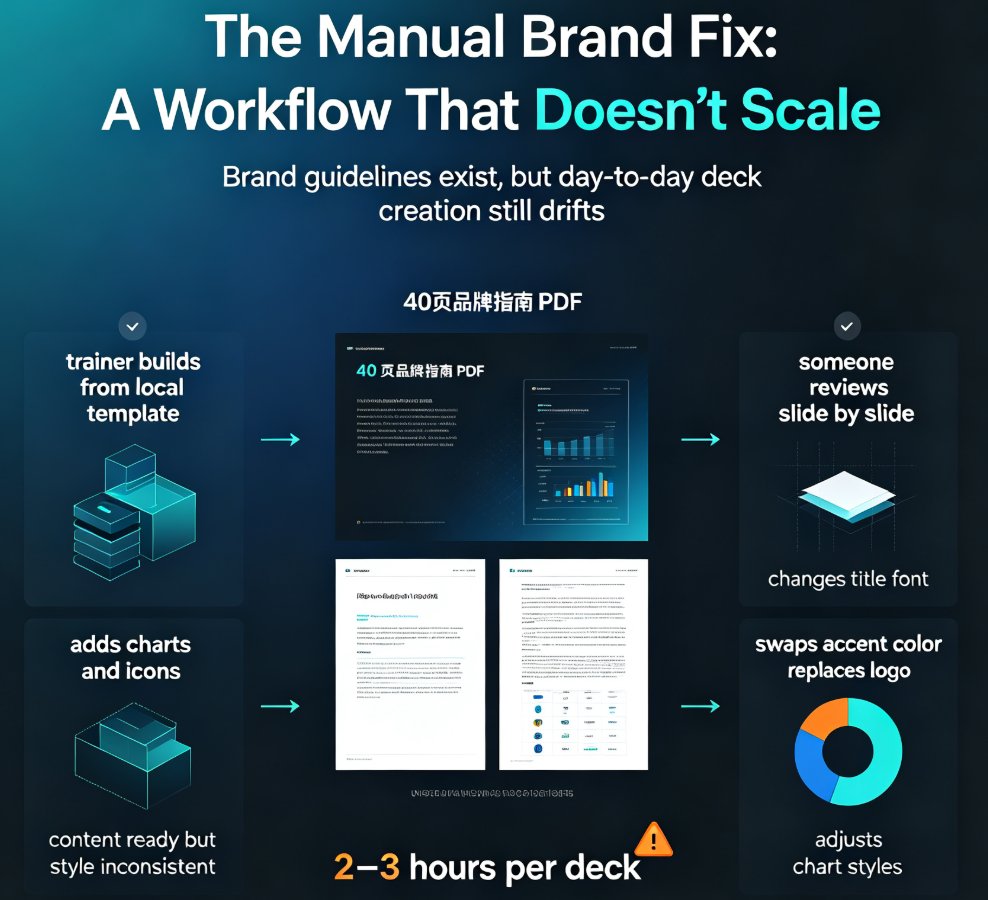
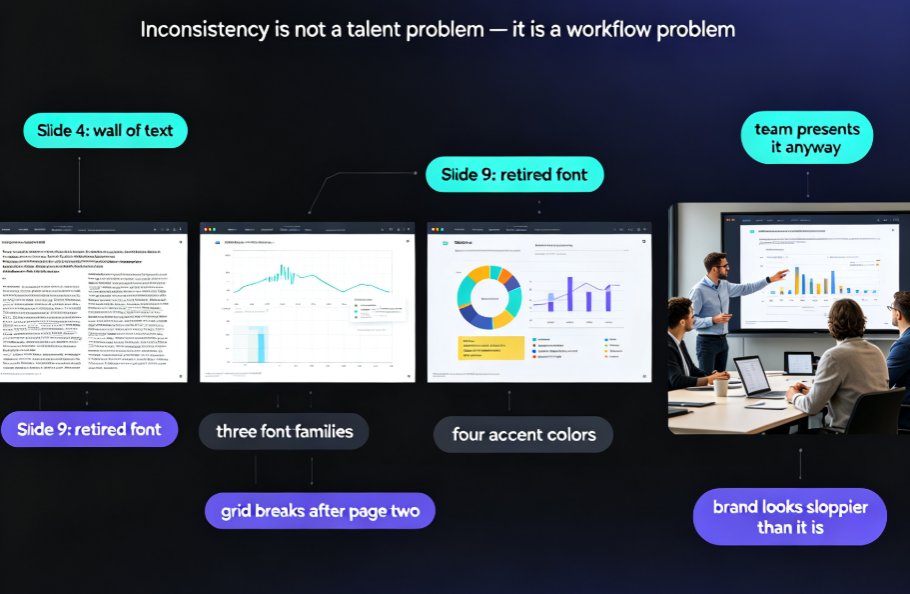
Let's be real: your brand is probably drifting right now. Somewhere in your company, a sales rep is building a deck with a font you've never approved. A trainer just exported a courseware file with the old logo. And the marketing team? They've given up trying to police it all.
This is the classic brand drift problem — and it's not a discipline problem. It's a systems problem. And the systems that solve it are AI template libraries.
01 — The Brand Drift Problem: Why "Just Follow the Template" Never Works
Here's the uncomfortable truth about brand guidelines: they only work when someone enforces them. And in most organizations, that someone is either (a) an overworked designer, (b) a brand manager who's become a full-time template cop, or (c) nobody.
The pain point is familiar. When you have 50, 200, or 500 people creating decks, each one makes small deviations. A slightly different blue here. A stretched logo there. A font substitution when the brand font isn't installed on someone's laptop. Individually, these are minor. Collectively, they erode trust in your brand — and clients notice, even if they can't articulate why.
The solution isn't more guidelines or another training session. It's making the tool itself do the enforcement. When the system refuses to let you go off-brand — or instantly fixes it when you do — you get consistency without the policing.
The outcome? Your team stops wasting hours on brand review, and every deck that goes out the door looks like it came from the same design studio.
Brand consistency is no longer a design problem. It's a systems problem — and the systems that solve it are AI template libraries.
02 — How AI Template Libraries Became the New Design Guardians
Static template packs were the first attempt at solving this. You'd download a .pptx with 20 slides, and... immediately break it. Someone changes the layout, adds a text box, or imports content from an old deck, and suddenly the template is just a suggestion.
That's the core pain point: static templates are passive. They don't adapt, they don't enforce, and they don't scale. They're a starting point, not a guardrail.
AI template libraries flip this entirely. Instead of a static file, you get a smart system that understands your brand rules — colors, fonts, spacing, logo placement — and applies them automatically to whatever content you feed it. Paste a Word outline, type a prompt, or import a messy legacy deck, and the output is on-brand by default, not by accident.
This is exactly the shift we're seeing in the 2026 template landscape: generic one-size-fits-all templates are giving way to contextual ones that adapt to your industry, audience, and brand. If you want the full picture, our breakdown of 2026 template library trends walks through why contextual beats generic every time.
◉ What makes an AI template library different from a static template pack?
A static template pack gives you a file. An AI template library gives you a system. The library holds your brand rules as structured data — not as pixels on a slide — so it can apply them consistently across any content, any layout, any deck. That's the difference between a suggestion and an enforcement mechanism.
The best AI template library isn't a collection of pretty slides. It's a brand enforcement engine that happens to look good.
03 — One-Click Reskin: The Workflow That Kills Style Drift
Here's the scenario that breaks most brand teams: you have 200 legacy decks built over three years, each with a slightly different version of the brand. Fixing them manually would take weeks. Leaving them as-is means your brand looks inconsistent to every client, partner, or learner who sees them.
The pain point is real: retrofitting old decks is tedious, error-prone, and nobody wants to own it. So the decks just sit there, quietly eroding your brand equity.
The solution is one-click reskin. You open a deck in the tool, and the AI re-applies your brand kit — fonts, colors, layouts, logo treatment — across every slide in seconds. It's not a find-and-replace of colors; it's a full layout pass that keeps your content intact while bringing the design back in line.
The outcome is dramatic. Legacy decks get rescued. New decks are born on-brand. And the style drift curve flattens almost overnight.
The chart above shows a typical pattern: manual brand policing can't keep up with decentralized creation, so drift compounds month after month. AI-enforced template libraries hold the line — not because people are more careful, but because the system won't let them drift.
One-click reskin doesn't just save time — it retroactively fixes the brand debt your team has been accumulating for years.
04 — What to Look For in an AI Template Library
Not all template libraries are created equal. Here's a comparison of the three approaches most teams are choosing between:
| Capability | Static Template Pack | AI Template Library | Manual Design Team |
|---|---|---|---|
| Brand enforcement | None — templates break easily | Automatic — AI applies brand rules | High, but slow |
| Speed to deck | Fast, but often off-brand | Fast and on-brand | Slow (days to weeks) |
| Scalability | Doesn't scale | Scales to hundreds of decks | Bottlenecks at ~10 decks/week |
| Legacy deck rescue | Manual only | One-click reskin | Manual, expensive |
| Cost | Low | Low-to-mid | High (salaries + overhead) |
| Consistency | Low | High | High, but varies across designers |
The pattern is obvious: AI template libraries give you the enforcement of a design team without the cost or the bottleneck. That's why more organizations are treating them as the default path for deck creation — and why asset libraries are increasingly built around brand governance, not just pretty icons. Our piece on AI asset libraries and brand consistency digs into that shift.
05 — Zendeck's Approach: Brand Kit + Smart Templates
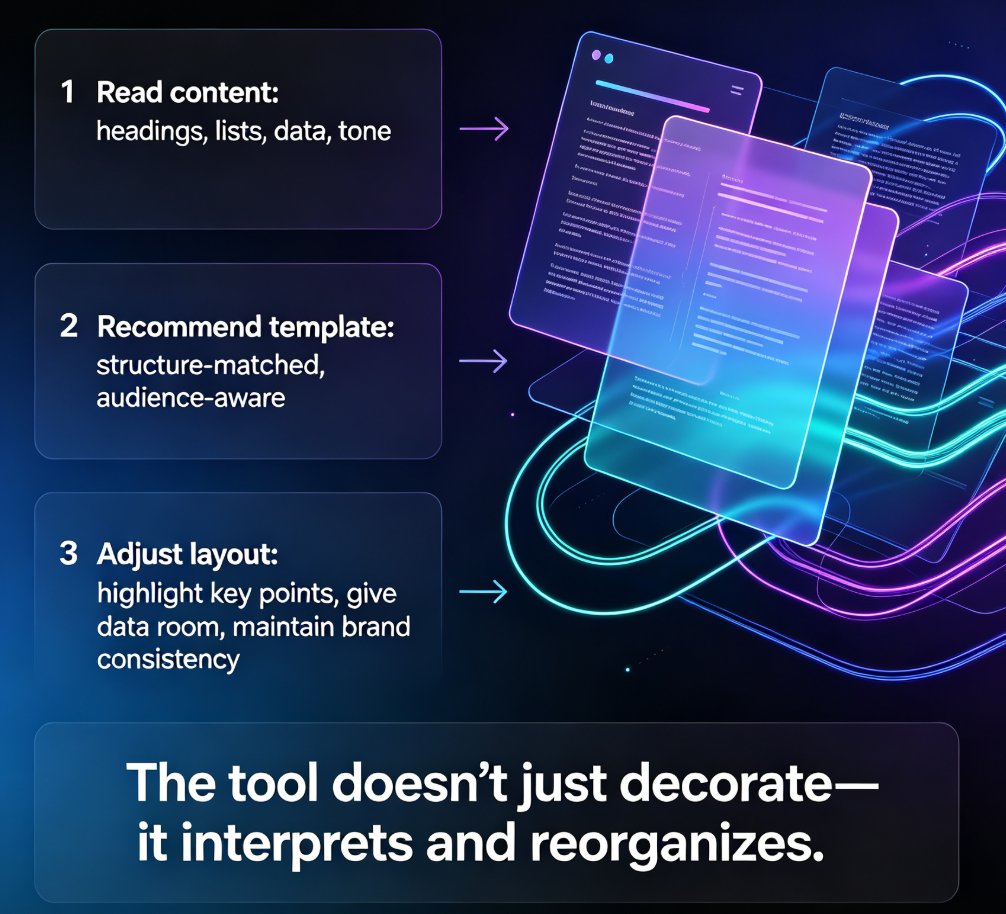
This is where Zendeck comes in. Instead of forcing you to choose between a rigid template and a free-for-all, Zendeck combines a brand kit with a smart template library. You define your brand once — colors, fonts, logo, tone — and the AI applies it to every deck you generate.
The workflow looks like this:
- Set up your brand kit (or import the rules from an existing deck)
- Paste a Word outline or Markdown, or pick a template from the library
- Zendeck generates the deck with your brand rules baked in
- Need to fix an old deck? One-click reskin brings it back on-brand in seconds
For teams that want to go deeper, Zendeck supports custom brand kits that keep every department's decks consistent — from sales to training to product. Our guide on creating a custom brand kit in Zendeck walks through the setup step by step.
And if you've ever wondered why your AI-generated slides still look off-brand, the answer is usually that the tool you're using doesn't have a real brand enforcement layer. We break down that problem — and the fix — in why your AI slides look off-brand and how to fix it fast.
06 — Practical Steps to Deploy Brand Governance Today
You don't need to wait for a big redesign cycle. Here's how to start deploying brand governance this week:
- Audit your worst offenders. Find the 10 decks that are most off-brand and most visible — sales decks, onboarding materials, client-facing courseware.
- Define your brand kit once. Colors, fonts, logo, spacing rules. This is a one-time investment that pays off every single day after.
- Reskin the legacy decks. One-click reskin brings them back in line without manual rework.
- Make the system the only path. Set a rule: no deck gets created outside the AI template library. This is the step that actually kills drift.
- Review monthly. Check that new decks are staying on-brand. They will, because the system enforces it — but a quick monthly scan catches edge cases.
If you want the full framework for how AI enforces brand governance without a design team, our deep dive on zero-design brand governance covers the mechanics in detail.
And if you're building courseware specifically, the same principles apply — your training materials need to be as on-brand as your sales decks. We've collected the best practices in our courseware design hub so you can keep every deck, slide, and micro-course aligned.
FAQ
Q: How do AI template libraries enforce brand consistency?
A: AI template libraries bake your brand rules — colors, fonts, spacing, logo placement — directly into the generation engine. Every deck created through the library is on-brand by default, and one-click reskin brings existing decks back in line without manual work.
Q: What is one-click reskin and how does it work?
A: One-click reskin is a feature that re-applies your brand kit to an existing deck in seconds. It adjusts fonts, colors, layouts, and logo treatment across every slide while keeping your content intact — so legacy decks get rescued instead of abandoned.
Q: Can AI template libraries replace a design team?
A: For consistency, speed, and scale, yes. AI template libraries handle the repetitive, rules-based work that consumes design teams. For high-level creative direction, you still want humans — but they can focus on strategy instead of policing fonts and colors.
Q: How does Zendeck's brand kit work with its template library?
A: You define your brand once in Zendeck — colors, fonts, logo, tone — and the AI applies it to every deck you generate. You can also import brand rules from an existing deck, so the system learns your standards instead of you re-teaching them.
Q: What causes style drift and how do AI templates prevent it?
A: Style drift comes from decentralized creation — hundreds of people making small deviations in fonts, colors, and layouts. AI templates prevent it by making the system the enforcer, so there's no room for individual interpretation and no need for manual review.