How HR Teams Build Branded Onboarding Decks with AI Templates
How HR Teams Build Branded Onboarding Decks with AI Templates
Let's be honest: assembling an onboarding deck is the task HR professionals dread. You dig through old PowerPoint files, hunt for the correct logo, pray the fonts still match, and then spend hours aligning shapes that should never have been misaligned in the first place. Meanwhile, the new hire's first day is creeping closer, and you haven't even touched the agenda slide.
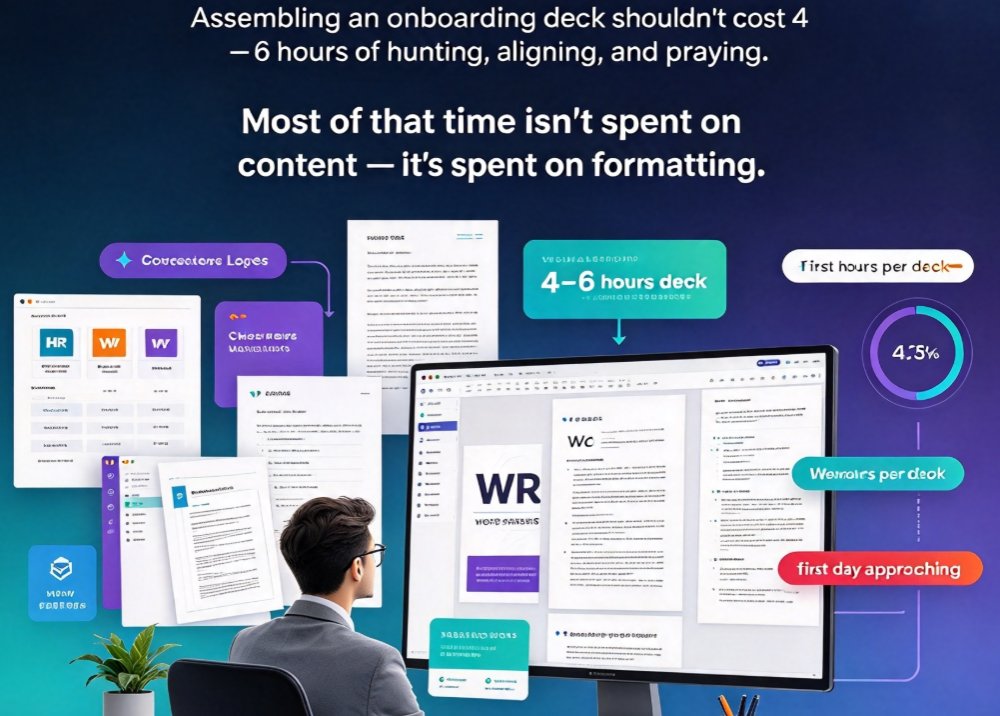
The classic onboarding deck workflow costs HR teams 4–6 hours per deck, and most of that time isn't spent on the content — it's spent on formatting.
But here's the thing: onboarding decks don't have to be a design project. With AI-powered presentation tools, you can turn a simple Word outline into a polished, on-brand deck in minutes. This is your step-by-step playbook for exactly that — built for HR professionals, people ops leads, and talent enablement teams who want to standardize onboarding at scale, without a design team.
01 What Actually Makes an Onboarding Deck Work
Before we jump into the how, let's talk about the what. An effective onboarding deck is more than a welcome slide and a company history timeline. Looking at how professional onboarding templates are structured — platforms like Storydoc and Beautiful.ai both use similar core slide flows — the winning formula includes:
- Welcome slide — greet new hires and set a warm tone
- Mission and values — communicate what the company stands for
- Team introduction — help new hires put names to faces and understand roles
- Schedule and agenda — outline the first week or first 30/60/90 days
- Tools and access — display essential work resources and logins
The best onboarding decks are information systems, not decorative documents. Every slide answers one question: 'What does a new hire need to know right now?'
For most companies, that translates to a 15–20 slide deck. Which brings us to the real pain point: how do you create 20 slides consistently, with the right branding, without spending a full workday on it?
02 The Old Way vs. The Zendeck Way
The Manual PowerPoint Approach: 4–6 Hours of Pain
If you've ever built an onboarding deck in PowerPoint from scratch, you know the drill. You're searching for the updated company org chart. You're resizing the CEO's headshot for the third time. You're explaining to your intern — again — why the footer logo looks stretched.
The math is unforgiving. A typical 20-slide deck, manually assembled, involves:
- 60–90 minutes of hunting for assets (logos, photos, icons)
- 2–3 hours of aligning and formatting slides
- 1–2 hours of revision based on manager feedback
- Almost zero time left for actually improving the onboarding experience
According to industry practice, HR professionals spend an average of 4–6 hours per onboarding deck on formatting and asset management — work that AI presentation tools can compress into 10–15 minutes.
The Zendeck Approach: From Outline to Deck in Minutes
Here's where Zendeck changes the game. Built for educators, trainers, and yes, HR teams who aren't designers, Zendeck takes a plain Word outline and does the heavy lifting. The workflow is simple:
- Paste your outline — export your onboarding content from Word or write it directly as Markdown. Just structured titles and bullet points; no styling needed.
- Let AI generate the structure — Zendeck analyzes your content and produces a visually consistent slide deck with smart layouts.
- Apply your brand kit — one click, and your logo, fonts, and colors are uniformly applied across all 20 slides.
- Refine with contextual templates — Zendeck's template library offers options designed for onboarding flows: team introductions, schedules, tools, values.
- Publish and share — collaborate online, add narration, or export to video for remote hires.
The shift isn't just about speed — it's about consistency. Zendeck's smart layouts enforce brand governance automatically, which means you no longer depend on a single person 'knowing' how the brand should look.
03 A Realistic Workflow Comparison (Before vs. After)
| Task | Manual PowerPoint | Zendeck AI Templates | Time Saved |
|---|---|---|---|
| Content structuring | 60–90 min (manual heading mapping) | 2–5 min (AI parses outline) | ~85 min |
| Brand asset application | 45–60 min (hunting logos/fonts) | 2 min (one-click brand kit) | ~55 min |
| Slide layout & formatting | 2–3 hours (aligning shapes) | 3–6 min (smart layout auto-aligns) | ~2.5 hours |
| Chart & icon creation | 30–60 min (finding/creating assets) | 5 min (AI asset library) | ~40 min |
| Revisions based on feedback | 60–90 min (manual re-do) | 10 min (edit online, auto-reflow) | ~70 min |
| Total | 4–7 hours | 20–30 minutes | ~4 hours |
This table reflects time benchmarks commonly reported by teams who switch to AI template-based workflows.
04 Step-by-Step: Building a 20-Slide Onboarding Deck with Zendeck
Let's walk through the actual playbook. This is the process I'd recommend to any HR team that wants to standardize onboarding.
Step 1: Structure Your Content Word Outline
Don't start in Zendeck. Start in Word. The reason is simple: AI does better when you give it a clear skeleton. Write your outline with heading levels that map directly to slides:
- Title slide: Company name, new hire name, date, welcome message
- About us: Mission, vision, company history (3-5 key milestones)
- Culture & values: Core values, behaviors, what makes the company unique
- Team introduction: Org chart overview, team roles, who to go to for what
- Your first week: Daily schedule, meetings, deliverables
- Your first 90 days: 30/60/90 goals, training plan, checkpoints
- Tools & access: Systems, logins, IT contacts, security basics
- Policies & benefits: Key HR policies, benefits summaries, links
- Next steps: Action items, key contacts, FAQ
The 'outline-to-deck' principle: if your Word document has clean heading levels, the AI-generated deck will have a clean information hierarchy. Invest 15 minutes in the outline, and you'll save 2 hours of rearranging slides later.
Step 2: Generate, Then Apply Your Brand Kit
Paste your outline into Zendeck, choose a template from the library that fits onboarding, and generate. The result won't be perfect — no first draft ever is. But here's the key: apply your brand kit before you start tweaking. The brand kit handles your corporate colors, fonts, and logo placement so that every change you make afterward stays within brand guidelines.
For a deep dive on setting up your own brand kit, read 5 Ways to Create a Custom Brand Kit in Zendeck for Consistent Decks.
Step 3: Add Visuals That Matter (Charts, Icons, and Plans)
Onboarding decks are text-heavy, which is exactly why they fail. New hires are already overwhelmed; a wall of text makes it worse.
Replace paragraphs with visuals:
- Add a 30/60/90-day timeline chart — Zendeck's asset library includes interactive chart options that make learning goals visual.
- Use icons to represent tools and policies — icons communicate faster than text blocks.
- Include an org chart — knowing who reports to whom reduces first-day anxiety.
Need help adding charts? Check out How to Add Interactive Charts to Your AI Slides with Zendeck's Asset Library. For icons and visual assets, see AI-Powered Asset Libraries: Smarter Visuals for Your Decks.
Step 4: Add Narration or Convert to Video (For Remote Hires)
This is a game-changer for distributed teams. Instead of sending a static PDF of the onboarding deck, use Zendeck's PPT-to-video feature to add a voiceover and subtitles, turning your deck into a narrated micro-course.
Remote new hires can watch the onboarding presentation at their own pace, rewind the explanation of the company's performance review process, and come to their first day already knowing how the tools work.
Learn how to do this: How to Add Narration to Your Slides with Zendeck's PPT-to-Video or How to Add Voiceover and Subtitles to Your Slides with Zendeck's AI.
Step 5: Collaborate, Review, and Standardize
Onboarding decks involve multiple stakeholders: HR, your hiring manager, IT, the CEO (sometimes). With Zendeck's online collaboration, you don't email files back and forth — you share a link and collect comments in real-time.
The trick for standardization: create one master template for your standard onboarding flow, then duplicate and modify it for each new hire or cohort. This way, your 'Engineering onboarding' and 'Sales onboarding' decks share the same brand, the same design system, and the same quality bar.
If you want to cut even more design time, read 5 Ways Zendeck Smart Layout Cuts Presentation Design Time.
05 How Onboarding Decks Fit Into the 2026 Presentation Landscape
HR-specific use cases like onboarding are driving a broader trend in presentation software: templates are being replaced by contextual, AI-driven design.
Generic template packs are dying. Nobody wants a 'Modern Business Deck' clone anymore. Instead, teams want templates that understand the context — an onboarding deck should look different from a sales pitch, and the AI should know why.
Zendeck's template library is built around this idea. The AI understands not just 'what slides you need' but 'what you're trying to accomplish with them.' For onboarding, that means the AI naturally suggests slides about team structure and tools — not generic 'growth strategy' charts.
For more on this trend, see 2026 Template Library Trends: Why Contextual Templates Beat Generic and Why AI Deck Tools Are Moving Beyond Templates: Context-Aware Design.
06 The Bottom Line: Onboarding Decks Should Be a SaaS Product, Not a DIY Project
Let's be real. Your CEO doesn't judge HR on how many slides you aligned manually. She judges you on whether new hires are productive — and engaged — faster than before.
The deck is the medium, not the goal. By shifting from manual PowerPoint assembly to AI generation, your team:
- Saves 4+ hours per deck on average
- Enforces brand consistency without policing colleagues
- Creates a reusable system, not a one-off file
- Scales to video and micro-courses for remote onboarding
The ROI isn't just efficiency — it's a genuinely better experience for new hires on one of the most important days of their professional life.
If your team hasn't experimented with AI-driven deck generation yet, January is the perfect time to run a pilot. Take one standard onboarding deck, rebuild it with Zendeck, and time the difference. The results will speak for themselves.
FAQ
How long does it take to build an onboarding deck with Zendeck?
From a Word outline to a polished 20-slide deck, most HR teams finish in 10–15 minutes. Zendeck generates the initial structure and design in minutes, and smart layout and brand kit features cut revision time by roughly 4 hours compared to manual PowerPoint work.
Can I enforce brand consistency across multiple onboarding decks?
Yes. Zendeck's reusable brand kit stores your logo, fonts, and color palette. Apply it to any new deck, and smart layouts automatically align elements — so every cohort, department, or region gets the same on-brand look without a designer.
Do I need design skills to use Zendeck's onboarding templates?
No. Zendeck is built for non-designers. Paste a Word outline or markdown, and the AI generates a structured, visually consistent deck. The template library provides contextual options that fit onboarding flows, so you never start from a blank slide.
How do I add narration or turn the onboarding deck into a video?
Use Zendeck's PPT-to-video feature to add voiceover and subtitles directly to slides. This converts static onboarding content into narrated micro-courses — ideal for remote new hires who can't attend live sessions.
What's the best way to collaborate on an onboarding deck?
Share a link and use online editing for real-time review. Stakeholders — HR, team leads, executives — can comment directly on slides, and the team updates the same file. No more emailing PPT files back and forth.