AI Template Libraries: How Smart Layouts Redefine Brand Consistency
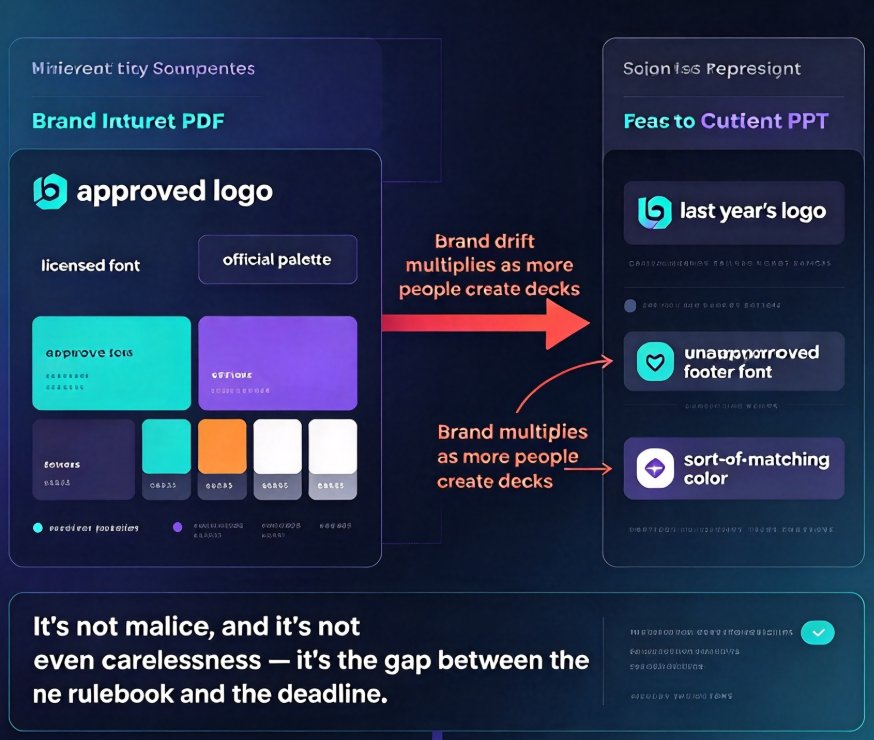
Every organization has the same story: an approved brand guidelines PDF sitting on the intranet, and a regional rep who just sent a client a deck with last year's logo, a footer font nobody approved, and a color that sort of matches the brand — if you squint.
Let's be real: it's not malice, and it's not even carelessness. It's that brand guidelines live in a static document while content creation happens in a hurry. And as more people create decks across sales, marketing, L&D, and faculty, the drift multiplies. Marq's analysis puts it bluntly: the more people who create content across your organization, the wider that gap gets.
This is exactly why AI template libraries stopped being "a folder of nice-looking files" and quietly turned into something more important: brand enforcement systems. In 2026, a smart template library doesn't just make slides pretty — it makes visual consistency automatic. Here's what changed, what it saves you, and why tools like Zendeck's one-click reskin are leading the shift.
01 Why Brand Consistency Still Fails in 2026
Most teams already have templates. They even have governance rules, style guides, and a chief brand officer who sends reminders. The failure happens in the gap between the approved template and the finished deck.
A regional rep opens a shared folder, grabs the file that looks closest, replaces a few slides, and hits send. The logo came from an old email attachment. The font was a default because the licensed one wasn't installed. The color palette got misremembered. Individually, each mistake is small. Collectively, they chip away at customer trust and dilute what your brand means.
Brand guidelines don't fail because people ignore them. They fail because nothing stops people from overriding them.
That's the core problem. You can train, remind, and threaten, but as long as the tooling leaves room for manual judgment, someone will take the wrong shortcut under deadline pressure.
The fix isn't more training — it's moving the rules into the tool itself. AI-driven brand management platforms are built precisely to close this gap by enforcing standards at the point of creation, not after the fact. On the video side, VEED's Brand Kit already lets teams lock logos, fonts, and colors into one shared library trusted by 250k+ users, while auto-generating captions in 95+ languages. The same philosophy is now reshaping presentation tools: instead of asking people to follow the rules, the software applies the rules for them.
The outcome is straightforward: fewer corrections, fewer embarrassing version-control moments, and a brand that finally matches its guidelines across every channel and every team.
02 What an AI Template Library Actually Does Now
A template library used to be a collection of .potx files with placeholder text. You copied one, prayed the formatting held, and manually fixed whatever broke. An AI-driven library is a different beast entirely — it behaves more like a set of living rules than a static file.
Here's what it does in practice:
- Enforces fonts and colors automatically. Every new slide pulls typography and palette values directly from the brand kit. If someone's local machine is missing a licensed font, the system substitutes the closest approved alternative instead of silently falling back to Arial.
- Pulls logos from an approved asset store. No more hunting through old email threads for the right version. Approved logo files live in one place and get inserted correctly — with proper spacing and background treatment — every single time.
- Reflows layouts as content changes. This is the part static templates can never do. When you drop in a 12-item list or a high-resolution chart, the slide rearranges itself intelligently rather than spilling off the canvas.
- Applies accessibility defaults. Alt text, caption styling, and contrast ratios get handled by the system instead of being an afterthought. That's a growing expectation, especially in education and enterprise settings.
- Reskins an entire deck set on demand. When you rebrand, you don't rebuild hundreds of decks by hand. One command updates fonts, colors, and layouts across everything.
◉ What actually changed between 2024 and 2026?
In simple terms: AI went from suggesting to enforcing. Earlier tools could recommend a better color or a cleaner layout, but the user still had to click. By 2026, smart template libraries act as governance layers — they correct, lock, and standardize without asking for permission on every micro-decision. The change sounds subtle, but it's the difference between a suggestion box and a building code.
03 Static Templates vs. AI Smart Libraries: The Real Difference
To see why this matters, put the two approaches side by side. The table below compares what happens when real teams — not idealized users — work with each system.
| Capability | Static template library | AI-driven smart library (2026) |
|---|---|---|
| Font enforcement | Depends on the user opening the right file | Locked in the library; wrong fonts corrected automatically |
| Color governance | Copy-paste accidents from old decks | Brand palette enforced on every new slide |
| Logo handling | Users paste whatever version they find | Approved assets pulled from the brand kit |
| Layout when content changes | Breaks; hours of manual rework | Smart layout reflows the slide instantly |
| Rebranding / reskin | Rebuild every deck by hand | One-click reskin across all decks |
| Accessibility defaults | Manual; often forgotten | Captions, alt text, contrast applied by default |
| Scaling to many creators | Drift worsens with every new user | Governance holds because rules live in the tool |
In 2026, a template is no longer a file you copy. It's a set of rules that apply themselves to every slide your team creates.
The difference compounds as your team grows. Two people managing templates can still keep static files roughly aligned. Twenty people across three departments cannot — and that's precisely where AI libraries pull ahead. The system becomes the single source of truth instead of a shared drive that nobody trusts.
04 The Hours You Actually Recover
The operational case for governed template libraries often gets buried under the design talk. Let's fix that with numbers.
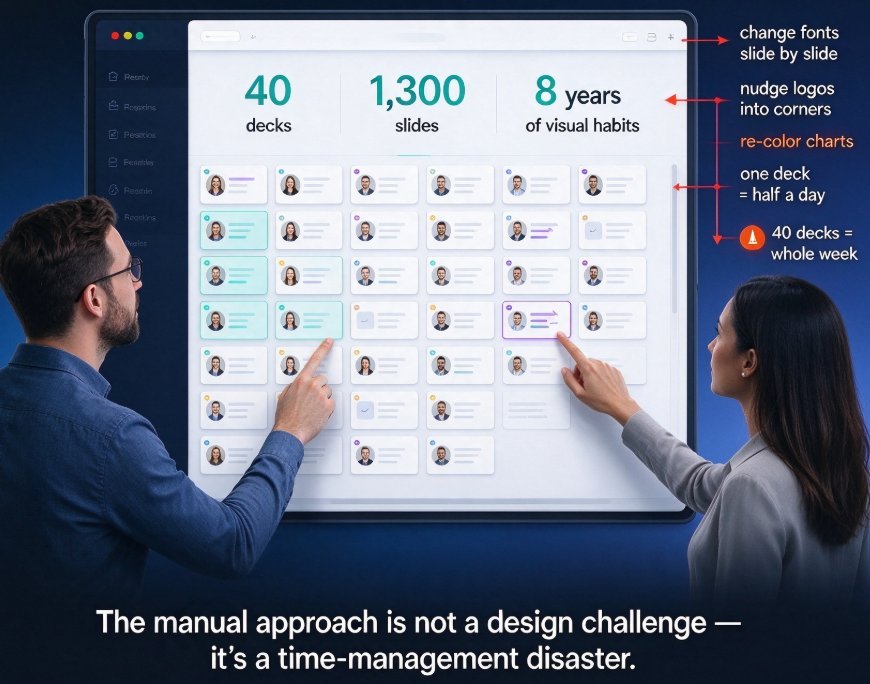
Consider a learning-and-development designer who produces one deck per day. With manual formatting and no template governance, a deck easily absorbs 12 hours of layout, font, and color fixes across a work week. A static template folder cuts that to around 7 hours. A smart layout system that auto-applies the brand kit drops it to roughly 2.5 hours — and that time goes into content, not formatting.
A single designer moving from manual formatting to a smart template library typically recovers 9–10 hours a week — nearly 40 hours a month. Scale that across a ten-person content team, and you're talking about a full-time hire's worth of reclaimed time every single month. Teams that have made this shift report the same pattern: less time fighting formatting, more time improving content. If you want to see how that compounds inside a real tool, our breakdown of how Zendeck smart layout cuts presentation design time walks through five concrete automation hooks.
05 Zendeck's Answer: One-Click Reskin + Brand Governance
Zendeck approaches the problem from the angle that matters most to busy teams: make the right thing the easy thing. Instead of asking users to memorize guidelines, the platform bakes governance into the template library.
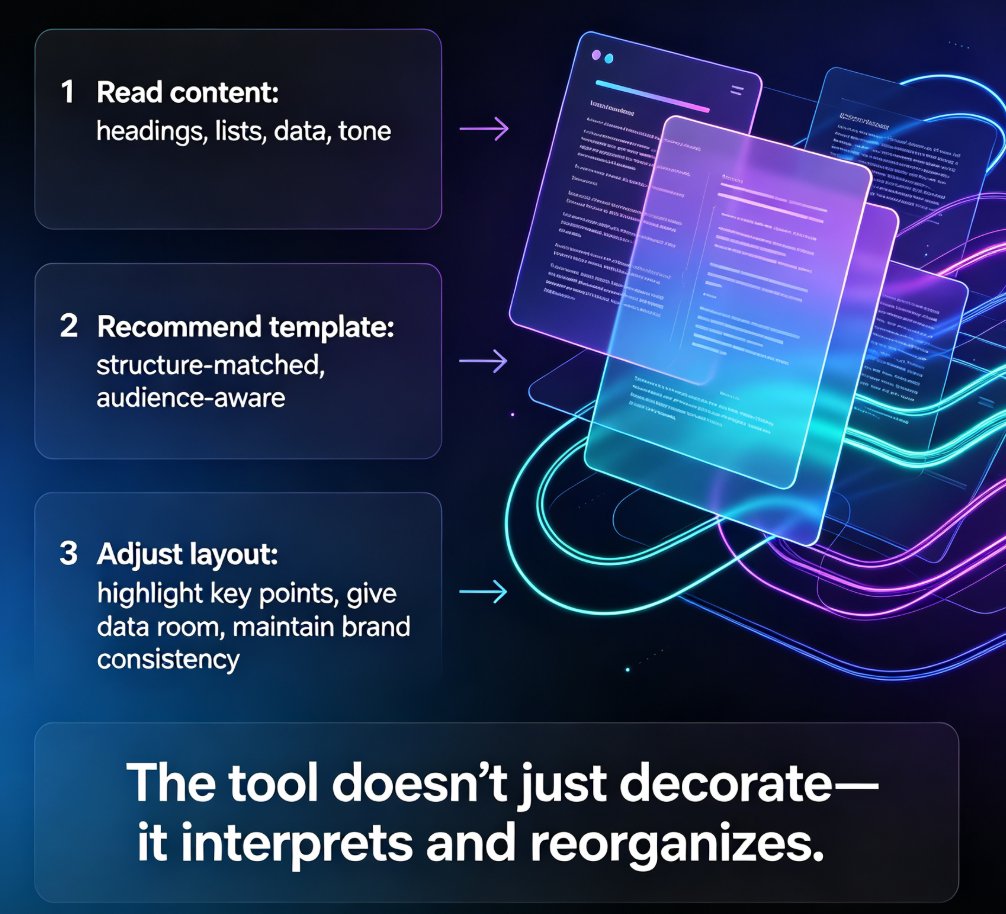
The workflow is simple. You import a Word outline, paste Markdown, or drop in a TXT file. Zendeck's smart layout reads the structure, matches it to your chosen template, and applies your brand kit's fonts, colors, and logo placement automatically. Every slide comes out visually consistent — not because someone was careful, but because the system made carelessness impossible.
The one-click reskin is where this really shines. Picture a corporate L&D team with 200 legacy decks built over three years under an old brand identity. In the static world, a rebrand means nights and weekends of manual rework. With Zendeck's reskin, you update the master once and every deck inherits the new identity in minutes. The same applies to courseware: a university standardizing the look of its online programs can push one consistent design system across hundreds of lecture decks without touching each one individually.
If you've been burned by brand drift before, you'll recognize what's different here: the system doesn't just store assets, it governs how they're used. For a deeper look at locking assets down, read our guide on creating a custom brand kit in Zendeck for consistent decks. And if you want the bigger picture on why enforcement beats persuasion, our take on zero-design brand governance with AI templates lays out the argument in full.
06 Educators and Course Teams: Consistency Without a Design Team
The consistency problem hits schools and training providers harder than most, because they rarely have a designer on staff. The person building courseware is usually an instructor who knows their subject deeply — and whose patience for kerning, color wheels, and slide-master settings is exactly zero.
The result is visible across higher ed: course decks that look like five different courses from five different institutions, even when they come from the same department. Logos overlap, title slides change style every semester, and accessibility gets skipped because nobody has the bandwidth.
An AI template library changes that equation. The instructor focuses on the content, imports their outline, and receives a deck that already follows the institution's visual identity — including captions and alt text for accessibility. This is exactly the kind of scenario where the contextual template trends for 2026 matter: the template adapts to the content and the context rather than forcing the content into a rigid mold.
◉ Can this work for a single instructor?
Absolutely. Governance doesn't require a design department — it requires a brand kit and a tool that respects it. A solo instructor or a two-person training team gets the same benefit as a large enterprise: consistent, professional courseware without touching a single design setting. For a start-to-finish walkthrough of applying this in your own teaching materials, check out our courseware design category for practical tutorials.
07 A Five-Step Plan to Build Your Governed Library
If you're convinced but not sure where to start, here's a practical plan that has worked for corporate and education teams alike.
Step 1: Audit what actually goes out the door. Collect twenty recent decks and note the inconsistencies. This isn't about blame — it's about building a case for change with concrete examples.
Step 2: Assemble your brand kit. A logo set, two or three fonts, a color palette, and a few approved layout patterns. If you don't have brand guidelines, start small and refine later.
Step 3: Set up your template library with governance enabled. Import your assets into the tool so fonts, colors, and logos become locked rules rather than suggestions.
Step 4: Pick one team to pilot. Give them a single project and compare the output against your old process. Measure the time saved and the number of fixes needed.
Step 5: Scale the rollout. Expand to more teams, add more deck types, and update the library as your brand evolves. This is where AI asset libraries revolutionise corporate brand consistency — the library becomes a living system rather than a frozen document.
◉ What if my team is still married to PowerPoint?
No one's asking you to divorce overnight. You can keep authoring in PowerPoint or Word and import the file into a governed system where the template library applies your brand rules automatically. That way your team keeps its existing habits while you offload the design governance to the tool. We have a full set of PPT tutorials that show how to make this transition painless.
FAQ
What exactly is an AI template library, and how is it different from a regular template folder?
A regular template folder is a set of static files people copy, open, and often break. An AI template library stores brand rules — approved fonts, colors, logos, and layout behavior — inside the tool itself. When someone creates a slide, those rules apply automatically. You can't accidentally use a wrong logo or a deprecated font, because the library corrects or blocks it at the point of creation instead of relying on the user to follow a PDF guideline.
How does Zendeck's smart layout enforce fonts, colors, and logos automatically?
Zendeck's smart layout reads the content you import — a Word outline, Markdown, or plain text — and maps it to your brand kit's font and color palette automatically. Logos, footers, and title-slide assets are pulled from the approved kit rather than pasted by hand. If you rebrand, the one-click reskin propagates the new identity across every existing deck in minutes.
Can educators and course teams use this without a design background?
Yes, and that's exactly the point. Schools rarely have a dedicated designer on staff. With a governed template library, an instructor imports their course outline and Zendeck applies the institution's logo, colors, and consistent slide structure automatically — including accessibility defaults like alt text and captions. The instructor focuses on content; the tool handles visual uniformity.
Will using an AI template library make every deck look identical?
No. What becomes identical is the brand layer: fonts, colors, logo placement, spacing, and typography rules. The content, structure, charts, and imagery still vary per deck and per audience. Think of it as a governed foundation with room to innovate — locked brand elements, free creative work on top.
What if my team prefers PowerPoint?
You can keep authoring in PowerPoint or Word, then import the file into Zendeck, where the template library and smart layout apply your brand rules automatically. Your team keeps its existing workflows while you offload design governance — and the hours of manual formatting — to the system.