How a University Cut Courseware Creation Time by 80% with Zendeck
Friday afternoon, 4:47 PM. Dr. Elena Marsh, a professor of organizational psychology, stares at a syllabus with 14 weeks of lectures ahead. She's done the math: roughly 280 slides to build, format, and make look half-decent. At her current pace, that's three weekends of her life gone.
Sound familiar? If you teach, train, or create any kind of structured learning content, you know the drill. The knowledge is ready in your head — the problem is the slide deck.
This is the story of how Dr. Marsh turned that 84-hour semester grind into a 17-hour workflow, and how the change didn't just save her time — it made her students pay more attention.
I. The Real Cost of Manual Courseware Creation
Let's be honest about what manual courseware creation actually costs. It's not just the hours. It's the mental overhead of formatting, the guilt of skipping design polish because you ran out of time, and the inconsistency that creeps in when you build deck 8 on a tired Tuesday night.
For most educators, courseware creation isn't a creative act — it's a formatting tax on their expertise.
The research backs this up. A 2024 EDUCAUSE Review article on augmented course design identifies media production — storyboarding, creating assets, ensuring accessibility — as "one of the most time-consuming and professionally demanding tasks for educators." The same article notes that generative AI tools used as intelligent assistants in instructional design can "significantly improve the efficiency with which institutions develop content."
The problem isn't that professors don't know their material. It's that the material gets buried under formatting work.
II. The Workflow That Changed Everything
Dr. Marsh's breakthrough came from a simple realization: she didn't need to design slides. She needed to structure knowledge. The design could be automated.
Here's the workflow she now uses with Zendeck:
-
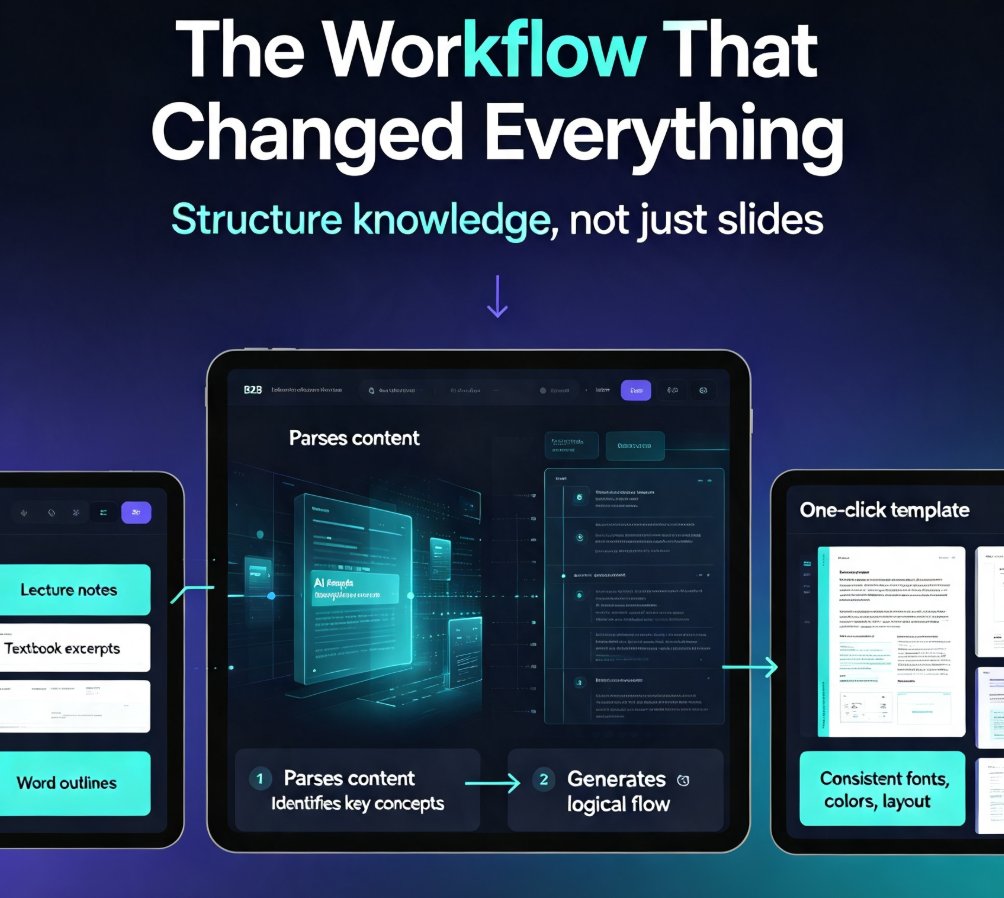
Dump the raw material. She pastes her lecture notes, textbook excerpts, and old Word outlines directly into Zendeck. The platform accepts Word documents, Markdown, and plain text — no reformatting required. If you've ever wondered how to turn a brain dump into a structured presentation, this is the exact move.
-
Let the AI structure it. Zendeck's AI engine parses the content, identifies key concepts, and generates a structured deck with logical flow. It handles the outline, the section breaks, and the slide-by-slide organization.
-
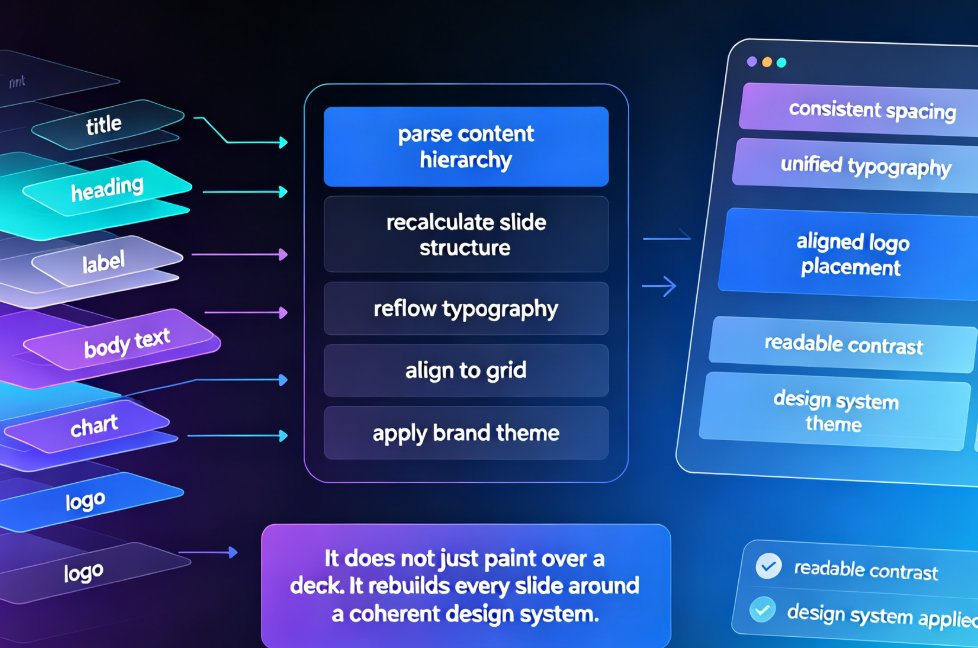
Apply a consistent template. Instead of hand-formatting every slide, she picks a template from Zendeck's library. One click, and every slide inherits the same fonts, colors, and layout. This is where brand consistency stops being a manual chore and becomes a default behavior.
-
Polish, don't build. She spends her time refining content, adding examples, and tightening the narrative — not fighting alignment tools.
The key insight? The AI doesn't replace her teaching expertise — it removes the mechanical work so her expertise can shine through.
III. The Numbers: 80% Time Savings, Measured
Let's get specific. Before Zendeck, Dr. Marsh spent roughly 6 hours per week on courseware — building slides, formatting, adjusting layouts. That's about 84 hours per semester.
With the new workflow, that dropped to about 1.2 hours per week. Total: roughly 17 hours per semester.
That's an 80% reduction in courseware creation time — from 84 hours to 17 hours per semester.
Here's the breakdown:
| Task | Manual (hours/week) | With Zendeck (hours/week) | Time Saved |
|---|---|---|---|
| Structuring content | 1.5 | 0.2 | 87% |
| Slide design & formatting | 3.0 | 0.5 | 83% |
| Template & brand consistency | 1.0 | 0.2 | 80% |
| Revisions & updates | 0.5 | 0.3 | 40% |
| Total | 6.0 | 1.2 | 80% |
The time savings didn't come from cutting corners. They came from eliminating the repetitive, mechanical parts of deck building that no one enjoys anyway.
IV. Why Design Consistency Matters for Learning
Here's something that surprised Dr. Marsh: the time savings were only half the win. The bigger shift was in how students responded.
When every lecture deck follows the same visual structure, students stop decoding the layout and start processing the content. They know where to look for the learning objectives, where the key definitions appear, and how the summary slides are organized. That consistency reduces cognitive load — and it shows up in participation.
Consistent courseware design isn't cosmetic. It's a learning scaffold that helps students focus on substance instead of structure.
Dr. Marsh noticed a measurable uptick in student engagement: more hands raised in discussion, more questions submitted after lectures, and fewer "wait, which slide are we on?" moments. The decks looked professional enough that students actually wanted to review them before exams.
This is the same principle that applies in corporate settings. Whether you're building on-brand presentations for clients or courseware for students, visual consistency builds trust and reduces friction.
V. Beyond the Lecture Hall: What This Workflow Unlocks
The same workflow that saved Dr. Marsh's semester has applications beyond university walls. Corporate trainers, HR onboarding teams, and instructional designers all face the same formatting tax.
If you're building training modules, you can take it a step further — Zendeck's PPT-to-video feature turns static slides into narrated micro-courses, which is a game-changer for asynchronous learning. And if you're working with raw source material like PDF reports or research papers, Zendeck can import those directly and generate a structured deck from the content.
The pattern is always the same: feed in raw knowledge, get back structured, on-brand courseware — then spend your saved time on what actually matters: teaching.
For Dr. Marsh, the extra 67 hours per semester went back into what she loves: office hours, mentoring, and actually reading student work carefully instead of skimming it.
VI. Getting Started: Your First Deck in 20 Minutes
If you're ready to stop paying the formatting tax, here's a realistic first session:
- Grab your messiest lecture notes — the ones you've been meaning to clean up for months.
- Paste them into Zendeck as plain text or a Word document.
- Generate the deck and let the AI handle the initial structure.
- Pick a template from the library that matches your course's tone.
- Review and refine — this is where your expertise comes in.
That's it. Twenty minutes, and you'll have a deck that would have taken you three hours on a Sunday night.
One honest tip: don't try to perfect the AI's first output. Treat it as a strong first draft, then layer in your examples, case studies, and the little asides that make your lectures memorable. The AI handles the scaffolding; you provide the soul.
If you want to explore more, the courseware design category has deeper guides on everything from micro-course creation to video workflows.
FAQ
Q: How long does it take to convert lecture notes into a courseware deck with Zendeck? A: For a typical 60-90 minute lecture, you can go from raw notes to a structured, designed deck in about 20-30 minutes. The AI handles structuring and formatting, so you spend your time on content review rather than layout.
Q: Does Zendeck work with existing Word documents and outlines? A: Yes. Zendeck accepts Word documents, Markdown, and plain text. You can paste content directly or import files, and the AI will parse the structure and generate a deck that follows your content's logic.
Q: Can I maintain consistent branding across all my course decks? A: Absolutely. Zendeck's template library and brand kit features let you apply consistent fonts, colors, and layouts across every deck. This is especially valuable for departments or institutions that need to maintain visual standards.
Q: What if I need to update courseware mid-semester? A: Updates are straightforward. You can edit the generated deck directly, or re-import updated source material and regenerate. The time cost of revisions drops dramatically compared to manual reformatting.
Q: Can the courseware be converted into video for online students? A: Yes. Zendeck's PPT-to-video feature turns static slides into narrated micro-courses, which is ideal for asynchronous learning, flipped classrooms, or students who prefer video review.