Multilingual Narration for PPT Videos: Zendeck Cuts Localization Costs
Here's a scene I've seen play out at a dozen companies. Your team nails a 12-minute product walkthrough video. It's clean, it's on-brand, you're proud of it. Then the APAC leader says, "Great, now give us a Mandarin version." And the whole project stalls. Not because of design, not because of content — because of narration.
Slide decks are easy to translate. Videos are not. And that gap is where most localization budgets go to die.
If you've ever tried to produce one voiceover in a second language, you know the drill: find a voice actor, book a studio, schedule a session, pray the translation doesn't change after recording. Do that for five languages and you're looking at weeks of calendar time and a bill that makes your finance team wince. There's a better way, and it's been quietly getting good: AI text-to-speech with automatic translation — the exact workflow Zendeck's PPT-to-video feature is built around.
For most global teams, narration is the single largest localization cost — and the easiest one to cut with AI.
01 | Why multilingual narration stalls before it starts
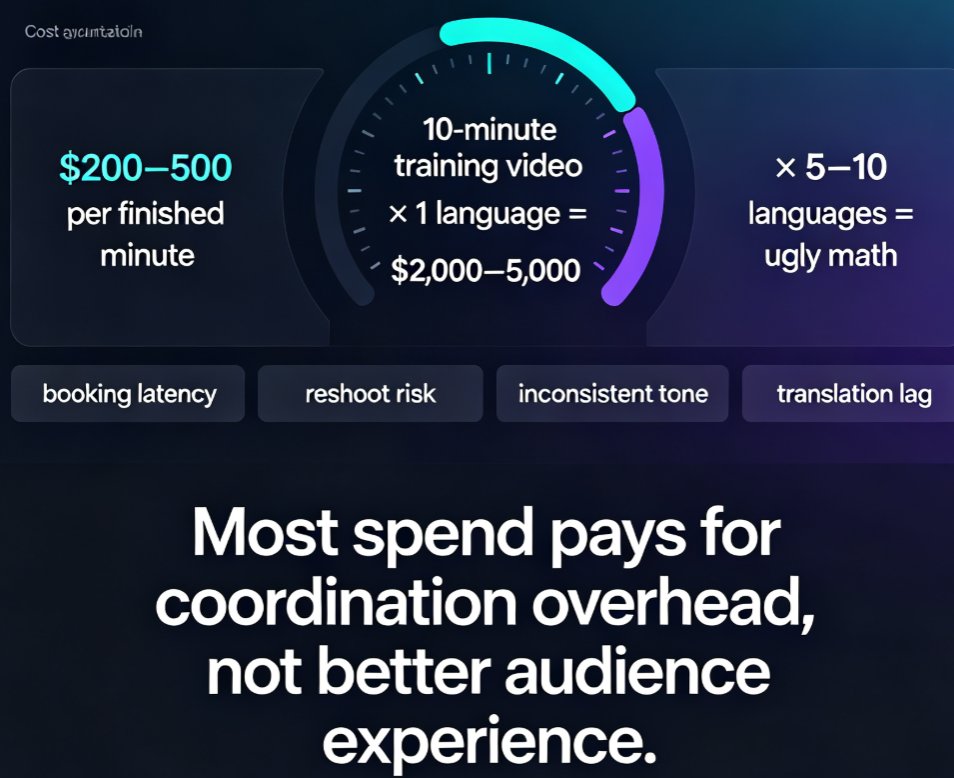
Let's put real numbers on the table. Professional voice actors charge $200–500 per finished minute of narration, according to platform pricing surveys such as guidde.com's 2026 vendor review. A standard 10-minute training video in one language runs you $2,000–5,000 in voice talent alone — before translation, before studio time, before editing.
Now multiply that by the languages your company actually needs. Five languages? Ten? The math gets ugly fast.
The pain isn't just the dollar amount. It's the process:
- Booking latency. A good voice actor is booked out for weeks. Your timeline doesn't care.
- Reshoot risk. The product team changes a feature name after recording. You redo the whole take at full cost.
- Inconsistency. Five different actors, five different paces and tones. Your brand audio sounds like a radio with bad reception.
- Translation lag. Professional translation, review, and approval cycles add days per language before a single syllable is recorded.
And here's the kicker: most of that spend isn't improving your audience's experience. It's paying for coordination overhead. That's money that could go to better visuals, better content, or honestly, your team's sanity.
02 | What AI multilingual narration actually is
AI multilingual narration combines two mature technologies — automatic translation and neural text-to-speech (TTS) — into one workflow. Here's how it works in practice:
- Your script (or your deck's speaker notes) is translated into the target language.
- A neural TTS engine synthesizes natural-sounding speech in that language — with realistic intonation, pauses, and emphasis.
- The audio is synced to your slides, which become timed scenes in the video.
Because the narration is generated from text, the economics flip completely. There's no studio hour, no actor availability, no re-recording. If a script line changes, you edit the text and regenerate that segment in minutes.
Modern TTS has crossed a quality threshold that makes it viable for real corporate use. The robotic monotone that plagued early tools is gone; today's engines handle punctuation nuance, question intonation, and even scripted emphasis. For most internal training, product explainers, and sales enablement content, the output is genuinely hard to distinguish from a staff recording — and it's consistent across every language you publish.
03 | The real cost math (and why the chart stings)
Let's compare the three common paths to a localized narrated video. The numbers below are approximate industry benchmarks — voice rates from vendor surveys, agency fees from typical localization quotes, and AI TTS costs from standard SaaS tiers.
| Approach | Cost per finished minute | Turnaround for a 10-min video | Script change after recording | Language scaling |
|---|---|---|---|---|
| Professional voice actor | $200–500 | 5–10 business days | Full re-record, full cost | New booking + new fee per language |
| Translation agency + studio | $300–500 | 7–14 business days | Change order + rush fee | Full project per language |
| AI TTS + auto-translation (Zendeck) | $5–30 | Same day | Edit text, regenerate in minutes | All languages from one deck |
AI text-to-speech pulls the cost per localized minute from hundreds of dollars to well under twenty — and removes the two biggest sources of delay: actor scheduling and re-recording.
The gap isn't a rounding error — it's a difference of 30–100x per minute. For a company producing a dozen videos a quarter across five languages, that's the difference between a six-figure annual localization budget and a few thousand dollars.
04 | The Zendeck workflow: one deck in, localized videos out
This is where Zendeck earns its keep. The entire journey — from raw content to a portfolio of multilingual videos — happens in one place.
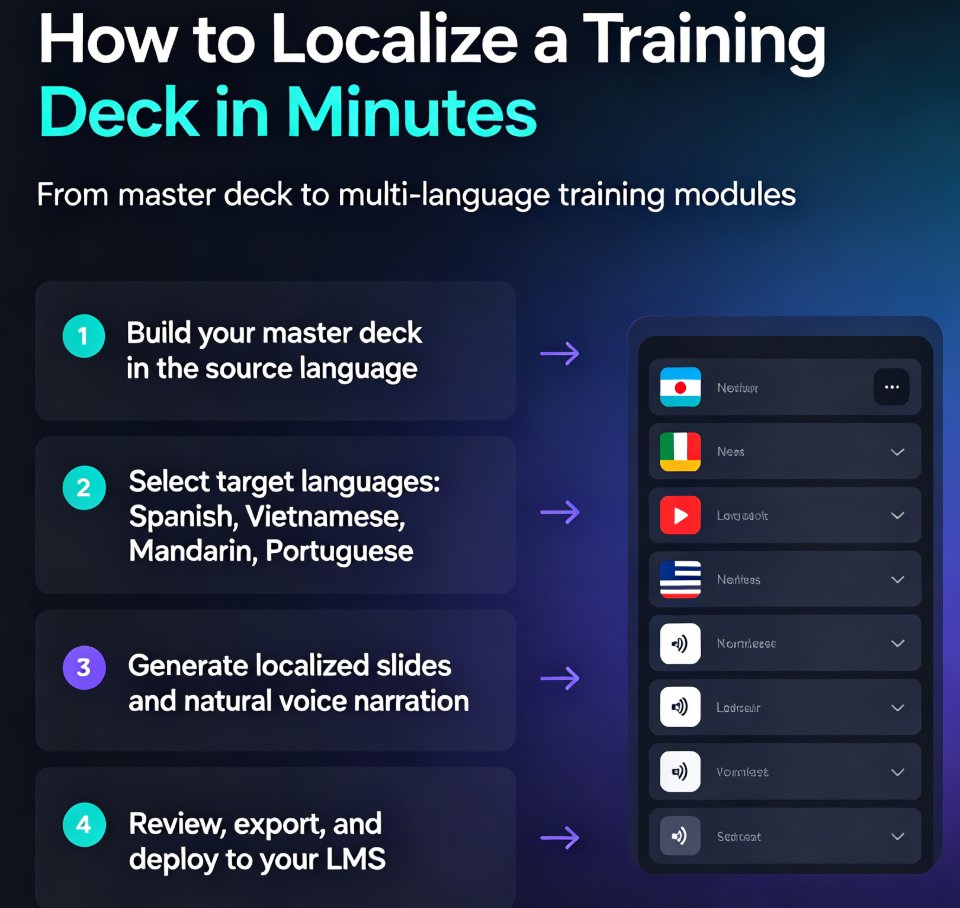
Step 1. Start with your source material. Drop in a Word outline, paste Markdown, or import an existing PPT. Zendeck structures the content into clean, consistent slides. If you want the visuals locked to your brand, set up a custom brand kit first so every language version stays on-brand automatically.
Step 2. Generate the deck, then convert it to video. The PPT-to-video engine turns each slide into a timed scene. Charts, graphs, photos, and captions carry over from your slides into the video — nothing gets orphaned in the conversion. For the full walkthrough, see our guide on adding narration to slides with Zendeck's PPT-to-video.
Step 3. Add narration in your source language. Generate AI voiceover straight from the script, or record your own track if you prefer a human presence on the hero version.
Step 4. Duplicate for each market. This is the magic moment. Instead of re-recording, you create a new version of the same project, switch the narration and subtitle language, and regenerate. The visual timeline stays identical across all versions — which means your brand presentation stays pixel-perfect in Tokyo, São Paulo, and Warsaw.
Step 5. Export and distribute. Ship each language version with matching subtitles to your LMS, or share a link directly.
A real example: an L&D team I spoke with produced a quarterly compliance refresher in English. Their old process — actor, studio, translation agency for five languages — took six weeks and cost roughly $18,000. With the AI workflow, they generated the English master, then duplicated and regenerated the Mandarin, German, Spanish, and French versions in a single afternoon. Total spend was a rounding error on their old budget.
05 | Production tips for genuinely good multi-language narration
AI saves money, but it won't save you from bad scriptwriting. Here's what separates professional-sounding multilingual videos from amateur ones, learned the hard way by teams who've shipped dozens of these:
- Write short, modular sentences. Long clauses translate badly in every language. One idea per sentence, active voice, no idioms.
- Mind the expansion. German and French run 20–30% longer than English when spoken. Leave buffer in your scene timing, and rely on auto-generated subtitles so nothing gets cut off mid-thought. Zendeck's auto-subtitle feature handles this cleanly — worth reading if you're tuning subtitles for accessibility.
- Keep visual text minimal. If your slides carry heavy English text, translated narration will clash. Let the voice carry the message; keep on-screen text to keywords.
- Generate all versions from one master deck. Consistency across languages is what makes you look like a real global company — not a patchwork of regional decks. This is exactly why AI PPT-to-video is becoming the corporate training standard.
- Always include subtitles. Even native speakers benefit from them in noisy environments, and they double as your accessibility layer. No extra production cost — just switch them on.
One warning from experience: don't let the AI voice tempt you into skipping a human review of the translation. Machine translation is good, but for high-stakes content (legal, medical, regulatory), have a native speaker verify terminology before you publish. Think of it as a QA pass, not a rewrite.
06 | When to keep a human voice in the loop
Let's be honest — AI narration isn't right for every frame. For hero marketing videos, executive testimonials, or anything where a specific human personality is the brand, a professional voice actor still earns their fee.
But here's the strategic shift that most teams miss: you don't need a human in every language.
The smart play is a hybrid. Record a human voice for your hero language — the one your biggest market sees. Generate the other languages with AI TTS. In practice, teams tell me this cuts their total localization spend by 60–80% while keeping the flagship version perfectly human. And if you're producing internal training, where the audience cares about the content, not the voice talent, AI narration is often the better choice across the board.
For a deeper look at where this trend is heading — and why video decks are replacing traditional training formats — check our piece on AI-generated video decks replacing corporate training.
The bottom line: multilingual video used to be a luxury only enterprise budgets could afford. That era is over. With tools like Zendeck, the constraint isn't your wallet anymore — it's your imagination for what a single deck can become.
FAQ
Can Zendeck generate multilingual voiceovers directly from my PPT?
Yes. Zendeck's PPT-to-video feature converts your slides into a timed video, then uses neural text-to-speech to generate narration in your chosen language from the script or speaker notes. You can produce multiple language versions from one master deck without re-recording.
How much does multilingual narration cost compared to a voice actor?
Professional voice actors typically charge $200–500 per finished minute (per guidde.com's 2026 vendor review). Zendeck's AI TTS reduces that to roughly $5–30 per video depending on your plan and voice choice — a 30–100x cost reduction per localized minute.
Will my charts, captions, and graphics survive the conversion into each language version?
Yes. Zendeck carries your slide layout, charts, photos, and captions into the video scenes automatically. The visual timeline stays identical across all language versions, so brand presentation remains consistent; only the narration and subtitle tracks change.
Can I update a script line without re-recording the whole video?
That's the big advantage of text-based AI narration. Edit the script for the affected segment and regenerate just that audio in minutes — no studio rebooking, no full re-record, no change-order fees.
Does Zendeck also handle subtitles for each language version?
Yes. Zendeck can auto-generate subtitles from the narration for every language version, which also improves accessibility and viewer retention. You can read more in our guide on auto-generated subtitles for accessible micro-courses.