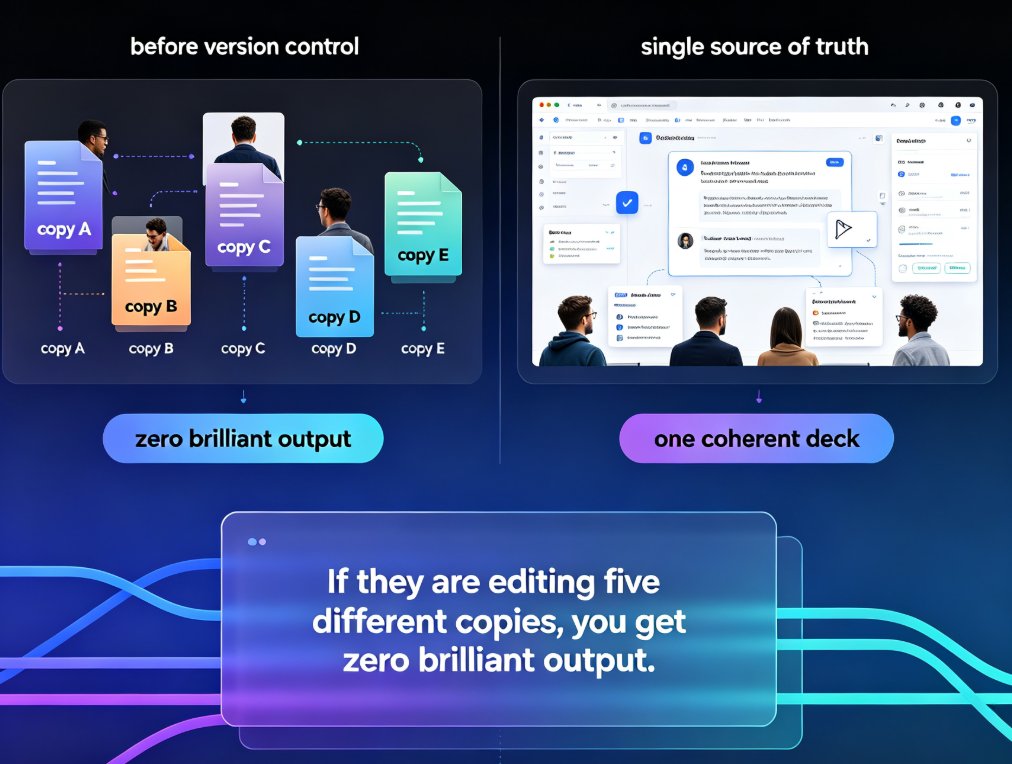
Real-Time Co-Editing: Zendeck Ends Version Control Nightmares
01. The Version Control Nightmare
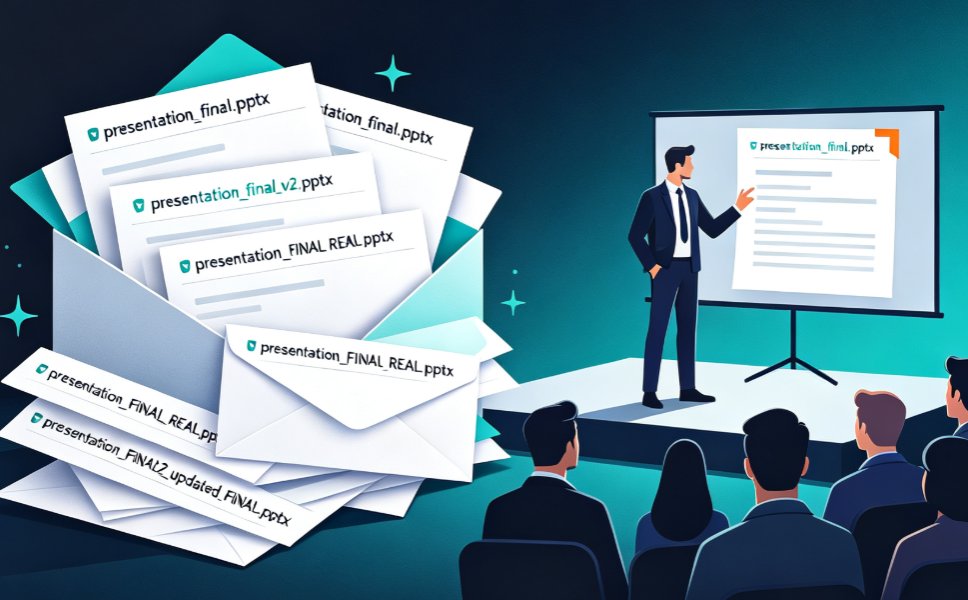
Let's be real: the worst part of any team project isn't the content—it's the version control. You've lived it: an inbox flooded with attachments named presentation_final.pptx, presentation_final_v2.pptx, presentation_FINAL_REAL.pptx, and then, somehow, presentation_FINAL_REAL2_updated_FINAL.pptx. By the time you actually present, you're not sure if you're showing the version with the updated Q3 numbers or the one with the cringe-worthy typo on slide 12.
This chaos isn't just annoying—it's costly. Every minute spent hunting for the right file is a minute stolen from polish, practice, and actual content quality. For teams producing regular decks—sales pitches, client updates, training material, board reviews—version confusion is the silent killer of productivity.
Real-time co-editing is the only true antidote to version control chaos. When your team works in a single live document instead of passing files around, the entire concept of “the latest version” becomes trivial. There's only one version, and it's always current.
02. Real-Time Co-Editing: How It Works
Collaborative real-time editors aren't new—tools like Google Docs have made text editing collaborative for years. But presentations? That's a different beast. Slides need to look good, not just read well. That's why Zendeck built co-editing that works for visual design, not just text.
Zendeck's real-time co-editing lets your whole team work on the same deck simultaneously. You'll see teammate cursors, their names on the objects they're editing, and their changes appear as they type. It's like being in the same room, except no one has to fight over the keyboard.
Just like collaborative editors such as ONLYOFFICE, Zendeck offers two modes: Fast and Strict. In Fast mode, every keystroke appears instantly, and you can watch your teammate rearrange a chart in real time. In Strict mode, edits are hidden until you explicitly save and accept them—perfect for when you need to focus on your own section without distractions.
The Pain → Solution → Outcome
The pain: A team member works on slide 4 while another edits slide 9, then they spend 20 minutes merging changes manually. The solution: Zendeck merges those edits live, with no copy-paste. The outcome: Your team ships the deck in a third of the time, with fewer errors and a lot less stress.
03. Version History: Your Safety Net
Even with real-time co-editing, mistakes happen. Someone deletes a critical slide by accident, or a teammate “improves” a graphic that was already perfect. That's where Zendeck's version history becomes your best friend.
Every time your team saves—or when Zendeck auto-saves—the current state is stored as a version. You can scroll through the entire timeline, preview any past version, and restore it with a single click. It's like having an undo button for your whole collaboration, not just your last keystroke.
Version history means you can experiment fearlessly. Try a new layout, let a junior designer take a crack at a slide, or reorganize the entire deck—if it doesn't work, revert instantly. No more “can we go back to the old design?” panic.
A Real Scenario
Your marketing team is preparing a quarterly review for the CEO. The intern accidentally overwrites the revenue chart with last quarter's data. With traditional file-based workflows, this would be a disaster. With Zendeck's version history, you open the history panel, find the previous version from 10 minutes ago, and restore just that slide. The CEO never sees the error.
04. Zendeck's Approach: Built for Presentations, Not Just Documents
You might be thinking: “Can't I just use Google Slides or the co-editing in PowerPoint?” Yes, but Zendeck goes further. While those tools offer basic collaboration, Zendeck's entire platform is tuned for AI-powered design and presentation workflows. That means:
- Smart layout suggestions that adjust as teammates add content
- One-click reskin to unify fonts and colors across the deck—even if five people edited it
- Version history that works seamlessly with AI-generated slides—so if the AI gives you something you don't like, you can roll back instantly
Zendeck is built for teams who want the speed of real-time collaboration without sacrificing visual polish. It's not just about avoiding version nightmares; it's about making your team's best work happen faster.
If you're tired of version control games, Zendeck's co-editing and version history are the upgrade your team needs. And if you're already using AI to generate slides, you'll love how version history keeps those AI-generated drafts under control.
05. Collaboration Modes: Fast vs. Strict—Which to Use When
Not every team works the same way. Sometimes you want everything visible immediately; other times you need to block out the noise. Zendeck gives you choice.
Fast Mode
- Best for: Brainstorming, workshops, parallel editing on separate sections
- Pros: Immediate feedback, everyone sees changes live, feels energetic
- Cons: Can be distracting if you're trying to focus
Strict Mode
- Best for: Final polish, high-stakes redesigns, when you need to review before committing
- Pros: You control when changes appear, fewer distractions, cleaner review process
- Cons: Requires manual saving and accepting changes, slightly slower
A good rule of thumb: use Fast mode for the messy middle phase, then switch to Strict mode as you near the deadline. That way, no one accidentally steps on someone else's toes during the final hour.
06. Comparison Table: Traditional File Sharing vs. Zendeck Real-Time Co-Editing
| Aspect | Traditional (email / shared drive) | Zendeck Real-Time Co-Editing |
|---|---|---|
| Latest version | Ambiguous—multiple copies | Single live version, always current |
| Merging edits | Manual copy-paste, error-prone | Automatic, real-time sync |
| Recovery from mistakes | Depends on backups, often messy | Full version history, restore in one click |
| Team visibility | Blind to others' work until files are shared | See cursors, names, and changes live |
| File naming headaches | “final_v3_FINAL(2).pptx” forever | No need to name versions—history tracks them |
| Collaboration overhead | High—waiting for edits, sending updates | Low—everything happens in place |
This table isn't just a list of features—it's a roadmap for team sanity. If any of the left-side pain points sound familiar, you know what to do.
07. Best Practices for Smooth Team Co-Editing
Even with great tools, a little discipline goes a long way. Here are some friend-to-friend tips from years in the trenches:
- Decide on a mode upfront. Talk about whether you're working “fast and loose” or “polish mode” before you start. Switching mid-session causes confusion.
- Use sections to divide work. If everyone owns a clear section, you'll rarely collide. Zendeck's navigation makes section assignment easy.
- Check version history periodically. Don't wait for a disaster. Glance at the history timeline to see the deck's evolution—it's a great way to spot unintended changes early.
- Name your versions when you save. Zendeck allows custom version labels like “Q3 numbers updated” or “Pre-board review.” A little labeling saves a lot of hunting later.
- Set review checkpoints. Before the final deadline, switch to Strict mode and have one person review all changes systematically. It's like a quality gate for your deck.
These aren't rigid rules—just common sense that makes collaboration less chaotic. Trust me, your future self will thank you.
08. Why This Matters More Than Ever in 2026
As teams become more distributed and remote work stays the norm, real-time collaboration isn't a luxury—it's a requirement. The old file-email-download-edit-reupload cycle simply can't keep up with the speed of modern business. Plus, with AI tools generating entire deck drafts in minutes, the bottleneck is no longer creation—it's coordination.
Zendeck sits at the intersection of AI-driven design and real-time teamwork. By combining auto-generated slides with live co-editing and bulletproof version history, it addresses the #1 pain point of team presentations: keeping everyone aligned.
The takeaway is simple: real-time co-editing is not a nice-to-have—it's the standard for any team that values its time and its sanity. And when you adopt it, you'll wonder how you ever worked any other way.
For more on how AI is reshaping presentation workflows, check out our analysis of 5 Hidden Features of AI Presentation Tools That Boost Team Productivity. And if you want to see how AI agents are making deck creation even more autonomous, read about AI Presentation Agents: How Autonomous Decks Reshape Workflows in 2026.
FAQ
Q: How does real-time co-editing in Zendeck prevent version control issues? A: Zendeck's real-time co-editing lets multiple teammates work on the same presentation simultaneously. Every change is saved and synced automatically, so there's only one live version. No more emailing files back and forth or wondering which copy is current. The version history tracks all edits, and you can restore any previous state with one click.
Q: Does Zendeck offer different co-editing modes like Fast and Strict? A: Yes. Zendeck provides a Fast mode where changes appear live as teammates type, and a Strict mode where edits are hidden until you explicitly save and accept them. This mirrors what collaborative tools like ONLYOFFICE offer, giving you control over how much distraction you want during a working session.
Q: Can I recover an older version if someone makes a mistake? A: Absolutely. Zendeck's version history stores every saved state of your presentation. You can browse past versions, preview them, and restore any snapshot to roll back unwanted changes. This is your safety net for accidental deletions or bad edits.
Q: What happens when two people edit the same slide at once? A: In Fast mode, both edits appear in real time and are merged automatically. In Strict mode, the platform flags the conflicting objects with colored dashed lines, showing you exactly what's being edited. You can then review and accept changes before they're committed.
Q: Is Zendeck's co-editing suitable for large teams or just small groups? A: Zendeck scales from two-person projects to entire departments. Real-time co-editing supports simultaneous access, and version history keeps everything organized even with dozens of contributors. It's built for teams that need to move fast without losing control.
Ready to kill the version control monster? Try Zendeck's collaborative features today and feel the difference of a deck that's always in sync.