How Zendeck's Multilingual AI Creates Presentations in 20+ Languages
You finally landed the multi-region training project. Then reality hit: the same 40-slide deck needs to work in five languages, and your two-person team doesn't speak four of them. Sound familiar?
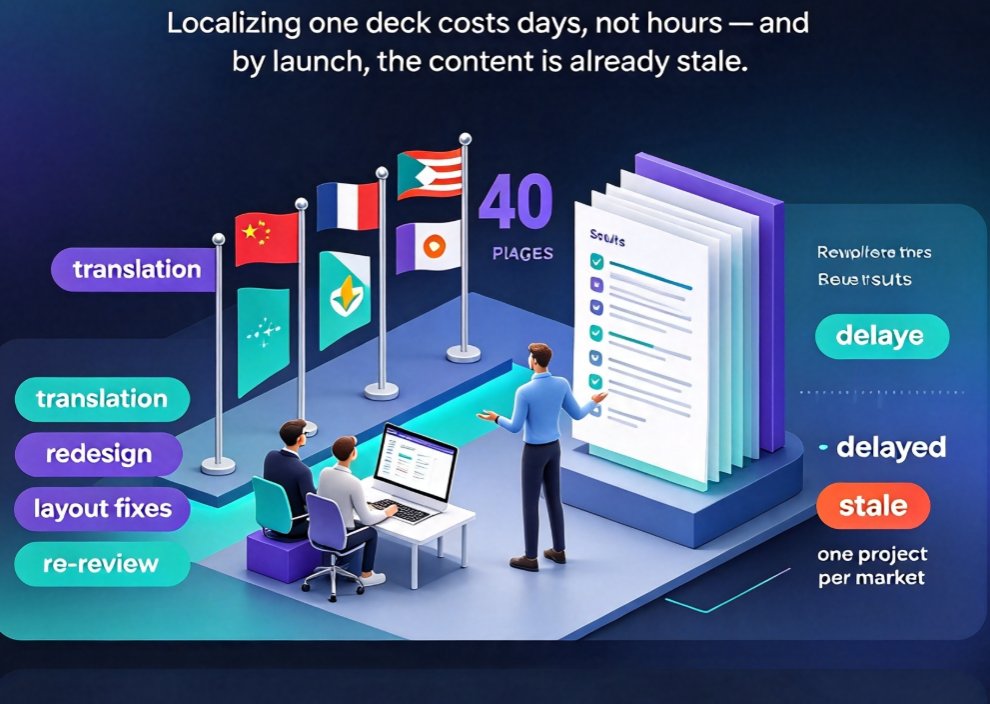
Here's the painful math most global teams learn the hard way: localizing a single deck costs days, not hours — and most of that time goes to translation and redesign, not the actual content. By the time the localized version is ready to ship, it's already stale.
Zendeck's multilingual AI takes a different route. Instead of translating finished slides, it generates presentations natively in 20+ languages — so you end up with a professionally designed, locally written deck in the target language, no translation tool required.
Below I'll walk through how that works, where it saves serious time, and where you should still do a human pass before hitting send.
I. The double grind nobody mentions
Let's be honest about how localization usually happens. Someone writes the English deck, sends it to a translator, waits two days, then gets back a translated file where every text box has overflown, the font doesn't render, and the charts feel off. Then your designer spends another day re-flowing everything.
The real bottleneck in multilingual presentations isn't translating words — it's the endless loop of translation, layout fixes, and re-review. You're not managing one project; you're managing the same project once per market.
That loop is exactly what the 2026 presentation tool trends are pushing against. Tools are moving past "here's a pretty template" toward workflows that handle the whole job — including the language part. Zendeck sits firmly in that second camp.
II. Generate, don't translate — the core difference
A lot of "multilingual" AI tools work like a wrapper: they build a deck in English, then machine-translate the text. The output is a translation of a design — awkward phrasing, cultural blind spots, and layout breakage included.
Native generation works differently. When you ask Zendeck to create a presentation in, say, Japanese or Spanish, the AI writes the content in that language from the start. The structure, tone, and examples are composed in the target language, and the layout is built around those actual words.
Zendeck's official material highlights this as one of its headline capabilities: instant generation of full decks and creation across 20+ languages for international teams. That's a meaningful jump from tools like 2Slides, which currently advertise 19 languages — and it matters because each extra language means one more market you can serve without a dedicated translator on the payroll.
Why does generating versus translating matter in practice? Three reasons:
- No layout breakage. Text length varies wildly between languages — German runs long, Japanese runs compact. When content is generated natively, the layout is built for those lengths.
- Better tone. A translation carries the author's rhythm; a generation speaks like a local writer.
- One step, not three. You skip the export-translate-reimport cycle entirely.
III. Inside Zendeck's multilingual workflow
The workflow is short enough that it feels almost too easy. From the AI courseware hub, here's the path:
- Pick your target language. Choose from the 20+ supported options before generating.
- Drop in your outline. Paste a Word outline, Markdown, or just a topic — Zendeck handles structure for you.
- Let the AI build the deck. Slides come out with professional layouts, matched imagery, and content written in the target language.
- Apply a brand pass. Use a template or brand kit so the deck matches your company's visual identity across every market.
- Ship or convert. Export as PPT/PDF, or take the deck straight into Zendeck's PPT-to-video flow to produce a narrated micro-course in that same language.
The whole loop usually lands somewhere between 10 and 30 minutes per language — and you can run several languages in parallel instead of queuing them behind a translator.
IV. Five field-tested tips for international teams
These come from watching teams run multi-language campaigns, not from a manual:
1. Keep the source outline clean. The better your outline, the more consistent the generated decks are across languages. Reuse one master outline for all markets so the logic stays aligned.
2. Lock one template per market family. A single brand template across languages keeps your global identity intact. If you haven't set up a brand kit yet, this is the week to do it — consistency is what makes a five-language rollout feel like one campaign instead of five random decks.
3. Review tone, not just facts. AI handles terminology well, but cultural tone is on you. A humorous English deck might land flat in a formal market. Allocate 15 minutes per deck to read for voice, not for typos.
4. Use the deck as a video base. A multilingual deck is doubly valuable when you convert it to a narrated micro-course with auto-generated subtitles — you get training content in the target language without hiring a VO artist in every market. This is exactly where AI PPT-to-video is becoming the 2026 corporate training standard.
5. Template the recurring stuff. Quarterly updates in multiple languages become a template job: update the outline, regenerate, review. You're no longer redesigning from zero each quarter.
V. Generation vs. translation vs. manual: the honest comparison
To see where the time goes, here's a rough comparison for producing a localized 20-slide deck:
| Approach | Translation quality | Layout risk | Team time | Per-language cost |
|---|---|---|---|---|
| Manual (translate + redesign) | High | Low (you fix it) | 3-6 hours | High: designer + translator |
| Machine translation then re-layout | Medium | High (overflows) | 1-2 hours | Medium: still needs design |
| Zendeck native generation | High | Very low | 10-30 min | Low: one subscription |
The key takeaway: the time per language drops from "a day's work" to "part of your lunch break" when you generate natively. That's the real ROI for teams running multiple markets.
VI. Where multilingual decks pay off fastest
Not every team needs 20 languages tomorrow. But three scenarios make the investment nearly instant:
Global corporate training. Rolling out onboarding or compliance training across regional offices? Generated, localized decks — plus narrated video versions — mean every office gets consistent training in its own language. No translation queue, no scheduling around vendors.
Sales enablement for international teams. A sales deck that reads naturally in the buyer's language outperforms a translated one, period. Teams that generate per-region pitch decks see fresher content because updates don't wait for a translator.
Education and cross-border courses. Instructors serving multilingual audiences — or exporting courses abroad — can produce courseware directly in the target language. Paired with agents that automate outline-to-micro-course pipelines, this turns a one-off deck into a reusable, localized content library.
VII. The honest caveats
No tool is magic, and multilingual generation has its limits. A few things worth knowing before you commit:
- Technical terminology still needs a review. AI is strong at general business language, but niche jargon — legal, medical, engineering — deserves a domain expert's pass.
- Cultural localization is broader than language. Numbers formats, date conventions, and imagery vary by market. Zendeck handles the language; you handle the local context.
- Brand voice varies by region. Your global tone might not resonate in every market. Use the generation as a strong first draft, then adjust voice per region.
Treat the AI as the fastest first draft you've ever had — then spend your saved hours on the judgment calls that actually win clients and train people well.
FAQ
Does Zendeck translate my existing slides, or generate new ones in the target language? Zendeck generates presentations natively in the selected language rather than translating a finished English deck. You provide an outline or topic, and the AI writes the content in the target language from the start, which avoids layout breakage and keeps phrasing natural.
How many languages does Zendeck support? Zendeck supports 20+ languages, covering the major business, training, and education markets. You can pick the target language before generation and even produce multiple versions of the same deck for different regions.
How long does it take to create a multilingual presentation? Most users finish a generated, designed deck in 10-30 minutes per language. Because the layout and text are created together, you skip the translation-and-redesign loop that usually takes days.
Can I turn a multilingual deck into a video course? Yes. Zendeck's PPT-to-video feature converts slides into narrated micro-courses, and it pairs well with multilingual generation — you get localized, narrated training content without hiring voice actors for every market.
Is the multilingual feature included in the free trial? Zendeck lets you try the platform for free, including its core generation workflow. Multilingual generation is a flagship capability, so it's worth testing early to see how your target languages come out before committing.