Instant Resolution Meets Teachers: Zendeck's 10-Minute Course Workflow
The 8-Hour Deck That Died in 10 Minutes
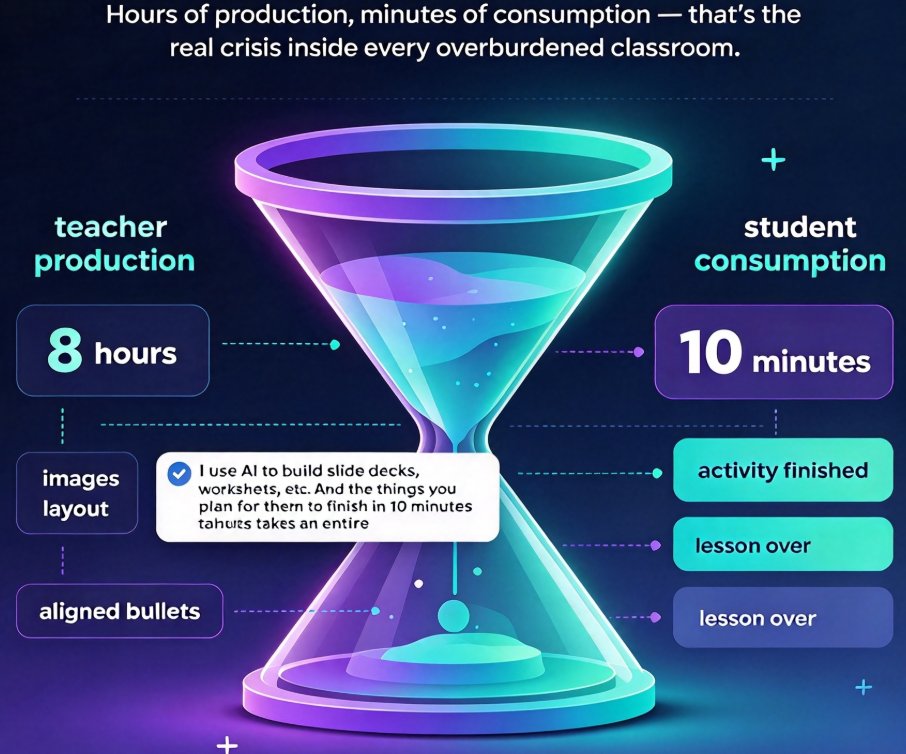
There's a thread on r/teaching that should be pinned to every school's staff room wall. A teacher admits they spent eight hours building a lesson deck — finding the images, fiddling with the layout, aligning every bullet — and then watched their students finish the activity in ten minutes. The comments read like a support group. One reply: "I use AI to build slide decks, worksheets, etc. And the things you plan for them to finish in 10 minutes takes an entire hour."
That gap — hours of production, minutes of consumption — is the real crisis hiding inside every overburdened classroom. And it's precisely the mismatch that instant resolution culture is finally forcing us to confront.
I. Instant Resolution Culture Has Left the Grocery Basket
You've seen it everywhere: groceries at your door in ten minutes, dopamine on tap via infinite scroll, a finished design in a single keystroke. A widely-shared LinkedIn post recently argued that 10-minute delivery, like social media, "offers instant gratification and massive dopamine hits every single day." It was written about commerce, but read it from a teacher's chair and it sounds exactly like the pressure you feel every Sunday night: students — and your own syllabus — now demand instant resolutions, and your old workflow can't keep up.
This isn't entitlement. It's a cultural shift in how we expect work to behave. The same person who expects dinner in ten minutes walks into a classroom expecting a lesson that explains itself immediately. That expectation has leaked into professional tools everywhere, and education is next in line. The uncomfortable truth is that a teacher's prep stack is one of the last workflows still running on 2010 rules: you spend six to ten hours producing a deck that gets thirty minutes of actual use.
That asymmetry doesn't get fixed by working harder. It gets fixed by changing what "ready" means.
II. The Real Cost of the 6–10 Hour Prep Habit
Let's be honest about what a traditional lesson deck actually costs. Between outlining, hunting for assets, aligning layouts, recording narration, and re-recording when you fumble a sentence, a polished micro-course quietly eats an evening. Multiply that by five classes and you've surrendered your weekend. Multiply it by a semester and it's not just exhaustion — it's a slow leak of every hour you'd otherwise spend on feedback, grading, or your own life.
If you want to reduce mere design time — the layout, the fonts, the alignment — we've covered exactly how that gets automated in 5 Ways Zendeck Smart Layout Cuts Presentation Design Time. But today we're going further back up the chain, to the raw outline, because that's where the biggest leak lives.
The deeper cost isn't the hours. It's what those hours do to quality. When you're exhausted by 11 p.m., the deck you produce is worse — denser slides, weaker examples, narration you don't trust, so you skip it entirely. Then you do what every overworked teacher does: you simplify the lesson to fit the deck. The material bends to your fatigue.
The instant resolution promise flips this: if production takes ten minutes, iteration becomes free, and quality stops being the enemy of your sleep.
III. The 10-Minute Workflow: From Word Outline to Narrated Video
Here's the loop that Zendeck calls the 10-minute micro-course, and it's the single biggest calendar-saver I know for educators. You feed the tool a plain Word outline — the same outline you'd draft on a train ride — and it walks the whole path for you:
- Paste or upload your outline in Markdown, TXT, or Word. No design decisions needed yet.
- Zendeck generates a structured deck — slide by slide, reusing your headings, with a consistent visual system applied automatically.
- One-click reskin if you want school or department branding — fonts, colors, and layout unify themselves. (There's a deeper dive on this in 5 Ways to Create a Custom Brand Kit in Zendeck for Consistent Decks.)
- Add narration — either record once per slide or let the deck feed the PPT-to-Video pipeline, which chains your slides into a narrated video with auto-subtitles.
The whole chain — outline to self-running micro-course — lands in about ten minutes for a standard lesson. That's not "fast for a teacher." That's "faster than the coffee run you were planning."
And before you ask — no, this isn't about removing your judgment. You still write the outline, choose the examples, and set the level. Zendeck handles the manufacturing. The teaching stays human.
Here's what a typical week looks like when the manufacturing is handled:
| Task | Traditional prep | Zendeck 10-min workflow | What you get back |
|---|---|---|---|
| Week's 5 lesson decks | 6–10 hours | ~50 minutes total | Your evenings |
| One narrated micro-course | 2–4 hours (camera, edits, upload) | ~10 minutes | Ready-to-share video with subtitles |
| Quiz / poll integration | 1–2 hours manual | A few clicks | Interactive engagement baked in |
| Re-skinned for a new class | 1–2 hours | Under a minute | Consistent branding everywhere |
The hours you reclaim aren't free time — they're teaching time. Prep becomes something that happens between classes instead of something that owns your weekend.
IV. From 8 Hours to 10 Minutes: What Actually Changes
Let's be precise about the magnitude, because it's easy to wave numbers around. A teacher with five classes and a traditional workflow spends, conservatively, a full working day each week just manufacturing decks. The Zendeck pipeline compresses that to roughly fifty minutes.
The chart below says it plainly — same outline, same learning objectives, wildly different production cost:
When manufacturing drops from hours to minutes, the bottleneck moves to the part you're actually good at: deciding what to teach.
That's the quiet revolution of instant resolution tools. They don't make you think faster; they make the production at least as fast as your students' ten-minute attention span. The deck you build during a planning period isn't orphaned by tomorrow's schedule change — because reproducing it costs ten minutes, not an evening.
This is the outcome that matters: teachers who stop negotiating with their own fatigue, and students who get material that's fresher, narrated, and genuinely self-explanatory. One educator I know described it as "walking into class with the deck finished, narrated, and already sent to absent students as a video link." That's not a productivity hack. That's a different professional life.
V. Beyond the Deck: Micro-Courses That Teach Themselves
The 10-minute workflow doesn't stop at slides. Because the deck is structured, Zendeck can carry it forward into formats your students actually consume:
- Narrated video micro-courses — the PPT-to-Video path turns static slides into a talking lesson, perfect for flipped classrooms and absent-student catch-up.
- Auto-subtitles for accessibility — covered in how Zendeck auto-generates subtitles from PPT, so hearing-impaired students stop being an afterthought.
- Embedded quizzes — interactive quizzes in micro-courses turn passive viewing into retrieval practice, which is where actual learning happens.
Suddenly a single 10-minute session produces a resource that keeps teaching after you've left the room. That's the multiplier the prep-time math never captured: one deck, many formats, zero extra design labor.
For the broader picture of where autonomous course creation is heading — teacher outline in, published course out — our piece on AI agents, from outline to published micro-course covers the pipeline end to end.
VI. The Honest Trade-off: When "Instant" Needs a Second Pass
I'm not here to sell you a fantasy where speed removes all judgment. Two caveats, from someone who's been inside these tools daily:
First, accessibility and accuracy still deserve one focused pass. Auto-generated subtitles need a proofread; facts you paste into the outline stay as accurate as you wrote them. The ten minutes buys you structure and polish — it doesn't audit your content. If accessibility compliance matters to your district, treat that as a deliberate checkpoint (see WCAG guidance for AI presentations), not an accident of speed.
Second, the first time you run this workflow is the slowest. You'll spend twenty minutes on attempt one, just believing it works. By deck three, you'll trust it — and that's when the real saving starts.
The point isn't that speed replaces care. It's that in an instant resolution culture, the teacher who can produce in minutes has room to spend hours on the parts that matter — the thinking, the feedback, the human moments. Speed isn't the goal. It's the unlock. And the whole playbook — from outline to narrated deck — lives in the micro-course production hub when you're ready to make it routine.
FAQ
Q: How long does it really take to turn a Word outline into a narrated micro-course in Zendeck?
A: For a standard 10–15 slide lesson, roughly 10 minutes from pasted outline to a narrated, subtitled video. The first attempt may take twice as long while you get comfortable; by your third deck it's a routine.
Q: Do I need design skills to use the 10-minute workflow?
A: No. Zendeck applies layout, typography, and color automatically via Smart Layout. Your only real job is writing the outline and deciding what to teach.
Q: Can the generated deck become a video without me recording anything?
A: Yes. The PPT-to-video pipeline can chain your slides into a narrated micro-course, and Zendeck can add subtitles automatically — no camera or microphone required.
Q: Is a 10-minute deck lower quality than a hand-built one?
A: It's different by measure. Hand-built decks carry your manual polish; generated decks are instantly consistent and narrated. The quality risk is in content accuracy — so review facts and subtitles once before publishing.
Q: Who is the 10-minute workflow designed for?
A: Educators, trainers, HR teams, and content operators who produce course materials regularly. If you build more than one deck a week, the time saving is immediate. See the full micro-course production guide for deeper context.