How to Use Zendeck's AI to Automatically Rebrand Your Entire Deck
How to Use Zendeck's AI to Automatically Rebrand Your Entire Deck
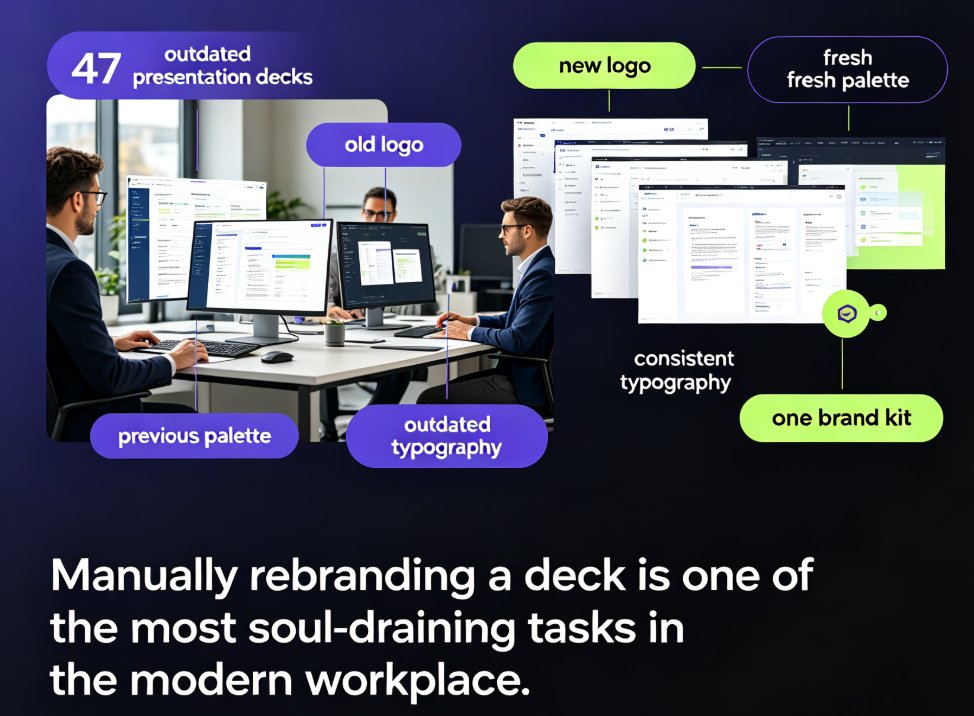
Your company just rolled out a fresh brand identity. New logo, new color palette, new typography — and somewhere in a shared drive, 47 presentation decks now look outdated. The thought of manually updating each slide, one by one, is enough to make anyone dread Monday.
Let's be real: manually rebranding a deck is one of the most soul-draining tasks in the modern workplace. You're not designing anything new — you're just applying new colors, swapping fonts, and hoping nothing breaks. And it eats hours that could go into actual work.
The good news: this is exactly the kind of tedious, repetitive task that AI handles beautifully. Zendeck's one-click reskin feature applies your brand colors, fonts, and layout to an entire presentation in seconds — no design skills, no all-nighters, no "did I miss a slide?" anxiety.
Here's how to make it work for you, why it's a game-changer for teams, and what to watch for along the way.
I. What "one-click reskin" actually means (and doesn't mean)
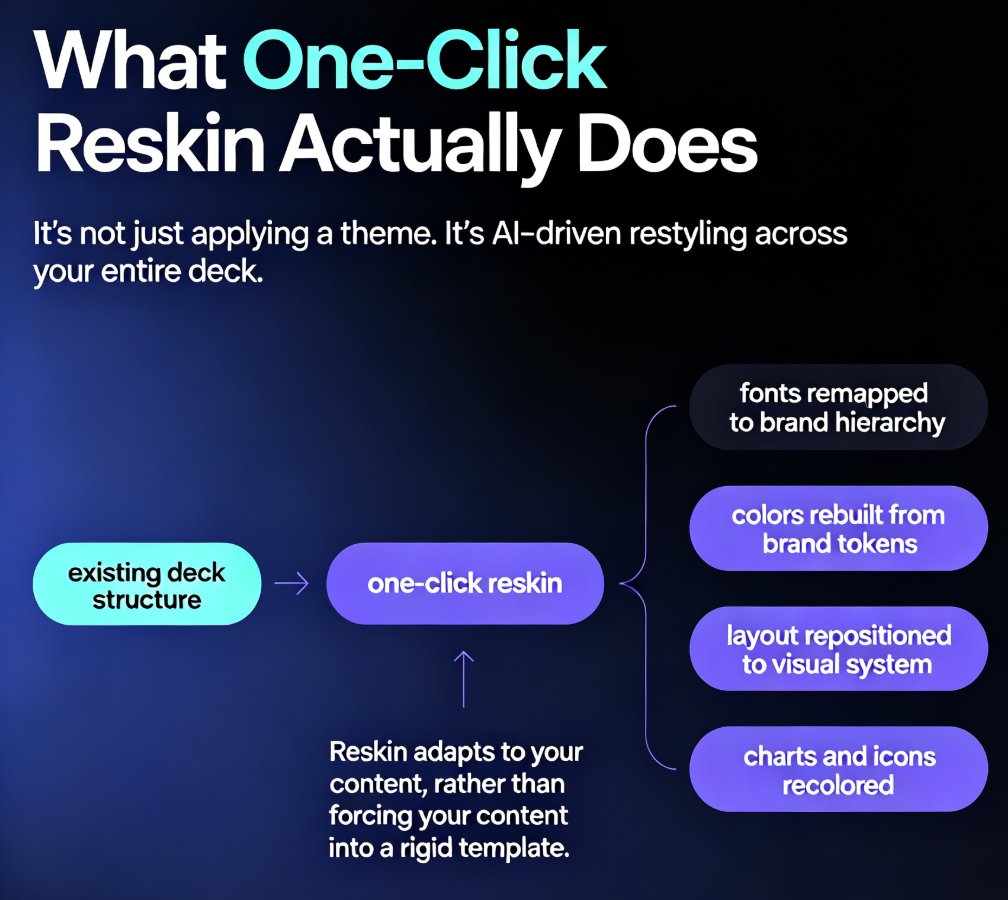
Let's clear up a common misconception first. Reskinning isn't just slapping a new theme on top of your slides. It's a systematic process where the tool understands your content — headings, body text, image placement, chart styling — and then rebuilds the visual treatment around it.
Zendeck's smart layout engine does three things when you hit reskin:
- Applies your brand kit (colors, fonts, logo placement) across every slide
- Recomputes layouts so text doesn't overflow or collide with new visual elements
- Normalizes styles — no more three different bullet styles in one deck
The result looks like a designer spent days on it. Which, to be fair, is what would have happened — except now it takes seconds.
This matters more than it sounds. Consistency is the single biggest visual problem in most organizations. Most brand managers I talk to will tell you the same thing — inconsistent visuals across decks is one of their top frustrations, yet most teams still fix it by hand.
II. Why manual rebranding is the productivity trap it is
Here's a scenario I've seen play out at least a dozen times. A marketing team gets a rebrand announcement. The brand guidelines document is 40 pages. Someone volunteers (or gets voluntold) to update the master deck template. Then every regional team updates their own decks. Then someone spots that the third region used the wrong shade of blue. Sound familiar?
The data backs this up. Prezent, an enterprise presentation platform, reported that its AI-powered Template Converter "eliminated 80% of the manual work" for one customer, who called the feature a game-changer for her team's rebranding workflow.
Eighty percent. That's not a marginal improvement — that's the difference between a week of mind-numbing slide editing and a couple of hours of high-level review.
Think about what that means in real terms. A 50-slide deck that typically takes 6-8 hours to manually rebrand (sourcing assets, adjusting layouts, fixing font sizes, re-aligning visuals) becomes a 2-minute task with one-click reskin. Let's put that into perspective:
The gap isn't just about speed, though. It's about what you do with the hours you get back. Every hour spent manually reskinning a deck is an hour not spent on strategy, content quality, or actually rehearsing the presentation.
III. Step-by-step: rebrand a full deck in minutes with Zendeck
Enough theory. Here's the practical workflow, the way I'd walk a colleague through it.
Step 1: Bring your deck in
Zendeck accepts multiple entry points. Have an existing PowerPoint? Upload it. Work from a Word outline or Markdown? Paste it in. The AI parses your content structure — sections, headings, bullet hierarchies — and rebuilds it as a clean deck.
Step 2: Pick your brand kit
If your team already set up a custom brand kit in Zendeck, this is a one-click selection. If not, you can either use a preset template close to your brand or build a quick kit (colors, fonts, logo) right there. For a deeper walkthrough on setting this up once and reusing it everywhere, see our guide to building a custom brand kit in Zendeck.
Step 3: Hit reskin
This is the moment. One click. Zendeck applies your brand identity across the entire deck — every slide, every chart, every bullet. The smart layout engine recomputes alignment so nothing collides, nothing overflows, nothing looks broken.
Step 4: Review and fine-tune
You're not locked in. Scroll through, spot-check slides, make micro-adjustments where needed. Because the baseline is already consistent, your review is usually quick — most users report spending more time on coffee than on fixes.
Step 5: Share or convert
Export to PPT, share via link for online collaboration, or take it a step further and convert the deck to a narrated video for a training module or async update.
The whole process, from upload to finished deck, typically takes under five minutes. Compare that to the half-day (or longer) most people budget for the same task.
IV. Who actually benefits from automatic rebranding
It's tempting to think this is just a "big company" problem. It's not. Here's who I see getting real value out of Zendeck's reskin:
| User profile | The pain point | What reskin changes |
|---|---|---|
| Corporate comms teams | 40+ legacy decks after a rebrand | Consistent brand across all decks in one session |
| Marketing agencies | Client deck reviews and brand compliance | Instant on-brand versions; fewer revision cycles |
| HR / L&D teams | Training decks that look outdated | Fresh, on-brand courseware without redesign effort |
| Educators & trainers | Course materials that don't match institutional branding | Quick alignment with school brand guidelines |
| Startups | Pitching with inconsistent makeshift decks | Professional, uniform presentation to investors |
For educators specifically, this is a quiet win. Most instructors don't have access to a design team. When their institution updates its visual identity, updating courseware is usually "figure it out yourself." Reskin kills that problem — AI-driven design automation means the tool handles the visual lifting while the educator focuses on content.
V. Three mistakes to avoid when rebranding with AI
The tool is powerful, but you can still trip yourself up. Here's what I've learned from watching teams use (and misuse) automatic reskinning.
1. Skipping the brand kit setup
If you just pick a random template and reskin, you'll get a nice-looking deck — but it won't be your brand. Set up your custom brand kit once, then reuse it everywhere. It's a 10-minute investment that pays off every single time. Check out 5 ways to create a custom brand kit if you haven't done this yet.
2. Forgetting that content structure matters
Reskin works best when your deck has clean structure — real headings, real bullet hierarchies, not text boxes floating in a void. Garbage in, garbage out, as they say. If your source deck is a mess, clean it up before importing.
3. Treating reskin as a substitute for review
Reskin will make the deck consistent. It won't make it good. Always do a pass to check content accuracy, flow, and whether the visuals actually support your message. The tool is your design assistant, not your content editor.
VI. The bigger picture: brand governance at scale
Here's the thing about rebranding a single deck — it's the wrong unit of thinking. The real problem is keeping every deck on-brand going forward.
This is where the concept of AI-governed brand consistency comes in. When your team has a centralized brand kit in Zendeck, every new deck created — by anyone, in any department — starts from the right foundation. The reskin feature is the tool for fixing your legacy deck backlog; the brand kit is the tool for preventing the next one.
The math is compelling. If your team creates 10 decks a month and each one takes 3 hours of manual brand-fixing, that's 360 hours a year of avoidable work. Automated reskinning plus a shared brand kit brings that number down to nearly zero. That's not a productivity tip — that's a budget decision.
For teams that want to go even further, Zendeck also handles the shift from static decks to fully automated presentation generation — the 2026 trend where AI goes from helping you design to doing the whole job.
VII. Getting started
If you're staring at a pile of outdated decks right now, here's the 60-second version:
- Import your existing deck into Zendeck (or paste a Word outline)
- Select or create your brand kit
- Click reskin
- Review and export
That's it. The single best time-saver in modern presentation work is not learning design — it's automating the design you already know you need. Zendeck's one-click reskin turns what used to be a day-long chore into a coffee-break task.
And if you're curious about what else the tool can do beyond reskinning, our AI courseware category has guides on everything from template selection to data security.
FAQ
◉ What is one-click reskin in Zendeck?
It's a feature that applies your brand kit — colors, fonts, logo, and layout preferences — across an entire presentation in seconds. The AI recomputes layouts so slides stay clean and consistent without any manual design work.
◉ How long does it take to rebrand a deck with Zendeck?
For a typical 40-60 slide deck, the reskin itself takes seconds, and the full process (import → reskin → review → export) typically takes under five minutes. Manual rebranding of the same deck usually takes several hours.
◉ Will reskinning change my content or text?
No. Reskin only changes the visual treatment — colors, fonts, backgrounds, and layout positioning. Your text, data, and narrative structure stay exactly as they are.
◉ Can I use reskin without a custom brand kit?
Yes. You can either use one of Zendeck's preset templates as a starting point or quickly create a custom brand kit with your own colors, fonts, and logo. A custom kit is recommended for teams that need consistent branding across many decks.
◉ Is reskin useful for educators, or just businesses?
It's useful for both. Educators and trainers often need to align courseware with institutional branding or update teaching materials after a rebrand. The reskin feature applies the same brand consistency to course decks, and can even help convert those course decks into accessible micro-courses afterward.