Curated workplace insights to help you work smarter

Zendeck curates workplace efficiency, industry insights, and software tutorials to help you find useful information faster。

402 articles 8 Categories
Latest Articles

How to Collaborate on Presentations in Real Time with Zendeck

Office Efficiency 2026-08-26 3303

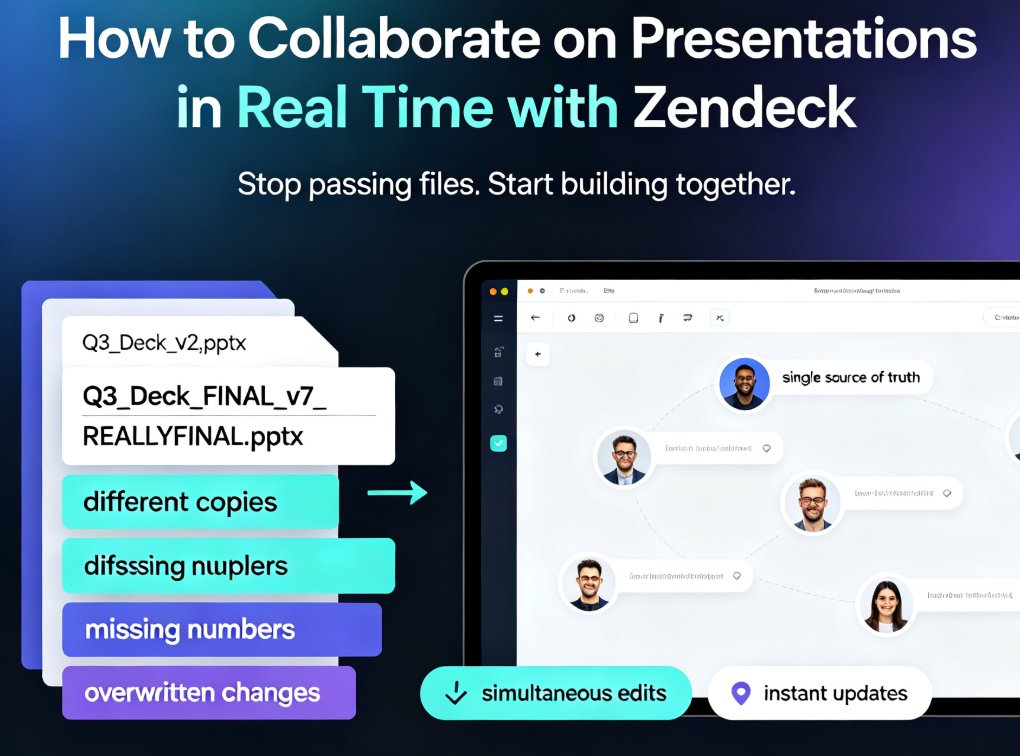
Zendeck's real-time collaboration tools let your team co-edit presentations online, track version history, and share secure links — no more version chaos. This step-by-step guide covers inviting teammates, managing edit and view permissions, restoring past versions, and building a group workflow that keeps every deck organized and on schedule. Whether you're a remote team, an L&D group, or a marketing squad, you'll learn how to turn messy group projects into a single source of truth, cut review cycles, and present with confidence. Real-time co-editing, version control, and secure link sharing are the three pillars that keep group presentations on track — and this guide shows you exactly how to use them in Zendeck.
Context-Aware Slide Generation: The 2026 AI Presentation Standard

AI Courseware 2026-08-26 805

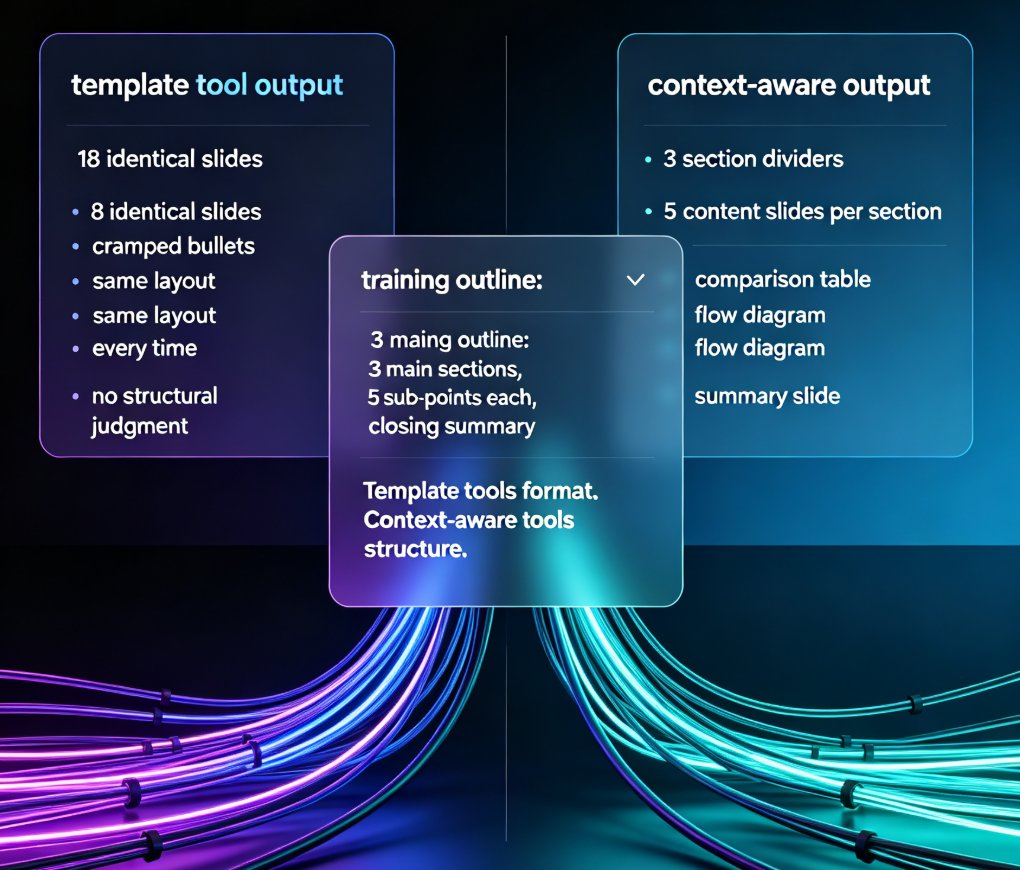
Context-aware slide generation is the new 2026 standard in AI presentation tools — and Zendeck leads the shift. Template-based AI tools format your content; context-aware tools structure it, reading your outline's hierarchy, audience, and purpose to build decks that actually persuade. This article breaks down what context-aware generation means, why template-only tools fail, and how Zendeck turns raw Word or Markdown outlines into audience-ready decks in minutes — with smart layouts, one-click reskinning, and consistent branding. You'll also see a comparison of template-based vs. context-aware workflows, practical time-savings, and what this trend means for trainers, educators, and teams in 2026. If your AI presentation tool can't understand your content, it's just a faster way to make mediocre slides. Here's how to do it right.

How to Convert Your PPT into a Narrated Micro-Course with Zendeck

PPT to Video 2026-08-26 2182

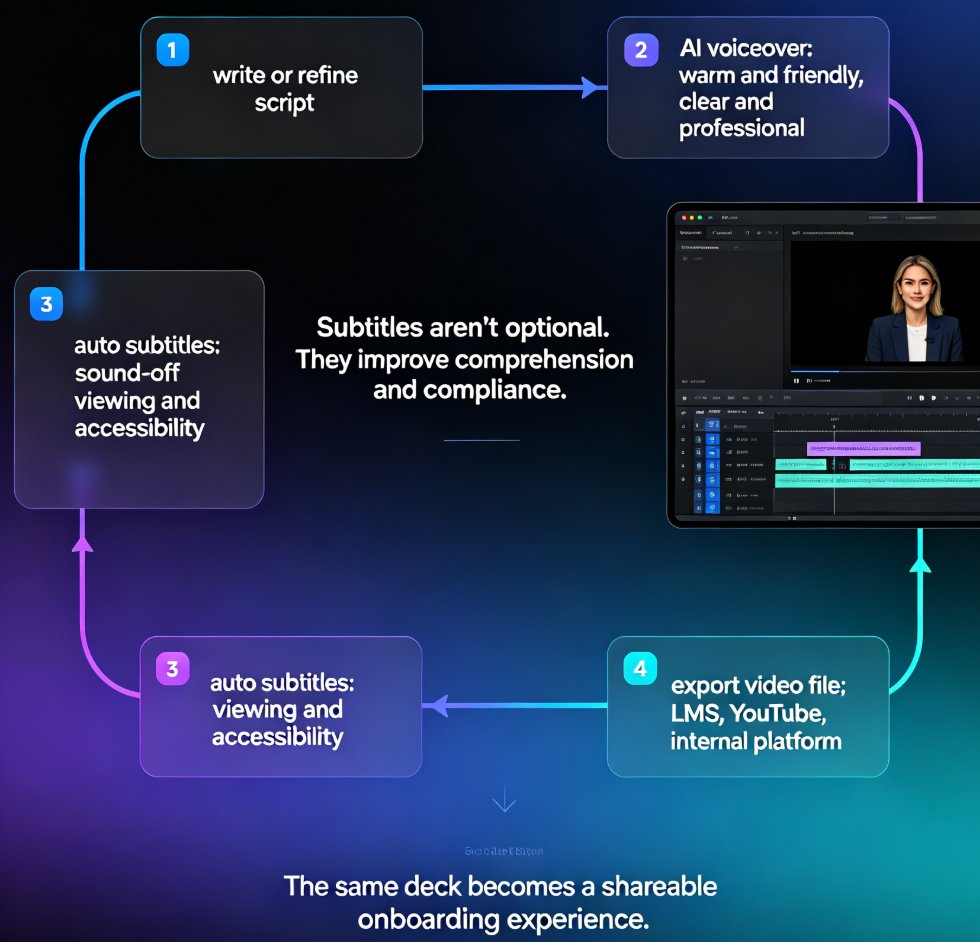
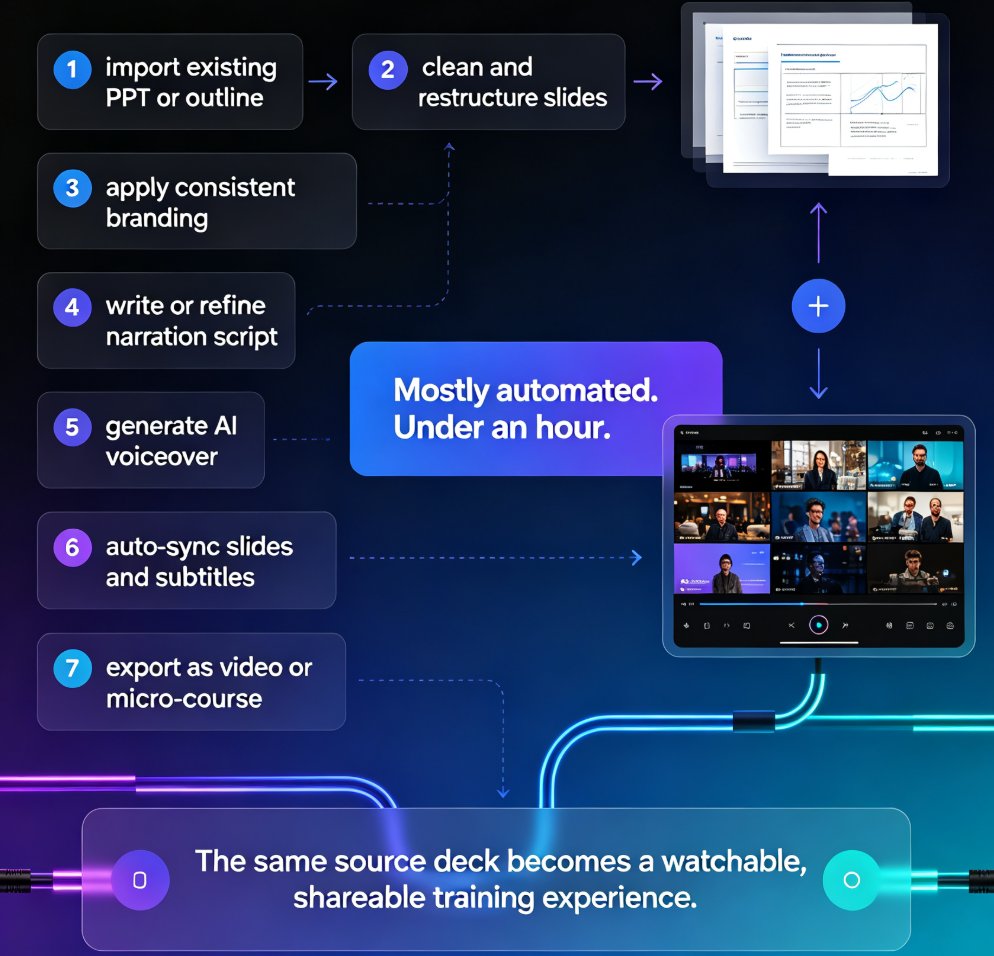
Learn how to convert your PPT into a narrated micro-course with Zendeck's PPT-to-video feature. This tutorial walks through AI voiceover, auto-generated subtitles, and export settings so you can publish crisp, shareable video lessons in under an hour. Zendeck turns static slides into engaging narrated courses without any design or editing skills, making it the fastest path from outline to published micro-course for trainers, educators, and teams.

How to Create Employee Onboarding Videos from Your PPT with AI Narration

Knowledge Video 2026-08-26 2697

Turn your existing onboarding PPT into professional employee onboarding videos with Zendeck's PPT-to-video and AI voiceover features. This step-by-step guide shows HR teams how to standardize new-hire training at a fraction of the cost of studio production. You'll learn how to import your slide deck, generate consistent narration, add subtitles, and publish a shareable video course — all without design or editing skills. We cover script pacing, voice selection, accessibility, and how to keep every cohort's experience identical. If you're tired of re-recording the same orientation content every quarter, this workflow will save you days of work and deliver a polished result every time. Onboarding videos built this way are easy to update, easy to localize, and easy to scale across departments — whether you're onboarding five people or five hundred.

How to Find and Insert Icons, Charts, and Illustrations with Zendeck

Courseware Design 2026-08-26 3477

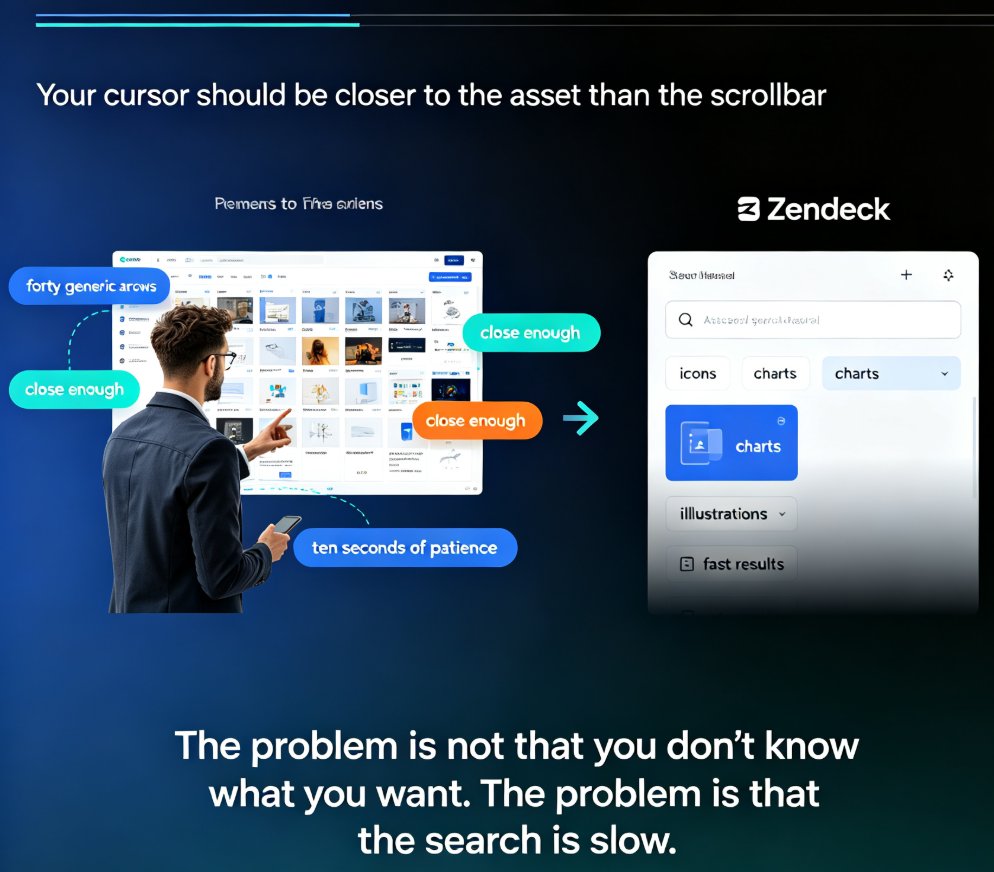
Stop scrolling through hundreds of assets to find one icon. Zendeck's asset library puts icons, charts, and illustrations within seconds of your cursor — if you search smart. This practical guide covers the fastest keyword techniques, type filters, and insertion workflows for finding the right visual on every slide. You'll learn when to use icons versus charts versus illustrations, how to search by theme for illustrations, how to insert and edit charts in place, and how to keep your deck visually consistent. Includes a quick-reference asset type table, a three-step search workflow, and the common mistakes that slow people down. Built for educators, trainers, HR teams, and content operators who build decks daily and want to spend seconds, not minutes, on visuals.

How to Generate a Complete Presentation from Scratch Using Zendeck AI

AI Courseware 2026-08-26 2061

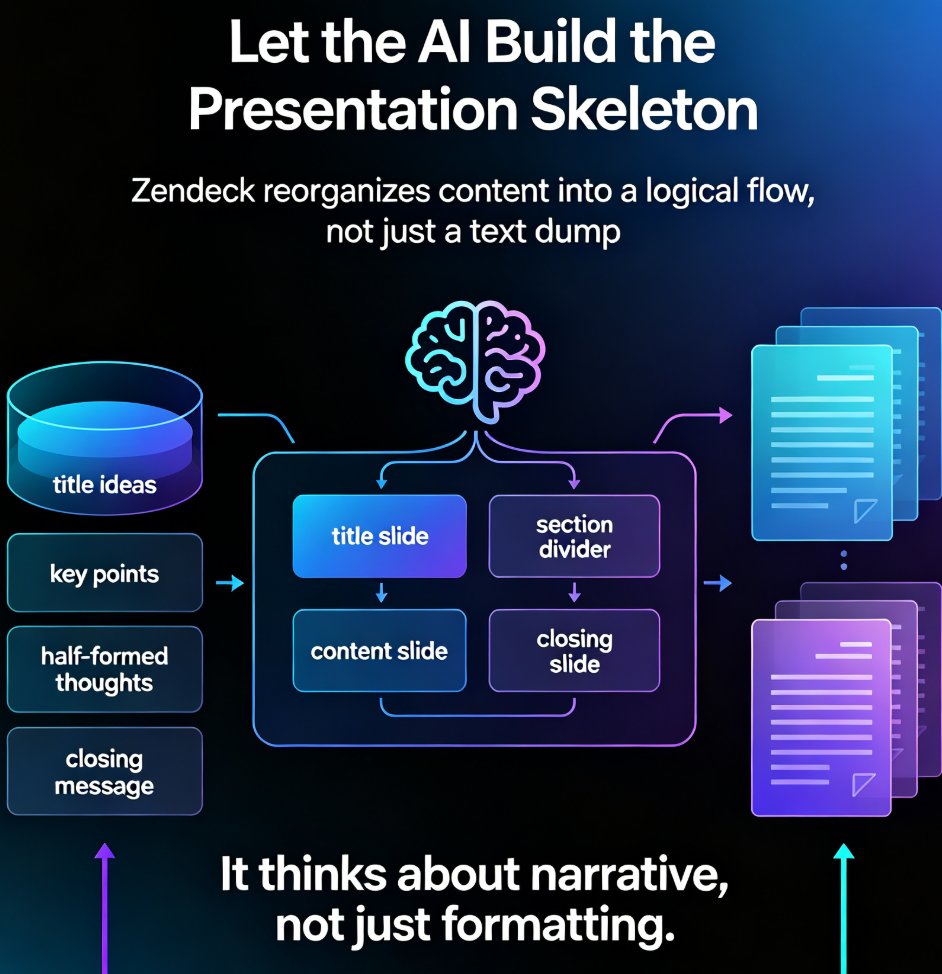
Learn how to generate a complete presentation from scratch using Zendeck AI. This step-by-step tutorial walks you from a simple outline to a polished, shareable deck in minutes — covering slide generation, smart layouts, one-click reskinning, asset libraries, and even PPT-to-video conversion. Zendeck AI handles the design heavy lifting so you can focus on your message, not your margins. Whether you're a trainer, educator, or busy professional, this zero-to-done workflow shows exactly how to turn rough notes into a structured, visually consistent presentation without opening a design tool. Stop wrestling with blank slides and start shipping decks that look intentional. Includes a full workflow comparison table, common mistakes to avoid, and answers to the questions people ask most when switching to AI-generated presentations.