Context-Aware Slide Generation: The 2026 AI Presentation Standard
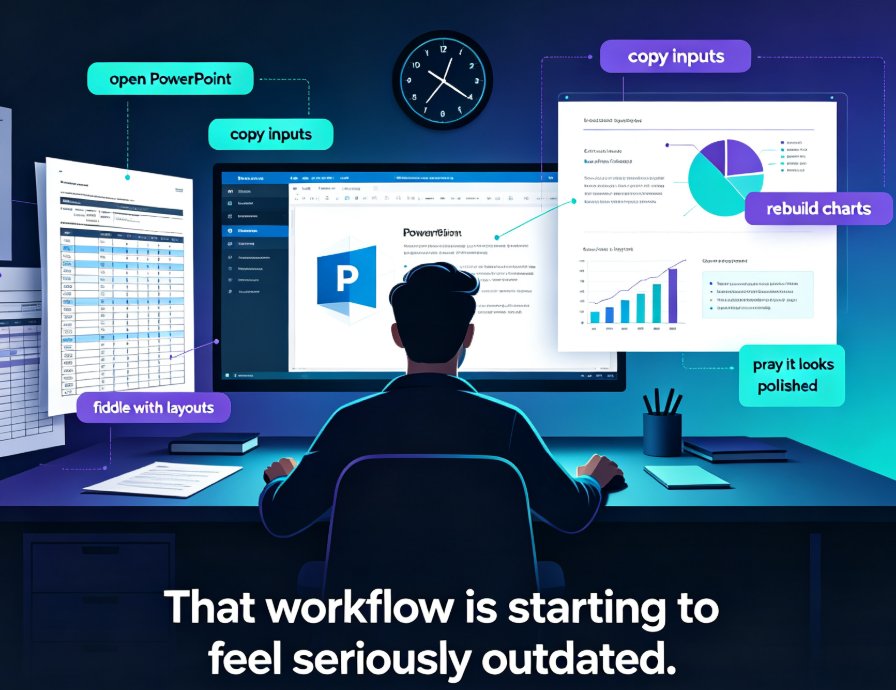
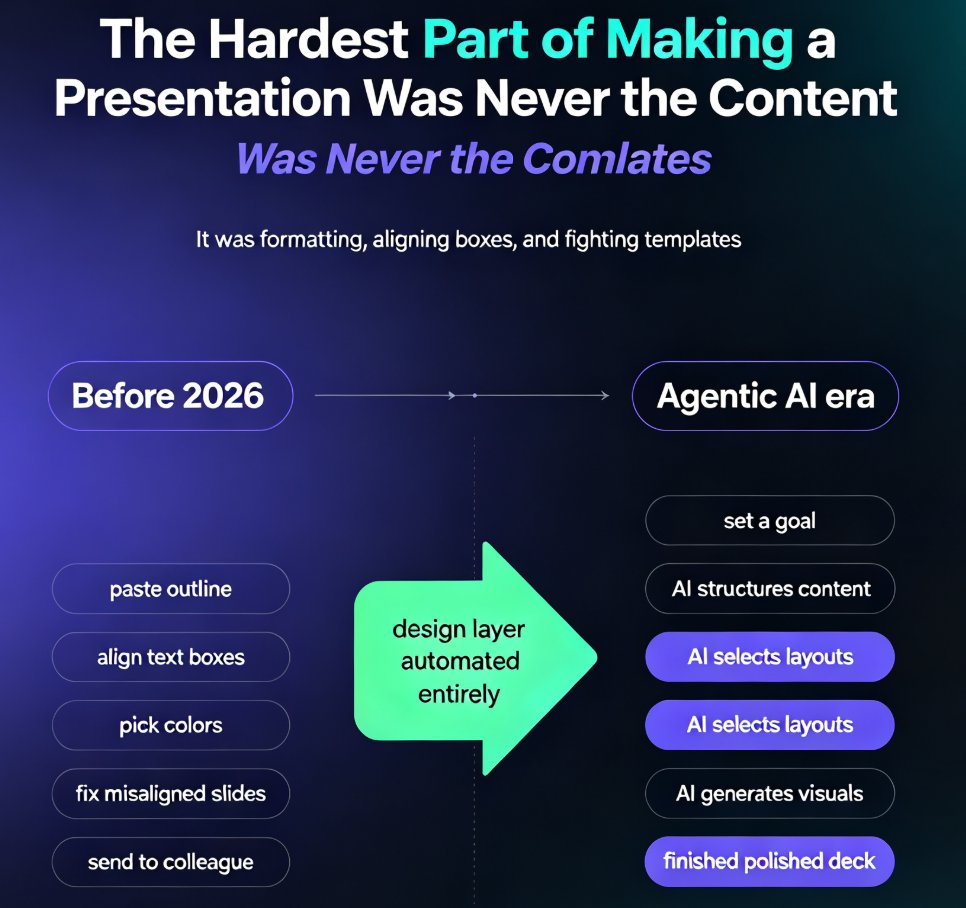
Let's be real for a second. Most "AI presentation tools" you've tried are glorified template pickers. You paste your content, the tool drops it into a pre-made layout, and you still spend an hour fixing misaligned boxes, awkward font sizes, and slides that look nothing like what you imagined. That's not intelligence — that's automation with extra steps.
The 2026 shift changes that. Context-aware slide generation is becoming the new standard in AI presentation tools — software that actually reads your content, understands its structure, and makes design decisions based on your audience and purpose, not just a template's default grid.
In this article, I'll break down what context-aware generation means, why template-only tools hit a wall, and how Zendeck's outline-to-deck automation gives you a genuine edge without a design degree.
01 What "Context-Aware" Slide Generation Actually Means
Let's define the term before we throw it around. Context-aware slide generation means the AI doesn't just format your text — it interprets it. It looks at your headings, your bullet hierarchy, your tone, and your stated goal, then builds a deck structure that matches the logic of your argument.
Think of the difference this way. A template-based tool asks: "Which of these 50 layouts should I paste your text into?" A context-aware tool asks: "What are you trying to say, to whom, and why does it matter?" The second question changes everything downstream — slide order, visual hierarchy, chart selection, even the amount of text per slide.
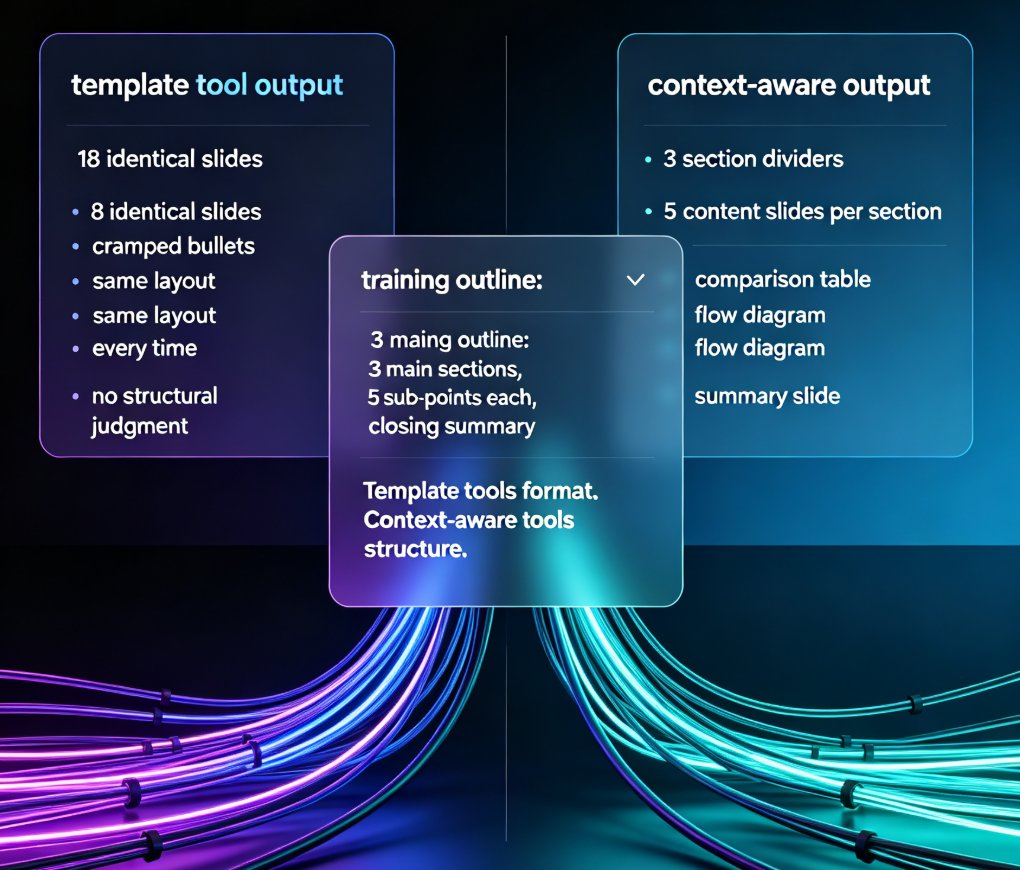
Here's a concrete example. You hand both tools the same training outline: a 2,000-word document with three main sections, each with five sub-points and a closing summary. The template tool gives you 18 slides — every one identical in layout, with your sub-points as cramped bullets. The context-aware tool gives you three section dividers, five content slides per section with varied layouts (a comparison table where you compared, a flow diagram where you described a process), and a summary slide that mirrors your closing. Same input. Radically different output.
The core difference: template tools format your content; context-aware tools structure it. That structural understanding is what separates a deck that looks "fine" from one that actually persuades.
This isn't a niche feature anymore. As I covered in why AI deck tools are moving beyond templates, the entire category is pivoting from static layouts to semantic understanding. The tools that survive 2026 will be the ones that treat your content as a message, not a document to be decorated.
02 Why Template-Based Generation Hits a Wall
Here's the pain point everyone recognizes. You feed a template-based tool a 3,000-word training outline, and it produces 40 slides where every slide has the same title bar, the same bullet style, and zero visual rhythm. It's consistent — but it's also monotonous. Your audience checks out by slide five.
The deeper problem is structural. Template tools assume your content fits their predefined blocks. When it doesn't — when you have a complex comparison, a process flow, or a data-heavy section — the tool either crams everything onto one slide or splits it arbitrarily. Either way, you're back to manual fixing.
And let's not ignore the revision loop. Studies of real workflows consistently show that template-based AI decks require 2-3 rounds of manual rework before they're presentation-ready. That's not a productivity win; that's a productivity illusion.
I've written about this before in why your AI-generated slides still look messy — the root cause is almost never the template. It's that the tool never understood your content's structure in the first place.
03 The Three Signals Context-Aware AI Reads
So what does "understanding" actually look like in practice? Context-aware systems read three signals.
Signal 1: Content structure. The AI parses your outline's hierarchy — main points, sub-points, supporting evidence — and maps them to slide architecture. A top-level heading becomes a section divider; a sub-point becomes a slide; a list of three items becomes a three-column layout. The structure of your content dictates the structure of your deck.
Signal 2: Audience. Who's going to see this? An executive briefing needs fewer words and bigger numbers. A training course needs explanations and examples. A pitch deck needs a problem-solution narrative. Context-aware tools adjust density, tone, and visual style accordingly — not because you picked a "corporate" theme, but because the AI inferred the audience from your content and context.
Take audience in practice. A template tool gives you the same "minimal corporate" theme whether you're presenting to a board of directors or a room of first-year students. A context-aware tool notices the difference — a board deck gets tighter language and bigger numbers; a student deck gets more explanation and visual anchors. That's not a theme choice; that's a communication choice.
Signal 3: Purpose. Is this deck meant to inform, persuade, teach, or sell? The AI tailors the visual strategy — charts for data-heavy persuasion, diagrams for teaching, bold statements for pitches. This is the shift I explored in why AI slide generation is moving from design to strategy. Design becomes a consequence of strategy, not a starting point.
When all three signals align, you get a deck that feels intentional. Every slide earns its place.
04 How Zendeck Turns Raw Outlines into Audience-Ready Decks
This is where Zendeck earns its keep. The platform was built around the insight that most professionals don't think in slides — they think in outlines, notes, and documents. So Zendeck starts where you actually are.
You paste a Word outline or Markdown file, and Zendeck generates a complete, structured deck — with consistent typography, color, and layout — in minutes. No template hunting, no drag-and-drop, no design decisions.
What makes this context-aware rather than template-based? Three things:
- Hierarchy mapping. Zendeck reads your outline's heading levels and converts them into a logical slide flow. Your document's structure becomes the deck's skeleton.
- Smart layout automation. Instead of forcing content into fixed blocks, Zendeck's layout engine adapts — choosing column counts, chart types, and spacing based on what each section contains. This is the AI-driven design automation trend in action.
- One-click reskinning. Once the structure is right, you can unify fonts, colors, and layout across the entire deck instantly. Brand consistency becomes a setting, not a chore — something I detailed in how to create a custom brand kit in Zendeck.
The result: a trainer can drop a 5,000-word course outline into Zendeck and get a structured, audience-ready course deck in the time it takes to make coffee. That's the outline-to-deck automation promise, delivered.
05 What This Means for Your 2026 Workflow
Here's the practical payoff. Context-aware generation doesn't just save time — it changes what you can ship.
Teams using context-aware tools report cutting deck production time by roughly 60-70% compared to manual building, and eliminating most revision rounds. The hours you used to spend on layout and formatting go back into content quality and delivery practice.
The comparison below sums up where the industry is heading:
| Capability | Template-Based AI | Context-Aware AI (Zendeck) |
|---|---|---|
| Reads content structure | No — pastes into fixed blocks | Yes — maps hierarchy to slide flow |
| Adapts to audience | Manual theme selection | Inferred from content and context |
| Handles raw outlines | Poorly — needs pre-formatted input | Natively — Word/Markdown/TXT in, deck out |
| Design consistency | Depends on template quality | Enforced via smart layout + reskin |
| Revision rounds needed | 2-3 typical | 0-1 typical |
| Time for a 20-slide deck | ~4 hours | ~1.5 hours |
And here's the illustrative reality of that time gap:
Think about what that does to your week. The trainer who used to spend Thursday afternoon wrestling with slide layouts now spends that time recording narration or refining examples. The HR manager who dreaded building onboarding decks can generate a branded, structured deck from a policy document in minutes. The consultant who charged clients for "deck design" can now charge for strategy — because the deck builds itself.
And if you're wondering whether this scales to video, it does. Zendeck's PPT-to-video pipeline turns those structured decks into narrated micro-courses — a trend I covered in why AI PPT-to-video is becoming the corporate training standard. The same context-aware structure that makes your slides clear also makes them narratable.
The bottom line for 2026: if your AI presentation tool can't understand your content, it's just a faster way to make mediocre slides. Context-aware generation is the standard now — and tools like Zendeck are showing what that standard looks like in practice.
FAQ
Q: What is context-aware slide generation? A: Context-aware slide generation is AI that interprets your content's structure, audience, and purpose before designing slides — rather than simply pasting text into pre-made templates. It makes structural decisions (slide order, layout, visual hierarchy) based on what your content is actually saying.
Q: How is Zendeck different from template-based AI tools? A: Zendeck reads the hierarchy of your Word outline or Markdown file and maps it directly to a structured deck, then applies smart layouts and one-click reskinning. Template-based tools require you to fit content into fixed blocks, which usually means manual rework.
Q: Do I need design skills to use context-aware tools like Zendeck? A: No. That's the point. Zendeck handles layout, typography, and visual consistency automatically. You focus on content; the tool handles the design decisions.
Q: Can context-aware generation handle long training outlines? A: Yes. Zendeck is built for exactly this — a 5,000-word course outline becomes a structured, audience-ready deck in minutes, with consistent styling across every slide.
Q: Is context-aware generation the same as agentic AI? A: Not exactly. Context-aware generation focuses on understanding content to make design decisions. Agentic AI goes further, autonomously executing multi-step workflows. They're complementary trends — I explore the agentic side in AI presentation trends 2026.