Why AI Slide Generation Is Shifting from Design to Strategy in 2026
I. The Shift: From Design Automation to Strategic Storytelling
Remember when AI slide tools first appeared? They promised to turn a bullet list into a deck in seconds. And they did. But by 2026, that's no longer enough. The real value of AI in presentations has moved from how your slides look to what your slides say.
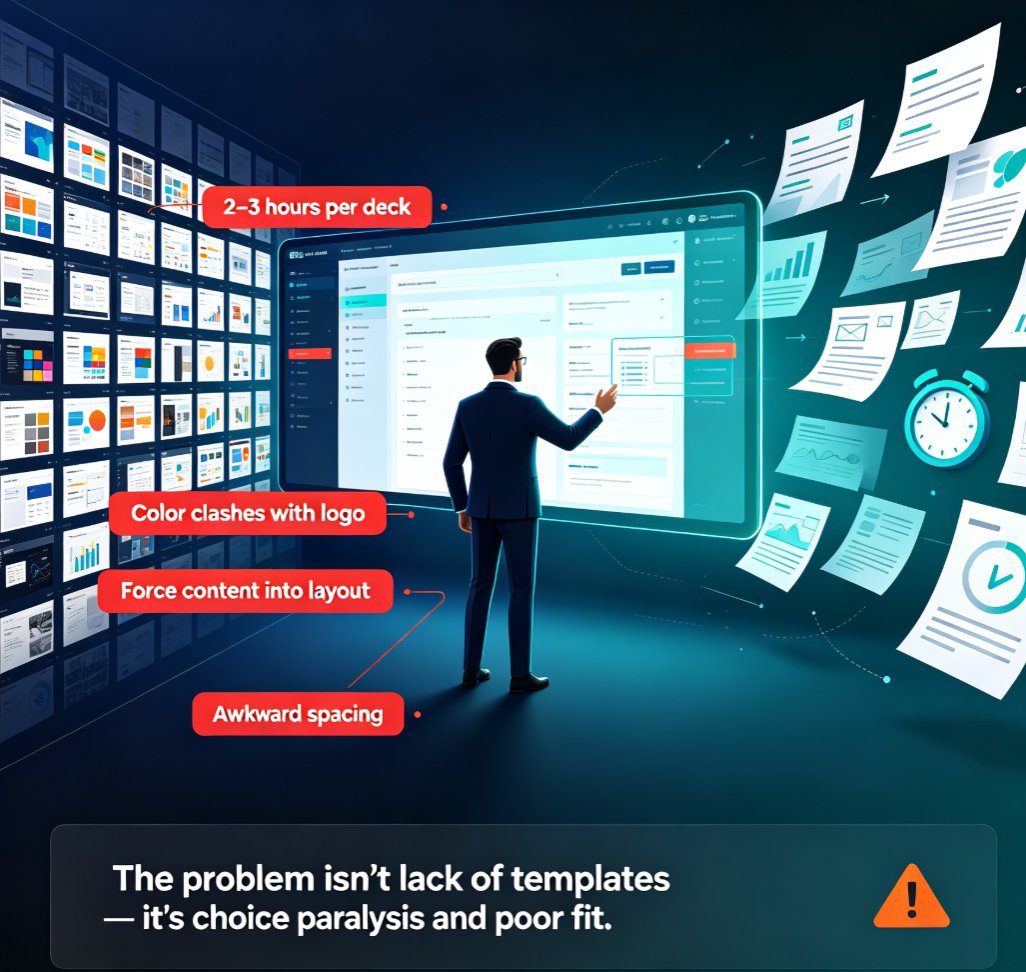
You've probably seen it: a team spends hours tweaking fonts and colors, only to realize the deck still doesn't persuade anyone. The message is buried under design noise. Modern AI tools now embed brand systems, support intent-aware narration, and guide you through storytelling structures. They help you maintain brand integrity while ensuring your visuals reinforce your message rather than distract from it.
The result? Decks that land with impact, consistent branding, and a clear narrative that drives decisions.
The shift is less about one-click miracles and more about intelligent collaboration between humans and machines that improves outcomes, pedagogy, and decision-making.
II. Why Speed Alone Isn't Enough Anymore
One-click generation produces generic, off-brand slides that look like everyone else's. Speed without strategy is just fast mediocrity. In 2026, AI tools are focusing on clarity, alignment, and brand integrity. They're not just generating slides; they're helping you tell a better story.
Teams that adopt these tools see better decision-making and more persuasive presentations. The emphasis has moved from speed to clarity, alignment, and outcomes.
III. The New Role of AI: A Collaborative Partner, Not a Magic Button
Many users expect AI to do everything, but it still needs human oversight. The best results come from a partnership. Intelligent collaboration between humans and machines—you bring the strategy and context; AI brings the structure, design, and consistency. This leads to improved outcomes, better storytelling, and decks that actually work.
AI is not a replacement for your thinking—it's a force multiplier for your ideas.
IV. Key Trends Driving the Shift in 2026
Let's look at the trends that are reshaping how we create presentations.
1. Brand Systems Integration
Tools like Canva, Beautiful.ai, and Microsoft Copilot are embedding brand systems directly into their AI workflows. Canva's February 2026 updates emphasize smart assets that stay on-brand and data storytelling capabilities. Microsoft's Copilot-enabled PowerPoint now includes brand-kit integration to maintain corporate visuals (logos, colors, fonts). Learn more about AI-driven brand consistency.
2. Intent-Aware Narration
AI is getting better at understanding the intent behind your content. It can suggest narrative structures, highlight key points, and even generate speaker notes that align with your message. This is a huge time-saver for presenters who want to focus on delivery rather than scriptwriting.
3. Adaptive Decks
Decks that scale to different contexts—whether you're presenting to executives, clients, or trainees. AI can adjust the depth, tone, and visuals based on the audience. This is particularly useful for sales teams and trainers. Check out our article on AI presentation agents for more insights.
4. Data Storytelling
AI tools are now capable of turning raw data into compelling visual stories. This is a game-changer for consultants and analysts who need to present complex information clearly. For a deep dive, see our guide on AI data visualization trends.
Here's a comparison of how leading tools stack up on these strategic features:
| Tool | Brand System Integration | Intent-Aware Narration | Adaptive Decks | Data Storytelling |
|---|---|---|---|---|
| Canva | Yes (smart assets) | Partial | Yes | Yes |
| Beautiful.ai | Yes | Partial | Yes | Partial |
| Microsoft Copilot | Yes (brand kit) | Yes | Partial | Yes |
| Zendeck | Yes (brand kits) | Yes | Yes | Yes |
The strongest tools in 2026 help you maintain brand integrity while guiding you through storytelling structures. While these features are impressive, the real value comes from how they work together. A tool that integrates brand systems but lacks intent-aware narration might still produce off-message decks. The best tools are those that combine all these elements seamlessly.
V. How to Leverage AI for Strategic Slide Creation
So how do you actually use this shift to your advantage? Here's a practical approach:
Step 1: Start with a Clear Outline
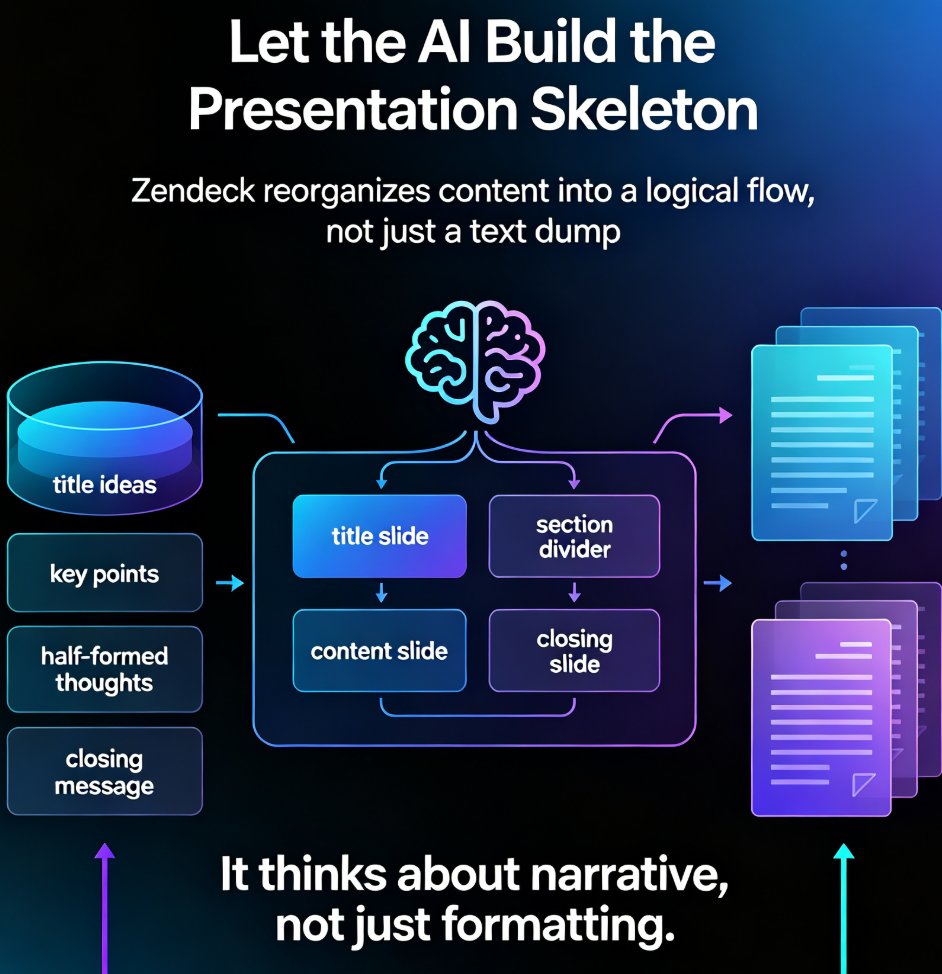
Don't just dump content into an AI tool. Start with a structured outline that defines your key message, audience, and desired outcome. Tools like Zendeck let you import a Word outline or paste Markdown to generate structured slides. This ensures the AI has a solid foundation to work with.
Step 2: Use AI to Structure Your Story
Let the AI suggest a logical flow, highlight gaps, and propose transitions. This is where intent-aware narration comes in. You can also use AI to auto-generate speaker notes, saving you hours of prep time. Learn how to auto-generate speaker notes.
Step 3: Apply Your Brand Kit
Ensure every slide adheres to your brand guidelines. Zendeck's brand kits let you set fonts, colors, and logos once, and apply them across hundreds of slides. This is critical for maintaining consistency and building trust. For a step-by-step guide, check out how to set up and use brand kits.
Step 4: Add Data and Visuals
Use AI to turn raw data into charts and infographics. Zendeck's asset library includes icons, charts, and illustrations to make your deck visually compelling. You can also import data directly and let the AI create the visualizations for you.
Step 5: Review and Refine
AI is a partner, not a replacement. Review the generated deck, refine the messaging, and add your personal touch. The best decks come from human judgment combined with AI efficiency.
The best workflow is a partnership: you bring the strategy, AI brings the structure and design.
For more on this, check out our guide on how to create a winning pitch deck with AI or how to maintain brand consistency across hundreds of slides.
VI. Common Pitfalls to Avoid
Even with the best AI tools, there are traps that can undermine your strategy. Here are a few to watch out for:
- Over-reliance on AI: Don't let the AI make all your decisions. You need to own the message and the narrative.
- Ignoring brand guidelines: Even if your tool has brand kits, double-check that every slide aligns with your corporate identity.
- Skipping the review: AI-generated content can have errors or awkward phrasing. Always review and refine before presenting.
- Forgetting accessibility: As AI becomes more strategic, it also needs to be inclusive. WCAG compliance is becoming a standard expectation. Check out our guide on accessible AI presentations.
VII. The Future: AI as Your Strategic Partner
The shift from design to strategy is not a passing trend—it's the new baseline. By 2026, AI slide tools are no longer just about making slides faster; they're about making them smarter. They help you tell clearer stories, maintain brand integrity, and drive better outcomes.
If you're still using AI just to generate pretty slides, you're missing the point. The real power lies in using AI to think strategically about your presentation.
The future of presentations is not about design—it's about strategy.
Ready to make the shift? Try Zendeck and see how AI can help you create decks that don't just look good, but actually work.
FAQ
Q1: What is the main shift in AI slide generation in 2026?
A1: The main shift is from pure design automation to strategic storytelling. AI tools now focus on helping you maintain brand integrity, structure your narrative, and create decks that drive decisions, rather than just generating visually appealing slides quickly.
Q2: How does AI help with presentation strategy?
A2: AI helps with presentation strategy by embedding brand systems, supporting intent-aware narration, and guiding you through storytelling structures. It can suggest logical flows, highlight key points, and adapt the deck to different audiences, ensuring your message is clear and persuasive.
Q3: What role does brand consistency play in AI-generated slides?
A3: Brand consistency is crucial because it ensures your slides align with your corporate identity, building trust and recognition. AI tools like Zendeck allow you to set up brand kits that automatically apply your fonts, colors, and logos across all slides, so you never have to worry about off-brand decks.
Q4: How can Zendeck help with strategic slide creation?
A4: Zendeck helps by allowing you to import outlines or Markdown, generate structured slides, apply brand kits, and use AI-powered design suggestions. It also offers PPT-to-video conversion for micro-courses, making it a comprehensive tool for strategic presentation creation.
Q5: Is AI slide generation replacing human designers?
A5: No, AI is not replacing human designers. Instead, it's becoming a collaborative partner. AI handles the repetitive tasks like layout and consistency, while humans focus on strategy, storytelling, and creative judgment. The best results come from this partnership.