New Hire Onboarding in Record Time: Zendeck Automates Training Decks
Let's be honest: nobody gets into HR because they love rebuilding the same 40-slide orientation deck for the fifth time this quarter. Yet that's exactly what happens at thousands of companies every month. A new hire joins, someone digs up last quarter's deck, copies it, tweaks the org chart, prays the formatting doesn't break, and emails it out with a sigh. Sound familiar?
Here's the thing — onboarding content is the single most repetitive, high-volume, low-variation content a company produces, which makes it the perfect candidate for AI automation. And unlike a one-off investor pitch or a creative campaign, onboarding decks don't need to be clever. They need to be consistent, accurate, and ready fast. That's a job for a pipeline, not a person.
This guide walks through how to build that pipeline with Zendeck — from a rough outline to a branded, narrated training video — and why the time savings are bigger than you think.
01 Why Onboarding Content Is the Perfect Automation Candidate
Before we talk tools, let's talk about why this specific content type is so well-suited to automation. Onboarding training has three characteristics that make manual production painfully wasteful:
It's repetitive. Every new hire sees roughly the same core content: company history, values, policies, tools, team structure. The deck changes maybe 10% between cohorts.
It's high-volume. A company hiring 50 people a year isn't producing 50 decks — it's producing 50 rounds of updates, reviews, and re-exports. The admin work multiplies.
It's low-stakes creatively. Nobody needs a groundbreaking visual metaphor for the expense policy. They need a clear, on-brand slide that doesn't embarrass the company.
The data backs this up. Manual onboarding requires an average of 10.4 hours of administrative work per new hire, and automation reduces that by roughly 70% (source: Guidde's onboarding automation research). For a company onboarding 30 hires a year, that's over 300 hours of HR time — nearly two full months of one person's working life — spent on tasks that could be largely automated.
Zendesk's research adds another layer: 83 percent of IT and HR leaders have already invested in HR platforms to facilitate employee self-service (source: Zendesk). The trend is clear — teams are moving away from manual, one-off content production and toward repeatable, automated workflows. Onboarding training is where that shift pays off fastest.
02 The Manual Pipeline: Where Your Hours Disappear
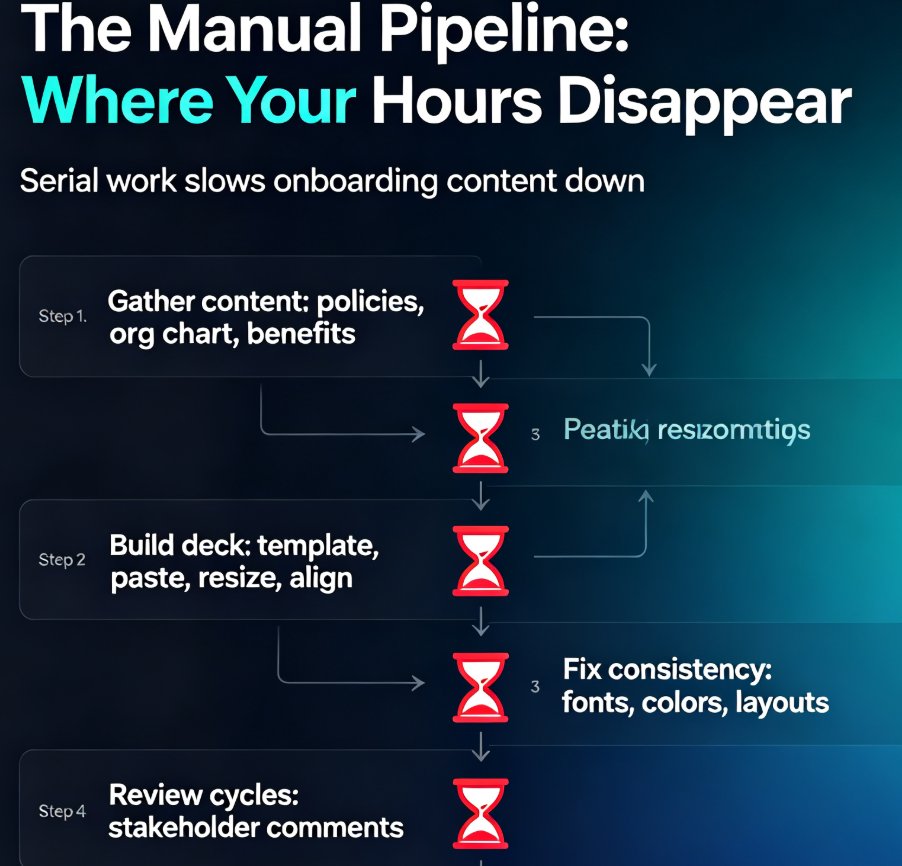
Let's map out the typical manual onboarding deck workflow, because the pain points are specific and fixable:
- Gathering content. Someone has to collect the latest policy updates, org chart, and benefits info from five different departments. This alone can eat a full afternoon.
- Building the deck. Opening PowerPoint, choosing a template, pasting content, resizing boxes, fixing alignment. This is where design skills — or the lack of them — become a bottleneck.
- Formatting consistency. Every time a different person touches the deck, fonts drift, colors shift, and the layout slowly falls apart.
- Review cycles. The deck goes to three stakeholders, each with comments, and someone has to reconcile them all.
- Re-exporting. The final version needs to be PDF'd, uploaded, shared, and archived — and then the whole cycle repeats next quarter.
The core problem is that manual deck production is a serial process — one person, one deck, one step at a time. If that person is out sick, or busy with a hiring surge, the onboarding content stalls. And when it finally ships, it's often already slightly out of date.
03 The Zendeck Pipeline: From Outline to Video in Under an Hour
This is where Zendeck changes the game. Instead of a serial, manual process, you get a parallel, automated pipeline that turns source content into finished training material in minutes. Here's how it works:
◉ Step 1: Start with a document, not a blank slide
You already have the content — it's sitting in a Word doc, a Markdown file, or a messy notes file from last quarter. Zendeck accepts a Word outline or pasted Markdown/TXT and uses it as the source for your deck. No need to reformat or restructure first; the AI handles the conversion from outline to structured slides.
If you're starting from a longer document like a blog post or an internal guide, the same logic applies — Zendeck can turn that source material into a slide deck without you rebuilding it slide by slide. This is the exact workflow we cover in our guide on turning a blog post into a slide deck with Zendeck's AI.
◉ Step 2: Let the AI generate the structure and layout
Once your outline is in, Zendeck generates a structured deck with consistent visual design. The smart layout engine applies fonts, colors, and spacing automatically, so you don't need to touch a single alignment handle. If you've set up a brand kit, the deck comes out on-brand from the first render — no fixing colors afterward. (For the full setup, see our guide to brand kits in Zendeck.)
◉ Step 3: Add narration and turn it into video
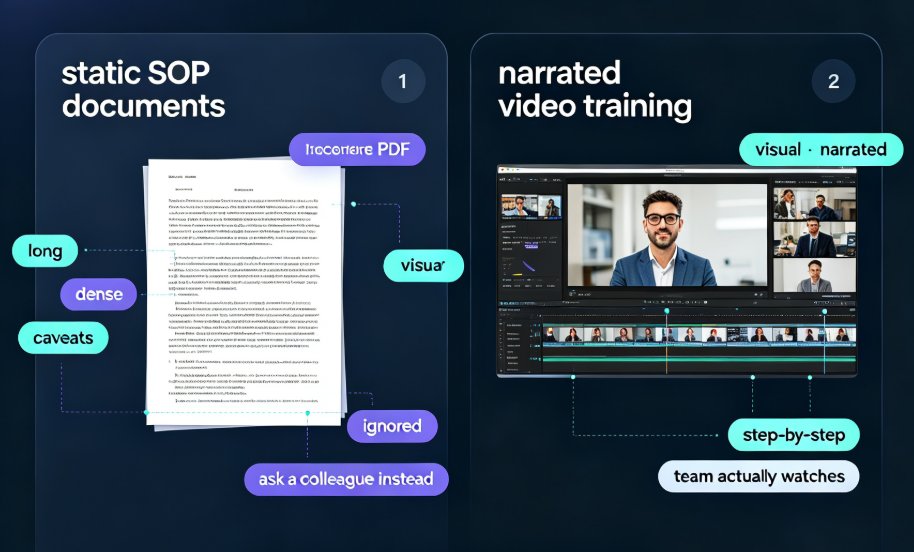
Here's the part that surprises most HR teams: the same deck can become a narrated micro-course. Zendeck's PPT-to-video feature adds voiceover and subtitles to your slides, turning static training content into self-paced video that new hires can watch before day one. This is a huge win for onboarding, because video training scales — one recording serves every new hire, forever, until you update it.
We've covered the mechanics in detail in our guide to adding narration with Zendeck's PPT-to-video, but the short version is: you record or generate narration once, and the video is ready to share.
◉ Step 4: Review, update, repeat
Because the deck is generated from a source document, updating it next quarter is trivial. Change the outline, regenerate, re-export. No more hunting for the master file or reconciling five versions. The pipeline makes your onboarding content a living asset, not a one-time artifact.
04 What the Numbers Say: Manual vs. Automated Onboarding
The time savings aren't just a nice-to-have — they're the whole point. Here's the comparison based on the research cited earlier:
| Metric | Manual Onboarding | Automated Onboarding (Zendeck) |
|---|---|---|
| Admin time per new hire | 10.4 hours | ~3 hours (70% reduction) |
| Deck production time | 1–2 days | Under 1 hour |
| Brand consistency | Depends on who builds it | Enforced by brand kits |
| Video training | Separate production effort | Generated from the same deck |
| Update cycle | Full rebuild each quarter | Regenerate from source doc |
| Scalability | Linear — more hires, more hours | Near-zero marginal cost per hire |
The takeaway: automation doesn't just save time — it changes the economics of onboarding. When the marginal cost of training one more hire drops to near zero, you can afford to onboard people properly instead of rushing them through a half-baked deck.
Here's the visual version of that time comparison:
05 Building Your Onboarding Pipeline: A Practical Workflow
If you're sold on the idea, here's a concrete workflow you can implement this week. It assumes you're using Zendeck, but the principles apply to any automated deck pipeline.
◉ Start with a master source document
Create a single Word or Markdown file that contains all your standard onboarding content: company overview, values, policies, tools, team structure, first-week checklist. This becomes your single source of truth. When something changes, you update this one file — not five decks.
◉ Set up a brand kit once
Before generating anything, configure your brand kit in Zendeck — logo, fonts, colors, and layout preferences. This is a one-time setup that pays off on every deck you generate afterward. We've written a full walkthrough on setting up brand kits for consistent presentations if you need the details.
◉ Generate, review, and iterate
Paste your outline into Zendeck, generate the deck, and review it. The first pass won't be perfect — you'll want to tweak the structure, maybe reorder a section or two. But here's the key difference from manual work: each iteration takes minutes, not hours, because the AI handles the layout and formatting for you.
◉ Add narration for self-paced video
Once the deck is approved, add narration and export it as a video. New hires can watch it before their start date, which means day one is spent on real work — not on reading slides. This is the same workflow we describe in our guide to AI-generated video decks in corporate training.
◉ Keep the human touch
Here's the part that matters: automation should free up HR time, not replace human connection. The research on onboarding automation is explicit — you should still schedule one-on-one check-ins with new hires and HR reps to make sure everything is on track. Use the time you save on deck production to actually talk to people. That's the whole point.
06 Common Mistakes to Avoid When Automating Onboarding Decks
Automation isn't a magic wand. Here are the mistakes I see teams make, and how to avoid them:
Skipping the source document. If you paste a messy, unstructured outline into Zendeck, you'll get a messy, unstructured deck. Spend 15 minutes structuring your source content first — the AI works best when the input has clear hierarchy.
Ignoring brand governance. A deck that looks off-brand undermines trust, especially for new hires who are forming their first impression of the company. Set up your brand kit before you generate anything. We've covered why AI slides go off-brand and how to fix it in detail.
Forgetting to review. AI-generated content is a starting point, not a final product. Always review for accuracy — especially policy details and dates. The AI doesn't know your company's specific quirks until you tell it.
Treating video as an afterthought. If you're already building the deck, adding narration is nearly free. Skipping it means new hires have to read slides on their own, which is a worse experience and less consistent. Turn the deck into video while it's fresh.
07 The Bigger Picture: Why This Matters for Your Team
Here's what I want you to take away from this. Onboarding is often the first real experience a new hire has with your company's quality bar. If the training materials are messy, inconsistent, or late, that's the message you're sending — whether you intend to or not.
Automating your onboarding deck pipeline isn't about cutting corners; it's about raising the floor. Every new hire gets the same polished, on-brand, accurate training — not whatever version the busiest HR rep could throw together that week. And because the marginal cost of producing one more deck is near zero, you can afford to update content more often, which means it stays accurate.
If you want to go deeper on the broader shift, our guide to AI-driven design automation and smart layouts covers where this technology is heading in 2026. But for now, the practical move is simple: pick one onboarding deck, run it through the Zendeck pipeline, and time yourself. I suspect you'll be surprised at how fast it goes.
FAQ
How long does it take to build an onboarding deck with Zendeck?
Once your outline or source document is ready, Zendeck generates a structured, on-brand deck in minutes. Add narration and export to video, and most HR teams finish a complete onboarding module in under an hour — versus the 10.4 hours of admin work manual onboarding typically requires per new hire.
Can Zendeck keep onboarding decks consistent with our brand?
Yes. Zendeck's brand kits and smart templates automatically apply your fonts, colors, and layout rules across every slide, so a deck built by one HR rep looks identical to one built by another. That consistency is exactly what onboarding content needs when it's produced repeatedly.
Do we still need human involvement if we automate onboarding decks?
Absolutely. Automation handles the repetitive production work — structuring slides, applying layouts, generating narration. But you should still schedule one-on-one check-ins with new hires and review the final content before it ships. The goal is to free up HR time, not remove people from the process.
Can Zendeck turn existing onboarding documents into slides?
Yes. Zendeck accepts Word outlines, Markdown, or plain text, and converts them into structured, visually consistent slides. You can also turn a blog post or internal guide into a training deck without rebuilding content from scratch.
Is Zendeck suitable for video-based onboarding training?
Definitely. Zendeck's PPT-to-video feature turns static slides into narrated micro-courses with voiceover and subtitles, which is ideal for self-paced onboarding that new hires can watch before their first day or during their first week.