Word Outlines to Business Decks: Zendeck AI Automates Reports
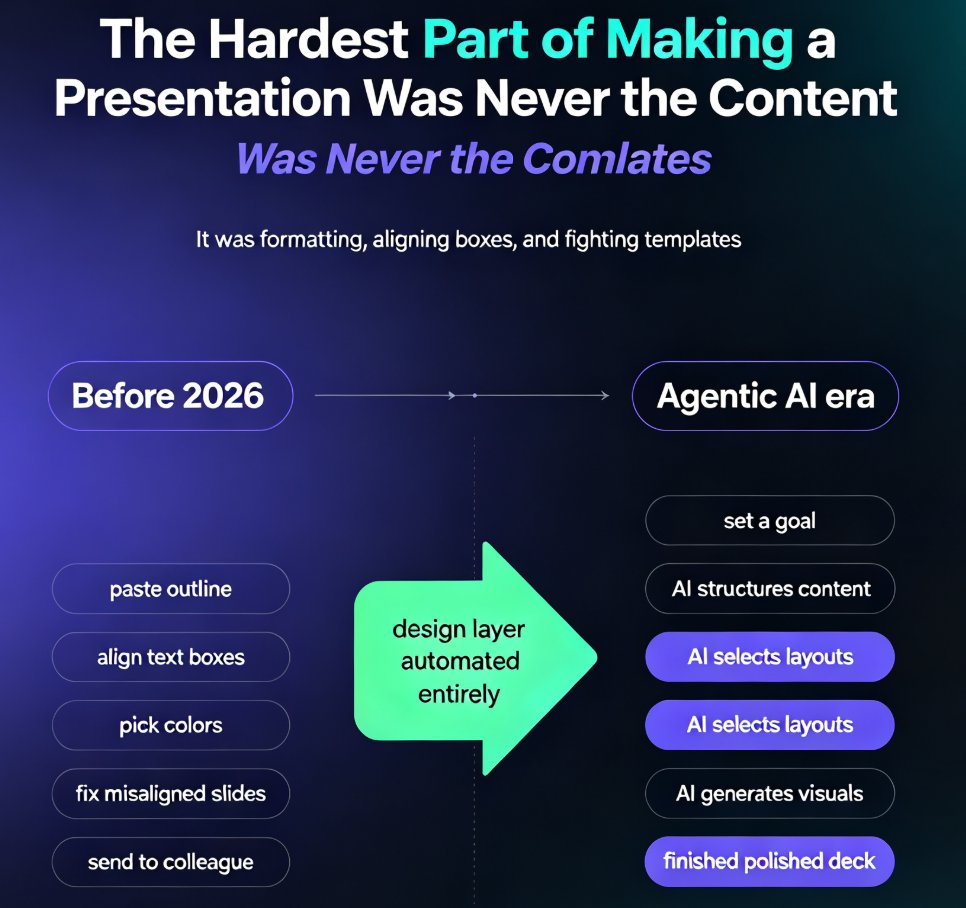
You've spent three days writing the quarterly report. The numbers are clean, the analysis is sharp, and the narrative flows. Then comes the part nobody warns you about: turning that Word document into a presentation. Two hours of copying bullet points, resizing text boxes, and fighting with alignment — and the result still looks like a document wearing a PowerPoint costume.
This is the reality for analysts, consultants, and managers across every industry. We write documents first because that's how we think. But we present in slides because that's how decisions get made. The bridge between the two has always been manual labor — until now.
I. The Document-First Reality: Why We All Start in Word
Let's be honest about how most business presentations actually get made. They don't start as blank slides. They start as:
- A quarterly business review written in Word
- A consulting engagement report drafted by a team
- A strategy memo that took days to refine
- A training outline built from meeting notes
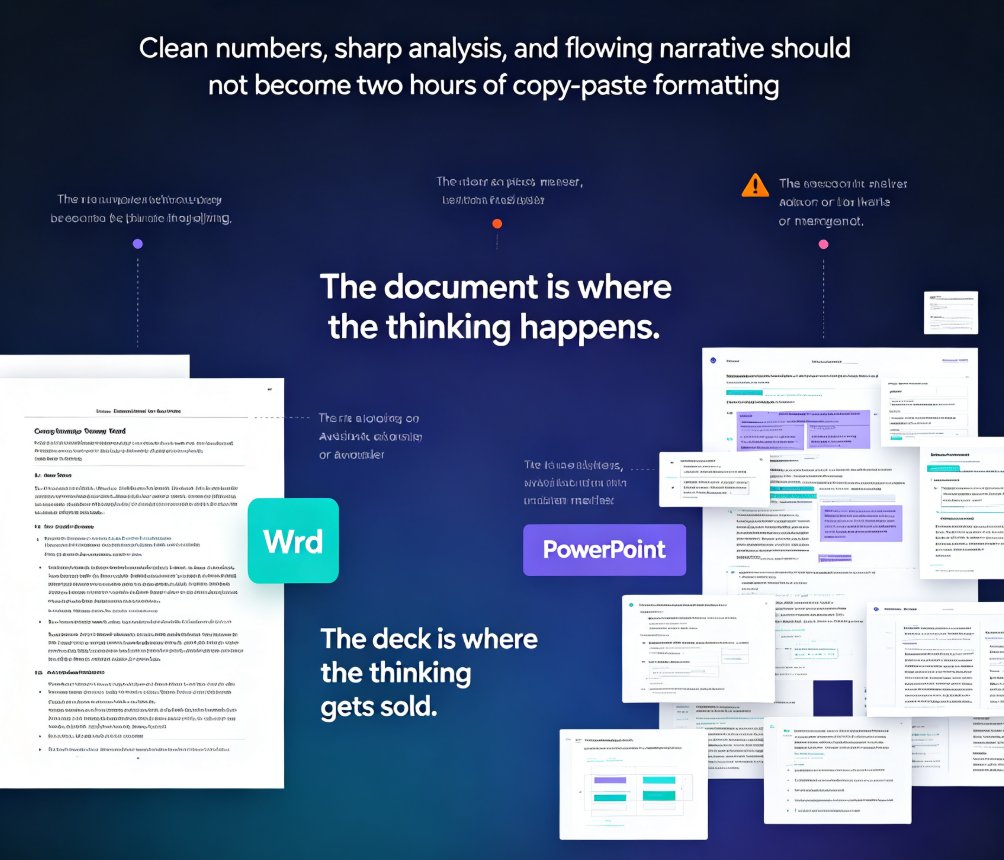
The document is where the thinking happens. The deck is where the thinking gets sold. And the gap between them is where hours disappear.
The average professional spends 3-4 hours manually converting a document outline into a presentation. That's not a guess — it's the standard estimate cited across presentation workflow tools. For a 20-slide deck, you're looking at roughly 10-15 minutes per slide of copying, pasting, aligning, and reformatting.
The irony? Most of that time isn't spent on content. It's spent on mechanics: adjusting font sizes so text fits, reordering bullets so they flow, choosing which charts to include, and praying the slide doesn't look like a wall of text.
II. Why Manual Conversion Fails (and What It Costs You)
Here's what happens when you manually convert a Word outline to slides:
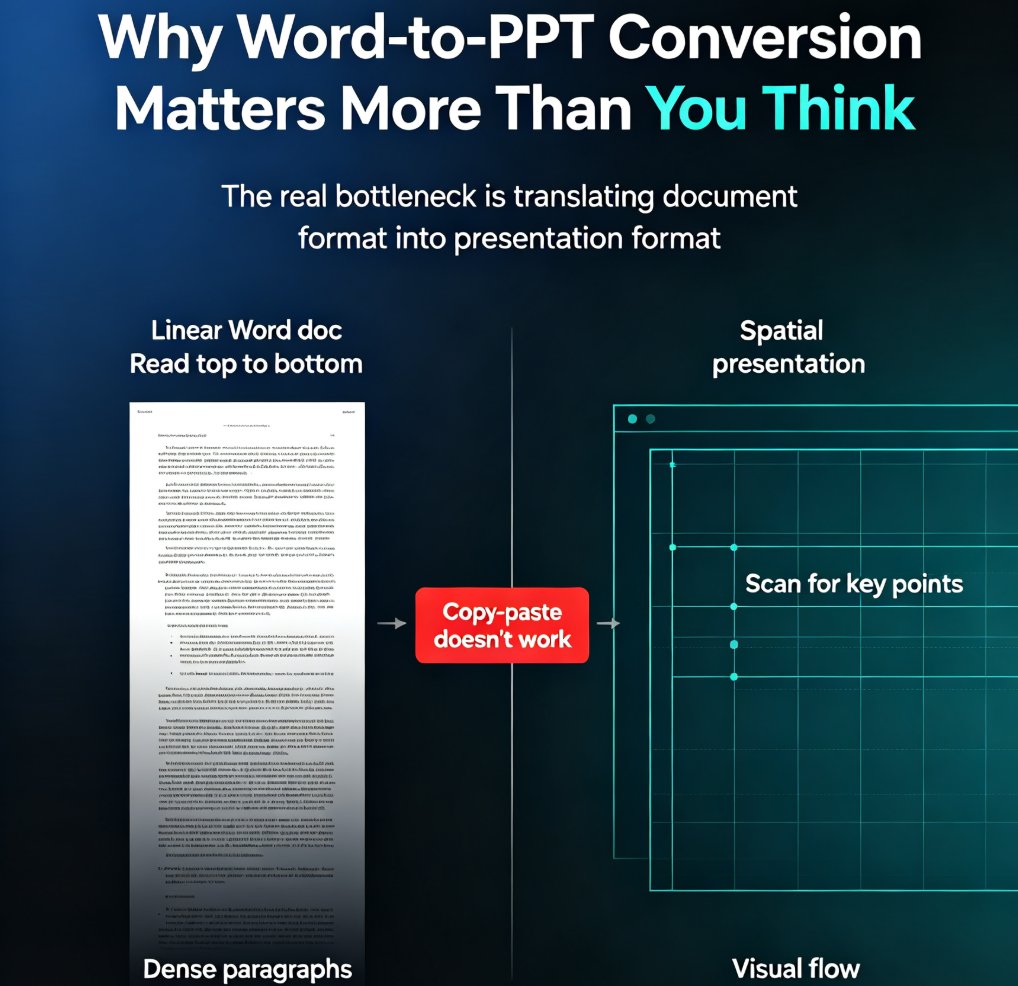
The narrative gets fragmented. An outline captures ideas, not flow. When you convert it by hand, slides end up feeling like fragments instead of a cohesive story. The document had a logical progression — the deck loses it.
Formatting eats your time. Every text box resize, every font adjustment, every alignment fix is a micro-decision that drains your energy. By slide 10, you're not thinking about the message anymore. You're thinking about whether 14-point Calibri fits in that box.
The design suffers. Unless you're a designer, your deck will look like a document with bullet points. No visual hierarchy, no breathing room, no data visualization — just text on a white background.
The message gets diluted. When you're fighting with formatting, the actual content quality drops. You start cutting nuance to make things fit. The deck becomes a shadow of the document.
The cost is real. A 2025 survey of knowledge workers found that professionals spend an average of 8.5 hours per week on presentation creation — and a significant chunk of that is reformatting existing content rather than creating new value.
The good news? This is exactly the kind of repetitive, mechanical work that AI handles well. If you're already using AI presentation tools that integrate with Word and Google Docs, you know the pattern: the AI does the heavy lifting, you do the thinking.
III. The Zendeck Pipeline: From Word Outline to Board-Ready Deck
Here's where the workflow changes. Zendeck's Word import feature treats your document as the source of truth — not as raw material to be manually reshaped.
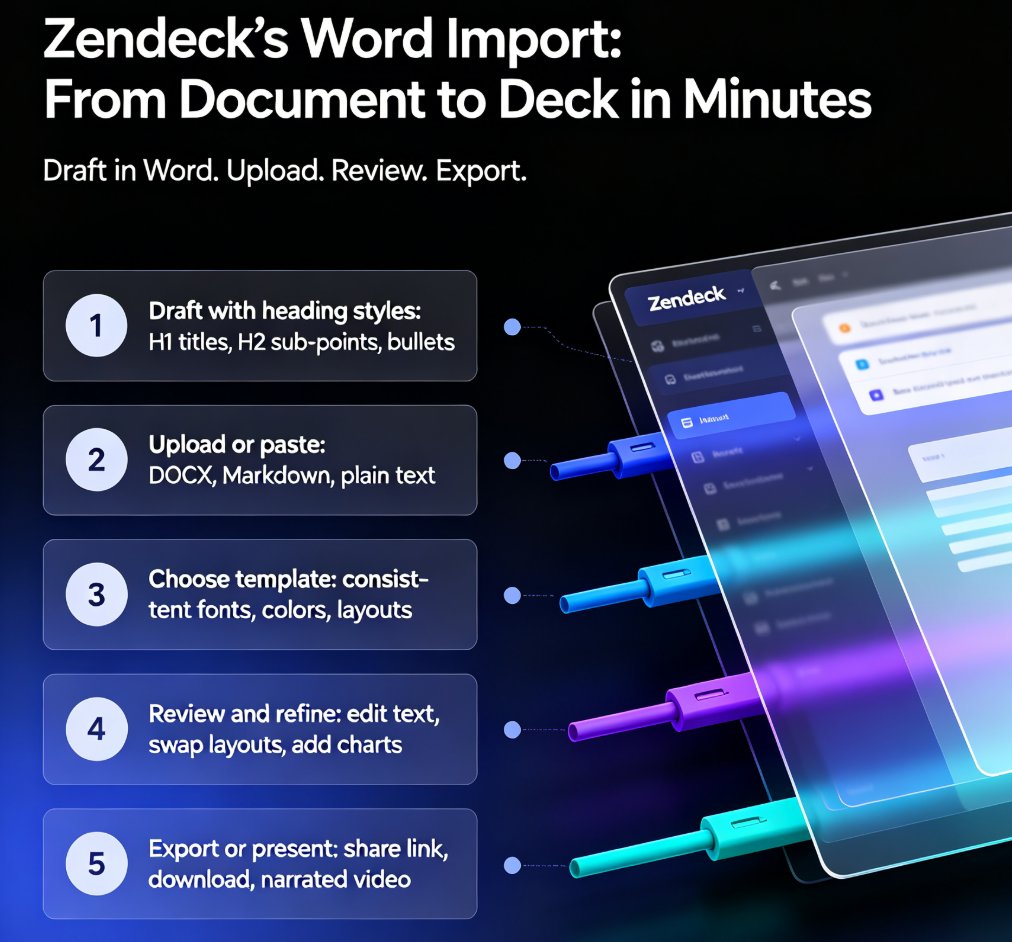
The pipeline looks like this:
Step 1: Upload or paste your outline. Drop in a Word document, paste Markdown or TXT, or copy text from anywhere — meeting notes, email threads, brain dumps. The AI handles messy formatting, nested bullets, even stream-of-consciousness writing.
Step 2: Set your parameters. Choose your deck type — board report, sales pitch, training session, or strategy review. The AI adjusts design, tone, and layout based on the presentation context.
Step 3: Click generate. The AI dissects your document structure, extracts core messages, surfaces supporting data, and maps everything into presentation logic. Not reformatting — a total transformation.
Step 4: Preview and polish. View the deck immediately in slideshow mode. Clean, editable slides with logical sections, smooth transitions, and emphasized key points. No paragraph dumps.
The whole process takes under a minute for the initial generation — versus the 3-4 hours of manual work. That's not a marginal improvement. That's a 99% reduction in conversion time.
IV. What the AI Actually Does (Beyond Copy-Paste)
Let's be clear about what "AI conversion" means here. This isn't a script that splits your document at every heading. The AI does real work:
Extracts the narrative arc. It identifies the core argument, supporting evidence, and conclusion — then structures slides to match.
Surfaces supporting data. Key numbers, charts, and statistics get pulled out of the document and presented as visual elements, not buried in paragraphs.
Applies context-aware design. A board report gets a different visual treatment than a training deck. The AI knows the difference between a sales pitch and a quarterly review.
Handles messy input. Nested bullets, inconsistent formatting, half-finished thoughts — the AI normalizes all of it.
Creates a cohesive visual system. Fonts, colors, and layouts are unified across all slides. No more mixing three different heading styles.
Here's a comparison of what you get:
| Aspect | Manual Conversion | Zendeck AI Conversion |
|---|---|---|
| Time to first draft | 3-4 hours | Under 1 minute |
| Narrative structure | Often fragmented | Preserved and enhanced |
| Design consistency | Depends on your skill | Automated via smart layouts |
| Data visualization | Manual chart creation | Auto-surfaced from document |
| Editing effort | Full redesign | Fine-tuning only |
| Format support | Copy-paste only | Word, Markdown, TXT, PDF |
If you want to dig deeper into how the AI handles different input formats, check out our guide on AI prompt to deck generation — it covers the same pipeline from a different starting point.
V. Real-World Scenarios: Where This Saves You
The quarterly business review. You've written a 30-page QBR document. Your manager needs a 15-slide deck for the leadership meeting. Instead of spending Friday afternoon copying sections, you upload the document, generate the deck, and spend 20 minutes refining the narrative.
The consulting engagement report. Your team just delivered a 50-page findings report. The client wants a presentation version for their board. The AI creates a main deck with the key findings plus appendix slides for the supporting detail.
The training program. You've built a detailed training outline in Word. The deck needs to work for a live session — not just a document dump. Zendeck structures the content into a flow that works for presentation.
The strategy memo. You've spent weeks refining a strategy document. The deck needs to sell the strategy, not just summarize it. The AI identifies the core argument and builds slides that support it.
In every case, the outcome is the same: you spend your time on the message, not the mechanics. This is part of the broader shift toward AI deck generation replacing traditional PPT workflows — and it's happening faster than most teams expect.
VI. Getting the Most Out of Your Outline
A few things that make the conversion work better:
Structure matters, but not too much. The AI handles messy formatting, but clear headings and logical sections help it identify the narrative arc. If your document is one giant paragraph, consider adding a few headings first.
Length flexibility. The sweet spot is 200-2000 words for a 10-20 slide deck. Too short? The AI can expand topics. Too long? It creates a main deck plus appendix slides. There's no hard limit — Zendeck has processed 50-page documents successfully.
Don't over-format. You don't need to clean up every bullet or fix every font before uploading. The AI normalizes formatting. Focus on the content, not the presentation.
Review the output. The AI generates a strong first draft. Your job is to refine — adjust the narrative, swap images, add slides where needed. The built-in editor makes this fast.
By the way, if you're looking for ways to speed up your team's entire presentation workflow, our piece on hidden features of AI presentation tools covers several features beyond document conversion that are worth knowing about.
VII. The Bottom Line
The document-to-deck pipeline is the most underrated workflow improvement in modern business. Most teams still treat it as manual labor because they don't know there's an alternative.
Zendeck's Word import feature turns the 3-4 hour conversion task into a one-minute generation step. The result is a deck that's better designed, more consistent, and more faithful to your original document than anything you'd produce by hand.
If you're still copying and pasting between Word and PowerPoint, you're not being productive — you're being a human converter. And that's a job the AI does better. For more on how AI is reshaping office efficiency workflows, check out our other guides.
FAQ
Q: What file formats can I import into Zendeck for outline conversion? A: Zendeck supports Word documents, Markdown, and TXT files. You can also paste text directly from any source — email, meeting notes, or web pages. The AI processes any text-based outline regardless of original formatting.
Q: How long does it take to convert a Word outline to a deck with Zendeck? A: The initial generation takes under a minute. After that, you can spend as much or as little time as you want refining the deck in the built-in editor. Most users spend 10-20 minutes polishing the AI-generated draft.
Q: Can Zendeck handle long documents, or only short outlines? A: Both. The sweet spot is 200-2000 words for a 10-20 slide deck, but Zendeck has successfully processed 50-page documents. For very long documents, it creates a main deck plus appendix slides for supporting detail.
Q: Does Zendeck preserve the structure of my original document? A: Yes — and it improves it. The AI identifies the narrative arc, extracts core messages, and structures slides to match. The result is a deck that's more cohesive than a manual conversion, not less.
Q: Can I edit the AI-generated deck after conversion? A: Absolutely. The deck is fully editable in Zendeck's built-in editor. You can swap text, change images, adjust layouts, add slides, and fine-tune anything. The AI creates the foundation; you add the finishing touches.