Quarterly Report Updates Slow? Zendeck AI Refreshes Data Slides Fast
It's the first Monday of the new quarter. Your coffee is barely brewed, and there it is: the quarterly report deck, sitting in your recent files, waiting for its fourteenth update in as many months. New numbers, new charts, new formatting quirks, and the same sinking feeling — this is going to eat your whole week.
If that scenario feels personal, you're not alone. Updating a data-heavy quarterly report is one of the most repetitive, error-prone tasks in any office. And here's the uncomfortable truth: most of the time we spend on it isn't spent thinking. It's spent re-doing work the deck already had.
Let's talk about why that happens, and how an AI-driven tool like Zendeck turns a multi-day grind into a same-afternoon task.
01 Why the quarterly report update is the most hated task on your calendar
Every quarter, the same four problems show up — and they compound.
The data is everywhere. Sales numbers live in one spreadsheet, marketing metrics in another, headcount in an HR export. Pulling them together is manual copy-paste work, and every copy-paste is a chance to introduce an error.
The charts break. The moment you paste new data into a chart, the axis rescales, the labels overflow, and the colors clash. You spend 20 minutes fixing a bar chart that looked fine last quarter.
The layout drifts. Someone added a slide in March. Someone else moved a text box in June. By September, the deck has three different title styles and a footer that's misaligned on every third slide.
The brand check is a whole job. Logos, fonts, color codes — you know they should be consistent, but checking 40 slides by eye is exactly the kind of task people skip, then regret.
The result? A quarterly report update that should take hours routinely takes days, and the final deck still has a few small mistakes nobody catches until the exec meeting.
The pain isn't the work itself. The pain is that the work is almost entirely mechanical — and mechanical work is exactly what AI is good at.
02 What Zendeck AI actually changes: refresh, don't rebuild
Here's the mental shift that changes everything: updating a quarterly report shouldn't mean rebuilding it. The structure, the narrative, the design language — those were settled last quarter. What changed is the data.
Zendeck's approach is built around that distinction. Instead of starting from a blank template every time, you bring your existing deck (or a Word outline) and let the AI handle the parts that are pure mechanics: refreshing charts, reflowing layouts, and keeping every slide on-brand.
The core capability is simple to describe: you update the numbers, Zendeck updates the slides. But the practical effect is bigger than it sounds, because it removes the three biggest time sinks in the whole process — chart rebuilding, layout repair, and brand policing. If you want to see where the broader tool landscape is heading, the latest AI data visualization trends point in exactly this direction: less manual chart wrangling, more automatic refresh.
03 The 4-step data refresh workflow
Here's what a quarterly update actually looks like when you're using Zendeck. It's not magic; it's just a workflow that cuts out the busywork.
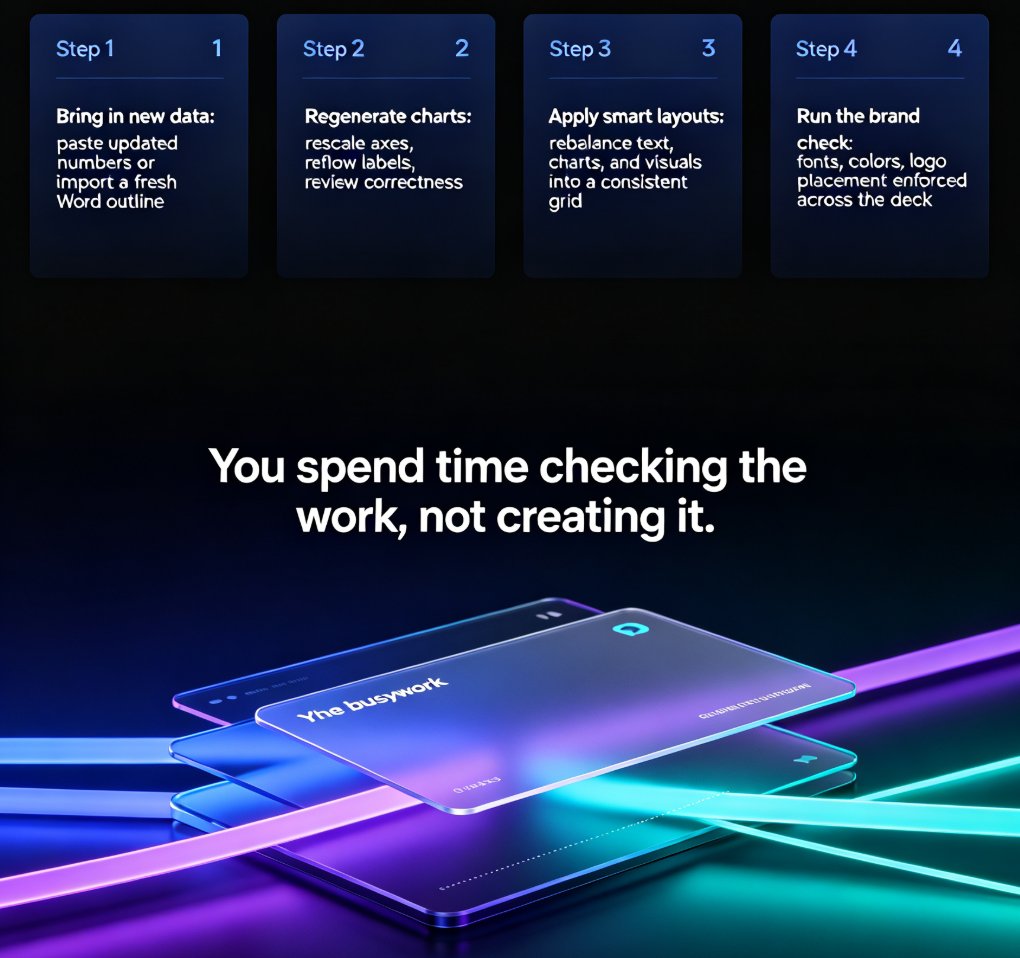
Step 1: Bring in the new data. Paste your updated numbers into the deck, or import a fresh Word outline with the new figures. Zendeck reads the structure and maps the new data to the existing slides.
Step 2: Let the AI regenerate the charts. This is where the time savings really show up. The AI rebuilds charts from the new data, rescales axes, and reflows labels automatically. You're not dragging handles on a bar chart for 20 minutes; you're reviewing a chart that's already correct.
Step 3: Apply smart layouts. If a slide has too much text or a chart that doesn't fit, the smart layout engine rebalances the elements. Titles, body text, and visuals all snap back into a consistent grid. This kind of AI-driven design automation is what separates a tool that helps from a tool that adds more cleanup work.
Step 4: Run the brand check. Fonts, colors, logo placement — the AI enforces your brand kit across the whole deck in one pass. No more eyeballing slide 27 to see if the accent color drifted.
The whole loop is designed to be review-based, not build-based. You spend your time checking the work, not creating it — which is exactly where a human's judgment adds value.
04 Layout and brand consistency, quarter after quarter
The sneaky cost of quarterly updates is inconsistency. Even when you update every number correctly, the deck slowly mutates: a title here, a font there, a chart style that doesn't match the one two slides earlier.
This is where Zendeck's design automation earns its keep. Because the AI applies the same layout rules and brand kit every time, the deck doesn't drift quarter over quarter. Slide 12 in Q3 looks like slide 12 in Q4, except the numbers are new. That consistency matters more than people think — a deck that looks like one coherent document reads as more credible than a deck that looks like five people edited it.
If you've ever watched an off-brand slide slip into a client-facing report, you know the feeling. The fix isn't more discipline; it's a system that makes off-brand output impossible by default. That's the same logic behind AI-governed brand consistency in smart templates — the governance happens before the slide is ever rendered.
05 Manual vs Zendeck AI: what the update really costs
Let's put some rough numbers on it. The exact hours vary by deck size, but for a typical 30-40 slide quarterly report, the breakdown looks something like this:
| Task | Manual update | With Zendeck AI | What you get back |
|---|---|---|---|
| Pulling and pasting new data | 4-6 hours | 1-2 hours | Fewer copy-paste errors |
| Rebuilding and fixing charts | 6-8 hours | 1-2 hours | Charts that scale correctly |
| Fixing layout and alignment | 3-5 hours | Under 1 hour | Consistent grid, no drift |
| Brand and style checks | 2-3 hours | Under 1 hour | On-brand output by default |
| Final review and polish | 2-3 hours | 1-2 hours | Your judgment, not your clicking |
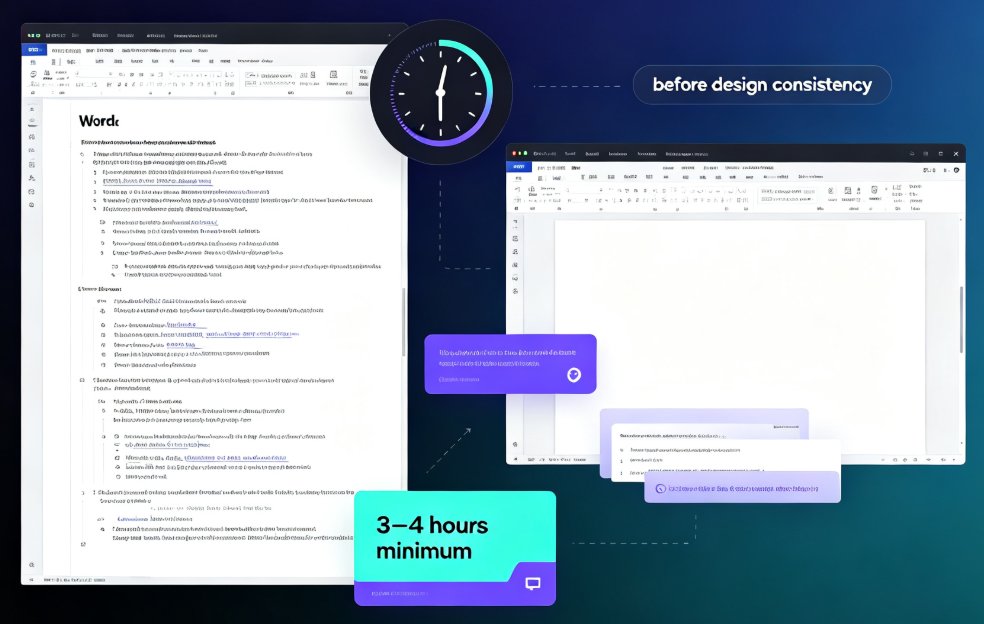
Add it up and a manual update that eats 17-25 hours drops to roughly 4-8 hours with AI assistance. That's not a marginal improvement; that's taking a quarterly chore from "the whole week is gone" to "done by Tuesday afternoon."
The point isn't that AI does the thinking for you. It's that AI does the mechanical work, and you do the thinking — which is the division of labor that actually makes sense.
06 Real scenarios: finance, sales, HR
This isn't a theoretical workflow. Different teams hit the same problem from different angles.
Finance. The quarterly board pack is the classic case. Dozens of slides, each with a chart that needs fresh data, and a deadline that never moves. Finance teams using AI-assisted refresh cut the update from a multi-day slog to a focused afternoon, and the charts come out cleaner because the axis and label handling is automatic.
Sales. The quarterly business review is part update, part narrative. The numbers change, but so does the story around them. Zendeck's strength here is that it keeps the narrative structure intact while refreshing the data — so the team can spend its energy on the "why," not the "where does this number go."
HR and operations. Headcount, attrition, hiring funnel — these decks are data-heavy and brand-sensitive. The AI's brand enforcement matters most here, because HR decks often end up in leadership meetings where polish is part of the message.
In every case, the pattern is the same: the team stops being a chart-rebuilding service and starts being a review-and-strategy function. If you're still skeptical about whether AI can handle this kind of recurring work reliably, it's worth reading about the common mistakes teams make with AI presentations — most of them come from treating AI as a designer instead of a refresh engine.
07 Make your recurring decks even faster
Once you've got the quarterly update workflow running, a few habits make it even faster next time:
Keep a master data file. If your numbers live in one place, the refresh is a single import instead of a scavenger hunt. This one habit saves more time than any tool feature.
Set up your brand kit once. The first time you configure fonts, colors, and logo rules in Zendeck, you're investing in every future deck. It's a one-time setup that pays off quarterly.
Review in two passes. First pass: check the numbers. Second pass: check the story. Don't try to do both at once — you'll miss errors either way.
Archive last quarter's version. Before you refresh, save the old deck. It's a safety net, and it makes comparing quarter-over-quarter changes trivial.
One more thing: if your team is new to AI-assisted decks, start with a single low-stakes deck to build confidence, then roll it out to the quarterly report. The learning curve is short, but the trust curve matters. And if you want more ideas on squeezing efficiency out of your daily tools, the office efficiency hub has you covered.
FAQ
Q: Can Zendeck update charts automatically when I paste new data? A: Yes. When you bring new data into your deck, Zendeck's AI regenerates the charts, rescales axes, and reflows labels automatically. You review the result instead of rebuilding each chart by hand.
Q: Will my quarterly report keep its brand style after an AI refresh? A: Yes, provided you've set up a brand kit. Zendeck applies your fonts, colors, and logo rules across the whole deck in one pass, so the refreshed report stays consistent with your previous quarters.
Q: How long does it take to update a 30-40 slide quarterly report with Zendeck? A: In a typical workflow, a manual update that takes 17-25 hours drops to roughly 4-8 hours with Zendeck AI. The exact time depends on how much new data you're bringing in and how clean your source files are.
Q: Do I need design skills to use Zendeck for quarterly reports? A: No. The AI handles layout, chart formatting, and brand consistency automatically. Your job is to review the numbers and the narrative — not to fix alignment or color codes.
Q: Can I start from a Word outline instead of an existing deck? A: Yes. Zendeck can generate a structured deck from a Word outline or Markdown, which is useful if you're building the quarterly report from scratch rather than refreshing an existing one.