Charts and Icons Hard to Find? Smart Asset Search Speeds Up Decks
Let's be real: the most expensive part of building a deck isn't writing the slides. It's the 20 minutes you spend hunting for one decent icon that doesn't look like a clip-art relic from 2004.
You type "chart" into a stock library. You get 40,000 results. You scroll. You filter. You squint at tiny thumbnails. You finally download something, drag it onto the slide — and it clashes with everything, so you start over.
That grind is the hidden tax every creator pays. And it's entirely avoidable.
The fix is a smart asset search built on contextual tags — the kind of system that understands what a slide is about, not just what a file is named. In this article we'll break down why generic search fails, how context-aware asset libraries (like the one inside Zendeck) solve it, and what the data says about the time you can win back.
01 The 20-minute icon hunt: the hidden drag on every deck
Think about the last courseware or pitch deck you built. How much of your total time went to hunting assets instead of crafting arguments?
If your answer is "way too much," you're not alone. The biggest time sink in deck design isn't layout — it's asset discovery.
Here's the pattern most of us recognize:
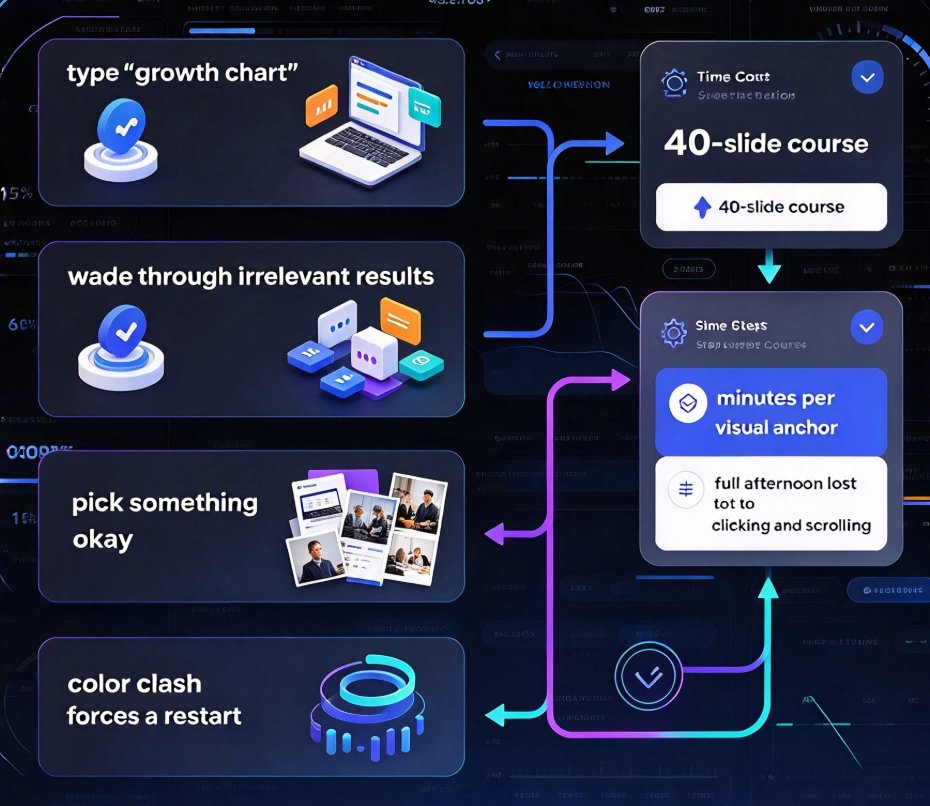
- You open a stock site and type a keyword like "growth chart."
- You wade through thousands of irrelevant results — flat icons mixed with 3D renders and corporate photos.
- You pick something that's okay, drop it in, and immediately see the color clash.
- You repeat.
The pain compounds when you're building a 40-slide course or a training module. Every slide needs its own visual anchor, and every anchor costs minutes of browsing. Multiply that by 40 and you've lost a full afternoon to clicking and scrolling.
02 Why generic keyword search fails you
Stock asset sites are built for volume, not relevance. Their search engines match keywords against file names and descriptions — nothing more.
That's why searching "chart" returns icons, photos, backgrounds, and everything in between. Keyword matching finds assets about a topic, but it completely ignores whether an asset fits your slide.
This is a well-documented problem. Researchers at Cornell University and Adobe published a study on Context-Aware Asset Search for Graphic Design (Kovacs, O'Donovan, Bala & Hertzmann) showing that conventional search results fail novices most directly: users get assets that are topically correct but visually incompatible with their current design. The paper's core insight is that search engines should consider the state of the user's design — the colors, layout, and message of the slide — and rank results by compatibility, not just by relevance.
Sound familiar? When you grab a navy-blue chart for a slide with a warm cream palette, that's the compatibility gap in action.
03 The data: faster discovery changes outcomes
Asset discovery isn't just a workflow annoyance — it's a business metric. Bynder's research on digital asset libraries found that tagging, metadata, and AI search capabilities reduce the time teams spend digging through folders or requesting files from others. And that time reduction produces three measurable outcomes:
- Faster time to market: campaigns and content go live sooner.
- Higher team productivity: people spend more time creating and less time searching.
- Better ROI on content: reusable, high-quality assets get deployed across channels at lower cost per use.
Here's a quick comparison of what the search experience feels like across three approaches:
| Search dimension | Generic stock site | Tagged asset library | Context-aware search (Zendeck) |
|---|---|---|---|
| Matching logic | Keyword only | Keyword + metadata | Content + design context |
| Result relevance | Hits on "chart" | Hits on tagged "chart" | Suggests charts matching your palette and layout |
| Typical time to find one asset | 20–40 minutes | 5–10 minutes | Under 1 minute |
| Color compatibility | Never considered | Partially tagged | Ranked by fit with active slide |
| Brand consistency | Your job to enforce | Semi-enforced | Enforced via brand kit + tags |
That last row is the difference between promising your team on-brand visuals and actually delivering them.
04 How Zendeck's smart asset search actually works
Here's where Zendeck flips the script. Instead of treating your search as a keyword query, Zendeck treats it as a design request in context.
When you search for an icon, chart, or illustration inside the asset library, the system reads something important: what your current slide is doing. If your slide talks about quarterly revenue trends, the search results prioritize charts and icons that match that narrative — and that fit the slide's existing color palette and layout.
This built-in context awareness matters for one reason: Context-aware search that reads your current slide and suggests compatible assets cuts asset-finding time from minutes to seconds.
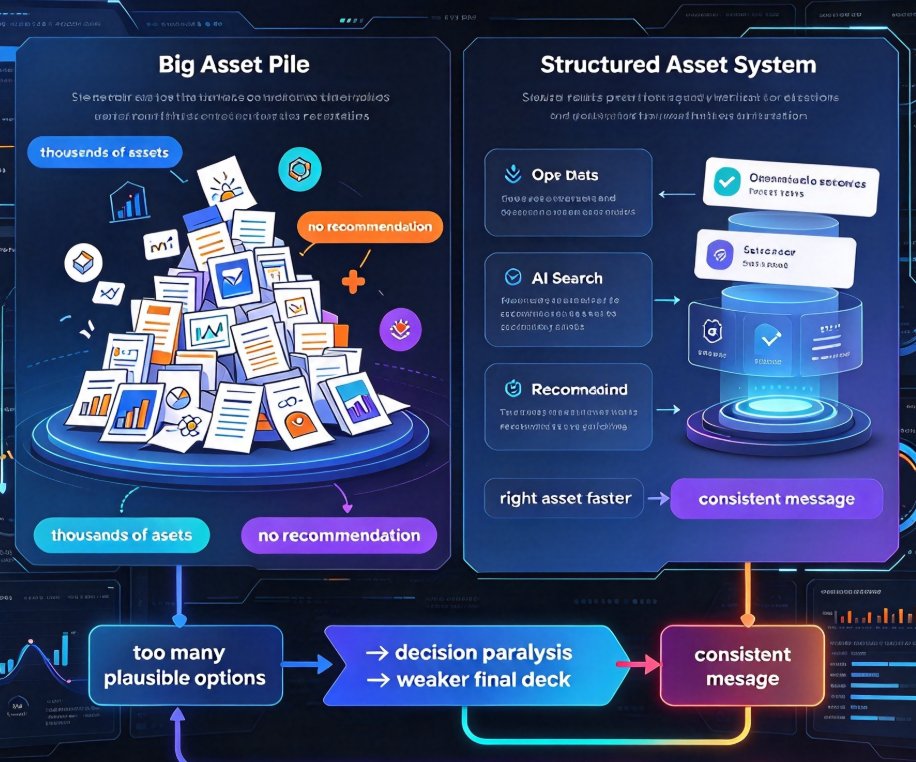
And because every asset is tagged by use case — not just by file name — you're never staring at 40,000 loosely related results. You get a curated set of options that make your slide better.
It's a subtle shift, but the feel is completely different. You go from "herding images" to "picking the best of five strong candidates."
05 The real-world time savings, quantified
Let's put numbers on this. Say you build one courseware deck per week, with 30 slides that each need a visual anchor.
- On a generic stock site, finding and vetting one usable icon takes roughly 2–4 minutes. That's 60–120 minutes per deck just on search.
- With a context-aware library like Zendeck, the same search takes under a minute per asset. That's roughly 20 minutes total — a savings of over an hour per deck, every week.
Over a month, that's half a workday. Over a quarter, it's a full workweek of reclaimed time.
Here's that difference visualized:
Is 20 minutes per week life-changing? Not on its own. But over a year, that's roughly 38 working hours you can redirect toward actual design and message quality.
06 Making your asset library work harder for you
You don't need a research paper to benefit from context-aware search — you just need to work with a tool that thinks in context. But you can also get more value out of any asset system by adjusting a few habits:
- Search by role, not by object. Instead of searching "chart," search "revenue trend over time." The more you describe what the visual does for the slide, the better the suggestions.
- Reuse smartly. A good asset library surfaces underutilized visuals. If a chart-style worked on slide five, don't reinvent it on slide twenty — duplicate and adapt.
- Keep a single source of truth. Fragmented folders breed inconsistency. One searchable library with consistent tagging beats ten scattered drives.
- Let the tag system teach you. Pay attention to the tags attached to assets you like. They'll sharpen your future searches.
These habits compound. When your search system understands context, and you search with intent, the result is a faster, more consistent visual language across every deck.
07 What this means for your next deck
The takeaway is simple: you should not be spending 90 minutes per deck chasing assets.
The tools exist to collapse that time to 20 minutes, and they're no longer a research curiosity. What Cornell and Adobe studied, and what Bynder's data validates, is now a practical feature you can use today. Zendeck's asset library applies those same context-aware principles — tagging assets by use case, ranking them by compatibility with your current slide, and unifying the result with smart layout tools — so you can build a 30-slide course deck without losing an afternoon to icon hunting.
Whether you're an educator producing courseware, an HR lead assembling training, or a marketer shipping a pitch deck, the fix is the same: stop fighting your asset library and let it work with your slides.
If this resonates, you'll probably want to dig into how AI-generated icons and charts are evolving asset libraries, or see how smart visuals powered by AI libraries are reshaping deck design. For those ready to start, adding interactive charts to your AI slides is the natural next step — and our courseware design hub has plenty more where that came from.
FAQ
What makes context-aware asset search different from a normal icon search?
A normal icon search matches keywords only, so searching "chart" returns every chart-shaped graphic on the site. Context-aware search, as researched by Cornell and Adobe, also considers your current design state — the slide's color palette, layout, and message — and ranks results that are actually compatible. Zendeck tags assets by use case, so you get a chart that fits the slide you're building, not just any chart.
Does Zendeck's asset library support custom brand colors and styles?
Yes. Because assets carry contextual tags for palette and style, Zendeck can surface icons and illustrations that match your brand kit. You can then apply one-click reskinning to unify fonts, colors, and layout across the deck, keeping everything on-brand without manual recoloring.
Can I use Zendeck's asset search for charts, not just icons?
Absolutely. The library includes charts, icons, illustrations, and data-visualization graphics, all tagged by use case. Search for "revenue trend," "growth comparison," or "timeline" and you'll get assets that map to the narrative of your slide, not just generic shapes.
How much time can a context-aware asset library actually save?
Searches on generic stock sites routinely eat 20–40 minutes per deck, between browsing, filtering, and downloading. A context-aware library like Zendeck typically gets you the right asset in under a minute, because the results are pre-filtered by compatibility with your slide content and design.
Do the suggested assets automatically match my slide's existing color theme?
Yes. Zendeck's context-aware approach considers the active slide's palette and layout when ranking results. The top suggestions are assets that look like they were designed for that exact slide, so you skip the recolor work that usually follows a generic stock download.