Turn a Product Brief into a Sales Pitch Deck in Minutes with Zendeck AI
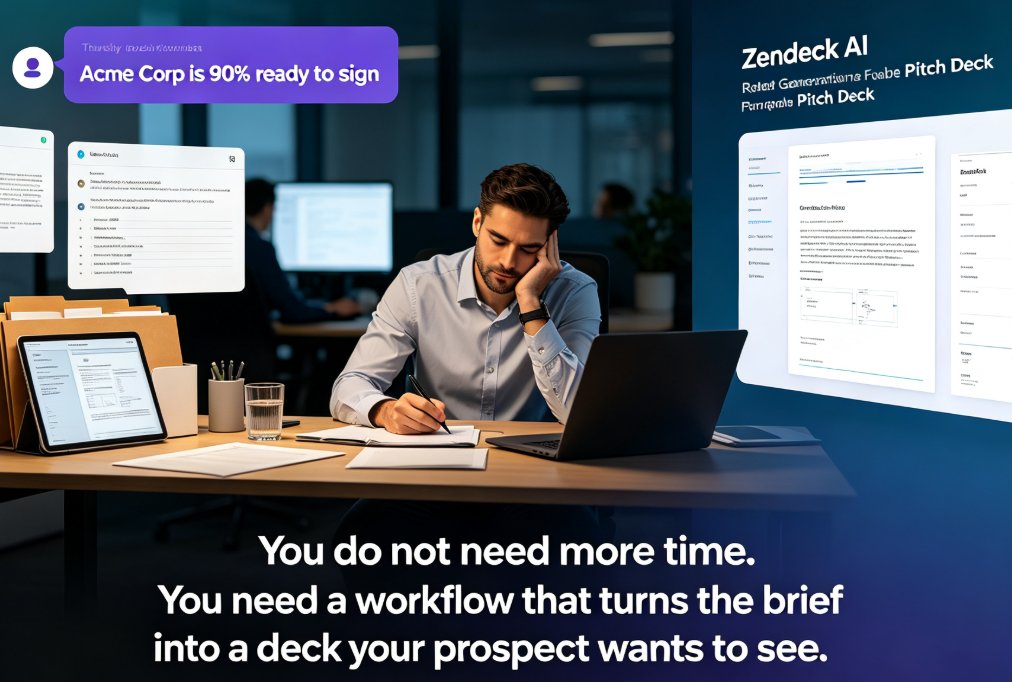
It's 4:47 p.m. on a Thursday. Your manager just pinged you: "Need a pitch deck for tomorrow's 9 a.m. with Acme Corp — they're 90% ready to sign." You have a product brief, a folder of screenshots, and roughly zero design patience. Sound familiar?
Here's the thing: the product brief already contains everything that deck needs — the value proposition, the feature list, the pricing, the customer proof. The problem isn't the content. It's the formatting, the structure, and the hours of dragging boxes around in PowerPoint.
You don't need more time. You need a workflow that turns the brief you already have into a deck your prospect actually wants to see. That's exactly what Zendeck AI does — and it takes minutes, not evenings.
I. The product brief is your most underused sales asset
Let's be real: most sales teams treat the product brief as a reference document. It lives in a shared drive, gets updated twice a year, and nobody opens it during the actual pitch. Meanwhile, the same team spends three to four hours rebuilding the same information as slides.
The waste is staggering. Every hour you spend on layout is an hour you're not spending on the actual selling — the objection handling, the discovery questions, the relationship building that wins deals.
The fix is to stop treating the brief and the deck as two separate documents. The brief is the source of truth; the deck is just its presentation layer.
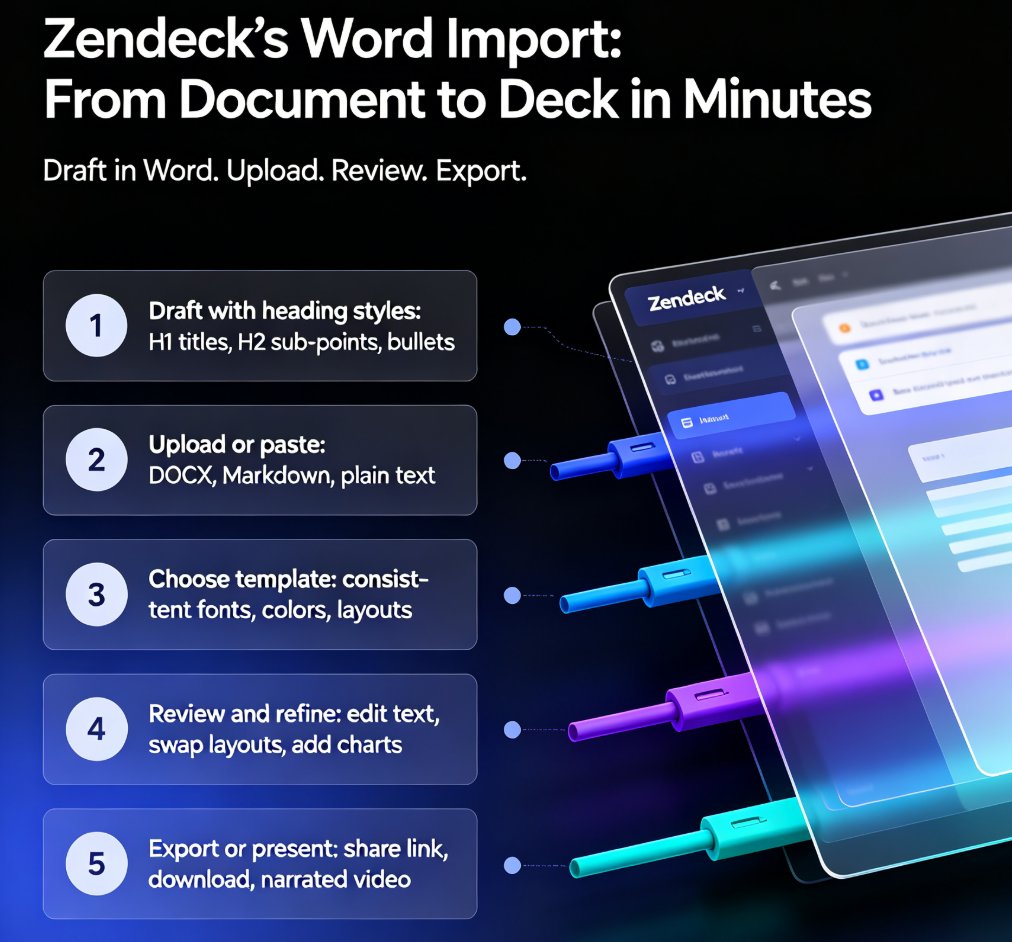
Zendeck AI is built around this idea. You upload a Word outline or a Markdown file, and the platform structures it into a clean, consistent slide deck. The content stays yours — the AI just handles the architecture and the visual layer.
II. The old way vs. the Zendeck way
Before we walk through the steps, let's look at where the time actually goes. I've seen this play out with dozens of sales teams, and the pattern is always the same:
Here's a rough breakdown of where the hours go when you build a pitch deck manually:
| Task | Manual (minutes) | Zendeck AI (minutes) |
|---|---|---|
| Structuring the outline | 120 | 5 |
| Visual design & layout | 90 | 8 |
| Data charts & visuals | 60 | 10 |
| Polish & revisions | 75 | 7 |
| Total | 345 (~6 hrs) | 30 |
That's roughly a 90% reduction in production time — and the output is more consistent than anything most teams produce by hand. The math is simple: if you build one pitch deck a week, you're reclaiming about five hours every single week.
III. Step 1: Upload the brief, let AI find the structure
Here's where the magic happens. Instead of staring at a blank slide and wondering where to start, you hand Zendeck the raw material.
What works best:
- A Word outline — if your brief has clear headings and subheadings, Zendeck maps them directly to slide sections.
- Markdown or plain text — paste it straight in; the AI parses the hierarchy.
- A messy brief — don't worry. Zendeck's AI reads the content and proposes a logical flow even if the original document is unstructured.
◉ What if my brief is a mess of bullet points and half-written paragraphs?
That's actually the most common case. The AI doesn't need perfect formatting — it needs the substance. It will group related points, drop filler, and suggest a narrative arc: problem → solution → proof → pricing → next steps. You stay in control; the AI just does the heavy lifting of organization.
The output is a first-pass deck with a clear structure. From there, you're not building — you're editing.
IV. Step 2: Template selection that matches the deal stage
Not all pitch decks are the same, and Zendeck knows it. A discovery-stage deck should look different from a procurement-stage deck. The template you choose sets the tone before you've said a single word.
Zendeck's template library covers the range — from clean, minimal layouts for early conversations to data-dense templates for the final approval meeting. The platform's AI can even suggest a template based on the content you uploaded.
◉ How does Zendeck pick the right template?
It looks at the content's structure and density. A brief with heavy pricing tables and ROI sections will steer toward a data-forward template. A narrative-heavy brief lands on something more visual. You can override the suggestion in one click, but the starting point is usually right.
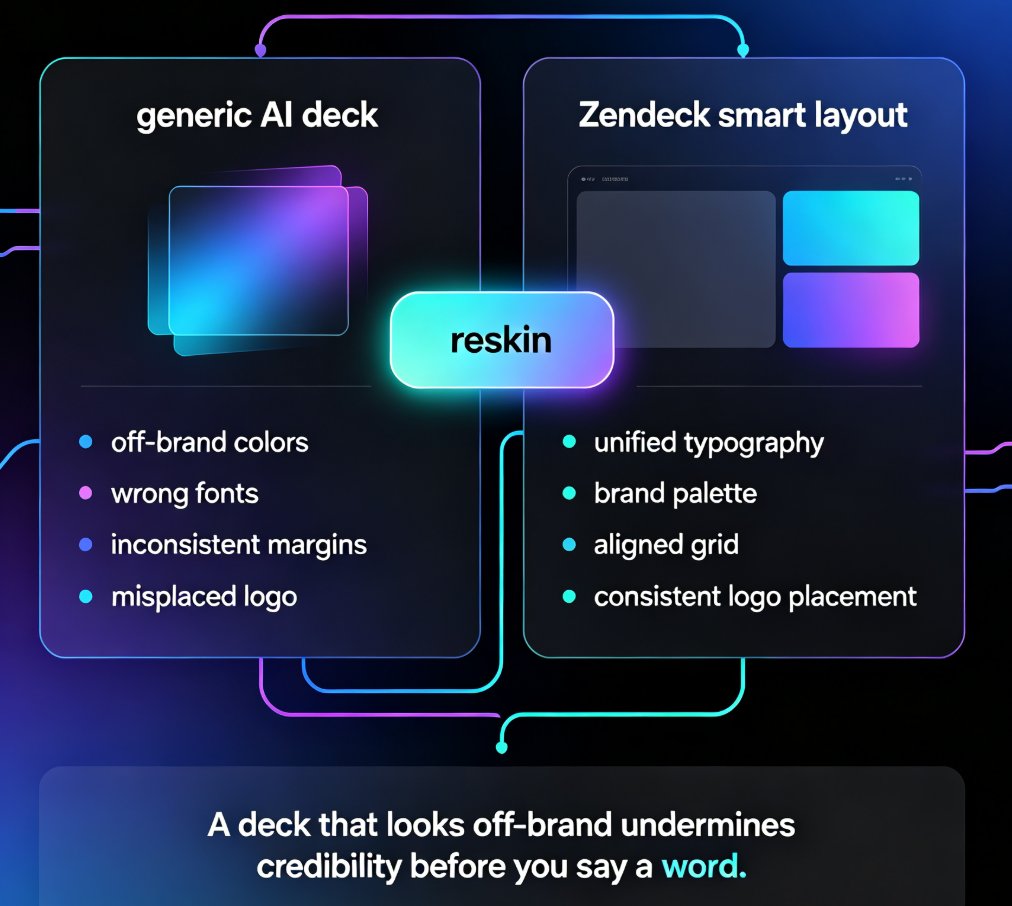
If your company has a custom brand kit, Zendeck applies your colors, fonts, and logo automatically — so the deck looks like it came from your marketing team, not from a template mill.
V. Step 3: Data charts for revenue-focused slides
Here's where most pitch decks fall apart. Sales teams know the numbers matter — the ROI, the growth projections, the customer acquisition cost — but they don't know how to visualize them. The result is a slide with a giant table of numbers that nobody can parse in 30 seconds.
The asset library includes charts and data visualizations you can drop in with one click. And because the platform understands context, it can suggest the right chart type for the data you're presenting — a bar chart for comparisons, a line chart for trends, a donut for market share.
The revenue slide is the slide that wins or loses the deal. If your numbers aren't instantly readable, you've lost the room.
The trend here is bigger than any single tool — AI data visualization is becoming a standard expectation in 2026 decks. Buyers have seen too many ugly charts; they now judge your credibility by how clean your data looks.
VI. Step 4: Polish, brand, and export
Once the structure and visuals are in place, the final pass is about consistency. Zendeck's smart layout tools unify fonts, colors, and spacing across every slide. One click reskins the whole deck if you decide to switch templates late in the game.
You can also:
- Add speaker notes — the AI can generate talking points for each slide based on the content.
- Export to PowerPoint or PDF — so you can still present through your company's standard tooling.
- Share a link — for quick stakeholder review before the meeting.
◉ What if the client asks for changes at 8 a.m. the next day?
You edit the text in the platform, and the layout adjusts automatically. No more reflowing bullets by hand. This is where the Word and Google Docs integration pays off — you can keep the source document in sync and regenerate the deck when the brief updates.
VII. When this workflow pays off most
The Word-to-pitch workflow isn't for every deck. If you're building a highly custom, design-forward keynote for a conference stage, you might want more manual control. But for the high-frequency, high-stakes sales scenarios — the ones that keep you up at night — this workflow is a game changer:
- Discovery meetings — turn a one-page brief into a 10-slide conversation starter in minutes.
- Procurement reviews — generate a data-heavy deck with clean charts and pricing tables.
- Partner pitches — adapt your standard deck to a specific partner's industry with minimal effort.
- Internal alignment — get leadership to sign off on messaging before you take it to the customer.
The teams that win with this workflow aren't the ones with better products. They're the ones that can turn a brief into a persuasive, on-brand pitch faster than the competition.
If you want to see the full picture of how AI is reshaping sales decks, check out our guide to creating a winning pitch deck with AI — it covers the strategy side, not just the mechanics.
VIII. Common questions about turning a brief into a pitch deck
What file formats can I upload to Zendeck to create a pitch deck?
Zendeck accepts Word outlines, Markdown, and plain text files. You can also paste content directly into the editor. The AI parses the structure and generates a slide deck from the content hierarchy.
How does Zendeck decide which template to use for my sales deck?
Zendeck's AI analyzes the content's structure and density. Data-heavy briefs with pricing and ROI sections get data-forward templates; narrative briefs get more visual layouts. You can override the suggestion at any time.
Can I add revenue charts and data visualizations to my pitch deck?
Yes. Zendeck's asset library includes charts, icons, and data visualizations you can insert with one click. The AI can also suggest the appropriate chart type based on the data you're presenting.
How long does it take to go from product brief to finished pitch deck?
Most users go from upload to a polished, exportable deck in 20 to 30 minutes. The exact time depends on how much editing you want to do, but the structure and design are handled automatically.
Can I keep my company's brand colors and fonts in the generated deck?
Yes. If you've set up a custom brand kit in Zendeck, the platform automatically applies your brand colors, fonts, and logo to every generated slide. This ensures consistency across all your sales materials.
That's the workflow. No more 4 p.m. panic, no more dragging text boxes, no more ugly charts. Just a brief, a few clicks, and a deck that makes you look like you had all week.