AI Transparency: Why Teachers Need a PPT Generator They Can Trust
AI Transparency: Why Teachers Need a PPT Generator They Can Trust
Picture this: it's 11:47 PM, and a high school science teacher is building tomorrow's lesson on cellular respiration. She pastes her outline into an AI deck builder, hits generate, and watches slides appear. Then the doubt creeps in — Is this original? Did the AI crib from a copyrighted source? If a student googles a phrase, will it match? And where is my student data going?
That hesitation isn't irrational. It's the exact reason XAI (Explainable AI) has moved from a research-lab buzzword to a hard purchasing criterion in education.
I. Why "Explainable AI" jumped to the top of the educator's checklist
Let's be real: most teachers don't care about neural networks. They care about one question — can I trust what this tool gives me, and can I defend it if a colleague, parent, or administrator asks?
Research on explainable artificial intelligence in education makes the core promise clear: XAI techniques explain AI decisions so they become transparent and understandable to users. That builds trust between educators, students, and the AI systems themselves, encouraging broader adoption of AI-driven educational tools (Source: SOULSS, "Explainable Artificial Intelligence in Education and Training").
For educators, that "why" matters on three specific fronts:
- Content sourcing — Where did the generated text and imagery actually come from?
- Originality — Will this deck pass a plagiarism check, or look obviously templated?
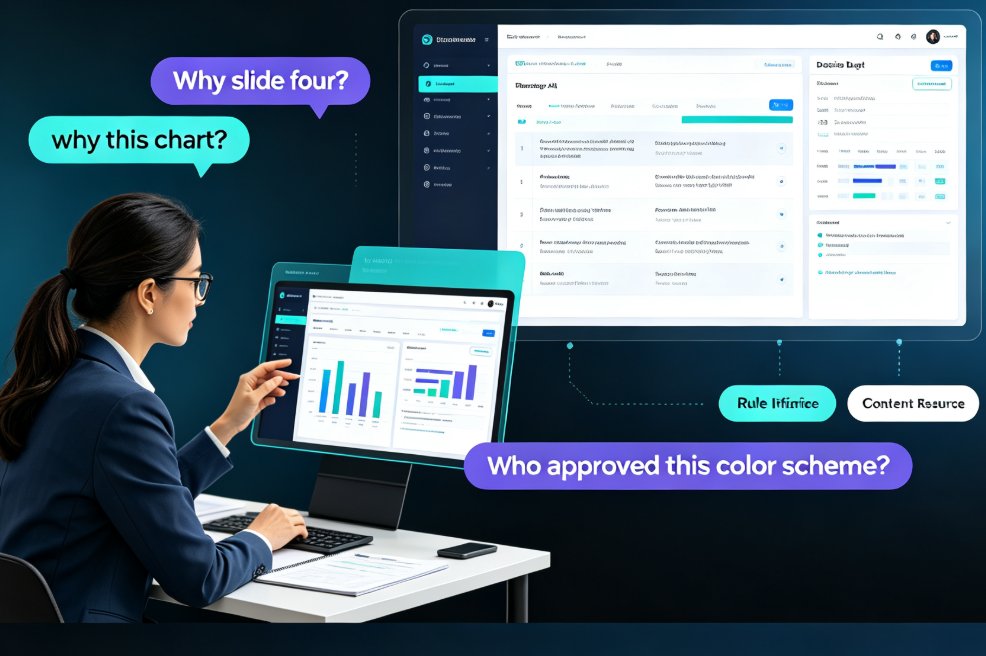
- Decision rationale — Why did the tool pick this layout, this chart, this tone?
Transparency isn't a feature. It's the foundation of whether an AI tool gets adopted — or quietly abandoned after the free trial expires.
II. The three fears hiding under every AI-generated deck
Walk into any teacher's lounge and ask about AI presentation tools. You'll hear the same three fears repeated, regardless of school district or subject area:
Fear #1: "Is this plagiarized?"
When an AI deck builder pulls from a vast training dataset, educators worry the output mirrors copyrighted source material — textbooks, published courseware, even other teachers' paid decks. In a profession where original authorship is both an ethical standard and a legal expectation, that's a non-negotiable risk.
Fear #2: "Is my student data safe?"
AI courseware tools often process student rosters, performance metrics, and learning preferences. Data privacy in AI courseware is no longer a compliance checkbox — it's a legal and moral obligation. CoGrader, an AI grading tool, explicitly states that AI-assisted classroom features must be built "with privacy, security, inclusion, trust, and safety at their core," and that teachers should critically assess AI guidance and verify its accuracy before sharing outputs with students and families (Source: CoGrader, AI Transparency Note).
Fear #3: "Will the deck embarrass me in front of 30 students?"
Let's be honest — a deck that looks like a carbon copy of the same template used in 400 other classrooms is a credibility killer. Students can smell template fatigue from across the room, and once they dismiss your visuals, they start dismissing your content.
These three fears create a paradox: educators desperately want the efficiency of AI, but they need the assurance of ownership.
III. What "transparency" actually looks like in a deck builder
Transparency isn't a marketing word. It's a set of concrete, testable behaviors. Here's how opaque tools and transparent tools differ in practice:
| What Opaque Tools Do | What Transparent Tools Do |
|---|---|
| Generate content with no explanation of source | Show content provenance and sourcing flags |
| Silently reuse the same scraped template library | Disclose template licensing and originality |
| Send your data to unknown cloud endpoints | Offer local export and clear data handling policies |
| Black-box layout decisions | Explain why a layout was chosen (context-aware design) |
| No way to verify originality | Full manual review + edit freedom before sharing |
A transparent tool treats the educator as the final authority — AI proposes, the teacher disposes.
That principle isn't theoretical. It's why tools that bake in "review and modify before sharing" workflows resonate so strongly with educators. The tool should hand you control, not take it away.
IV. How Zendeck answers the transparency question
Here's where an AI PPT generator stops being a magic box and starts acting like a professional partner. Zendeck addresses the transparency question in ways that matter specifically to educators and trainers.
Clear content sourcing. Zendeck generates decks from your outline — Word documents or Markdown you provide — rather than scraping content from an unknown source. Your outline is the source of truth, and the AI respects it. That single architectural choice dramatically reduces the plagiarism fear: the deck is built on content you authored, organized by AI, not invented by it.
Template originality. Zendeck's template library is curated and licensed, not scraped from random corners of the web. When you generate a deck, you're not grabbing a copyright-risky template. The visual layer is designed to be both professional and original, so your courseware doesn't look like every other deck on the internet.
Secure collaboration and export. For educators handling sensitive student data, Zendeck offers controlled collaboration modes and local export options. You own your deck; the cloud is a workspace, not a prison. If you need to review data-handling policies in depth, our breakdown of AI courseware data privacy protections covers what to demand from any vendor.
Explainable layout decisions. Zendeck's smart layout engine doesn't just dump content onto slides. It applies context-aware design principles, choosing layouts based on content type and presentation flow — and you can see why a slide looks the way it does, then adjust it. For a deeper dive on how AI deck tools are moving beyond rigid templates, read why AI deck tools are moving beyond templates toward context-aware design.
This isn't magic. It's architecture — and architecture determines trust.
V. Beyond transparency: data privacy as the second trust pillar
Transparency and privacy are two sides of the same trust coin. A tool can be entirely transparent about its methods but still sloppy with your data. Real trust requires both: you understand what the tool does, and you control what it holds.
For trainers and educators, this intersection is where tool decisions actually get made. Here's the evaluation criterion we recommend when assessing any AI presentation tool for classroom or training use:
- Does the tool explain content provenance? If it can't tell you where content came from, assume the worst.
- Can you review and edit everything before sharing? Final authority must stay in your hands.
- What happens to uploaded student data? Clear policies, minimal retention, and local export are non-negotiable.
- Is the template licensing explicit? Original and licensed beats free-and-murky every time.
The institutions winning the AI adoption race aren't the ones with the flashiest tools — they're the ones who've built a review-and-verify workflow around their AI tools.
The broader data security trends in AI presentation tools point in the same direction: vendors who treat security as a bolt-on feature are losing contracts to those who build it in from day one. Private deployment options, in particular, are becoming a requirement for institutions that handle sensitive data — a topic we cover in depth in our guide to data security and private deployment in AI presentation tools.

VI. A trust framework you can start using this week
You don't need a legal team to evaluate AI presentation tools. You need a simple, repeatable framework. Here's the one we recommend to trainers, department heads, and instructional designers:
| Checkpoint | Question to ask | What a Trustworthy Tool Looks Like |
|---|---|---|
| Source | Where did the content come from? | Your outline is the source of truth |
| Originality | Is this visibly templated? | Curated, licensed template library |
| Data | Where does student data go? | Secure collaboration + local export |
| Control | Can I edit and override everything? | Full edit freedom before sharing |
| Defensibility | Can I explain why the deck looks this way? | Context-aware layout logic |
If a tool fails at any of these checkpoints, walk away. There are enough AI presentation options on the market — from AI prompt-to-deck workflows that generate professional slides in minutes to fully agentic deck creation — that you don't need to compromise on trust.
VII. What this means for 2026 and beyond
The trend is clear. Educators aren't rejecting AI — they're rejecting opaque, unaccountable, data-hungry tools that treat trust as optional. As AI deck generation continues replacing traditional PPT workflows, the competitive advantage will shift away from raw generation speed and toward explainability, licensing clarity, and user control.
The bottom line: teachers will adopt AI presentation tools they can defend to their students, their colleagues, and their institutions. Everything else is just a demo.
Zendeck was built on that principle: AI to accelerate, humans to decide. When you generate a course deck from your own outline, review every slide, and export locally, that's transparency you can feel — not just read about in a privacy policy you never finished.
FAQ
Q: What does "explainable AI" mean for a presentation tool?
Explainable AI in presentation tools means the tool can explain its own decisions — why it chose a layout, where content came from, and how it structured a slide. For educators, this translates to being able to review, verify, and defend the generated deck as their own work rather than accepting black-box output.
Q: How does Zendeck prevent AI-generated content from being plagiarized?
Zendeck generates slides from your own outline (Word, Markdown, or TXT), making your content the source of truth. The AI organizes and designs your material rather than scraping from unverified sources, and you can always review and edit every slide before sharing.
Q: Is my student data safe when I use cloud-based presentation tools?
It depends on the tool. Zendeck prioritizes data security with secure collaboration modes, clear data handling policies, and local export options. Always check a tool's data retention policy and look for the ability to export and delete your data at will.
Q: What should I look for when trusting an AI deck builder with course content?
Look for content provenance, template licensing clarity, editable outputs, data export options, and visible layout logic. If the tool treats you as the final decision-maker — AI proposes, you dispose — that's a strong signal of transparency.
Q: Will students notice if my deck is AI-generated?
Students notice when decks look like generic templates. Tools like Zendeck use context-aware design and curated template libraries that produce professional-looking decks, not template clones. The real test is whether the deck reflects your teaching approach — which requires a transparent, editable tool.