Curated workplace insights to help you work smarter

Zendeck curates workplace efficiency, industry insights, and software tutorials to help you find useful information faster。

402 articles 8 Categories
Latest Articles

From Word Outline to Polished Deck: Zendeck's AI Conversion Workflow

PPT Tutorial 2026-08-19 1939

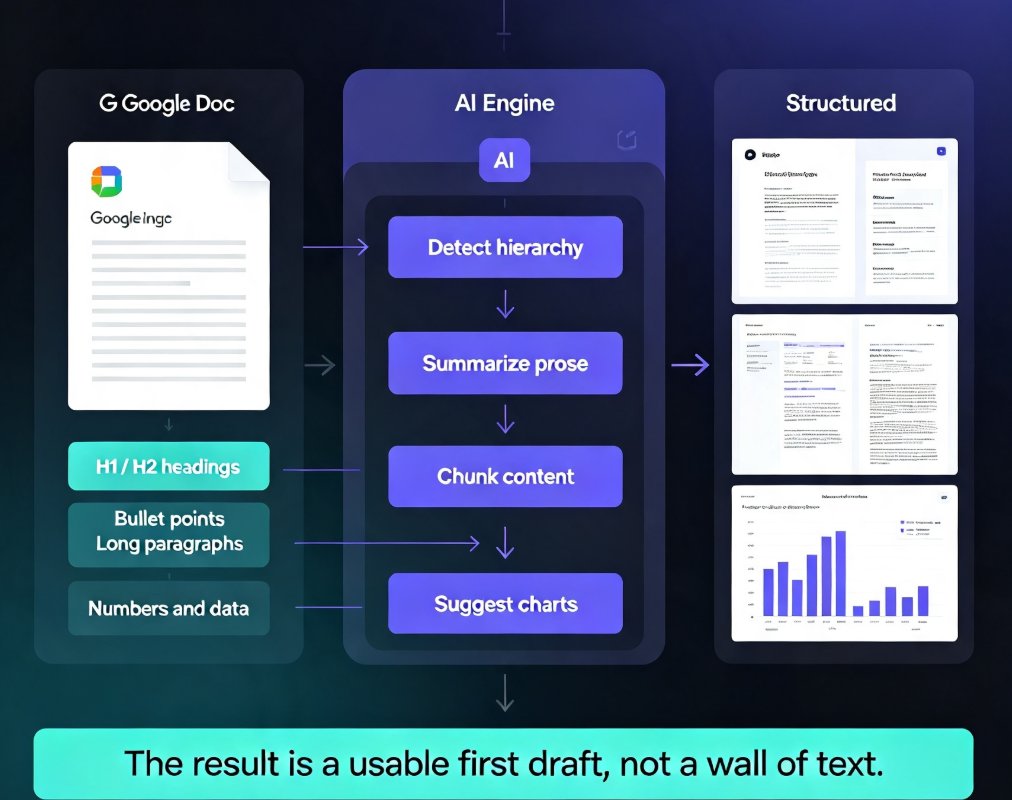
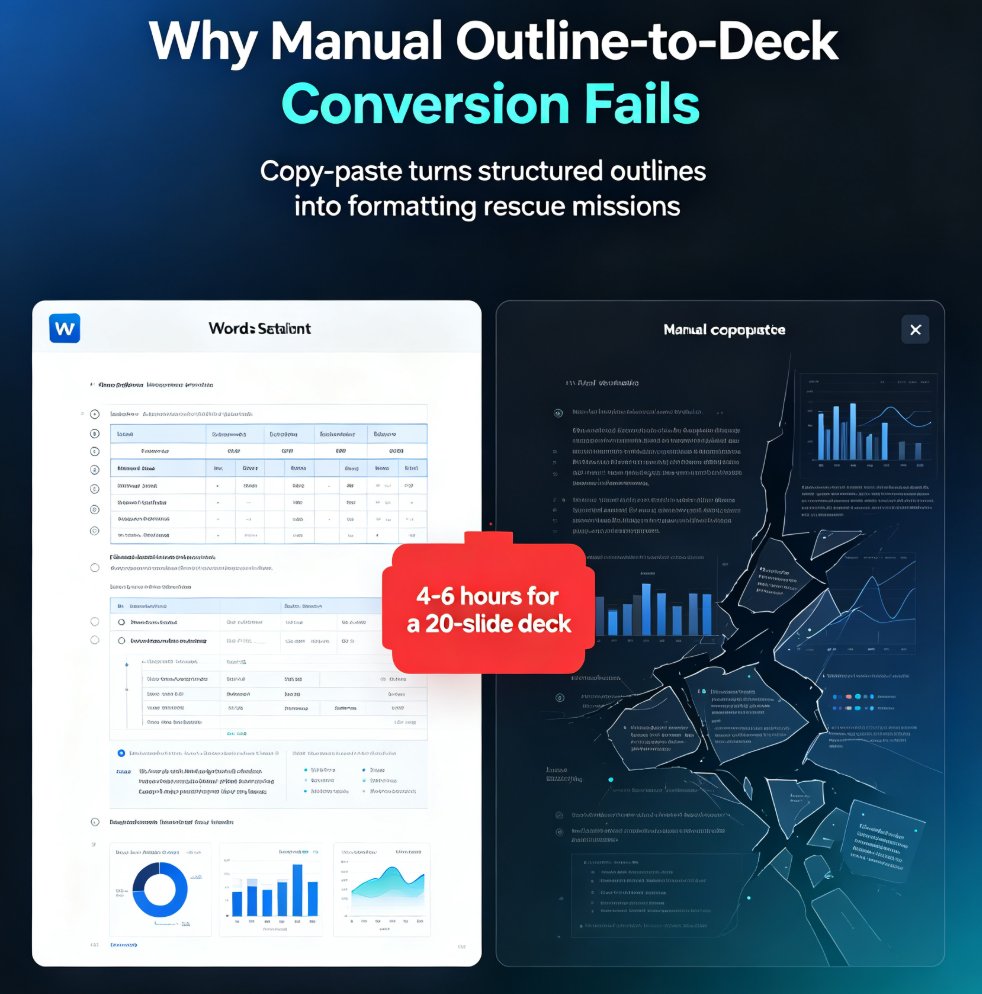
Turn a Word outline into a polished presentation with Zendeck's AI conversion workflow. Learn the five-step process, see how AI deck generation cuts production time by 90%, and get practical tips for better results. This guide covers everything from importing your outline to exporting a brand-consistent deck — perfect for educators, consultants, and teams who need decks fast. We break down the manual vs. AI comparison with real numbers, walk through each step of the Zendeck workflow, and share five tips that make the difference between a mediocre deck and a great one. If you've ever spent hours copying bullets into PowerPoint, this workflow will change how you build presentations. Stop formatting and start thinking — here's how.

Zendeck Asset Library: Create Stunning Slides Without Design Skills

Courseware Design 2026-08-19 609

Learn how Zendeck's asset library — icons, charts, and illustrations — combined with smart layout helps you create stunning slides without design skills. This practical guide covers a 10-minute workflow, common mistakes to avoid, and pro tips for educators, trainers, and teams who want professional-looking decks. Discover how to replace bullet lists with icons, turn data into clean charts, and let Zendeck's layout engine handle alignment and spacing automatically. Whether you're preparing a training course, a client pitch, or a conference keynote, this guide shows you how to elevate your slides from plain to polished — no Photoshop required. We'll also cover the three most common mistakes that make decks look amateur and how to fix them, plus answers to frequently asked questions about using assets, charts, and brand kits in Zendeck.

Zendeck Collaboration: Build Decks Together Without Version Chaos

Office Efficiency 2026-08-19 2562

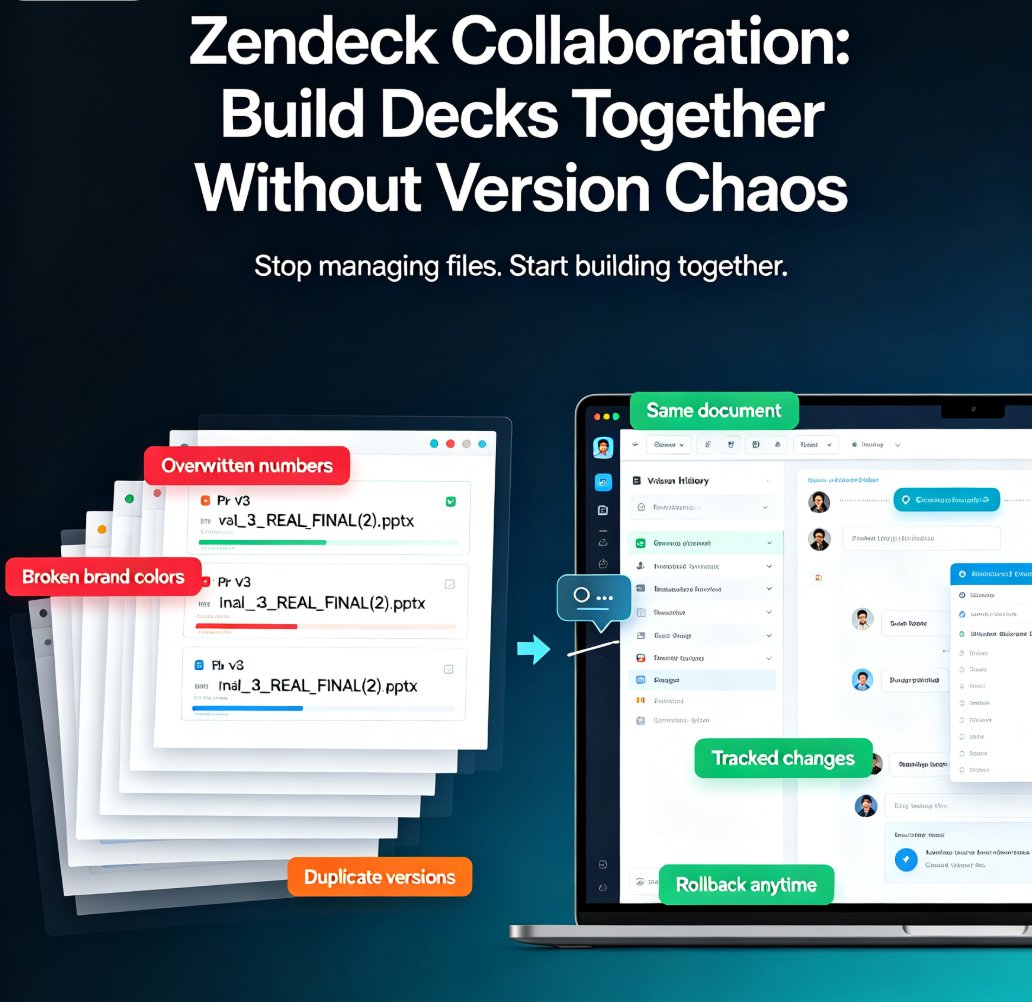
Zendeck collaboration tools end version chaos. Real-time co-editing and automatic version history let your team build decks together without overlapping edits, lost changes, or merge nightmares. This guide breaks down why traditional file sharing fails, how real-time co-editing turns sequential handoffs into parallel workflows, and why automatic version history is your safety net when things go wrong. You'll get actionable tips on assigning slide ownership, using comments for decisions, and setting up brand kits so nobody has to fix anyone's layout. Plus a comparison table showing the difference between email-based sharing and real-time collaboration, and a step-by-step plan for getting your team started in under an hour. If your team ships presentations regularly, this is the workflow upgrade you've been waiting for — no more final_v2 files, no more merge conflicts, just a deck that comes together.

Zendeck PPT-to-Video for Accessible Voiceover Lessons: A Teacher's Story

PPT to Video 2026-08-19 1546

Zendeck's PPT-to-video with AI voiceover helped a special education teacher create accessible lessons for students with visual impairments and reading difficulties. By converting slides into narrated videos with subtitles, she saw a 30% improvement in quiz scores and strong parent feedback. This case study walks through her exact workflow — upload, script, generate, share — and explains why narrated video decks are becoming the accessibility baseline in education and corporate training. You'll learn how to add narration to slides, auto-generate subtitles, and create replayable lessons in about 20 minutes, with no video editing experience required. If you're a teacher, trainer, or instructional designer looking for an accessible alternative to static slide decks, this is the guide for you.

How to Add Voiceover and Subtitles to Your Slides with Zendeck's AI

Knowledge Video 2026-08-18 2355

Learn how to add voiceover and subtitles to your slides with Zendeck's AI-powered PPT-to-video feature. This step-by-step guide walks you through built-in speech synthesis and auto-generated subtitles to create accessible, narrated micro-courses in minutes — no external tools, no recording studio, no manual captioning. Zendeck turns your existing deck into a polished knowledge video that keeps learners engaged and meets accessibility standards. Discover how to choose natural-sounding voices, control pacing, auto-sync subtitles, and export a shareable MP4. Perfect for educators, trainers, HR teams, and content operators who want professional results without design or video editing skills. By the end, you'll have a complete workflow for turning any slide deck into a video your audience actually watches.

2026 AI Agents: Automating the Full Path from Text Prompt to Video Deck

PPT to Video 2026-08-18 3690

In 2026, AI agents are automating the full path from text prompt to video deck — and Zendeck is built for exactly this shift. Early reports show deck-building time dropping 70–95% as agents move beyond single-step generation to orchestrate the entire workflow: structuring your outline, generating brand-consistent slides, writing speaker notes, recording narration, and exporting a finished narrated video. This guide breaks down what agentic presentation tools actually do, the real numbers behind the time savings, why video decks are replacing static PDFs in training and education, and the five things to check before trusting any tool with your next deck. If you're tired of context-switching between a slide tool, a design tool, and a recording tool, this is the 2026 workflow you've been waiting for.