Instant Deck Generation: AI Ends the Waiting Economy in Education
You order coffee and it's in your hand in ninety seconds. You stream a movie and it starts before you finish pressing play. You send a message and expect an answer within minutes. But when you need a training deck for Monday morning, you still block out an entire Sunday afternoon.
That gap between what we now expect and what we still accept is the waiting economy. And for teachers, trainers, and L&D teams, it's the most expensive habit in the room.
I. The Waiting Economy: Why "Later" Stopped Being Acceptable
Consumers have been retrained to expect instant results. Same-day delivery, one-tap payments, AI chatbots that answer in seconds. The standard has shifted: if a task can be automated, waiting for it now feels like a process failure, not a fact of life.
Presentations are the last holdout. We've accepted that a good deck takes hours because "that's how it's always been." But that expectation reset has finally reached slide software — and it's changing how educators and trainers work.
The waiting economy is over for content creation: if you can describe a deck, you should be able to see it in minutes.
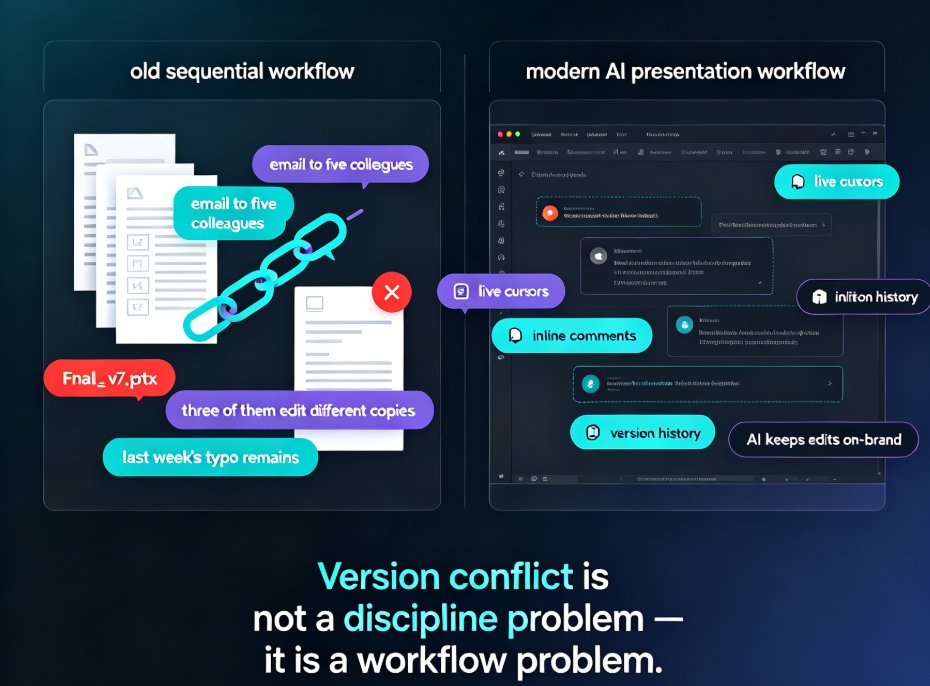
This isn't a prediction. Trainers are already posting their results publicly. One LinkedIn trainer described letting AI create an entire 12-module training presentation in under 10 minutes — a task that previously took him a full day per module. His old workflow: ask AI for an outline, copy-paste into PowerPoint, manually create slides, organize the flow, add content module by module. His new workflow: high-level outline → AI-assisted curriculum expansion → presentation generation → QA and technical validation. Draft done in minutes.
II. Teachers and Trainers: The Biggest Victims of Slow Slides
Let's be honest about who suffers most from manual deck building. A marketer can reuse a template. A salesperson can pitch from a one-pager. But a trainer building a 12-module course has to create dozens of slides, each with its own content, flow, and visual logic.
The old workflow looks like this:
- Ask AI for a training outline
- Copy-paste the outline into PowerPoint
- Manually create slides one by one
- Organize the flow
- Add content module by module
One module can easily eat an entire day. Multiply that by twelve modules and you've lost two weeks of your life to formatting — time that could have gone into improving the actual teaching. If you're a trainer, you know exactly which part of this hurts: the Sunday-afternoon slide shuffle that leaves you exhausted before the week even starts.
The real cost of slow decks isn't the hours; it's the thinking time those hours steal from teaching.
That's the part that rarely shows up in productivity math. When you spend Sunday formatting bullet points, you're not refining your examples, your analogies, or your delivery. You're doing work a machine can do, while the work only you can do sits waiting. Trainers who build their own materials feel this tension constantly — and it's exactly why AI presentation templates for trainers have become such a practical starting point.
III. What "Instant" Actually Means for Deck Generation
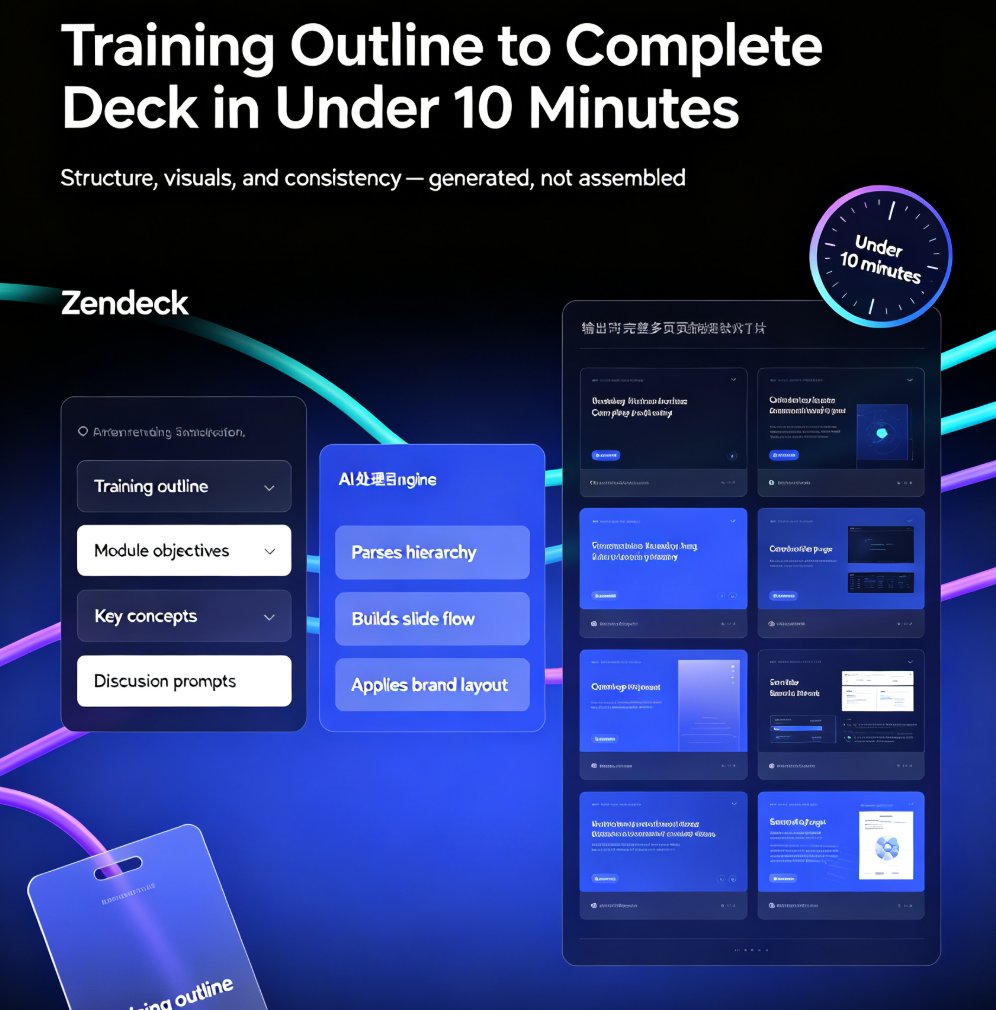
Instant doesn't mean "a rough draft you'll redo." Modern AI deck generators take a high-level outline — or even a raw brain dump — and produce a structured, visually consistent, presentation-ready deck in minutes.
The new workflow:
- High-level training outline → AI-assisted curriculum expansion → presentation generation → QA and technical validation
That's it. The draft is done in minutes. You keep the expertise; the tool handles the formatting.
What makes this different from the "AI assist" tools of a few years ago? Three things:
- Structure, not just text. The tool organizes your content into a logical slide flow, not a wall of text you still have to split into slides.
- Visual consistency. Fonts, colors, and layouts are unified automatically — no more mismatched slide designs.
- Editable output. You're not locked into a generated result. You can tweak, reorder, and restyle anything after generation.
This is where tools like Zendeck fit. Paste in a Word outline or Markdown, and the platform generates a structured deck with consistent design. If you want to go further, it can even turn that deck into a narrated micro-course — but more on that later.
IV. The Role Shift: From Formatter to Strategist
Here's the part nobody talks about. When AI builds your slides, you don't lose your job — you lose your least favorite task.
Trainers who test this workflow report the same realization. As one trainer put it: "AI didn't replace my expertise. My role simply shifted." From slide-building to content strategy, audience analysis, and delivery.
AI doesn't replace your expertise; it moves your role from formatting to strategy.
Think about what that means in practice. Instead of spending four hours making slide 23 look right, you spend that time asking better questions: Is this example the right one for this audience? Is the pacing right for a 45-minute session? Where will learners get confused? This is the same shift the industry has been tracking for a while — AI slide generation is moving from design to strategy — and it's happening fastest in education, where the content matters more than the chrome.
That's the shift from the waiting economy to the thinking economy. And it's the reason instant deck generation isn't just a convenience — it's a quality upgrade for teaching.
V. Manual vs. AI-Assisted: The Time Reality Check
Let's put real numbers on this. For a 12-module training deck:
| Approach | Time for 12-module deck | Quality control | Reusability |
|---|---|---|---|
| Manual PowerPoint | 2-3 days | Full control, slow iteration | Low |
| Traditional AI assist | 4-6 hours | Good, but manual assembly | Medium |
| Instant AI generation | 10-20 minutes | High, with human QA pass | High |
The numbers tell a simple story: instant generation doesn't just save time — it changes what you can do with that time. A deck that took days now takes minutes, which means you can iterate on content, test different structures, and update materials more often.
VI. How to Start Building Instant Decks Today
If you're ready to leave the waiting economy behind, start small:
- Pick one module you've been dreading. Don't try to convert your whole course at once.
- Paste your outline into Zendeck. Word, Markdown, or even a brain dump works. If you have a longer document, you can even turn a blog post into a slide deck the same way.
- Let the AI generate the deck structure. Review the flow before you refine the details.
- Do one QA pass. Check facts, examples, and technical accuracy. This is your expertise — the part AI can't do. If you want to speed this up, auto-generate speaker notes so your QA pass covers delivery too.
- Present. And notice how much earlier you finish.
A practical tip from someone who's been there: don't skip the QA pass. AI is fast, but it's not infallible. The instant part is the formatting; the judgment part is still yours. Think of it like a sous-chef — it preps everything, but you still taste the dish before it leaves the kitchen.
VII. The Bigger Picture: What Instant Decks Unlock
Once you stop spending days on deck building, new possibilities open up. You can update training materials monthly instead of annually. You can create custom decks for different audiences without starting from scratch. You can turn a single course into a video version for remote learners.
That last one is worth exploring. When your deck is done in minutes, converting it into a narrated micro-course becomes a natural next step — not a separate project you'll never get to. It's the difference between "I'll do it someday" and "I did it this afternoon."
The waiting economy in education is ending. The tools exist, the workflows are proven, and the time savings are real. The only question left is whether you'll keep waiting — or start presenting.
FAQ
Q: How fast can AI really generate a complete presentation deck?
Modern AI presentation tools can generate a structured, visually consistent deck from an outline in 10 to 20 minutes. Trainers have reported completing 12-module training presentations in under 10 minutes using AI-assisted workflows, compared to a full day per module with manual methods.
Q: Will AI-generated decks look professional enough for corporate training?
Yes. AI deck generators apply consistent fonts, colors, and layouts automatically, which often looks more polished than manually assembled slides. You can also customize the output with brand kits and templates to match your organization's standards.
Q: Do I still need design skills to use an instant deck generator?
No. The entire point of instant deck generation is to remove the design barrier. You provide the content and structure; the tool handles the visual design. That's why tools like Zendeck are popular with educators and trainers who don't have design backgrounds.
Q: Can I edit AI-generated slides after they're created?
Absolutely. AI-generated decks are fully editable. You can reorder slides, change text, swap templates, and adjust the design after generation. The AI creates the starting point; you keep full control over the final result.
Q: Is instant deck generation suitable for complex, technical training content?
Yes, with one caveat: you should do a QA pass. AI handles the structure and formatting instantly, but you're responsible for verifying facts, examples, and technical accuracy. The best workflow combines AI speed with human expertise.