Brand Compliance Made Easy: Enterprise Asset Library Guide
Let's be real: nobody wakes up excited to enforce brand guidelines. But every time someone on your team ships a deck with the wrong font or a stretched logo, your brand takes a small, silent hit. It's not dramatic. It's just... a little less credible every time.
Here's the thing, though — the fix isn't more nagging. It's a system.
The real solution to brand inconsistency isn't policing people. It's building compliance into the tool itself, so the right fonts, colors, and logos are the only options your team has.
That's exactly what an enterprise asset library does, and it's why tools like Zendeck are shifting brand governance from a manual chore to an automated guarantee. If you've ever spent a Monday morning hunting down who used the wrong shade of blue, this guide is for you.
I. Brand Inconsistency: The Silent Killer of Corporate Credibility
You've seen it a hundred times. The sales deck uses Calibri because someone's laptop defaulted to it. The marketing one-pager has the old logo. The HR onboarding slides use a slightly different shade of blue than the official brand color. Individually, each deck looks fine. Collectively, they tell a story of a company that doesn't have its act together.
Brand compliance is the practice of ensuring all brand communications and assets follow established brand guidelines across every channel — and presentations are where most companies quietly fail. Bynder's definition covers everything from digital to print to in-person experiences, and the same logic applies to your slide decks.
The pain point is real: your team produces dozens of decks a month, each one a potential brand violation. The solution is to stop treating compliance as a review step and start treating it as a system property. The outcome is that every deck, from a quick internal update to a board-level pitch, reinforces the same identity.
II. Why Manual Policing Doesn't Scale
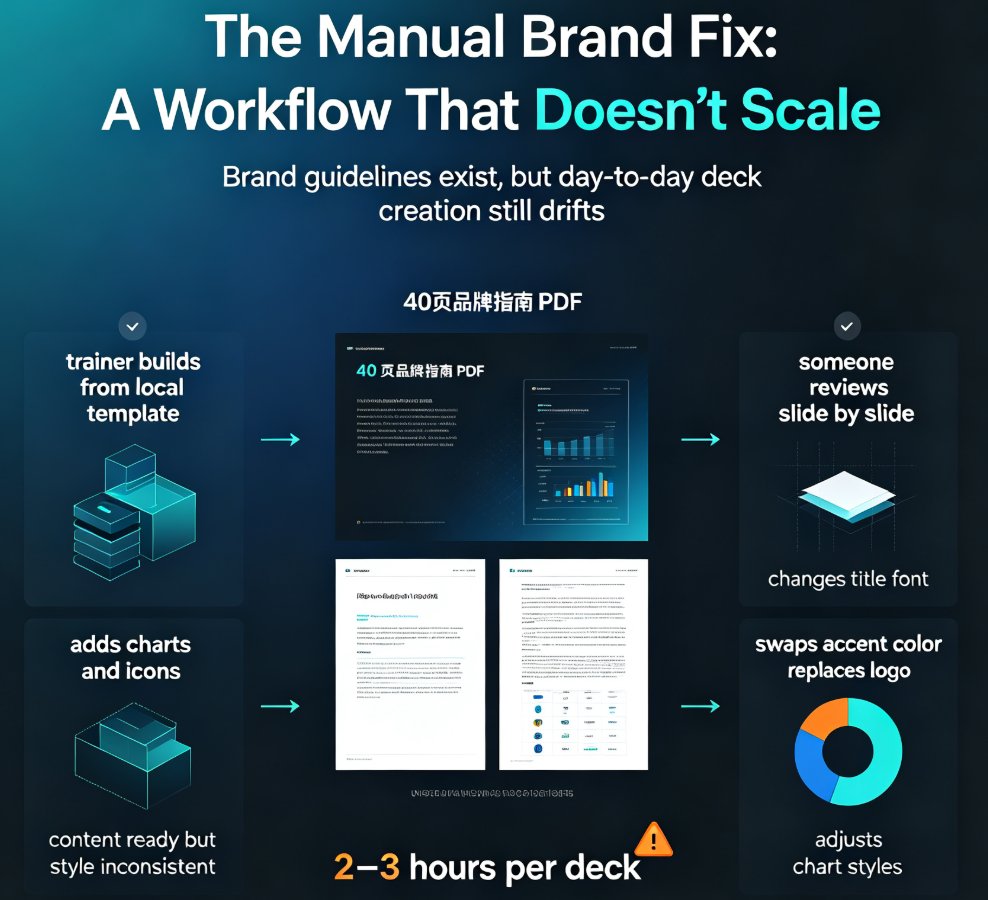
Here's the uncomfortable truth: you cannot email your way to brand consistency.
When brand compliance depends on people remembering the guidelines, checking the hex values, and hunting for the right logo file, it breaks the moment you have more than a handful of decks in flight. Someone will always use the wrong font. Someone will always grab the logo from an old email attachment. Someone will always be in a hurry.
The pain point: manual review is slow, inconsistent, and deeply unpopular. Nobody wants to be the brand police, and nobody wants to be policed.
The solution: move enforcement from the human layer to the tool layer. When your presentation software knows your brand standards, it applies them automatically — no memory required, no review needed.
The outcome: compliance becomes the default state, not the exception you have to chase.
III. What an Enterprise Asset Library Actually Does
Before we talk about tools, let's get clear on what an asset library is. At its core, it's a single source of truth for everything your brand needs to stay consistent.
◉ What belongs in a brand library?
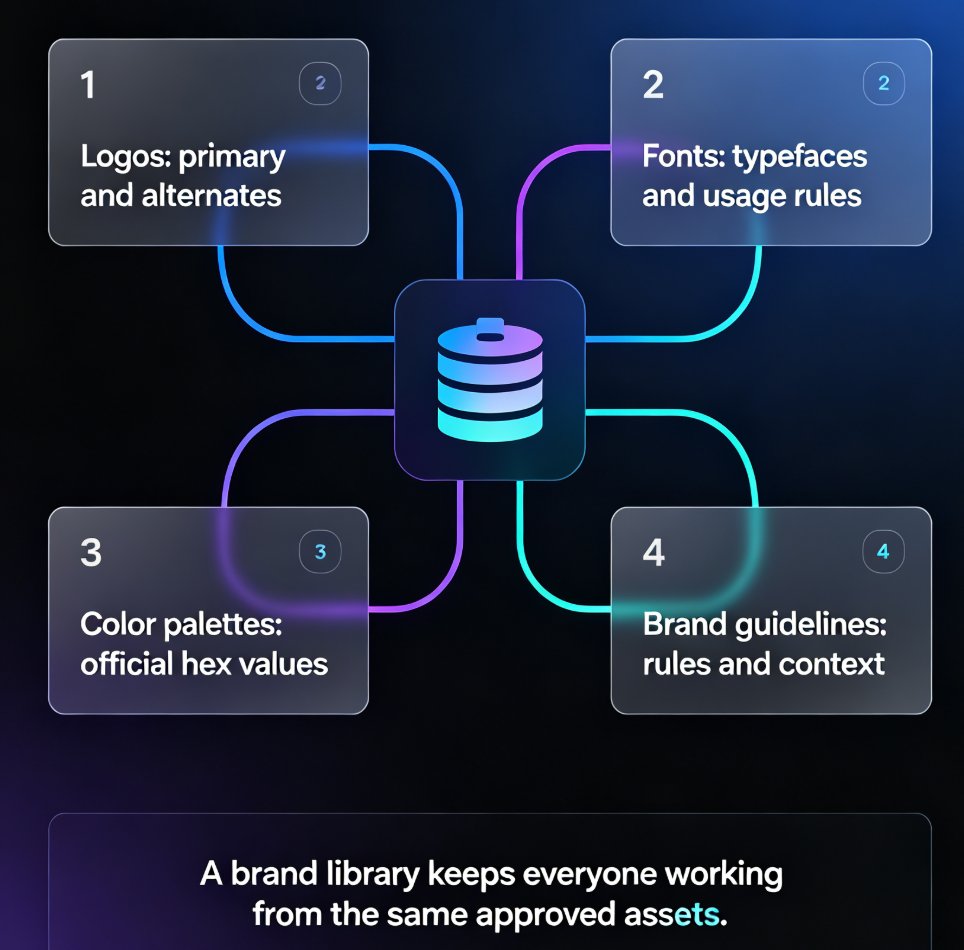
Lingo's guide to brand libraries points to four essentials:
- Logos — the primary version plus any alternates, so nobody has to guess which one to use
- Fonts — the actual typefaces, ideally with downloadable files and usage guidelines
- Color palettes — the official hex values, so nobody eyeballs a "close enough" blue
- Brand guidelines — the rules that explain why things look the way they do
◉ Why a single source of truth matters
The pain point: without a central library, brand assets live in scattered shared drives, email threads, and individual laptops. The solution: consolidate everything into one governed place. The outcome: every stakeholder — from your design team to a third-party agency — works from the same source of truth, and the days of "which logo file is current?" are over.
IV. How Zendeck's Asset Library Enforces Brand Standards
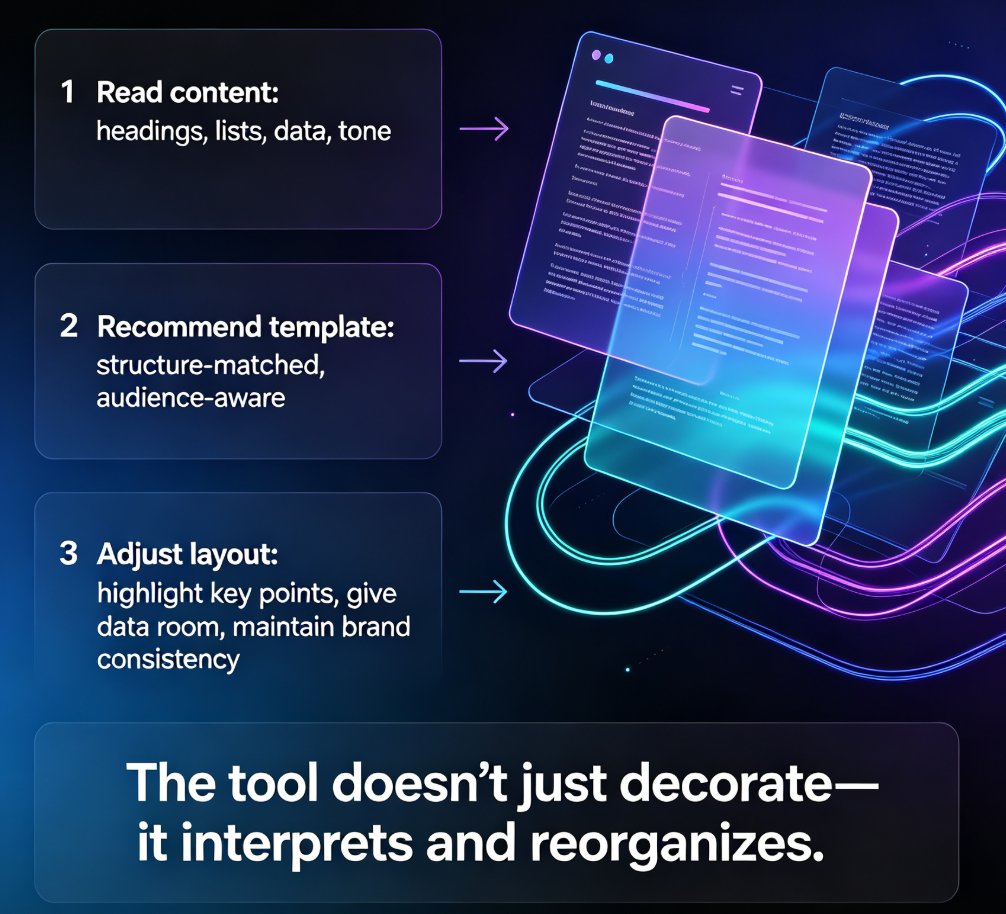
This is where the system-level fix comes in. Zendeck's enterprise asset library doesn't just store your brand assets — it actively enforces them.
You set your brand colors (the exact hex values), your fonts, and your logo once. From that point on, the one-click reskin applies those settings to any new deck your team creates. No more asking someone to "please use the right font." The tool simply doesn't offer the wrong one.
The one-click reskin in Zendeck is the difference between telling your team what to do and making it impossible to do anything else.
◉ How does the one-click reskin work?
The pain point: even with a brand kit defined, teams drift back to old habits. The solution: Zendeck bakes brand standards into the generation and reskin process, so every AI-generated slide inherits your fonts, colors, and logo automatically. The outcome: hundreds of slides stay on-brand without a single manual check.
If you want to dig into the setup side, this walkthrough on setting up brand kits in Zendeck covers the practical steps, and this guide on maintaining consistency across hundreds of slides shows how it scales.
V. Manual Policing vs. Enterprise Asset Library: The Honest Comparison
| Dimension | Manual Brand Policing | Enterprise Asset Library |
|---|---|---|
| Enforcement | Depends on people remembering | Built into the tool |
| Fonts | Copy-paste from guidelines | Locked in, applied automatically |
| Colors | Eyeballing hex values | Set once, applied to every deck |
| Logos | Digging through shared drives | Centralized, always current |
| Scalability | Breaks past ~10 decks | Works across hundreds of slides |
| Error rate | High, human-dependent | Near zero |
| Team morale | Low (nobody likes the brand police) | High (no nagging required) |
The pattern is obvious. Manual policing is a people problem wearing a process costume. An enterprise asset library removes the human error variable entirely.
VI. A Practical Workflow for Staying On-Brand
Here's a workflow that actually works, whether you're a team of five or five hundred:
Step 1: Define your brand standards once. Get the official hex values, font files, and logo versions from whoever owns your brand. If you don't have them documented, this guide on building a custom branded template is a good starting point.
Step 2: Load them into your asset library. In the tool, that means setting your brand kit with the exact colors, fonts, and logo. Do it once, and it applies everywhere.
Step 3: Make the library the default. Don't let people start from blank templates. When every new deck starts from your governed brand kit, compliance is automatic.
Step 4: Use one-click reskin on legacy decks. Got a pile of old decks that are off-brand? Run the reskin and bring them all into line without rebuilding anything. This article on why AI slides look off-brand and how to fix it fast covers the common failure modes.
Step 5: Audit occasionally, not obsessively. With system-level enforcement, you don't need to review every deck. A quarterly spot-check is plenty.
VII. Common Mistakes That Undermine Brand Governance
Even with the right tools, teams sabotage their own brand governance in predictable ways:
Mistake 1: Treating the asset library as optional. If you let people skip the brand kit, they will. Make it the only path.
Mistake 2: Not updating assets when the brand evolves. A library is only as good as its currency. When your logo changes, update it once in the library, and every future deck inherits the fix.
Mistake 3: Ignoring sub-brands and campaigns. If you run multiple product lines, your asset library needs to handle variations — different color accents, different logo lockups — without letting them bleed into each other. Zero-design brand governance with smart templates shows how AI enforces these boundaries.
Mistake 4: Confusing a template library with an asset library. Templates are a starting point; an asset library is a governance layer. You need both, but they're not the same thing. If you're still building your approach, the courseware design hub has more on structuring decks that stay on-brand.
FAQ
What is brand compliance in presentations? Brand compliance means every presentation your team produces follows your established brand guidelines — the right fonts, colors, logos, and visual tone. In practice, it's about ensuring a deck created by the sales team in a hurry looks as polished and on-brand as one designed by the marketing team.
How does an enterprise asset library differ from a regular template library? A template library gives you starting points — pre-designed layouts you can customize. An enterprise asset library is a governance layer that locks in your brand standards (fonts, colors, logos) and enforces them across every deck, regardless of which template you start from. The best tools combine both: templates for structure, and the asset library for brand enforcement.
Can an asset library handle multiple sub-brands? Yes. You can define different brand settings for different teams or product lines, so each group gets the right colors, fonts, and logo lockups without cross-contamination. The one-click reskin applies the correct settings to each deck.
How do I get my team to actually use the asset library? Make it the default path. If every new deck starts from the governed brand kit and the tool applies brand standards automatically, there's nothing to remember. The less friction, the higher the adoption — which is exactly why system-level enforcement beats manual policing.
Does the one-click reskin work on existing decks? Yes. If you have legacy decks that are off-brand, you can run the reskin to bring them into compliance automatically — updating fonts, colors, and logo placement without rebuilding the content.